

Solved

PX Multi Question Survey Trigger

  • May 12, 2026
  • 7 replies
  • 79 views

Alistair FIeld
Forum|alt.badge.img+4

Good Morning All,

I am trying to create a feedback tab much like this. the tab on the right hand side.
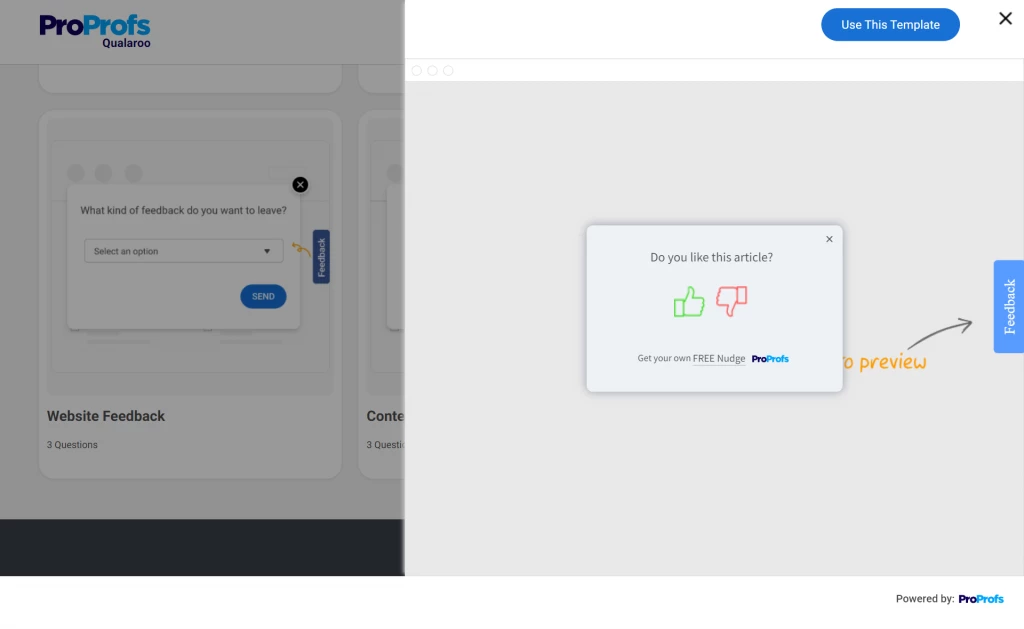
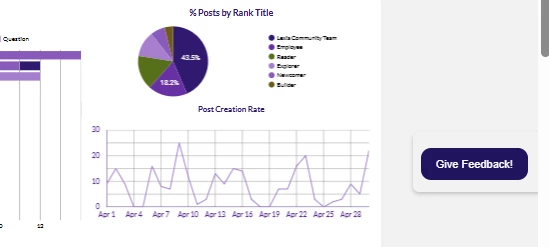
I can make a dialog button ✅ see below

QUESTION: How do I trigger the survey engagement when the dialog button is clicked?
 

Best answer by rschlette

For real time qualification, the button in the dialog just needs an onclick action added to the link element. If you use a PX custom event, that can be the real time trigger for the survey engagement.


So your button has some link <a> element. Add the custom event there:

<a href=”xyz” onclick="aptrinsic('track', 'Show Survey' , {});>


Then the audience logic in the survey includes a custom event rule for the event name you choose in the above onlick action (named ‘Show Survey’ for the example, but you call it)


7 replies

rschlette
Forum|alt.badge.img+2
  • Expert ⭐️
  • Answer
  • May 12, 2026

For real time qualification, the button in the dialog just needs an onclick action added to the link element. If you use a PX custom event, that can be the real time trigger for the survey engagement.


So your button has some link <a> element. Add the custom event there:

<a href=”xyz” onclick="aptrinsic('track', 'Show Survey' , {});>


Then the audience logic in the survey includes a custom event rule for the event name you choose in the above onlick action (named ‘Show Survey’ for the example, but you call it)


rschlette
Forum|alt.badge.img+2
  • Expert ⭐️
  • May 12, 2026

@link_black  gives the master class here: 


Alistair FIeld
Forum|alt.badge.img+4

thanks ​@rschlette 

so i have been trying this but to no avail .. 

This is my html for the button: 

<br>
<div class="community-feedback-button" id="feedback"><span style="color: #000;">&nbsp;</span>
<a href="" onclick="aptrinsic('track', 'Feedback' , {'clicked':'true'})" style="text-decoration: none; color: inherit;"></a>
<div style="
border-radius: 10px;
background-color: #21145f;
padding: 10px 15px 10px 15px;
display:inline-block;
margin-left: auto;
margin-right: auto;
cursor: pointer;
color:#ffffff;
font-size: 11px;"><a style="text-decoration: none; color: inherit;">Give Feedback!</a></div><span style="color: #000;">&nbsp;</span></div>

am i missing something?


rschlette
Forum|alt.badge.img+2
  • Expert ⭐️
  • May 12, 2026

Pop over to https://app.aptrinsic.com/settings/security/engagements and make sure that inline JavaScript is enabled in the SDK via “Allow JavaScript in Engagements Editor”


If that is enabled, you should be able to see the custom event itself in the network log in the browser when you click, and in the PX audience explorer activity feed for the test user.


Check if those things are all true so you know whether it’s an event issue or the second/target engagement that needs scrutiny


Alistair FIeld
Forum|alt.badge.img+4

I made sure that was enabled.

I checked other custom events in a slider and they work fine, just to make sure my process is correct.

ANNNNNDDD . i just realized i had it in the wrong <a>. 🤦‍♂️

now moved and the custom event is working.


Now i am struggling to get the survey to trigger. 
This is my audience rule?


So would this trigger everytime the custom button is clicked?

Thank you for the assistance.


rschlette
Forum|alt.badge.img+2
  • Expert ⭐️
  • May 12, 2026

2 things I’d check in the survey engagement:

  1. Custom event properties have dynamic typing, so if you configure a property as a boolean, and then pass a string, the type will change. BUT any rules or filters set up in PX when the type was boolean will silently fail. It looks like the ‘clicked’ property is configured in the audience logic as a boolean. The payload in the screenshot is ‘click’ : ‘true’ will hit PX as a string because of the quotes. String is fine too, but they need to match. Pass ‘click’ : true for boolean typing
  2. check your qualification scope is ‘once per visit’ or ‘every time’ so that users can requalify on subsequent clicks. ‘once per visit’ will also require a new Px session for each subsequent instance

Alistair FIeld
Forum|alt.badge.img+4

@rschlette Thanks for the assistance, I have now gotten it to work as wanted.