


PX Newsletter August 2026
Product Experience August 2026

This month we’re focused on one thing: helping your team get more value from the PX data you’re already collecting.
Inside, you’ll find smarter ways to build reports, a workflow for turning adoption signals into renewal evidence, and real prompts the community is using with PX MCP to work faster. Plus, our next PX in Practice session on September 10 will show you exactly how to connect product usage data to renewal conversations live demo included.
Let’s dig in! 😄

Build Smarter Reports Faster with the New Query Builder Experience
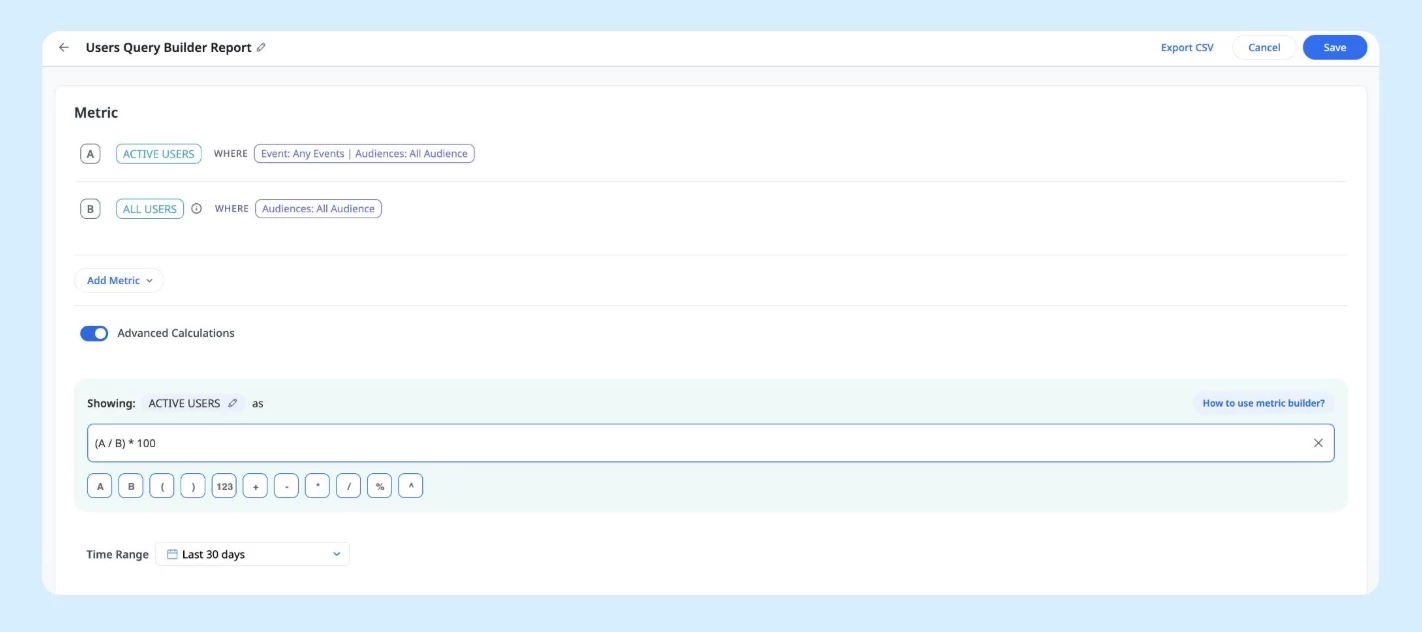
Query Builder now has two modes: the new Metrics experience and the existing Cohort view. Start from a library of pre-built PX metrics, define your own using aggregate functions and filters, or combine multiple metrics with a formula builder. Results feed directly into your dashboard widgets.
Learn More
See Exactly Where Users Slow Down with Path Analyzer
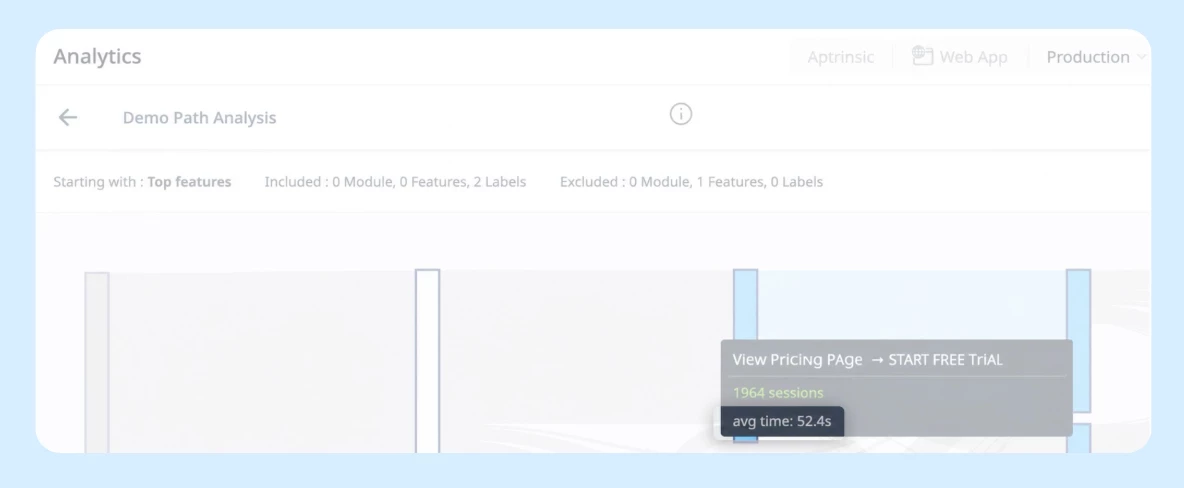
Path Analyzer now shows how long users take to move between steps. Hover over any connection to see the average time between two nodes, or hover over a node to see how long it took users to reach it from the previous step.
Learn More

A Simple Workflow for Turning PX Data into Action with MCP
If you’re connected to Gainsight PX MCP but not sure where to start, this four-step workflow from our PX in Practice session is worth bookmarking.
Find → Understand → Fix → Verify
- Find — Ask your AI tool (Claude, ChatGPT) which features have low adoption across your user base. MCP pulls live PX data directly into the conversation.
- Understand — Dig deeper into why. Is it a discoverability issue? A specific user segment? Ask follow-up questions without switching tabs.
- Fix — Build an engagement response directly — a targeted guide, tooltip, or banner for the affected users.
- Verify — Come back after the engagement runs and check whether adoption moved. Track the before and after in the same conversation.
The whole workflow runs inside your AI tool with live PX data, no manual exports, no context switching. It’s the fastest path from “something’s not being used” to “we did something about it.”
Watch the full PX in Practice Session 1 recording

The Gainsight MCP Prompt Library Is Live And We Want Your Prompts
We just launched the Gainsight MCP Prompt Library — a growing collection of ready-to-use prompts and skills built for Gainsight’s MCP servers, so you’re not starting from scratch every time.
But the best prompts come from people actually using these tools day to day. If you’ve found a prompt that saves you time, surfaces something useful, or fits neatly into your workflow — share it in the thread. Drop it with a quick description of the use case, the prompt itself, and which product it’s for (CS, PX, CC, Skilljar, or Staircase). Standout community prompts will be featured in the library over time.
Already seeing results? Community member mobrien14 shared how their team is using Claude live artifacts with the Gainsight MCP to generate revised CS Sentiment, assess open business objectives, and surface program metrics to stakeholders who don’t log into Gainsight directly.
Not using MCP yet? The AI Learning Hub is a great place to start.
Explore the Prompt Library
Join the discussion
AI Learning Hub
How to Rename and Delete PX Engagement Templates
Managing PX templates can feel a little convoluted — especially when you want to clean up old ones or rename something you created months ago. The community has a clear answer, confirmed by the Gainsight PX team.
Deleting a template: fully supported. You can find the delete option directly within the template management area — see the thread for a screenshot of exactly where to look.
Renaming a template: there’s no direct rename option yet, but this simple workaround gets you there:
1. Open an engagement and select the template you want to rename
2. Use the “Save as Template” option
3. Save it under the new name
4. Delete the old template to keep things tidy
The direct rename feature is already on the PX roadmap, so a native option is coming. In the meantime, the workaround is quick and clean.
Read the full thread

Turning PX Data into Renewal Evidence
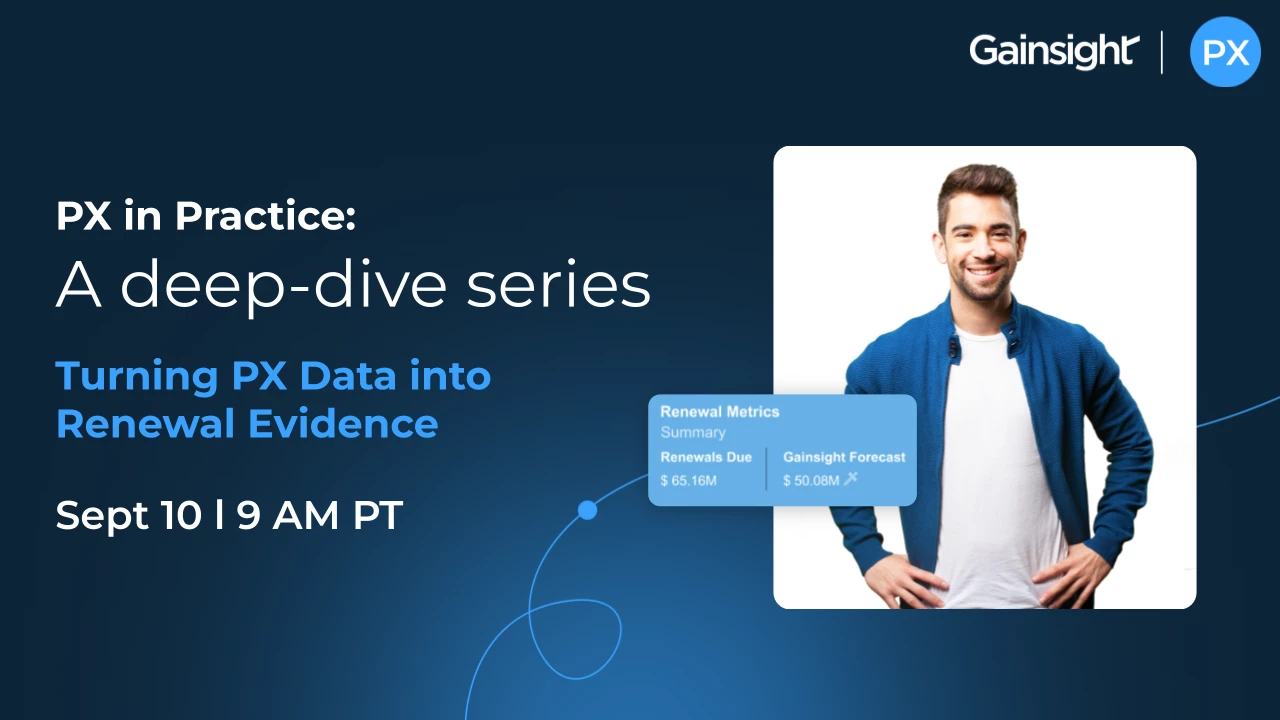
Your PX data already shows which customers are at risk — adoption gaps, declining engagement, unused capabilities tied to renewal commitments. The question is whether your team is turning that data into evidence they can actually use in renewal conversations. This session will show you how.
By the end of this session, you’ll know how to:
- Identify early adoption signals that indicate churn risk
- Build executive-ready adoption reports for renewal conversations
- Connect product usage data to customer business outcomes
- Create renewal-focused dashboards in Gainsight PX
- Equip CSMs with evidence that drives more successful renewals
Register here
Missed Session 1? Catch the recording on PX MCP and how to put AI to work in your PX workflow
Coming Soon - Session 3: Getting Customers to Use What They Paid For. Date to be announced.
Get the AI and CS Playbook Gainsight's Team Is Actually Using
[Un]Churned is where the Gainsight team shares what they're building, learning, and experimenting with as AI reshapes customer success. Each issue brings you practitioner perspectives on topics like agent evaluation, value realization, and what it actually means to keep CSMs in the loop. It's the thinking behind the product, written for the people doing the work.
Subscribe at unchurned.gainsight.com
Use AI More Intentionally in Your Product Management Workflow

This free 15-minute course is built for PMs who want to get consistent value from AI, not just occasional wins. You will learn how to identify which tasks are a good fit for AI, write prompts that get useful results, build a personal prompt library for recurring work, and evaluate outputs critically before acting on them.
Enroll Here
PX Office Hours: Improve your engagement
Tuesdays at 8:00 AM ET and Thursdays at 12:00 PM ET
Join our weekly PX Office Hours to get expert guidance on improving user adoption, optimizing engagement strategies, and resolving real-world challenges.
In recent sessions, teams have explored how to automate lifecycle campaigns, enhance onboarding experiences, and gain deeper visibility into product usage — all aimed at driving more consistent engagement and better outcomes.
Register Here