

release
Content Helpfulness is now available!
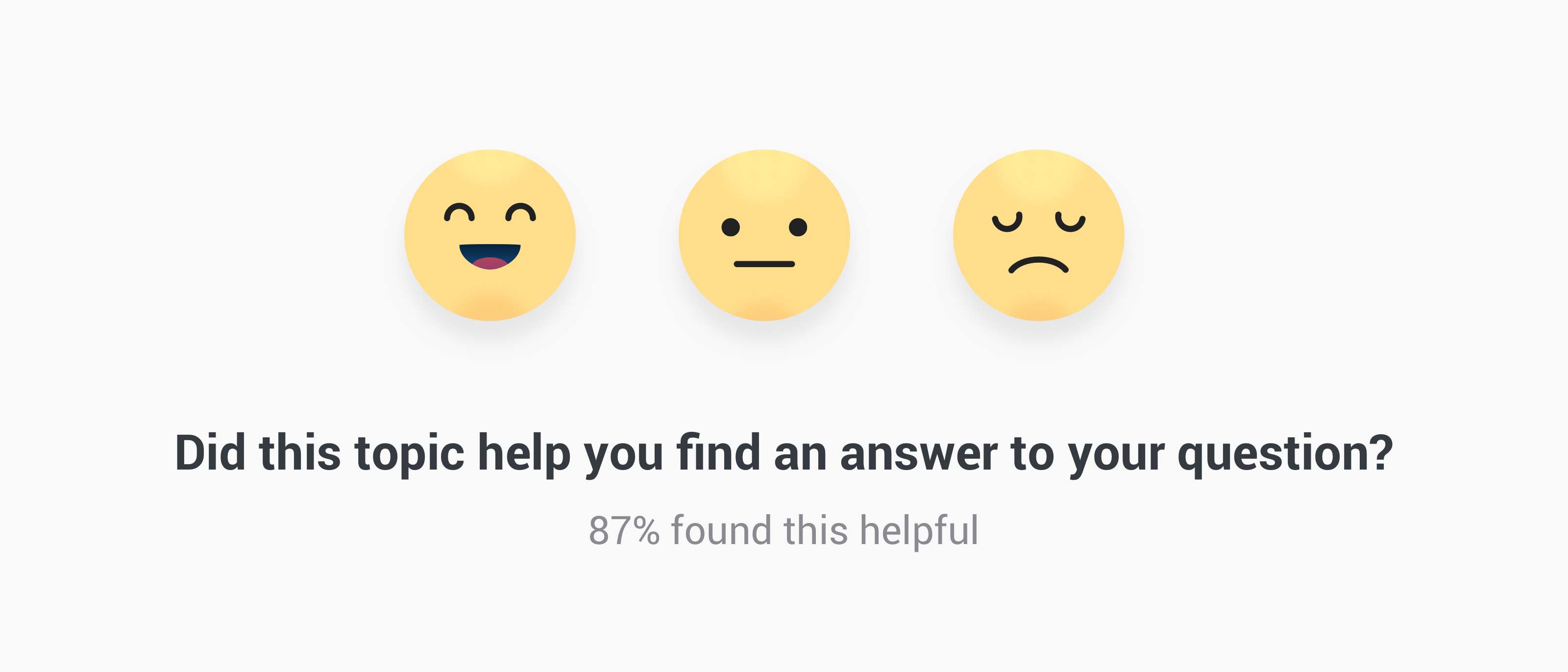
As of today Content Helpfulness* is available for your communities. This allows your visitors to vote on the helpfulness of topics in your community, you can decide on which topics they should vote. Read on to learn more.
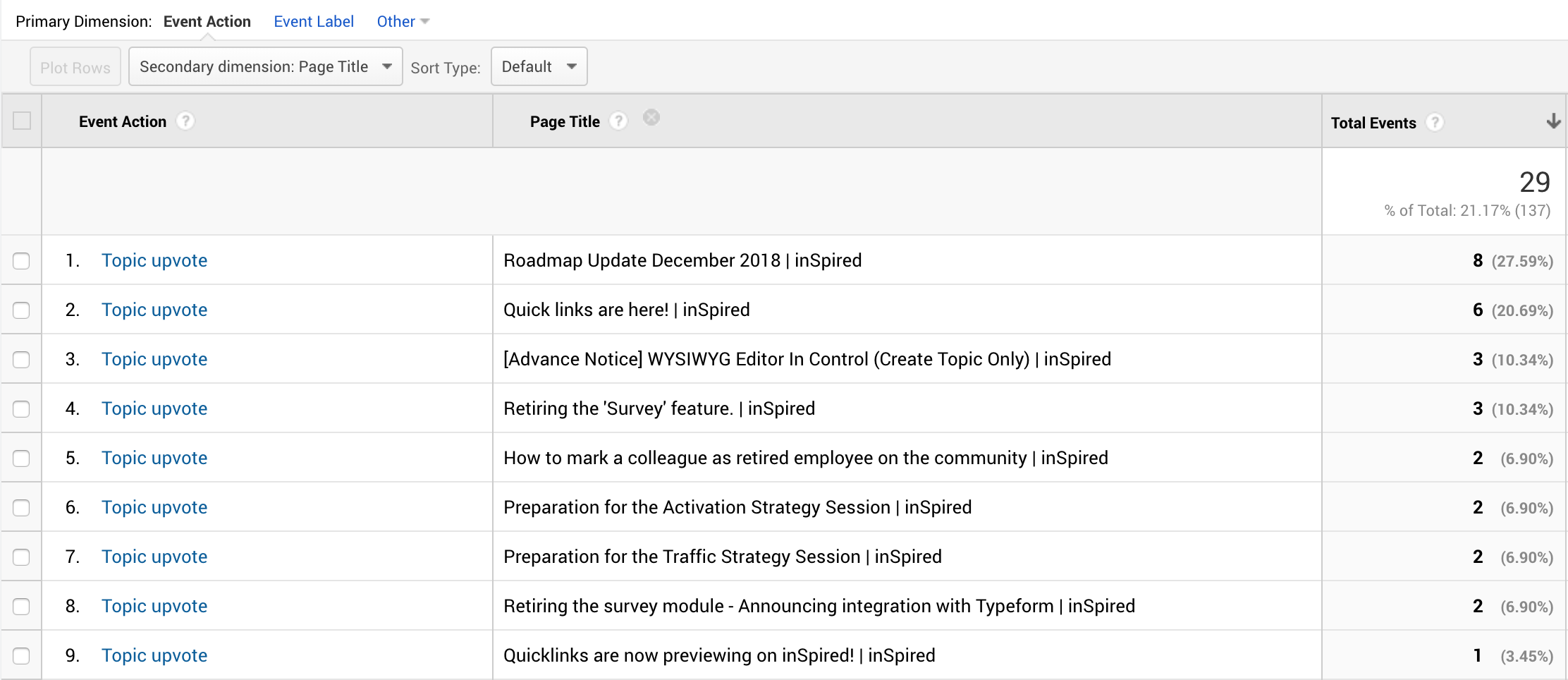
Next to that Data will be logged to your Google Analytics under Behavior > Events > Top Events. If you click on the event action 'Topic Helpfulness' it will show an overall distribution on the positive, neutral and negative votes. To see which topics are voted for you can set the Primary Dimension to 'Event Action' and the Secondary Dimension to 'Page title' this will show a list of topics and their votes.
@Stéphan Lam @Kat @ErikT @Florian @Hiewwaiy
*We renamed this feature from topic helpfulness to content helpfulness since this functionality may cover all the content types in your platform.

What is Content helpfulness?
A feature added to topic pages where users can indicate if they found the topic helpful or not. Users can reply by picking an Emoji to indicate whether or not it has helped them. After they voted for a topic they will see a thank you message and will no longer be asked to vote. You have the possibility to show the helpfulness score (= helpful votes/all votes*100) to your users, this will only show the score after at least 5 votes have been submitted.Where is it shown?
By default it will be shown below the opening post on all articles and topics that have a marked best answer. When the users starts scrolling to read the comments a small bottom bar will appear allowing the user to vote at any given moment.Where can I see the results?
Votes are directly sent to the topic moderation page in the Control Environment. Topic that have topic helpfulness enabled will have an additional 'Content Helpfulness Performance' panel showing the distribution of votes and the helpfulness score
Next to that Data will be logged to your Google Analytics under Behavior > Events > Top Events. If you click on the event action 'Topic Helpfulness' it will show an overall distribution on the positive, neutral and negative votes. To see which topics are voted for you can set the Primary Dimension to 'Event Action' and the Secondary Dimension to 'Page title' this will show a list of topics and their votes.
Which configuration options are available?
In the Control environment you'll be able to view and change the following options:- Change the messaging
- Toggle on/off to display the Helpfulness Score to your users
- Change on which content types this feature should appear
What's next
We have more improvements planned:- Add data to Content Dashboard
- Ability to toggle on/off this feature on individual topics
- Improve our search algorithm with the helpfulness score, helpful content will rank better in the search engine
Thank you
A shout out to all pilot customers who helped us shape this feature from the start by giving feedback & spotting bugs*We renamed this feature from topic helpfulness to content helpfulness since this functionality may cover all the content types in your platform.
Update I January 16th
We deployed the ability to toggle on/off content helpfulness on individual topics. In the topic moderation page we added a configuration setting where you can determine the visibility:- Use default (inherits default setting for this topic type)
- Enable (will show content helpfulness regardless the default setting)
- Disable (will hide content helpfulness regardless the default setting)
Update II January 30
We shipped an improvement on the usability of the content helpfulness panel:- The panel will no longer appear when the user is scrolling down (and reading). The panel will only appear when the users stops scrolling down and starts scrolling back to the top.