


Gainsight PX: Build Better In-App Experiences with Smarter Targeting and Measurement
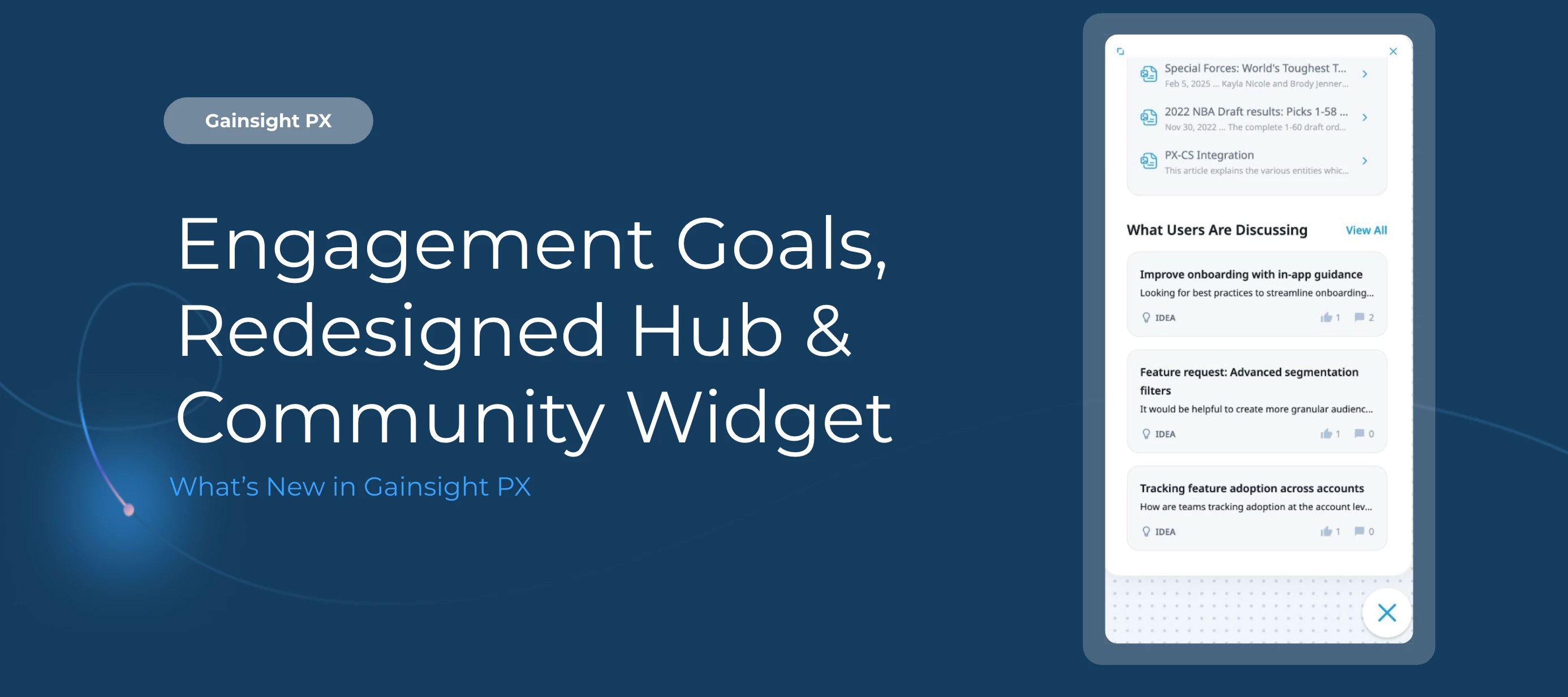
This release makes it easier to measure the impact of your in-app experiences and manage the hubs your users rely on. From goal tracking to a redesigned In-App Hub editor, here's what's new.
Here’s What’s New
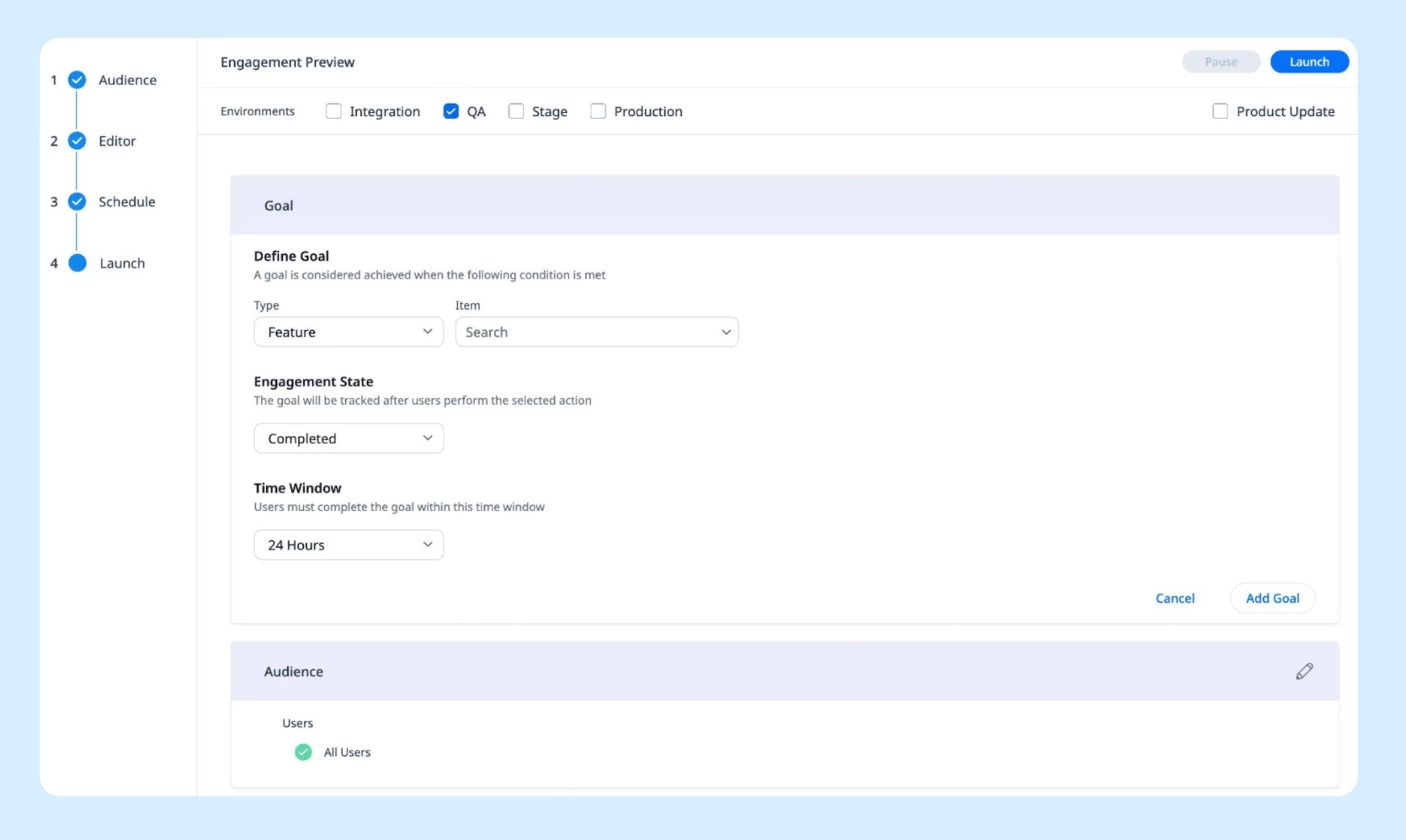
Measure the business impact of your engagements with Engagement Goals. Engagement Goals lets you define a specific user action and track whether users achieve it within a set time window after interacting with an engagement. Move beyond views and clicks and tie engagements directly to outcomes:
-
Define success criteria using feature or custom events
-
Track completion rates, time to completion, and goal status (Active, Completed, Not Completed) in a new Goals tab
-
Build segments based on goal outcomes for targeted follow-up
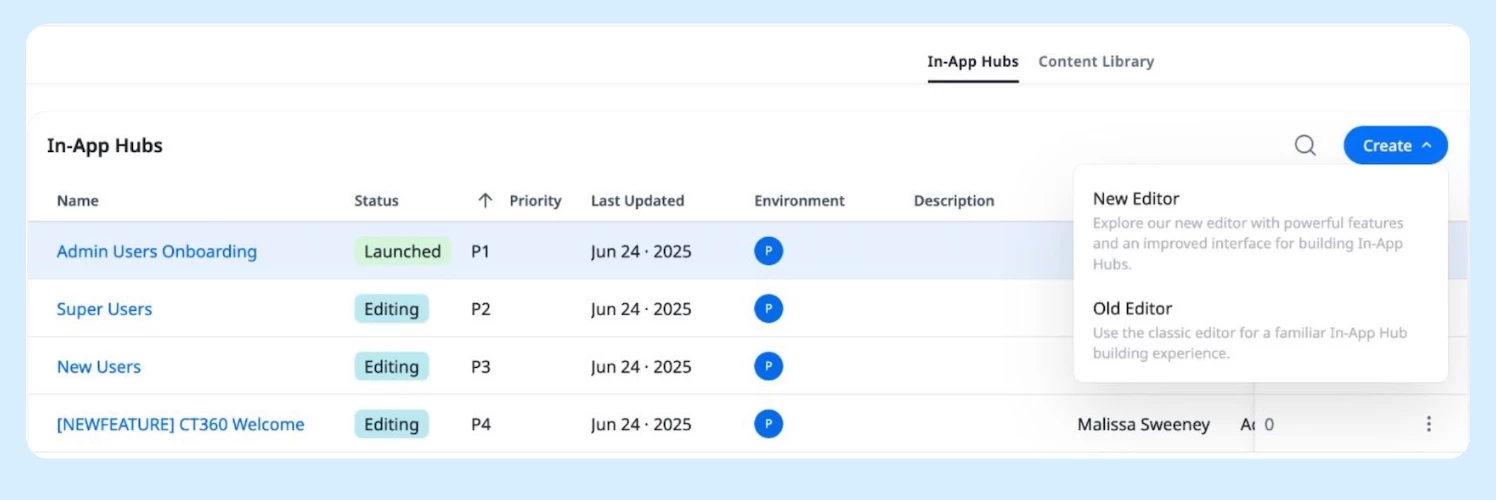
Create and manage In-App Hubs faster with the redesigned editor. The new modular In-App Hub editor is now generally available. All existing configurations and content carry over automatically. What's improved:
-
More flexible layout options for building and structuring hubs
-
More precise targeting controls
-
Centralized content management across all hub content
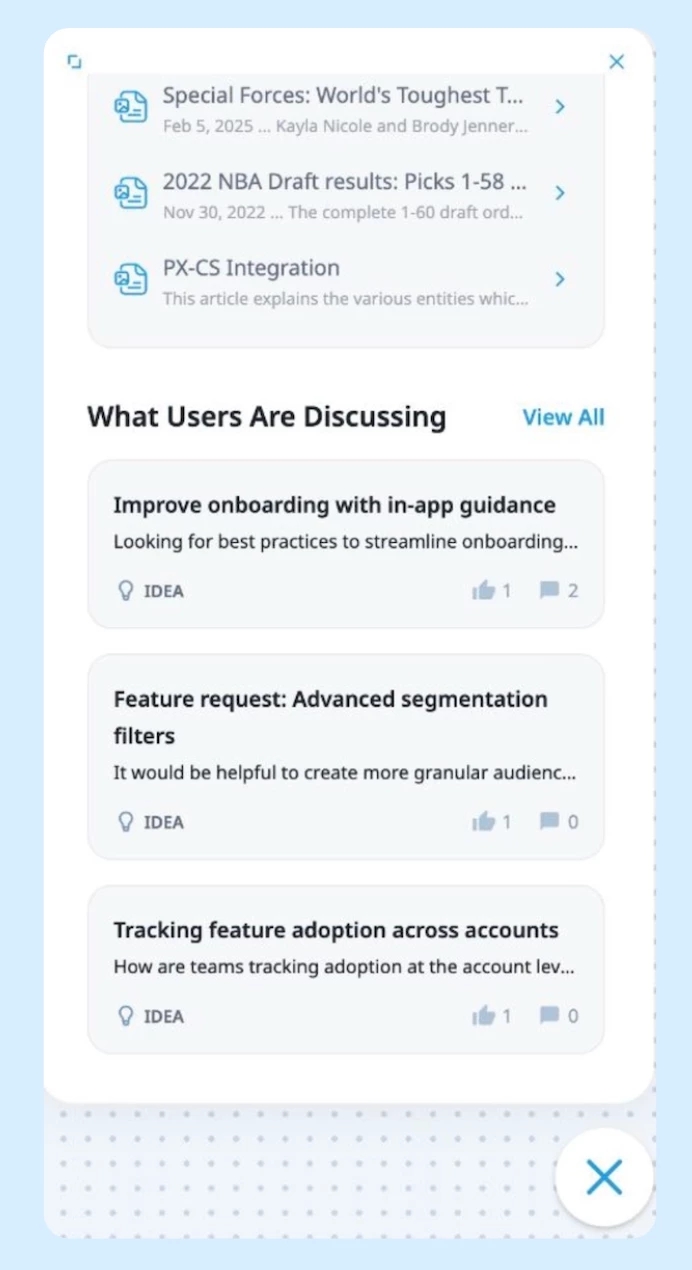
Surface Community content directly inside In-App Hub. The new Community widget lets you display community posts directly within the In-App Hub, giving users a proactive way to discover relevant discussions without relying solely on search:
-
Display the latest community posts directly in the hub
-
Configure the number of posts to show
-
Let users browse posts or navigate to the full community for more
-
Enable users to search and filter community content from within the hub
Getting Started
Engagement Goals and the redesigned In-App Hub editor are available in your PX account now. The Community widget is configurable from the In-App Hub editor under widget settings.
For a full walkthrough of the new editor and what's changed, refer to the In-App Hub (formerly KC Bot) Overview article.
👉 Check out the Release Notes for more details.
💬 Have a question for our team? Drop a comment below!