

Highlight content in different categories with our content curation functionality
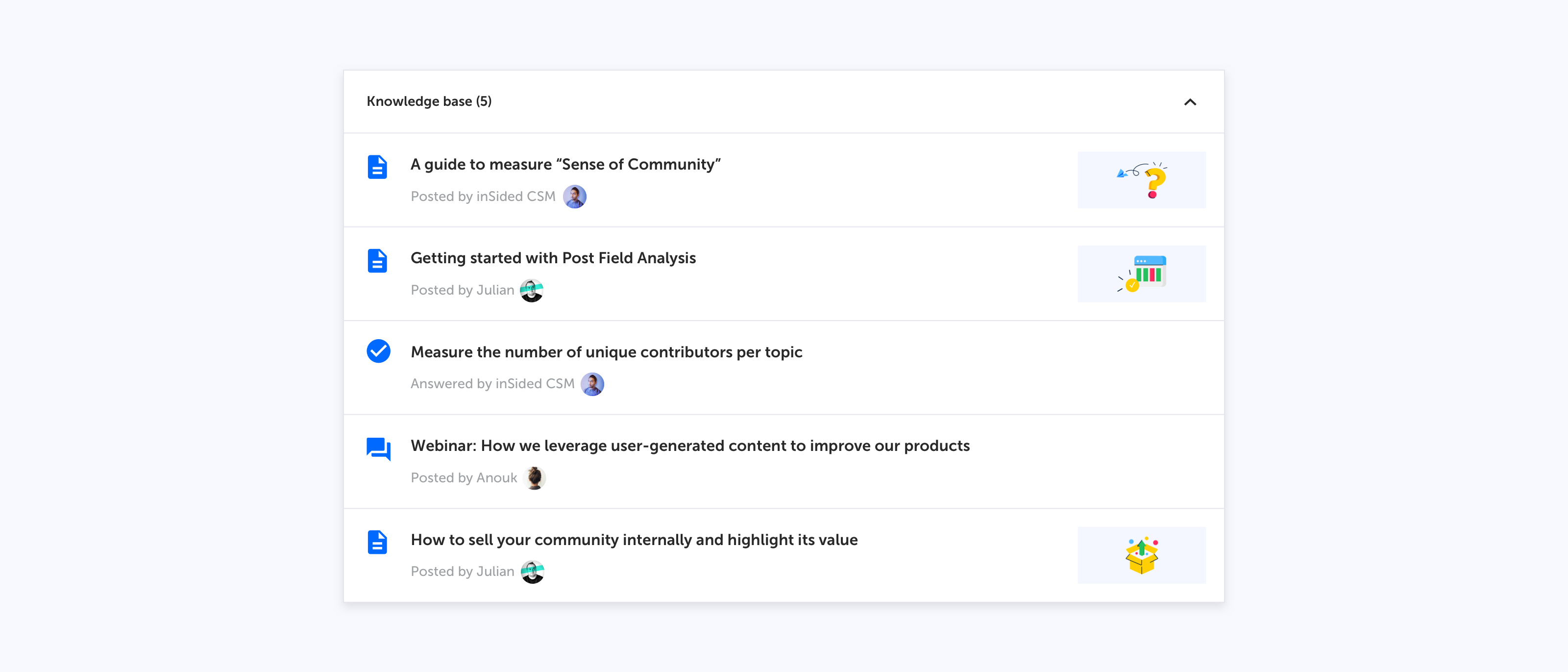
Another major step forward in providing access to all the help and guidance your users need to find the right information, meet our content curation capability for category pages.
Very soon company validated content (articles, guides and support material) can be pinned to the top of your category page in a knowledge base stream. What follows is a community stream with user generated content (conversations, questions answers). This way you will be able to combine your company’s support materials with community generated answers and best practices — all in one category page.
Here is how it looks:
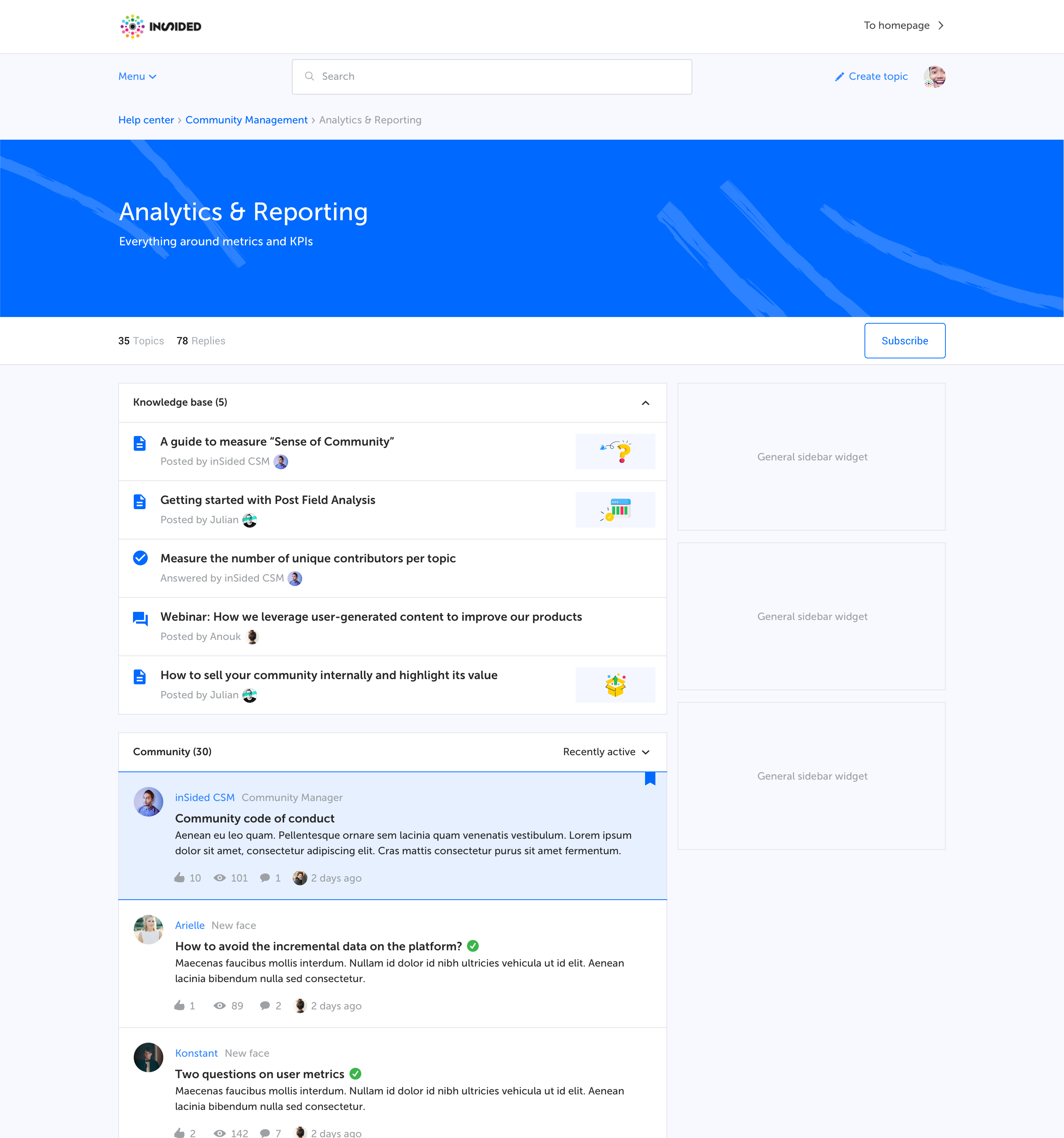
Category page with a curated list (knowledge base) of topics on top followed by a community list
You can see some examples on inSpired in the following categories: News & platform updates, How to's, SEO, traffic and integrations
How does this benefit you?
First, you want to give your official content the stage that it needs. It will make it easier for your users to differentiate official content from user-generated content and keep them from searching too long for the right information. This is the best spot for e.g. product-specific documentation or your best tutorials. With this category setup, users won't have to dig around, click in multiple places and browse different sources to find the information they need.
Second, we often heard the request to highlight your own knowledge base articles. We came up with the unified content stream, but then your KB articles might be swamped with other questions. We see customers like to use the community as their central help center. We see that a lot of great content is created by your companies. Content to inform, to inspire, to help and to train your users. Whatever the reason is, this content deserves to be in the spotlight.
Last, with this functionality you have full freedom over how many topics you want to highlight and in which order, because we know how important having control and an easy navigation is.
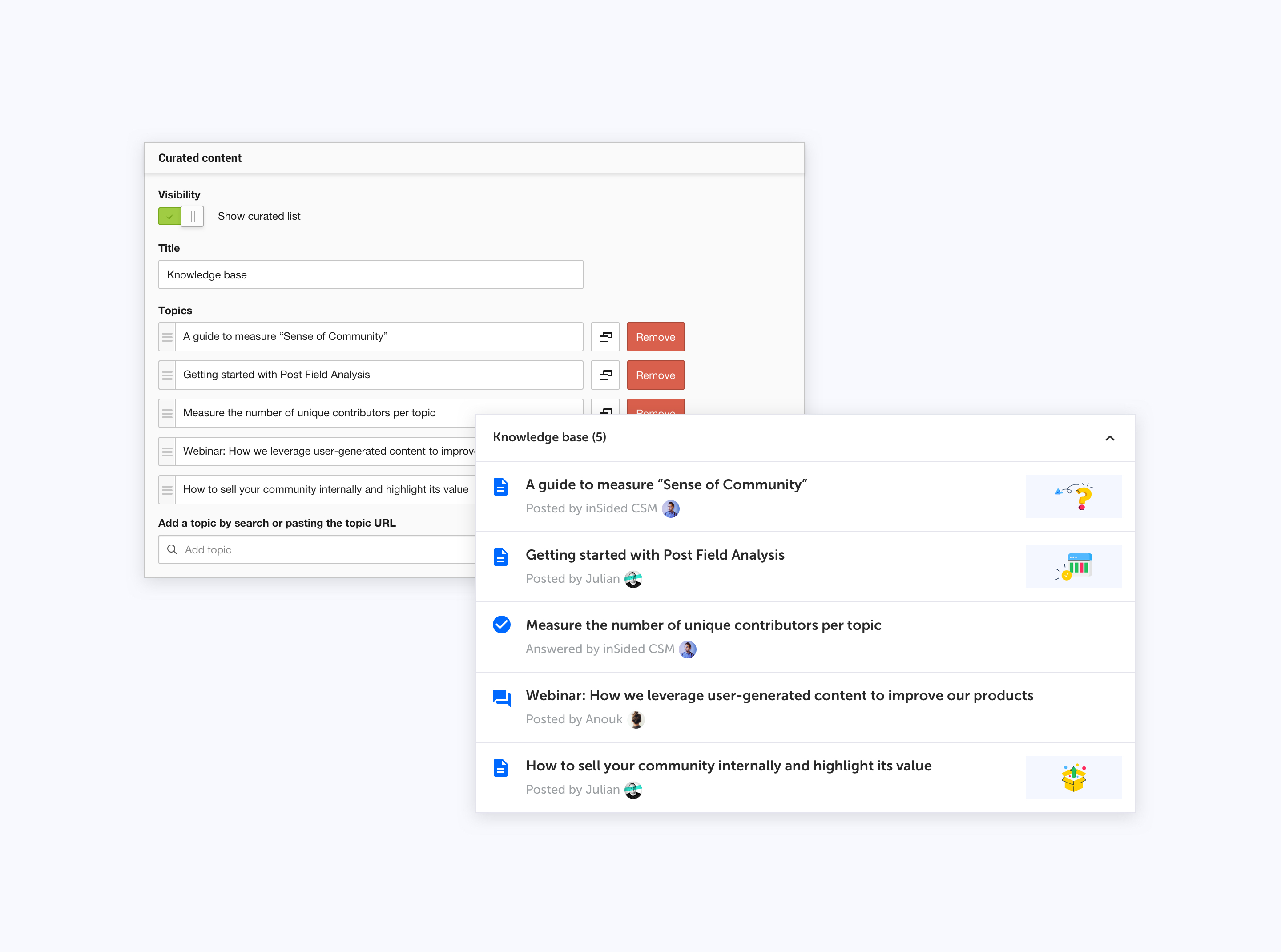
Configuration in Control vs. How it looks in your category page
What are the capabilities of this feature?
These are the key capabilities
- Add a curated list to any category
- Highlight content (no max. amount)
- Highlight topics from any category
- Show / hide list of community topics
- Determine in which order topics should be listed
- Define a title
- Clean design focussed on read- and scannability
- Collapse / expand the curated list
- Optional to use. If you don’t want to make us of this functionality you don’t have to (but we think you will ;))
FAQ
Q: How does this curated list look like?
A: As a small stream of topics. This list is on top of the category page followed by the community list.
Q: When should I use this?
A: When you have company official content in categories with a lot of user activity. Especially when official content is read-only, as it will not move to the first page by itself. Use this to highlight product-specific documentation or your best tutorials. Here in inSpired we use it to set up a category page as a Knowledge base and to enrich community focussed categories with Knowledge base sections.
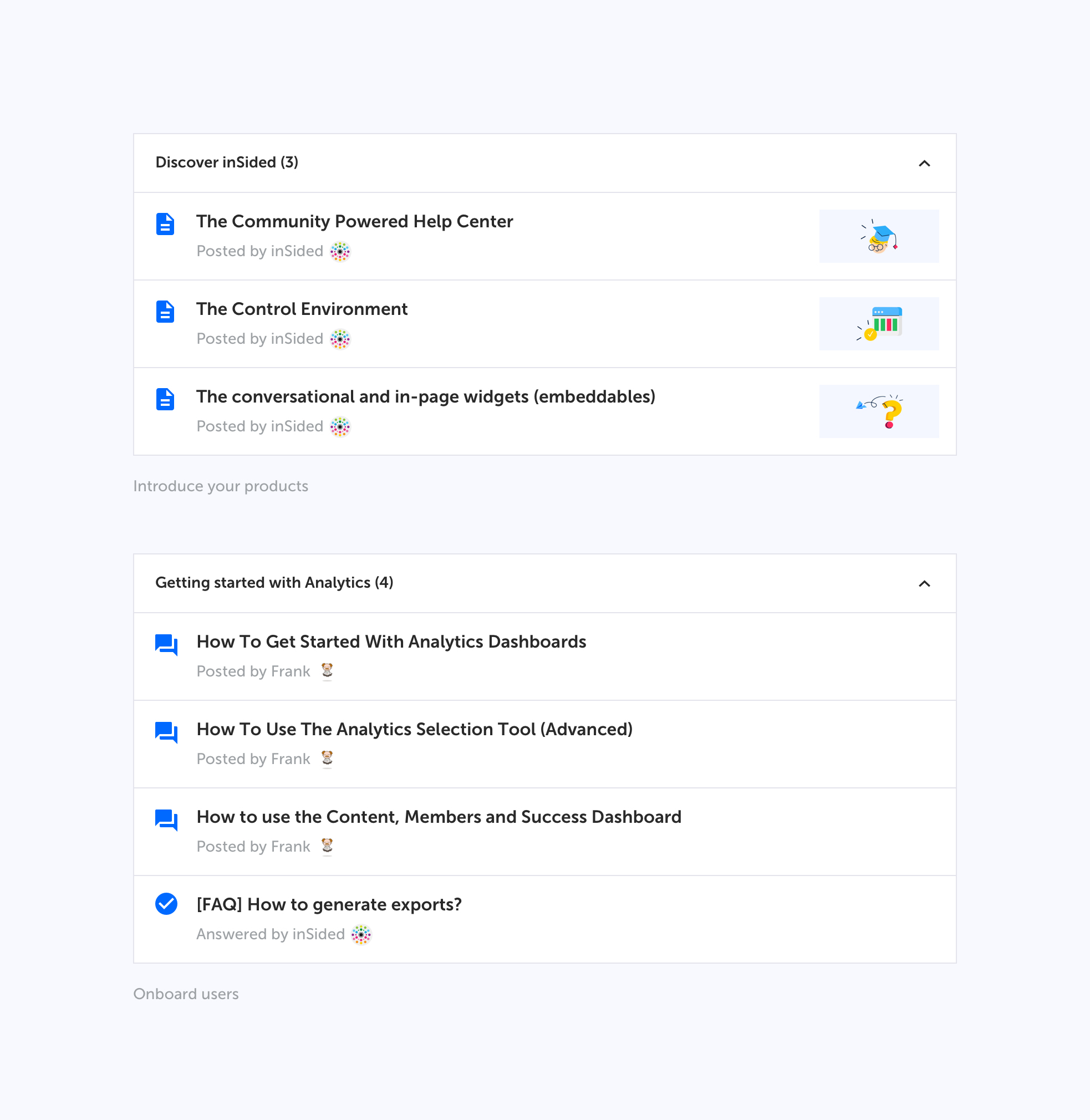
Curated list examples used as Knowledge base
Q: How many topics can I highlight
A: Unlimited, although we recommend not to highlight more than 10 topics at once.
Q: Does the topic that I want to put in my curated list need to belong to the same category?
No. You can pick any topic from any category and highlight it. This means that Topic A, which is published in Category A, can be highlighted in Category X,Y & Z as well.
Q: Can I set up a pure Knowledge base without user-generated content
Yes. You can create a pure Knowledge base category in 3 simple steps:
- Configure a curated list of topics
- Hide the community list of topics
- Configure the permission so that only moderators and community managers are allowed to post
- (optional) Revoke commenting permissions from all users to use the category as a pure communication channel