

🏅Level up the competition with our new dedicated leaderboard page
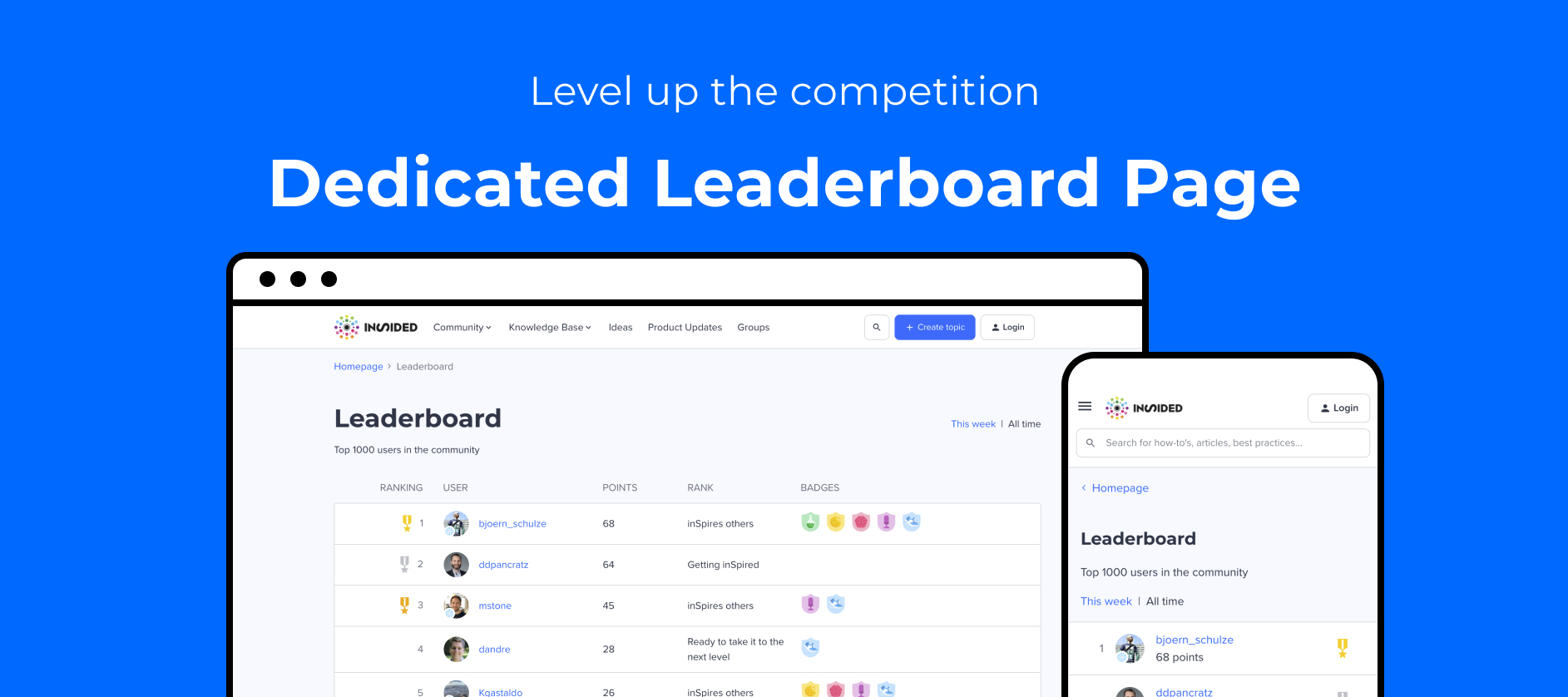
We’ve launched a new dedicated leaderboard page on the community, to help extra-competitive communities emphasise top-performing users, and to encourage users to climb the leaderboard ladder, or to hold on to their crown 👑.
The leaderboard page is available by default on all communities - you can find it via /leaderboard (e.g. https://www.community.insided.com/leaderboard).
If you haven’t configured the points system on your community, then this page will simple display no users. It’s not linked to from anywhere by default, so end users won’t be able to discover the page, unless they’re page detectives.
With the new leaderboard page, you can:
 Highlight the top 1000 community users to your community, according to their points earned, as well as their rank and badges, on a weekly and all-time basis.
Show logged-in users their own position on the leaderboard, giving them a clear idea of where they stand and how they can reach the top. Don’t forget to check where you stand on the inSpired all-time leaderboard.
⏳Also (optionally) show the logged-in user’s position on the leaderboard homepage widget. Coming this week - see this separate ‘heads up’ article for more information.
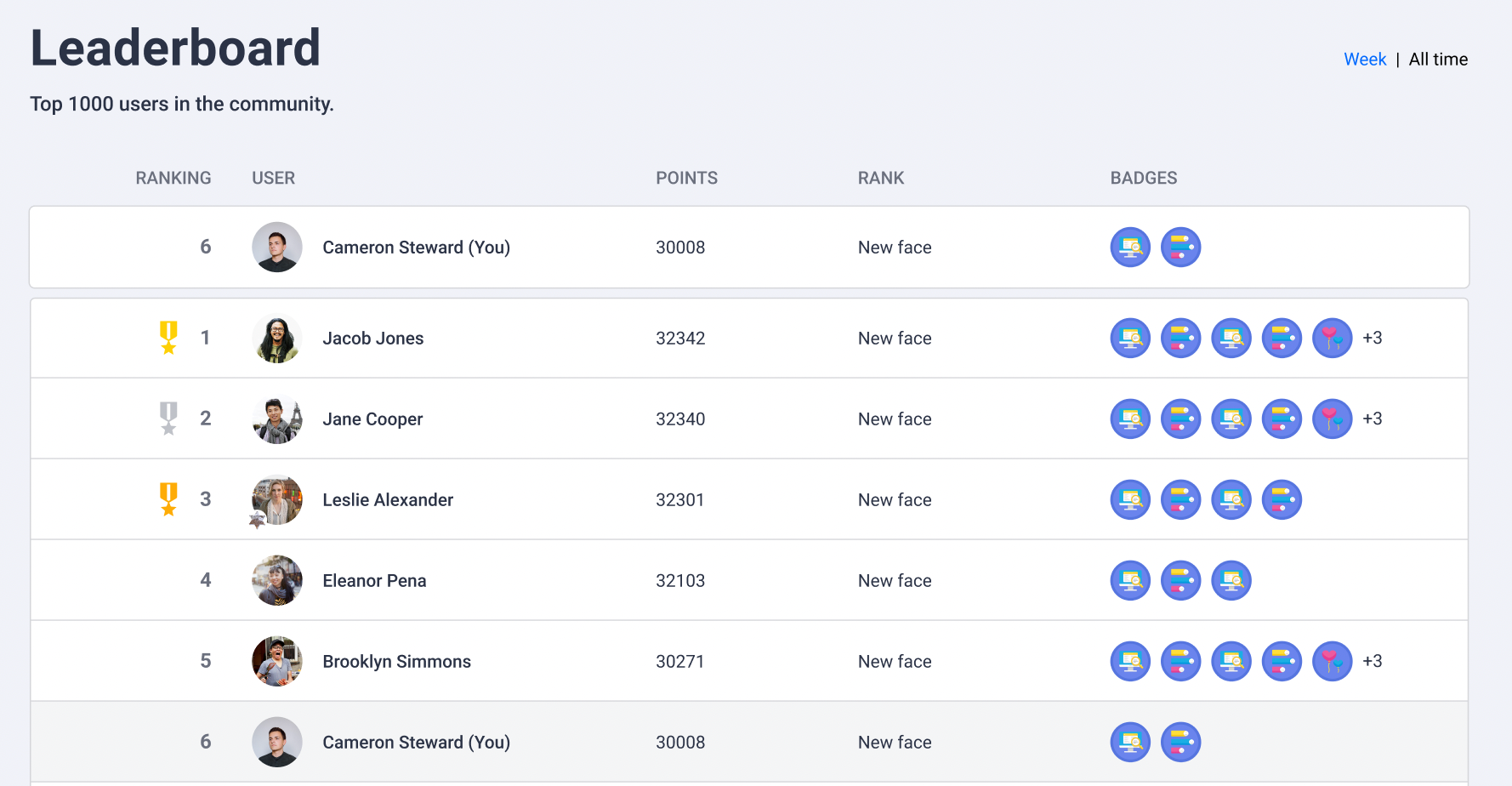
As with the homepage leaderboard widget, you can exclude certain user roles from the leaderboard page. For example, you can hide moderators or employees from the leaderboard.
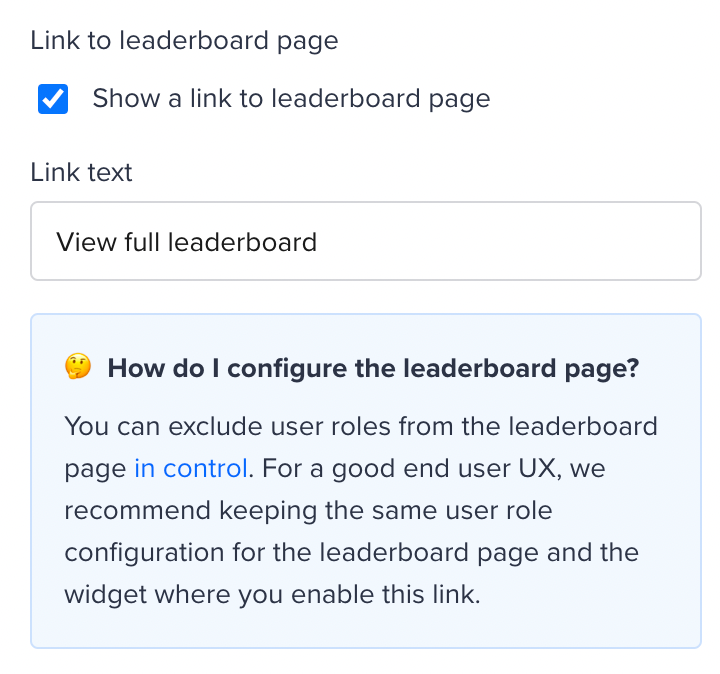
Already using the leaderboard widget? Configure the leaderboard page and add a link to the leaderboard page!
Here’s a quick guide on how to add a link to the leaderboard page
- Log in as a community manager or admin.
- Go to the frontend of your community, turn on customization mode, and edit the leaderboard widget.
- Turn on the ‘Show a link to leaderboard setting’
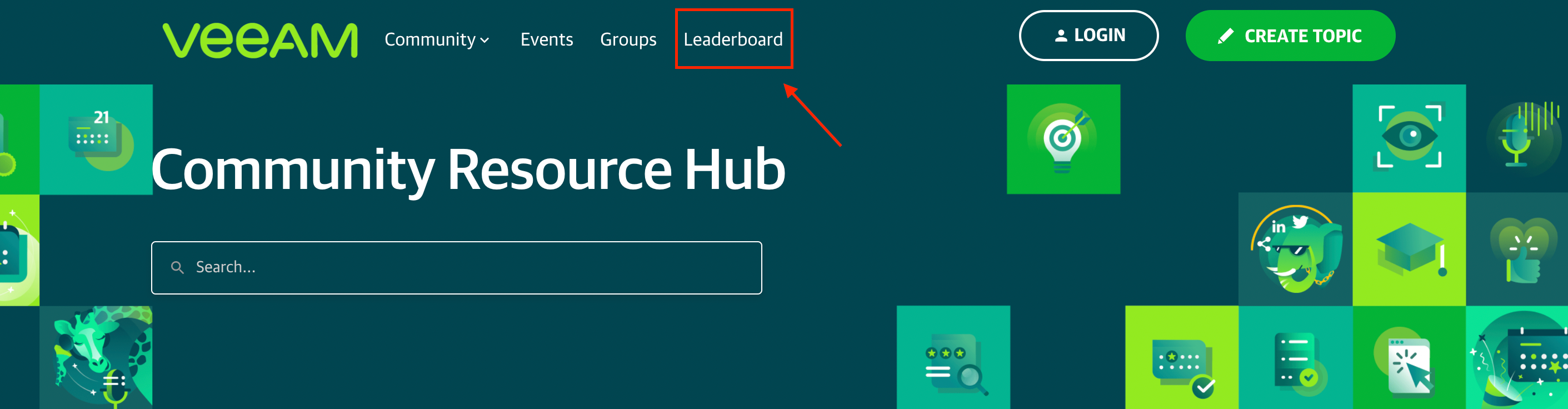
You could also consider adding the leaderboard as a link in your mega menu, like
Configure the users shown on the leaderboard page
We also recommend that you keep the ‘exclude user’ settings consistent across the leaderboard page and the leaderboard widget. To configure users excluded from the dedicated leaderboard page, log in to Control, go to Gamification > Point System, and configure user roles to exclude via the Leaderboard page setting option.

Recap: what’s now possible with the points system on inSided?
- Configure custom points values for actions within the community.
- Set up the dedicated leaderboard page.
- Set up a leaderboard widget on your homepage.
- Report on points earned by users in a given time period, via the Top Users table on the User Dashboard in Control.
Thanks
💡 Our new ideation and product update modules are also now supported in the points system, so that points remains a holistic indicator of a user’s platform-wide contributions.
Let us know what you think of the new leaderboard page!