

More filters and columns on the User overview
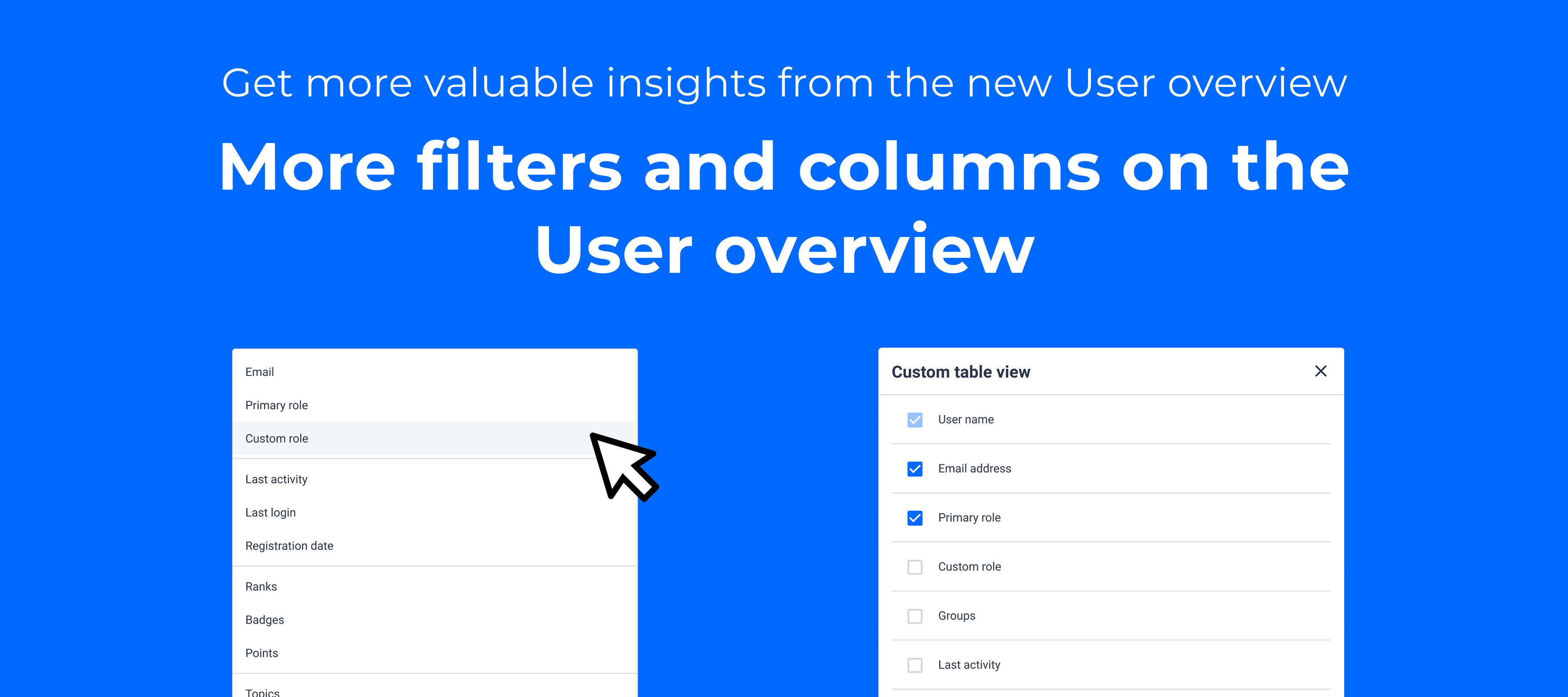
Starting today, we’re rolling out a lot more filters on the User overview, which will allow you to slice-and-dice your user base and hone in on the users that are most interesting to you.
If you click on Filters on the User overview, you will be able to filter on:
-
Primary role
-
Custom role
-
Last activity
-
Last login
-
Registration date
-
Ranks
-
Badges
-
Points
-
Topics
-
Replies
-
Groups
Also, we’re allowing you to show and hide the columns for these properties on the user overview, so you can decide which properties you see, and which you don’t.
Learn more about how all the filters work in more detail in our Knowledge Base article.
Use cases
Here’s some quick ways to get some interesting insights by using filters:
-
Use the Registration date filter to find all users that signed up in the last 7 days to see who signed up recently, and to see how many people signed up
-
Use the Last activity filter (which includes any activity, so also viewing a page) to see how many users were active in the last 30 days
-
Use the Badge filter to see which users, and how many, have attained a certain badge
Of course, you can also combine filters to really drill down into your user base.
Release schedule
We’re doing a gradual rollout over the next couple of days, starting today. You’ll receive an in-app notification once they’re rolled out to your instance.
What’s next?
Being able to find interesting segments of users is one thing, but we want to take it further in the next improvements, which we’ll launch over the next few months:
-
Filter on custom user profile fields
Apart from filtering on all the platform properties, the most valuable information about your users is likely caught in the fields filled in during registration, or in the user’s profile page. That’s why we’ll expand the current filters with your own custom user profile fields. -
Create and save user segments
Being able to filter is one thing, being able to save those filters as a segment is another. This will allow you to quickly open the same filters again, but also to track how many users are in one segment or the other (for instance, see the percentage of New users vs. Champions). -
Apply bulk actions to users
After finding a specific segment of users, you’re likely to want to take an action on them (i.e. assign a role, add to a group, award a badge, etc.). Our new bulk actions will allow you to do just that, and make managing users less time consuming.
What are your power filters?
Which filters, or combinations of filters, provide most value to you and why? Let us know in the comments to inspire others!