
October Gainsight CS Release: New Ways to Understand, Engage, and Support Your Customers
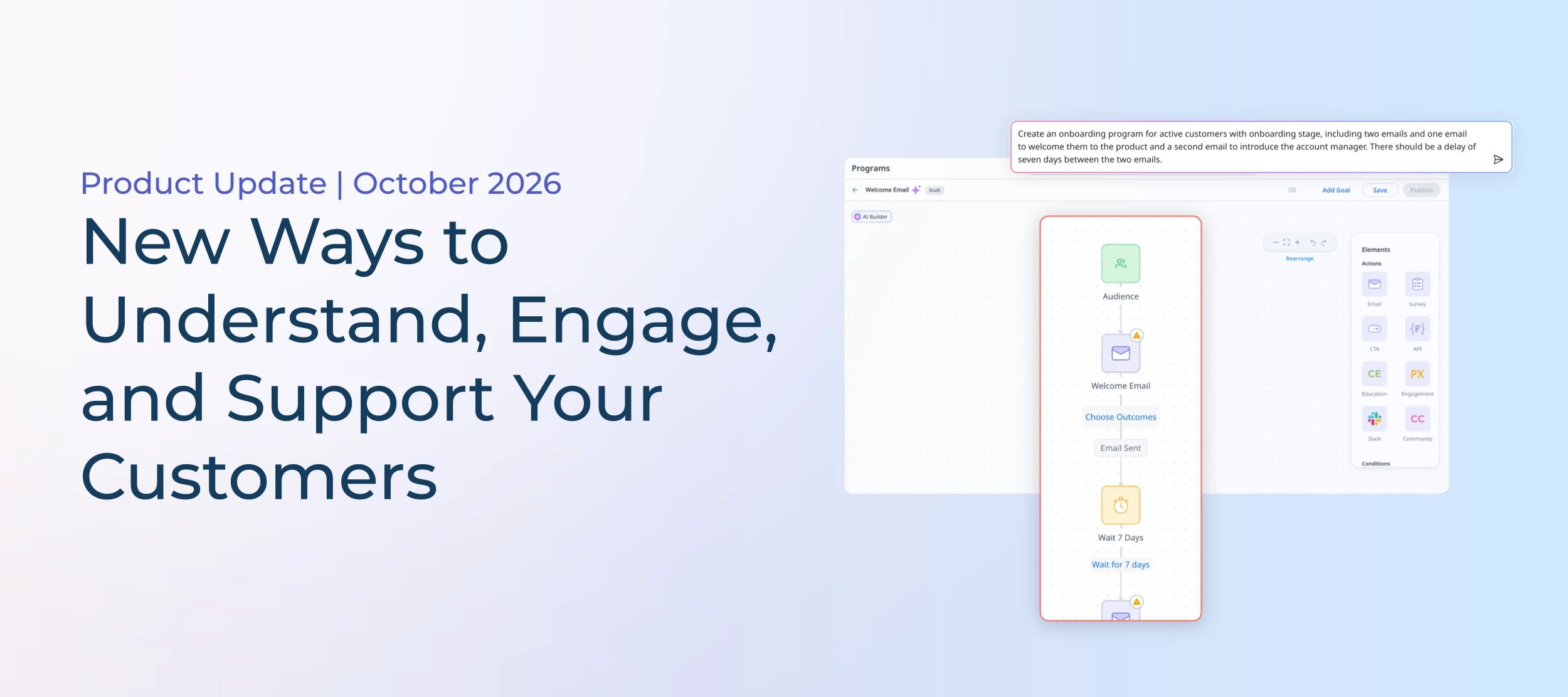
The October release is here, and with it comes new improvements to Build with AI in Journey Orchestrator and a new agent to help CSMs spot adoption gaps across their books. Let's take a closer look at what’s new and how you can put them to work.
Build Journeys with AI and Reusable Design Templates
Creating sophisticated customer journeys shouldn't mean spending hours building program flows or recreating configurations you've already built. With two new Journey Orchestrator enhancements, admins can accelerate program creation with AI and reuse existing audience configurations in Dynamic Programs.
- Build more with AI: Build with AI now supports every Journey Orchestrator node type, so you can create more than just basic email sequences. Describe an onboarding, product adoption, or NPS program in plain language, and AI builds the journey flow with emails, surveys, delays, and branching logic based on customer data or responses. You can also incorporate actions such as creating CTAs, sending Slack messages, or assigning educational content.
- Reuse existing configurations: Moving from legacy Advanced Outreach programs to Dynamic Programs no longer means rebuilding your Query Builder sources one by one. With the new Save as Design Template option, admins can turn existing sources into reusable templates that preserve their objects, fields, configurations, and sort settings. Simply select the template when building a Dynamic Program to reuse your existing audience logic, save setup time, and make the transition to the newer program experience easier.
For more information on Build with AI or query builder migrations, refer to the Add Participants to a Program or Create Programs Using AI articles.
Find Adoption Gaps and Take Action with the CSM Adoption Agent
Introduced at Pulse, the CSM Adoption Agent in Claude helps CSMs spot adoption gaps and create personalized outreach without spending hours researching accounts or drafting emails.
For example, try asking: "Find customers with low feature adoption and draft personalized outreach to help them get more value."
The agent then uses available Gainsight data, including product usage, customer goals, and account history, to recommend opportunities and draft relevant emails. You can then review the supporting evidence, edit or reject suggestions, and save approved messages as Gmail drafts when connected.
Want to try it? Check out our community post or install the agent from the Gainsight AI Cookbook.
Get a More Complete Picture of Customer Health with AI Signals in Company Scorecards
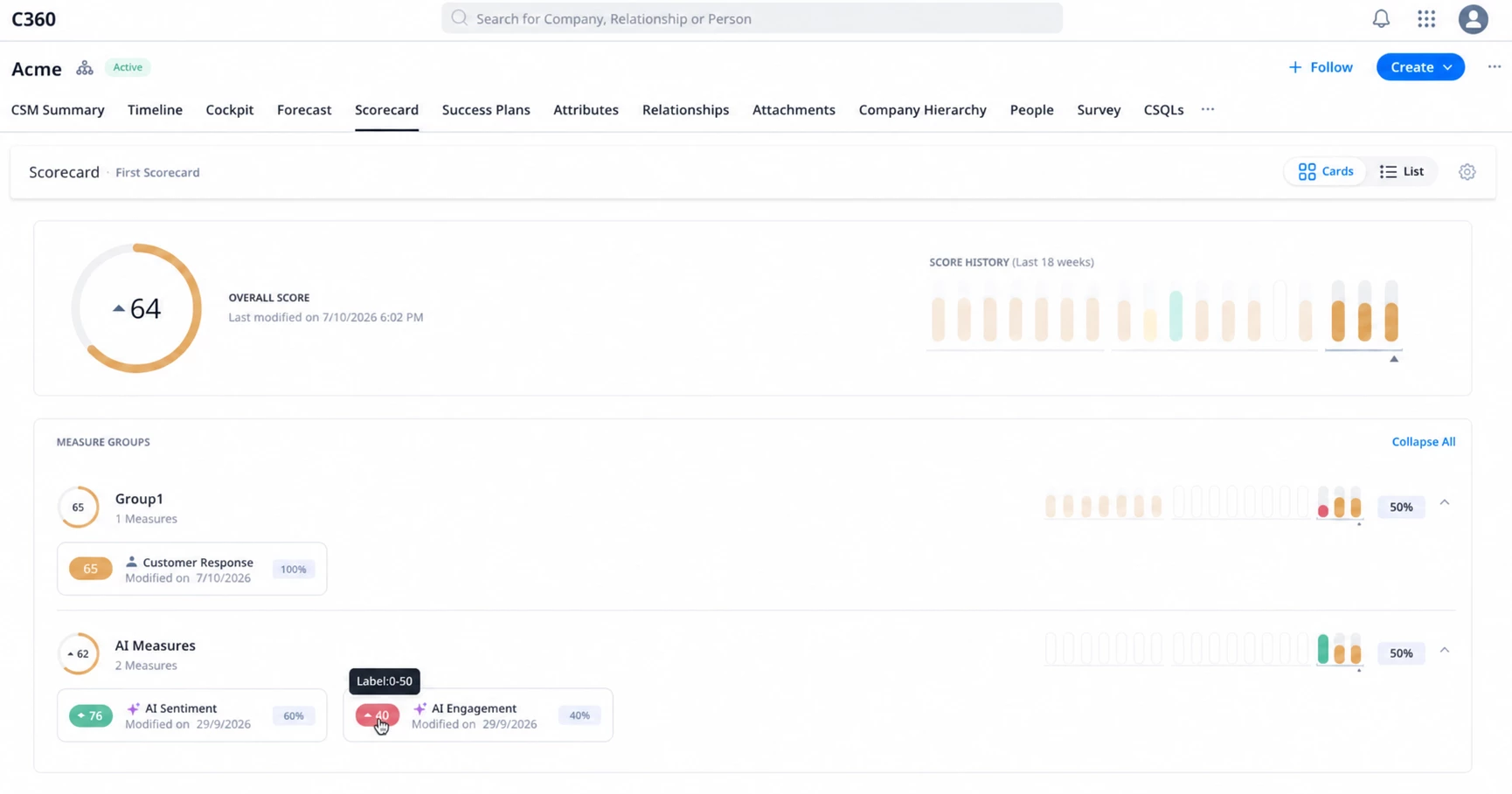
You might already use a combination of product usage, support activity, and other measures to understand customer health. But those metrics don't always tell the full story. Case in point: A customer might be actively using your product while their sentiment or engagement is declining.
With AI Signals in Scorecards (open beta), customers using both Gainsight CS and Staircase AI can now add AI Sentiment and AI Engagement measures directly into Company Scorecards to give CSMs and CS leaders more context alongside their existing health measures, without having to piece together information across different tools.
For more information, refer to the [BETA] AI Measures in Scorecard article.
Additional Enhancements
- Improved Accessibility: Navigate key areas of Gainsight CS more easily with enhanced keyboard navigation, screen reader support, and 200% zoom.
- More control in Spaces: Choose how customers can interact with CTAs in shared Success Plans and Customer Goals.
- More flexible Surveys: Add Date and Date Time questions, and use rich text formatting to make survey questions clearer.
- A cleaner Copilot experience: Find Copilot with its updated icon, read responses with less clutter, and copy answers without the underlying thought process details.
Important Dates to Mark on Your Calendar
November 30: Updated Email Content Retention Policy
Starting November 30, Gainsight will begin permanently deleting stored email body copies sent through Journey Orchestrator, Group Send, and Email Assist after two years, or when your subscription ends, whichever comes first.
Timeline activity records will remain available, and emails logged from your own mailbox or manually are unaffected. Once the affected stored email bodies are deleted, they cannot be recovered.
December 12: A More Consistent Gainsight CS Experience
Our December release will bring small visual and interaction improvements across the platform, including updates to familiar tables, menus, icons, and controls. No admin action is required, and existing configurations, rules, reports, dashboards, and data will remain unchanged.
We'll share before-and-after examples in a dedicated Community update ahead of the release in the coming weeks.
Want to dive deeper into the October release? Check out our full release notes or watch the recording of our release webinar.