
Julian
Gainsight Employee ⭐️⭐️⭐️
November 29, 2018
Preview

Quicklinks are now previewing on inSpired!
  • November 29, 2018
  • 19 replies
  • 1140 views
Quicklinks are now previewing on inSpired!
Surprise! 🎉

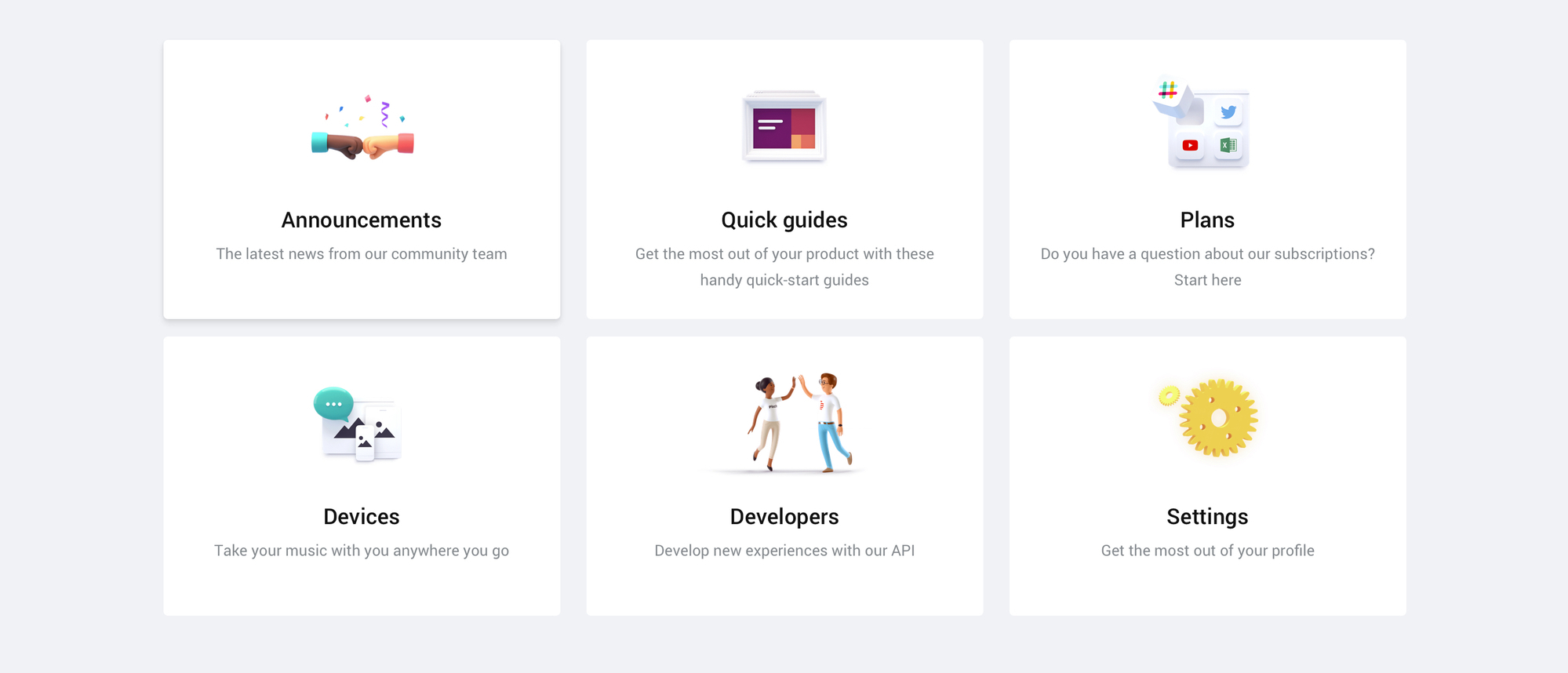
Our new favorite feature, Quicklinks, is now previewing on the inSpired community! This feature is our first, bigger step towards our vision of a true self-service platform which will enable you to give your customers an experience that reaches beyond your community.

What are Quicklinks?


Quicklinks are there to guide your users to... virtually wherever you want them to be! Just a few examples:
  • That one article that you want everybody to see when they visit
  • A category which you want to highlight to everyone
  • Most viewed / searched topics, articles, FAQs
  • A PDF file (e.g. a manual)
  • Any website / url outside of the community
Basically everything that has an url!

You can decide yourself how many of these links should be presented and how they are being presented. Fully self-service. A quicklink is set up in three steps:
  1. Add your own title & description
  2. Add your url
  3. choose between image/icon/nothing to be displayed at the top
Unhappy with the order? Simply drag & drop the tiles to give it a new twist, it's that simple.

Quicklinks on the Homepage
In this example you can see a mix of different use cases for quicklinks (all are using icons btw). Two more tiles can be expanded here, should the user wish to:
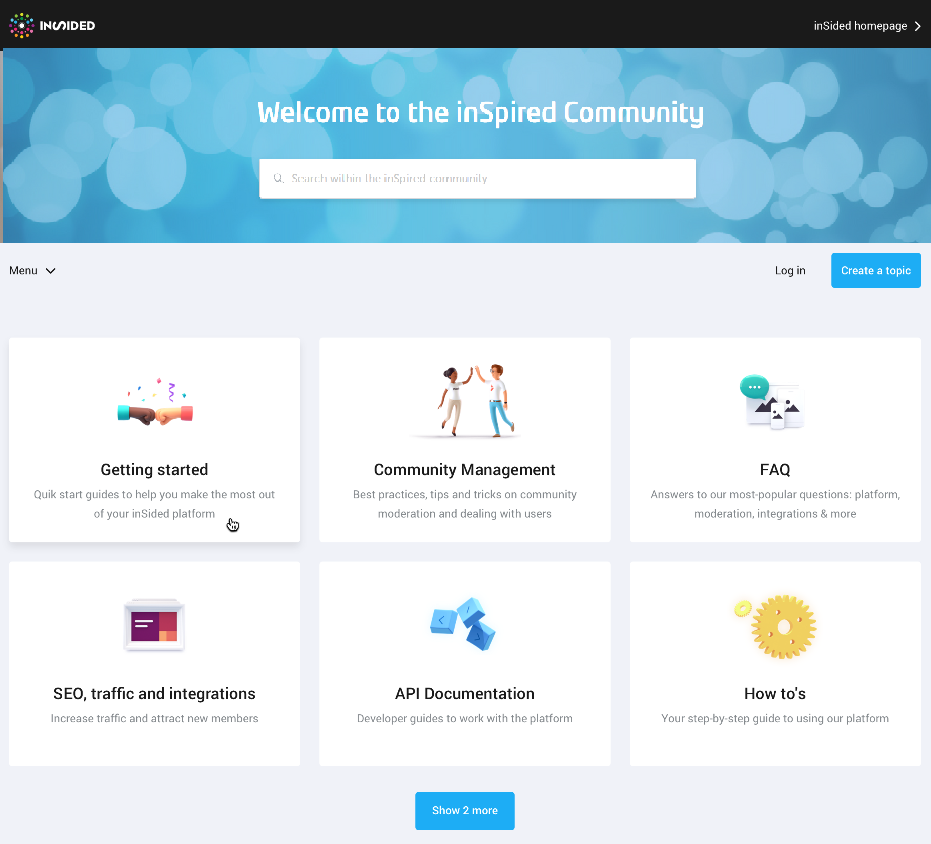

If you should choose 4 quicklinks instead of six, the layout changes accordingly.

Setup in Control
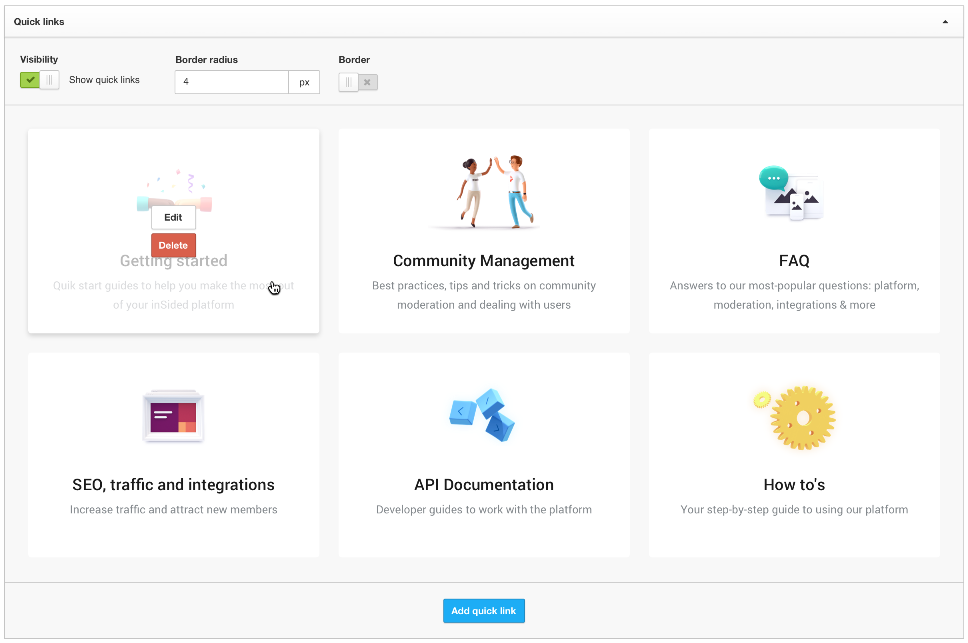
Below a sneak-peak at the settings in your Control environment (final experience may vary). Next to the order of tiles, you can enable/disable the general visibility and the border options. They will be located in the new "Homepage"-settings page in your Control environment. From here you will also select and edit individual quicklinks:

FAQs


Do we have to pay to turn this feature on?
Of course not! It is standard for all branded template communities.

What happens to featured topics?
They will stay as it is. Not exactly however, we want to improve the way you use them. Stay tuned for updates on that.

When will it be released / available?
We are still brushing it off to give you the best experience. We don't want to put a deadline on this, as we want to ensure quality. But expect it very soon!

Will it be turned on automatically once you release it?
No. You have all the time you need to set it up in your Control environment, you can activate it whenever you feel ready.

Feedback


We are not just testing here, we also need your feedback. :)
  • What do you like?
  • What would you like to see different?
  • What are you missing?
We are very curious how you experience this feature. So take your chance and help shaping it!

19 replies

Pascal
Gainsight Employee ⭐️
November 29, 2018
Check it out @Hiewwaiy!
Hiewwaiy
Contributor ⭐️⭐️⭐️⭐️
December 4, 2018
Looks good!

How many url's can you add per quicklink?

And are you able to add url's from topics that are posted in different subforums?
For example: you want to create a quicklink to all the FAQ's. However, the FAQ's are now posted in different subforums. Are you then able to gather all the FAQ's into one quicklink?
Gr Hiewwaiy
Julian
JulianAuthor
Gainsight Employee ⭐️⭐️⭐️
December 4, 2018
Hi,

it is now one link per Quicklink. Could you explain in which situation you would like to include multiple links?

If you would include multiple links for these FAQs, I could imagine it would be tricky:
How would a user know which of the links is the right one for his/her issue?
How would you want to display where to click?

And are you able to add url's from topics that are posted in different subforums?
For example: you want to create a quicklink to all the FAQ's. However, the FAQ's are now posted in different subforums. Are you then able to gather all the FAQ's into one quicklink?


There are multiple ways to do this:

  1. Add a tag "FAQ" (or something else) to these FAQs and link to a Tag search
  2. If possible, use a search that includes all of these FAQs (e.g. if topic title starts with FAQ then that should work just fine)
  3. Link to a central topic which includes a list of all FAQs
I personally would favour the third option, as this way you are in total control of how/which content is presented.

Cheers,

Julian
I follow my nose, it always knows
aluciani
Helper ⭐️
December 4, 2018
Love it - and looking forward to using this feature.

Might be useful to once deployed to have folks talk a snapshot and share what they have done on their community - could inspire others with ideas.
Hiewwaiy
Contributor ⭐️⭐️⭐️⭐️
December 11, 2018
Hi,

Another question:

It would be great if you could add quicklinks in subforums, for instance by ''replacing'' the featured topics by quicklinks (ofcouse optional ☺️)

Use case:
We have a subforum that provides for training material. Our software contains 5 different modules. It would be great if we could add quicklinks within this subforum, enabling our customers to quickly find the content that they need (as different customers use different modules...)

Is this someting that you are investigating as well?
Gr Hiewwaiy
Julian
JulianAuthor
Gainsight Employee ⭐️⭐️⭐️
December 11, 2018
Hey!

I also like the idea for using quicklinks in subforums! I know that the team is thinking about something like this as well, but I think this is not on our roadmap for the upcoming months.

However we are working on something which might help you to give your users an even better experience. Check this comment by Yoeri:

We are currently working on an 'Open text' sidebar widget with HTML/CSS support. This allows you to create your own widgets from scratch. Within this widget you can create lists, links, banners and more (basically everything that is covered with HTML/CSS). You could use this widget to create a list of topics that you want to feature. We expect to have some updates on this by the end of this year.

I could imagine that a smart widget in the side bar could also help your users to select / find content specifically for their modules. As you can design them how you like it, I think this could be a very nice option too!?

Of course we will also preview this feature here as soon as possible, so that you can get a better idea of it. :)

Cheers,

Julian
I follow my nose, it always knows
Hiewwaiy
Contributor ⭐️⭐️⭐️⭐️
December 11, 2018


We are currently working on an 'Open text' sidebar widget with HTML/CSS support. This allows you to create your own widgets from scratch. Within this widget you can create lists, links, banners and more (basically everything that is covered with HTML/CSS). You could use this widget to create a list of topics that you want to feature. We expect to have some updates on this by the end of this year.

Sounds great @Julian! Looking forward to it 👍
Gr Hiewwaiy
Sivan
Contributor ⭐️⭐️
December 12, 2018

bjoern_schulze
Helper ⭐️⭐️⭐️
December 12, 2018
I like Quicklinks! I think it will be very beneficial to be able to link to any URL. I also like that it will be possible to fully control, title, description and image. For "featured_home" it's good to have it pulled automatically, but for Quicklinks it's great that it will be configurable.

What I'm really missing is this feature to be available in subforums. "Featured_subforum" is only able to feature content from the same subforum, so right now it's not possible to crosspromote any content. A subforum usually revolves around a certain product of the company, so the subforum overview page is the perfect place to be able to promote external URLs (e.g. to product tutorials) or to feature a news article about that product.
Quicklinks would be perfect for that - and I would argue the benefit would even be greater than on the homepage because on the homepage we can feature content from different subforums already.
bjoern_schulze
Helper ⭐️⭐️⭐️
December 12, 2018
I have an improvement request:

There doesn't seem to be an anchor tag and/or title attribute in the source code of the Quicklinks. I see a few potential issues with that.

1.) The web accessibility (for people with disabilities) could be limited when there aren't anchor tags and/or title attributes so that accessibility tools cannot properly recognize a link, title and/or description.

2.) You can usually hover over a link and you will see a preview of the URL in the bottom left of the browser window. This URL preview can be used to determine if a URL a user is about to click is legit / trustable. Hovering over any element of the Quicklinks doesn't give me a URL preview.

3.) (minor) SEO.

Example:
code:
This link will have a URL preview and will be recognized by an accessibility tool.