

Preview
Quicklinks are now previewing on inSpired!
Surprise! 🎉
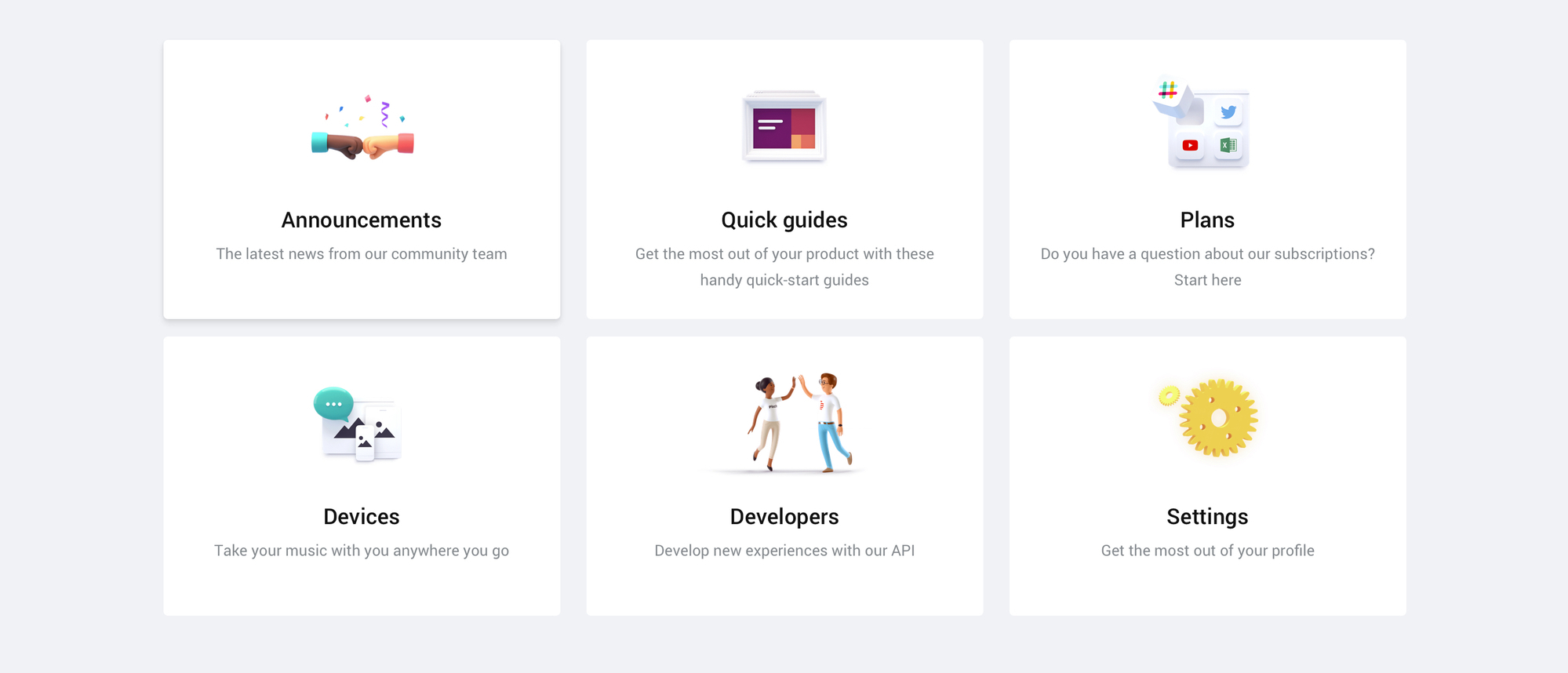
Our new favorite feature, Quicklinks, is now previewing on the inSpired community! This feature is our first, bigger step towards our vision of a true self-service platform which will enable you to give your customers an experience that reaches beyond your community.
Quicklinks are there to guide your users to... virtually wherever you want them to be! Just a few examples:
You can decide yourself how many of these links should be presented and how they are being presented. Fully self-service. A quicklink is set up in three steps:
Quicklinks on the Homepage
In this example you can see a mix of different use cases for quicklinks (all are using icons btw). Two more tiles can be expanded here, should the user wish to:
If you should choose 4 quicklinks instead of six, the layout changes accordingly.
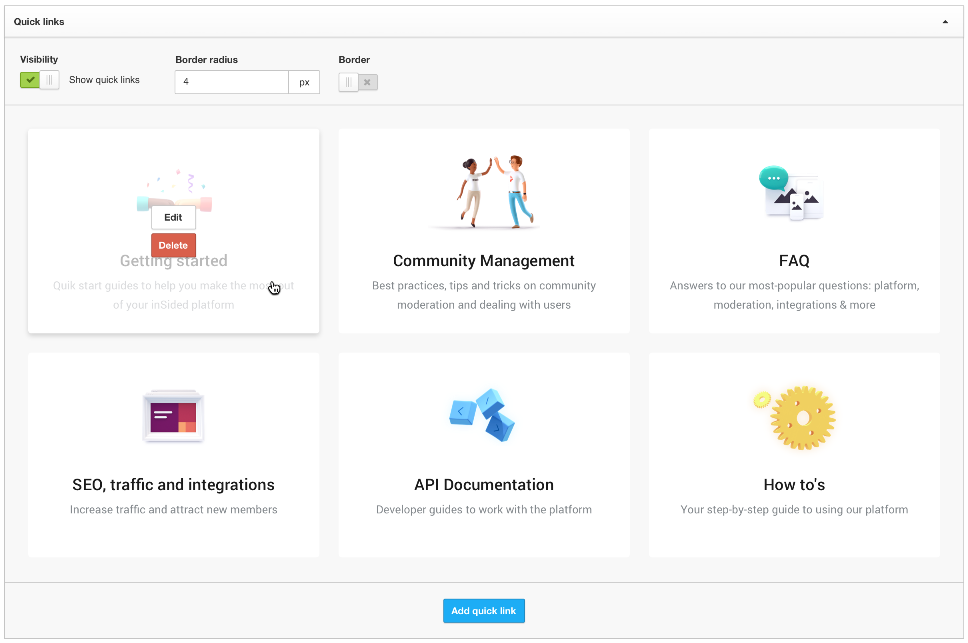
Setup in Control
Below a sneak-peak at the settings in your Control environment (final experience may vary). Next to the order of tiles, you can enable/disable the general visibility and the border options. They will be located in the new "Homepage"-settings page in your Control environment. From here you will also select and edit individual quicklinks:
Do we have to pay to turn this feature on?
Of course not! It is standard for all branded template communities.
What happens to featured topics?
They will stay as it is. Not exactly however, we want to improve the way you use them. Stay tuned for updates on that.
When will it be released / available?
We are still brushing it off to give you the best experience. We don't want to put a deadline on this, as we want to ensure quality. But expect it very soon!
Will it be turned on automatically once you release it?
No. You have all the time you need to set it up in your Control environment, you can activate it whenever you feel ready.
We are not just testing here, we also need your feedback. :)
Our new favorite feature, Quicklinks, is now previewing on the inSpired community! This feature is our first, bigger step towards our vision of a true self-service platform which will enable you to give your customers an experience that reaches beyond your community.
What are Quicklinks?
Quicklinks are there to guide your users to... virtually wherever you want them to be! Just a few examples:
- That one article that you want everybody to see when they visit
- A category which you want to highlight to everyone
- Most viewed / searched topics, articles, FAQs
- A PDF file (e.g. a manual)
- Any website / url outside of the community
You can decide yourself how many of these links should be presented and how they are being presented. Fully self-service. A quicklink is set up in three steps:
- Add your own title & description
- Add your url
- choose between image/icon/nothing to be displayed at the top
Quicklinks on the Homepage
In this example you can see a mix of different use cases for quicklinks (all are using icons btw). Two more tiles can be expanded here, should the user wish to:
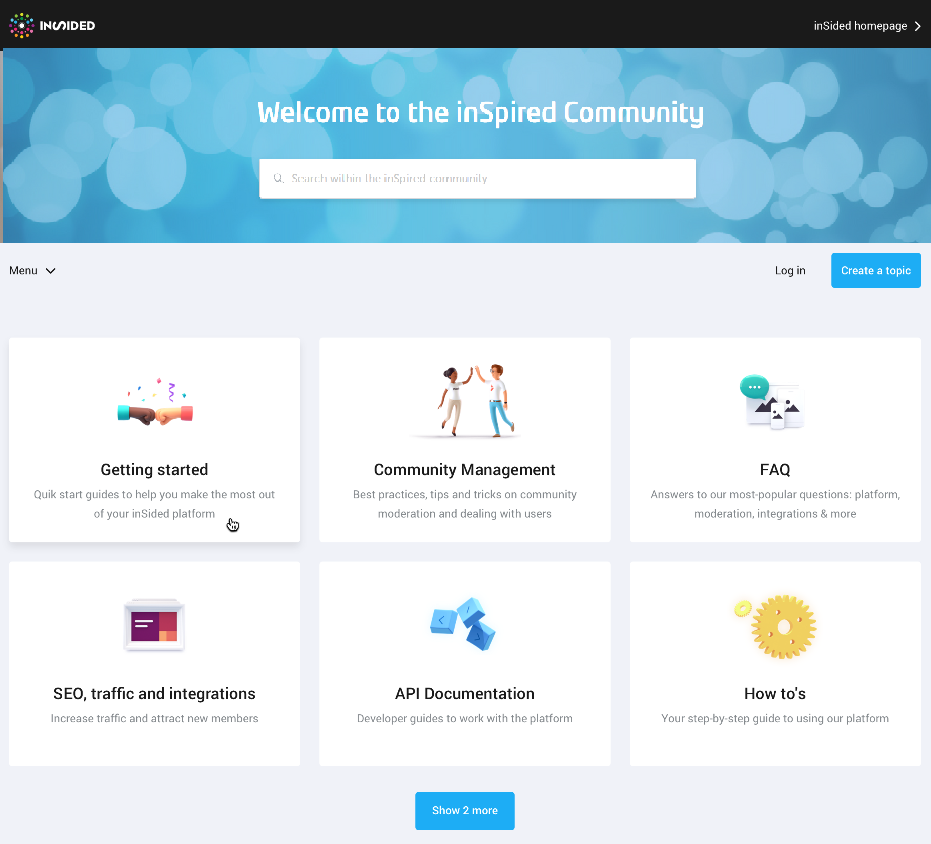
If you should choose 4 quicklinks instead of six, the layout changes accordingly.
Setup in Control
Below a sneak-peak at the settings in your Control environment (final experience may vary). Next to the order of tiles, you can enable/disable the general visibility and the border options. They will be located in the new "Homepage"-settings page in your Control environment. From here you will also select and edit individual quicklinks:
FAQs
Do we have to pay to turn this feature on?
Of course not! It is standard for all branded template communities.
What happens to featured topics?
They will stay as it is. Not exactly however, we want to improve the way you use them. Stay tuned for updates on that.
When will it be released / available?
We are still brushing it off to give you the best experience. We don't want to put a deadline on this, as we want to ensure quality. But expect it very soon!
Will it be turned on automatically once you release it?
No. You have all the time you need to set it up in your Control environment, you can activate it whenever you feel ready.
Feedback
We are not just testing here, we also need your feedback. :)
- What do you like?
- What would you like to see different?
- What are you missing?