
Skilljar by Gainsight: More Efficient Visibility Settings & ILT Event Creation
This update introduces bulk actions for both visibility settings and ILT event creation, cutting down on manual work for admins managing large audiences and busy training calendars.
🗂️ Filter Visibility by Group Category
Managing content visibility across dozens of groups just got an upgrade.
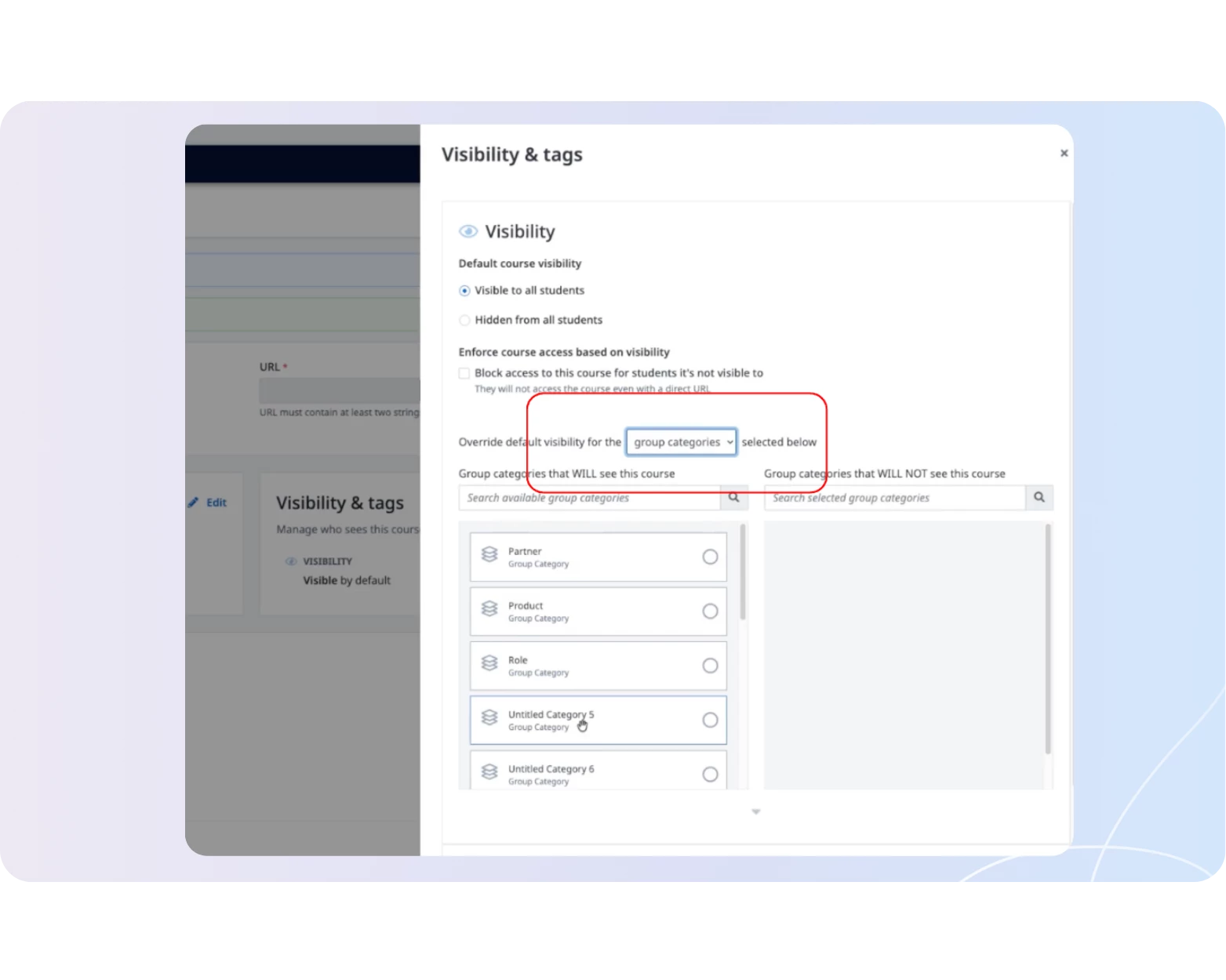
You can now use Group Category as a filter when setting Group Visibility for Courses, Paths, Plans, and Pages. Instead of manually selecting each group one by one, simply filter by category and apply visibility settings to all groups in that category at once.
This is especially useful if you manage large numbers of groups organized by segment, region, or account type. This also reduces the manual effort when rolling out content to these large, segmented audiences.
How it Works:
- Filter by Group Category when configuring visibility on Courses, Paths, Plans, and Pages. This dropdown filter is available directly within your existing visibility settings
- Apply visibility settings to all groups within a category in bulk
- Looking to learn more about visibility settings? Visit our Help Center
📅 Bulk Create ILT Events via CSV Upload
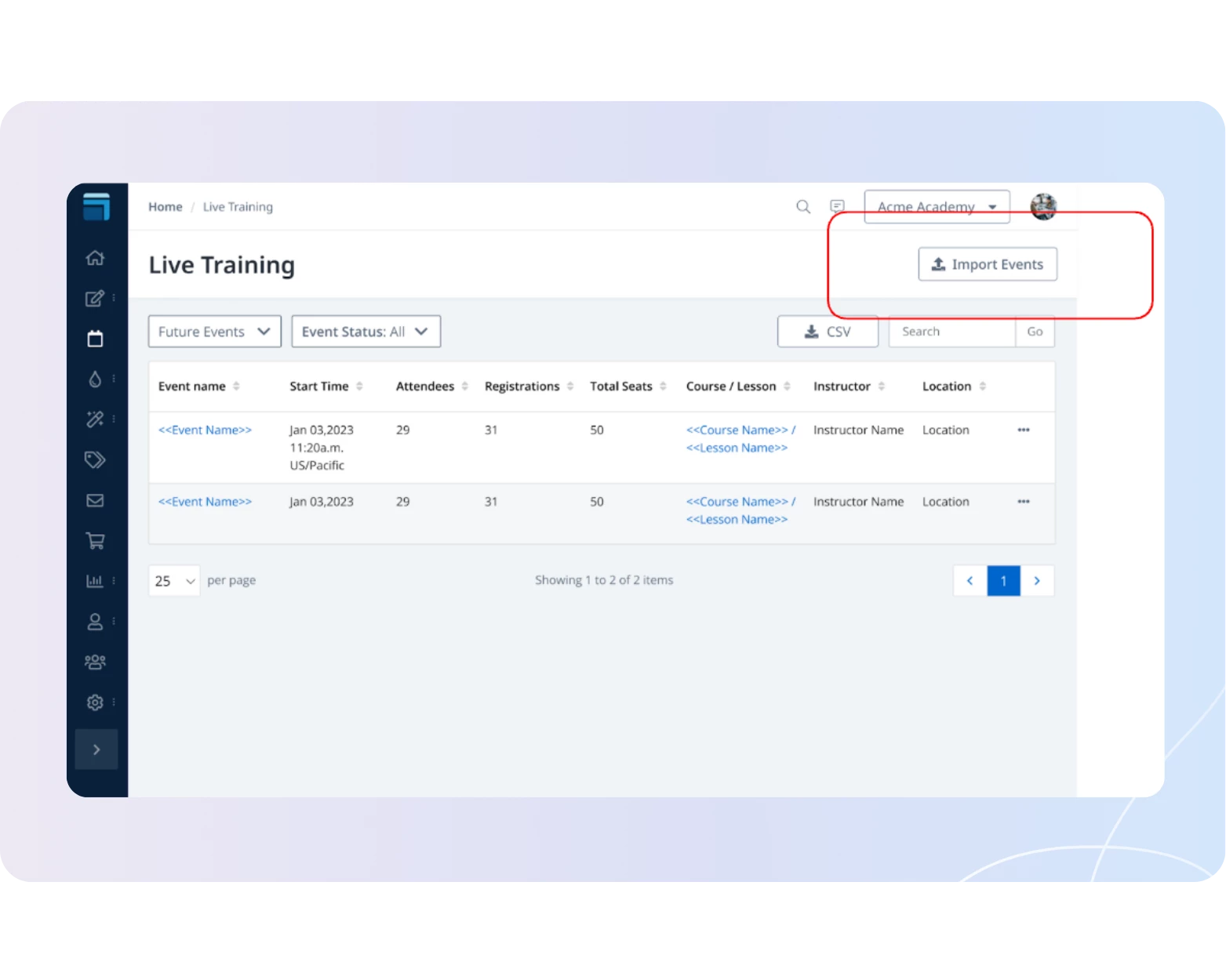
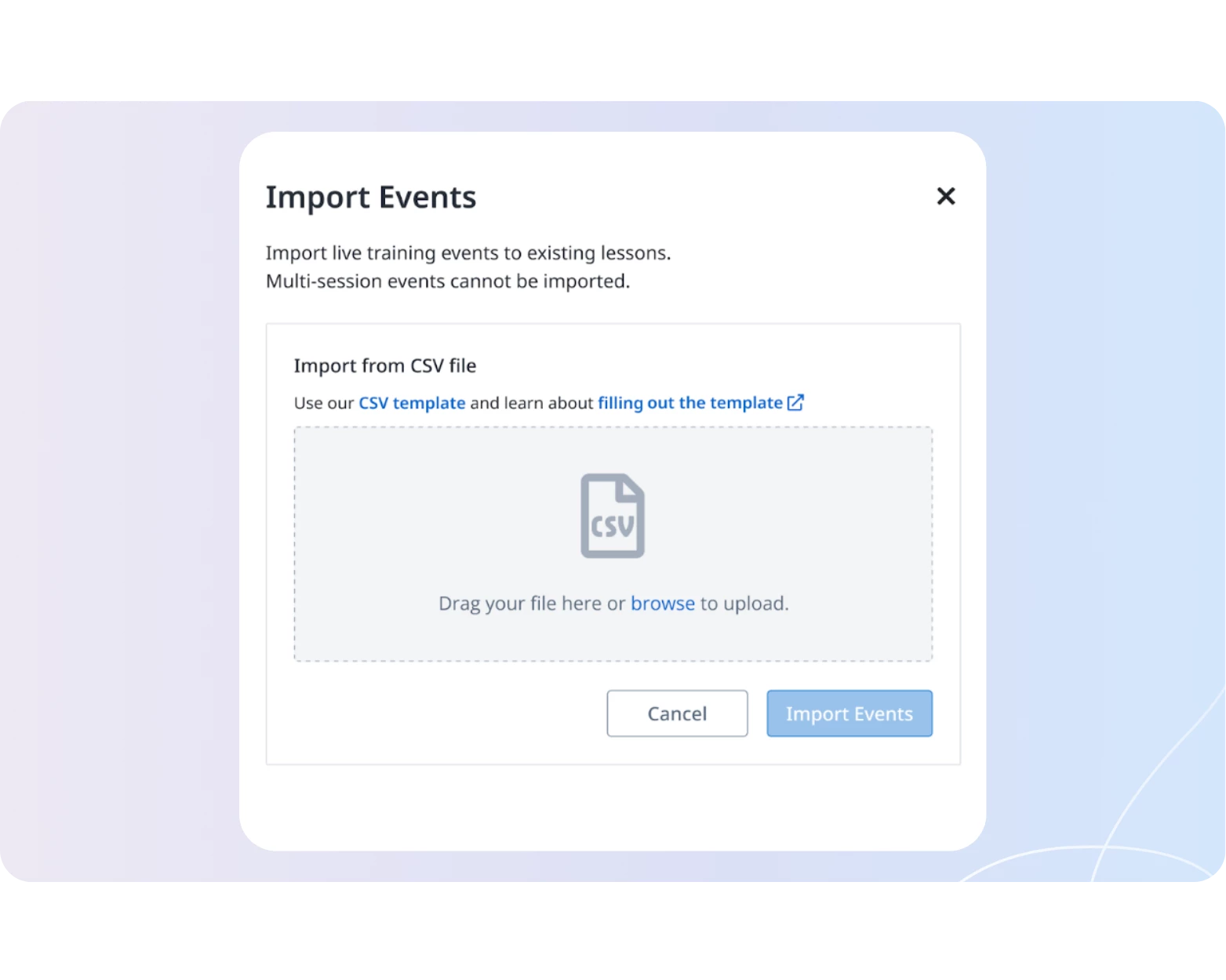
Another time saver for Skilljar admins, you can now bulk create ILT events by uploading a CSV file directly from your dashboard without API, developer support, or manual entry required. Simply prepare your event data in a spreadsheet and upload it all at once.
This is valuable for organizations who plan events in bulk cycles (think: hundreds of events scheduled twice a year). Previously, this meant tedious one-by-one creation in the dashboard or a technical implementation, neither ideal for teams without dedicated developer resources.
How it Works:
- Import events by uploading a CSV to create multiple ILT/VILT events in one action. This setting is available in your Live Training page in the Skilljar dashboard
- Drag your CSV file into the Skilljar dashboard to import events, use our CSV template to ensure successful upload. This template is linked within the event import setting