
Meta title and meta description
In our platform the meta title and description are referred to as SEO Title and SEO Description
The SEO title is displayed on your browser tab and tells you what page you're on. SEO titles and descriptions are also read by search engine robots and seen by users searching the web.
You can change these settings for (parent) category pages and the homepage:
Default value
By default our platform uses the category title and description that you use for the SEO Title and Description as you can see in the screenshot below:
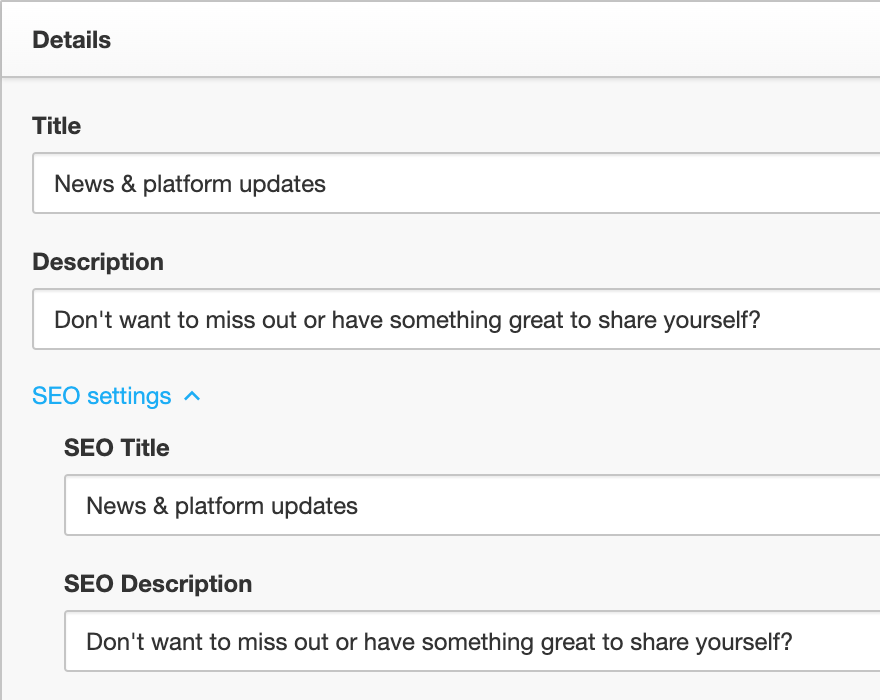
If you make changes to a category title and description after the SEO Title and SEO Description have been set you will need to update the SEO Title and SEO Description manually.
How to change SEO settings for a (parent) category page
- Go to Control → Platform → Community or Knowledge Base
- Select the (parent) category which you want to edit
- Click SEO settings to reveal the SEO Title and SEO Description
- Make your changes and click Save
How to change SEO settings your homepage
- Go to Control → Customization → Site identity
- Find the SEO Title and SEO Description field and make your changes
- Click Save changes
Note: If you make changes to a category title and description after the SEO Title and SEO Description have been set you will need to update the SEO Title and SEO Description manually.