

Configure CS-Based Role Assignment
This article helps admins assign existing Gainsight CC roles automatically, based on conditions matched against Gainsight CS data.
Overview
CS-Based Role Assignment lets admins assign an existing Gainsight CC role to members automatically, based on conditions matched against Gainsight CS data, instead of assigning roles manually as CS records change.
Each rule pairs a condition built from CS data with an action that determines how the role is applied. This only assigns and unassigns roles; it never creates, renames, or deletes them.
Limitations
- Supported field types in rule conditions: Text, Number, Date, Date & Time, True/False, Email, Currency, and Percentage.
- Unsupported field types in rule conditions: Picklist, Multi-Select Dropdown List, Rich Text Area, URL, Lookup, Who Id, and What Id, including these types on the Person, Company, and Company Person objects.
- Supported role types in rule assignment: Custom Role only. Primary Role is not selectable when configuring a rule.
How Rules Are Evaluated
Before creating rules, understand how they interact with each other:
- Each role can have only one rule.
- Rules run in order, top to bottom. A later rule can overwrite what an earlier rule assigned.
- A maximum of three conditions can be added per rule.
- A maximum of 15 rules can be configured.
- Rules run automatically every four hours, or an admin can click Run Now to run all rules immediately.
Create a Role Assignment Rule
Creating a rule has two steps:
- Build the condition that triggers the rule.
- Select an action to define what the rule does when a member matches.
Build The Condition
The condition is the trigger, built from Gainsight CS data as a plain sentence: Object, Field, Operator, and Value.
To build a condition:
- Log in to Control.
- Navigate to Settings > CS-Based Role Assignment. The CS-Based Role Assignment page appears.
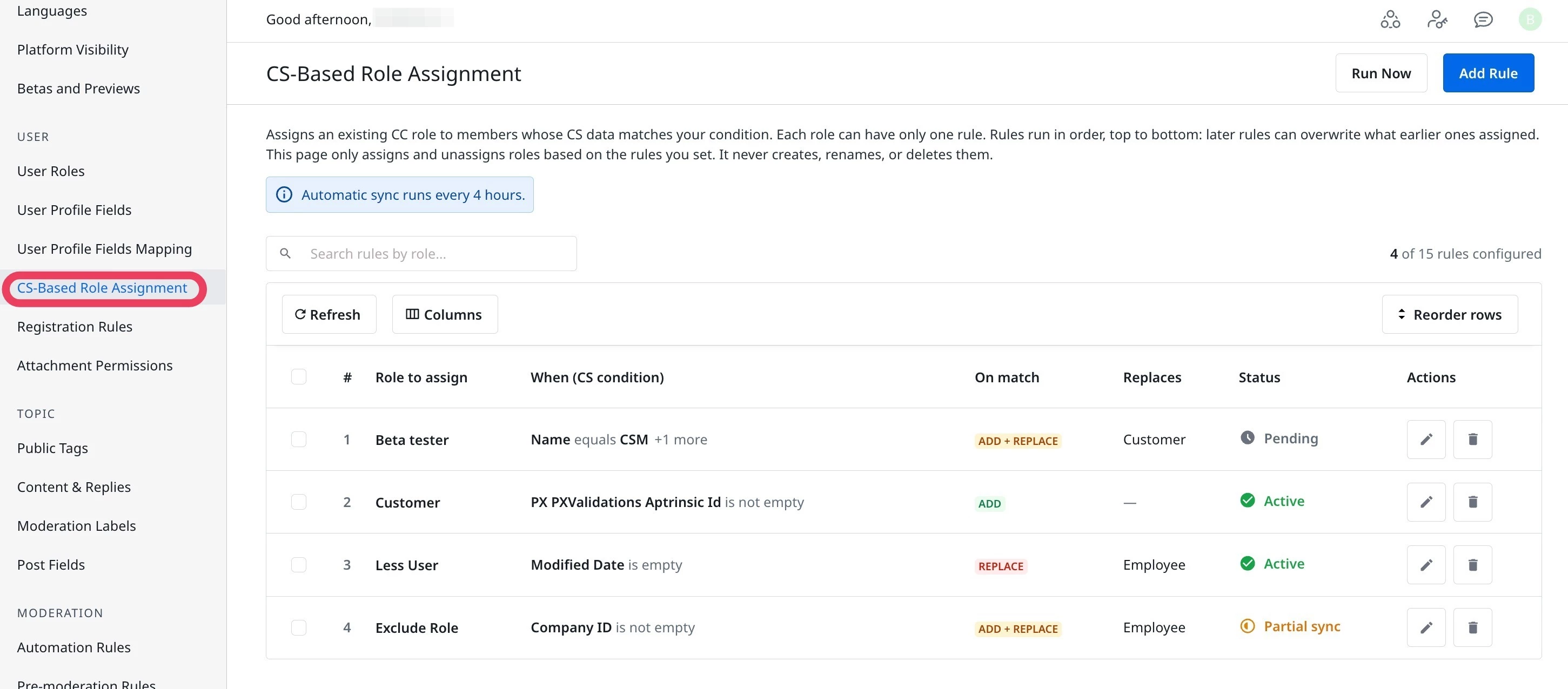
- Click Add Rule to assign a role. A New Rule dialog appears.
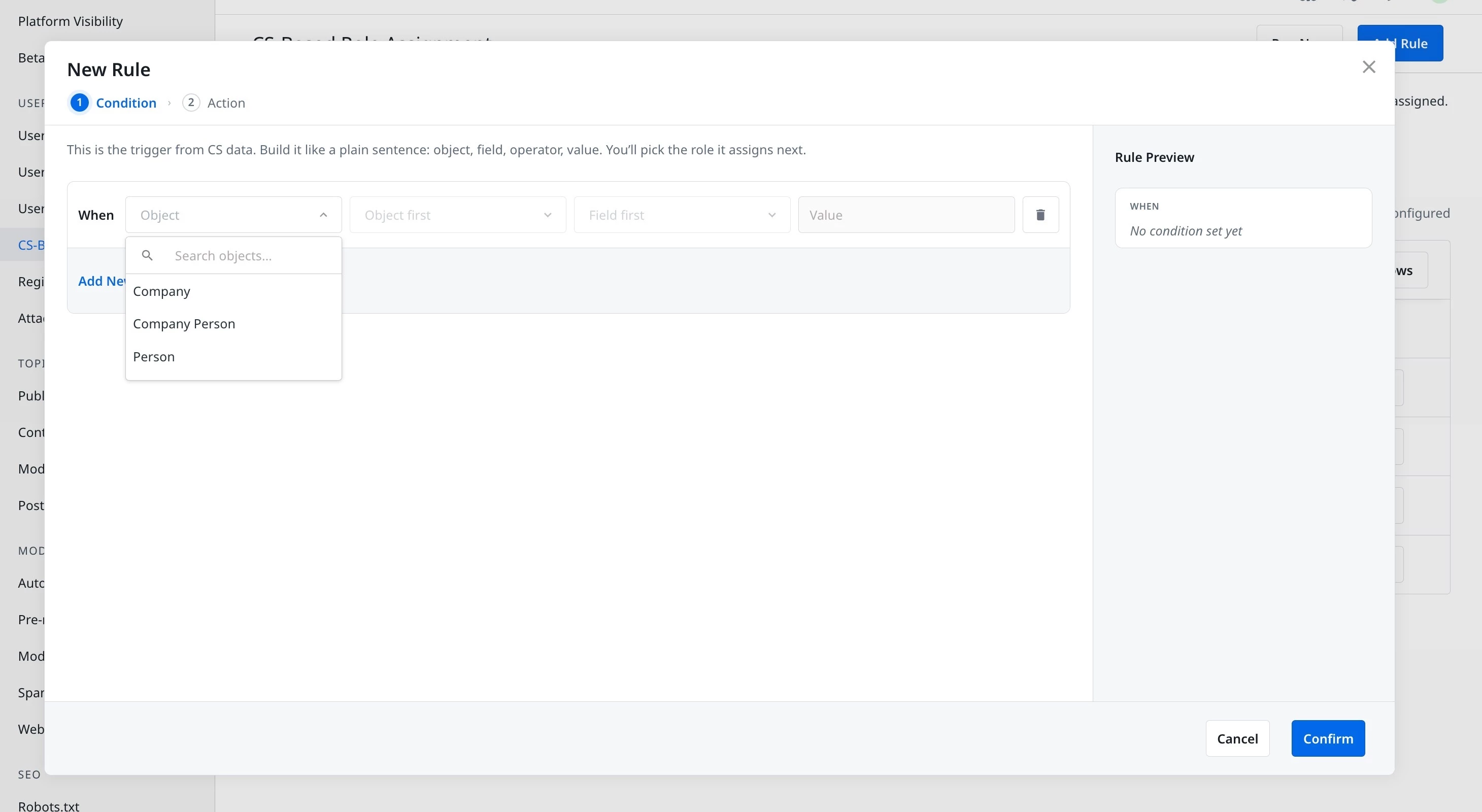
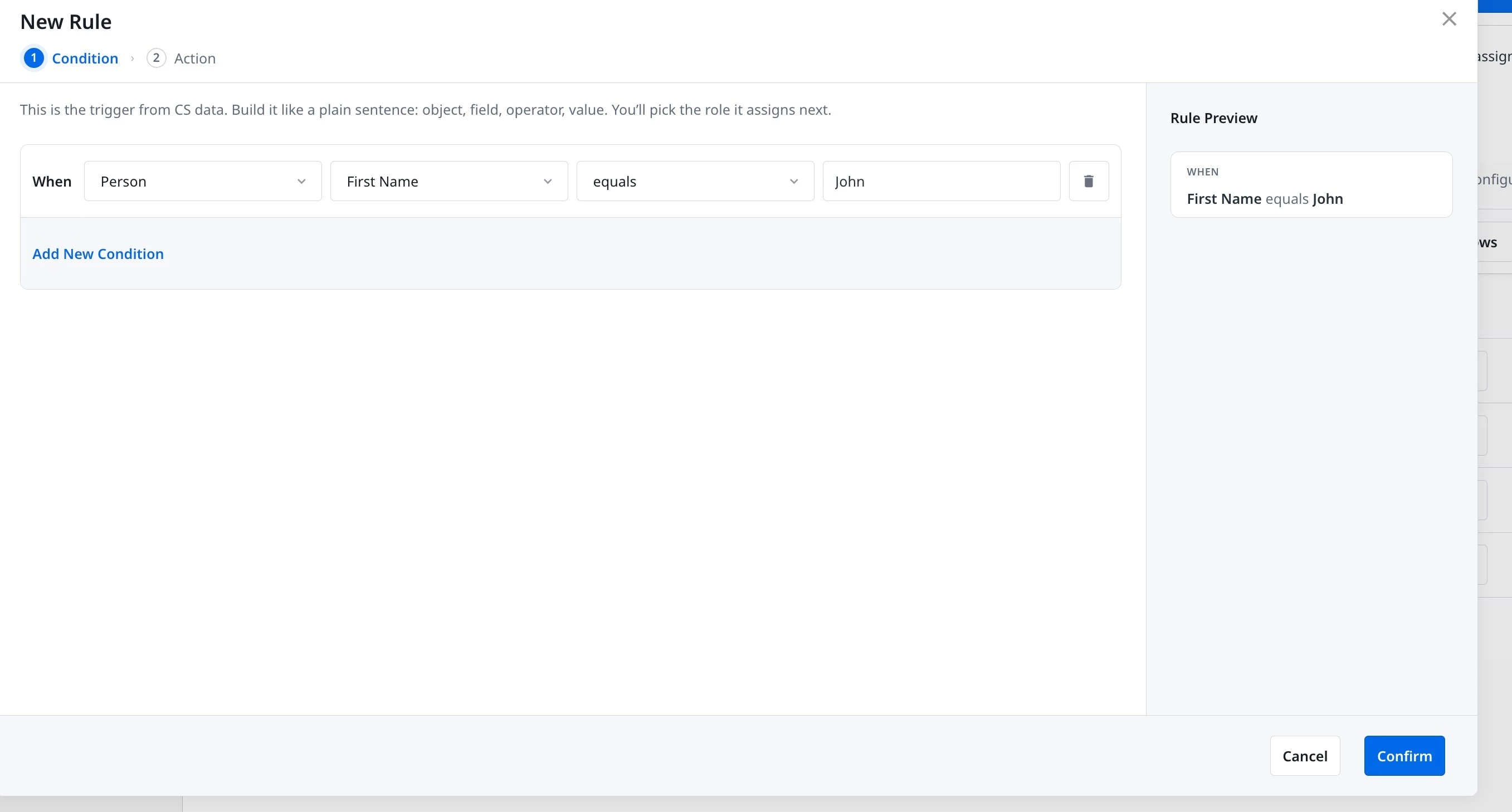
- Under When, enter the following details to create a condition:
- Object: Company, Company Person, or Person.
- Fields: Fields associated with the object.
- Operator
- Value
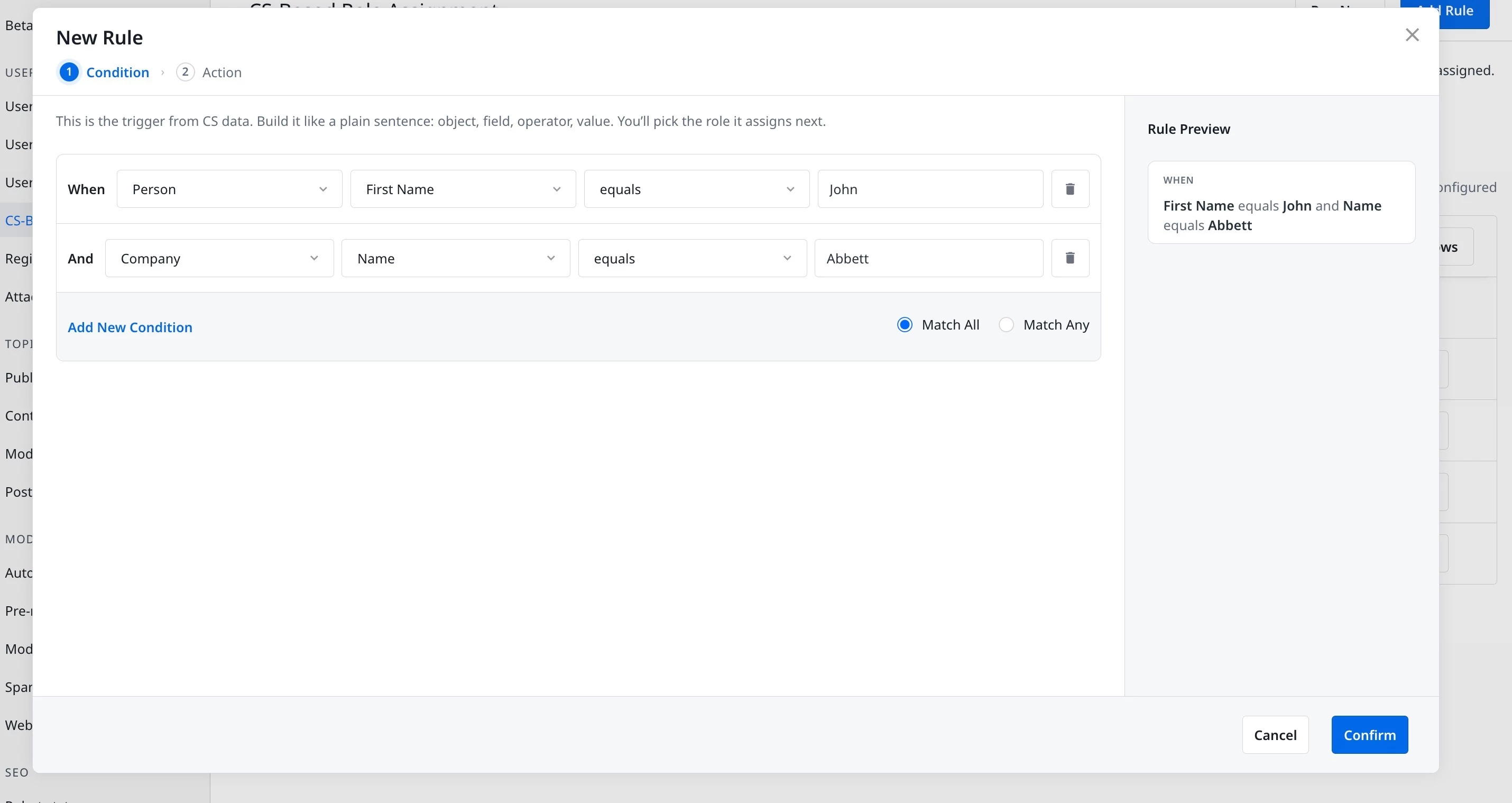
- (Optional) Click Add New Condition to create additional conditions.
Note: A maximum of three conditions can be created for a rule.
- Select Match All to require every condition to be true, or Match Any to require only one.
- Click Confirm to proceed to define Actions.
Select An Action
The action determines which role is assigned, and how it interacts with any role a member already holds.
This rule can assign the selected role, unassign another role, or both. It never creates, renames, or deletes roles.
To define an action:
- From the Role to assign dropdown, select a role.
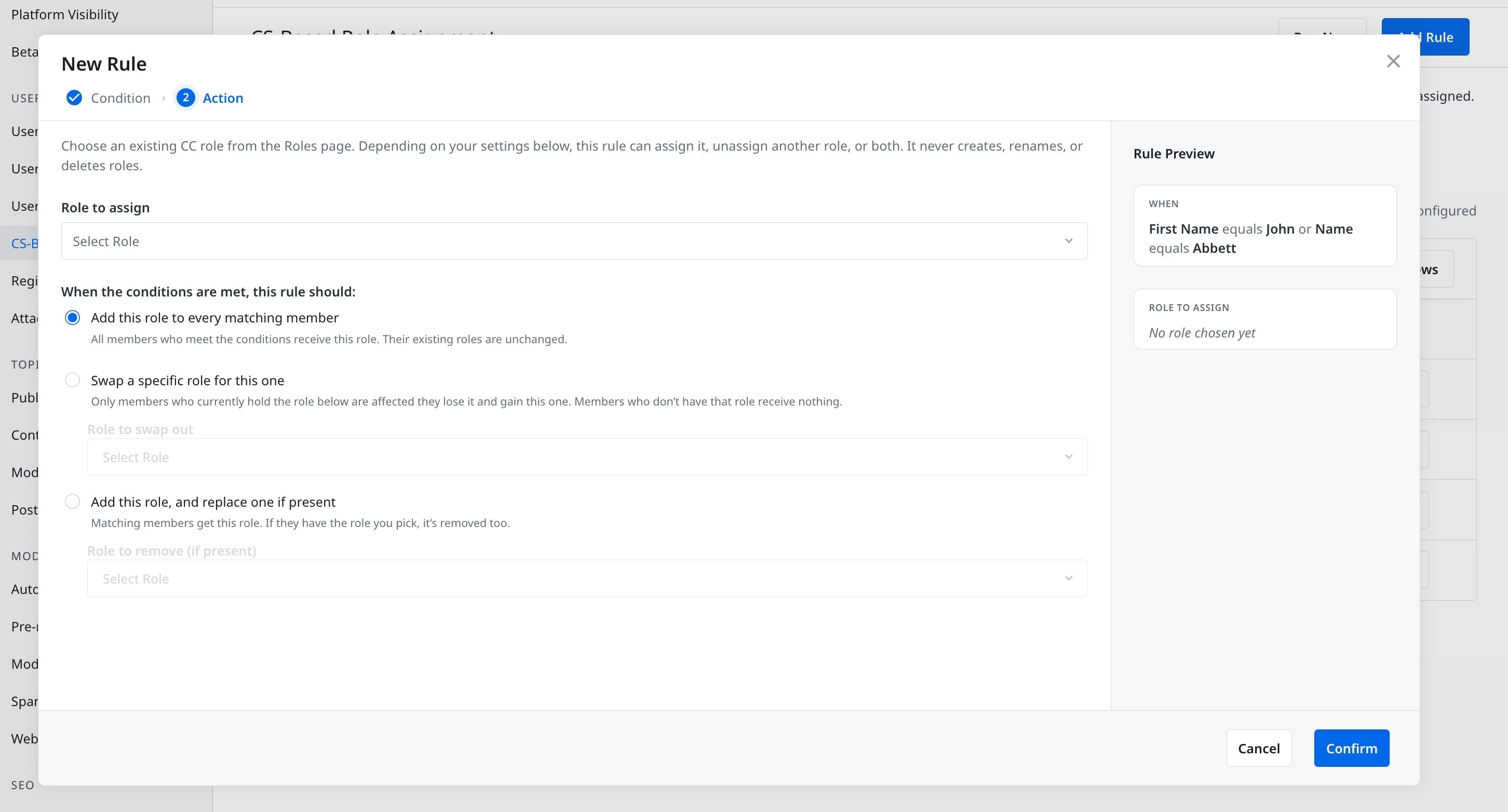
- Under When the conditions are met, this rule should, select one of the following:
- Add this role to every matching member: Every member who meets the condition receives the role. Existing roles are unchanged.
- Swap a specific role for this one: Only members who currently hold the role selected under Role to swap out are affected. They lose that role and gain the new one. Members who do not have the role to swap out receive nothing.
- Add this role, and replace one if present: Every matching member receives the new role. If a member holds the role selected under Role to remove (if present), that role is also removed.
- Click Confirm to confirm the role assignment and actions.
Note:
Rules that run in the same batch always show the same status. Gainsight combines every rule's effect into one net change per user, then reports back a single result for the batch rather than one per rule.
- A rule that matched no users shows as a success immediately, since there was nothing to submit.
- A misconfigured rule shows as failed until fixed, since it is skipped before evaluation runs.