

レポートをクリックしたときに出てくる詳細の変更
レポートをクリックしたときに表示される情報を変更する方法をご案内します!
- Report Builderで対象のレポートにアクセスします
- 対象となるデータをクリックします
- 右上にある+ボタンを押すと表示させることができる項目のリストが出るので、出したい/出したくないをチェックボックスで管理することができます!
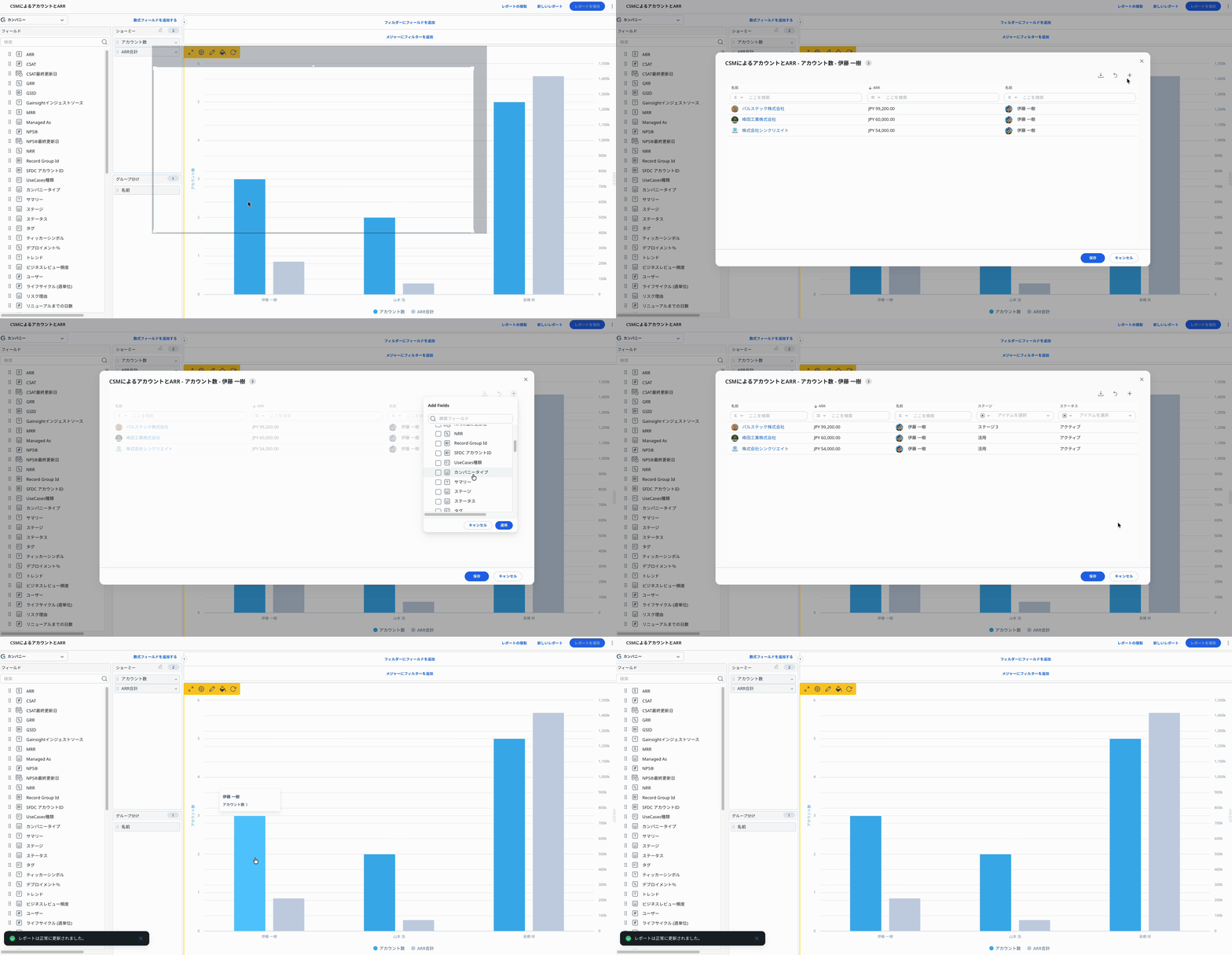
とても簡単なのでぜひ即実践ください!
レポートをクリックしたときに表示される情報を変更する方法をご案内します!
とても簡単なのでぜひ即実践ください!
If you already have a profile on Gainsight Community, there's no need to create another one. If your email address has changed or you can't remember your login, email community@gainsight.com. Otherwise, continue with the registration below.
Enter your E-mail address. We'll send you an e-mail with instructions to reset your password.