AI Answers in Customer Communities
This article helps to understand AI Answers in Customer Communities.
Overview
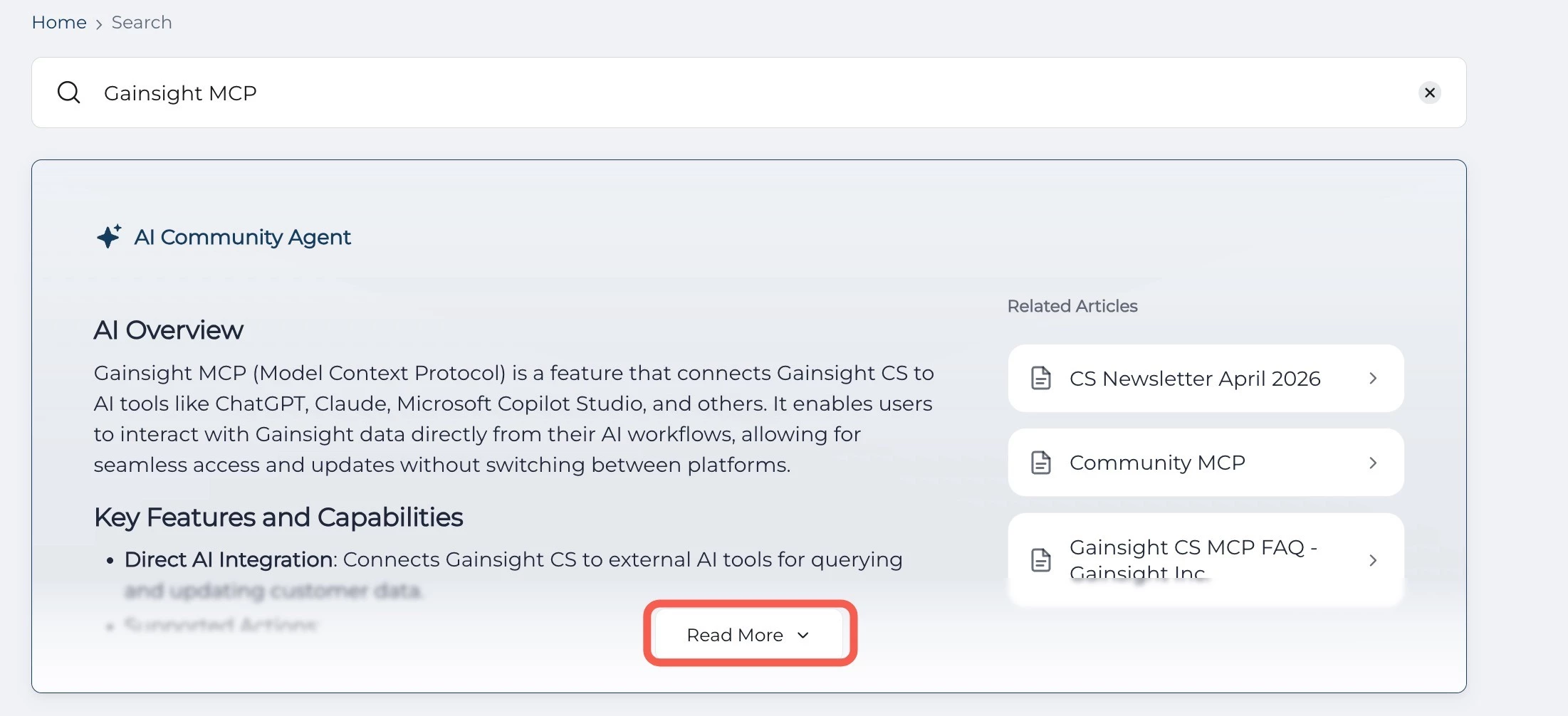
AI Answers enhances the Customer Community experience by empowering users with AI-powered search and response capabilities. This feature uses latest advanced AI models to deliver real-time, conversational responses that feel natural, accurate, and dynamic.
When users search for information within the community, AI Answers provides instant, cited responses that include relevant sources for transparency and trust. The AI Answer panel also includes an expandable list that allows users to explore deeper insights and related content.
Key Highlights
- AI-Driven Search: Provides answers to your questions.
- Cited Responses: Provides AI-generated answers with source links for further reading.
- Real-time Streaming: Displays answers as they are generated for an interactive experience.
- Expandable Insights: Allows users to view additional context or sources with one click.
- Continuous Learning: Improves over time based on user interactions and community feedback.
Configure AI Answers in Community
Community admins and managers can configure the AI Answers from the settings page and can also enable AI Answers to be leveraged by end users in the community.
To configure the AI Answers:
- Log in to Control.
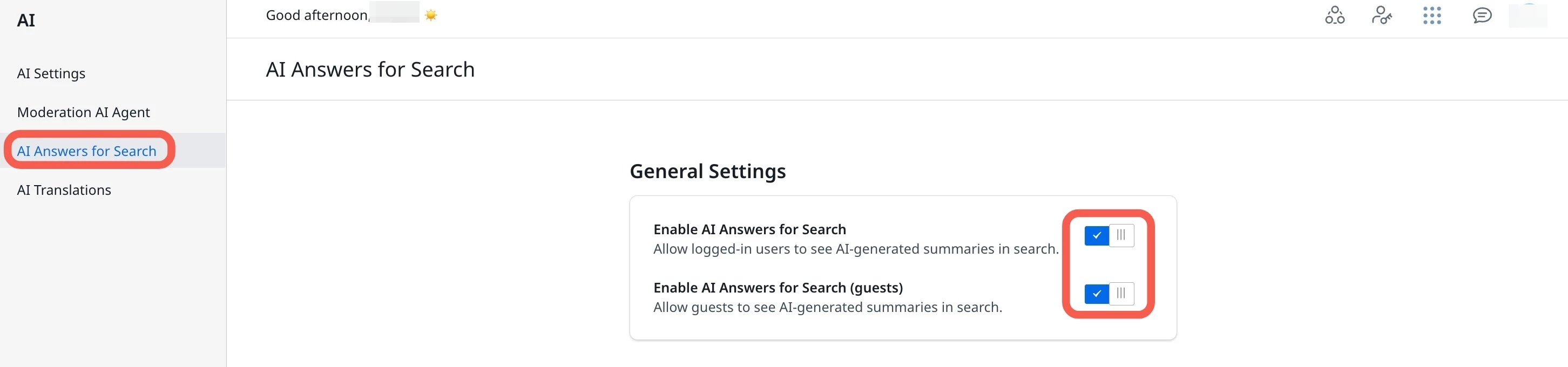
- Navigate to AI > AI Answers for Search. The AI Answers for Search page appears.
- Turn on the Enable AI Answers for Search toggle. This provides direct AI-generated responses to the search queries in real-time.
- (Optional) Turn on the Enable AI Answers for Search (guests) toggle. This enables end users to leverage AI summaries.
Use AI Answers in Community
Community users can type a query into the search text field on the Community homepage. The AI Answers feature analyzes the query, searches through community discussions, documentation, and federated content, and displays the most relevant, cited answers within the AI Answers panel.
The following image displays an example search result for the query What is Gainsight MCP?
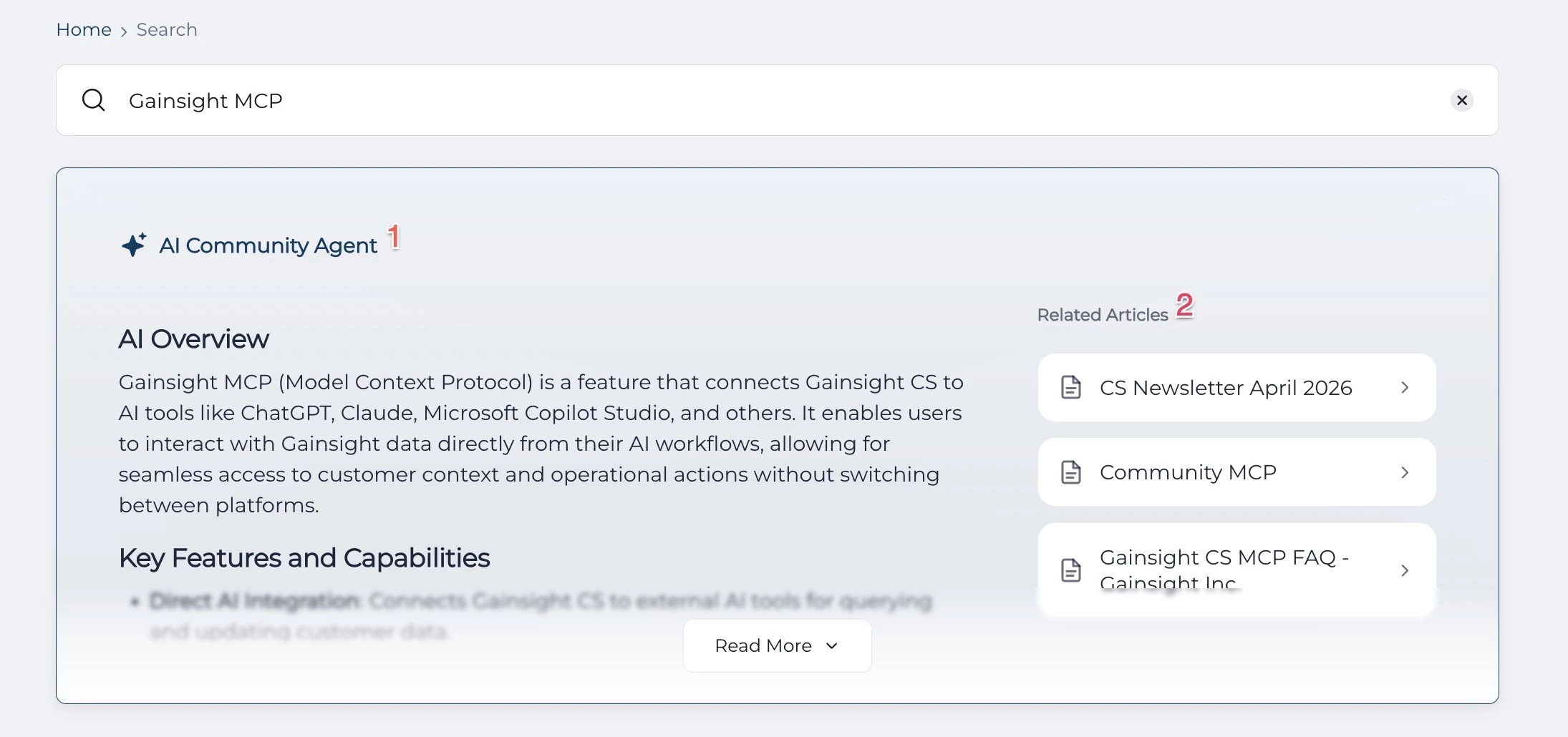
Key Elements in the AI Answers panel include:
- AI Answers Panel: Displays the AI-generated response synthesized from community posts, product documentation, and other federated content.
- Source Snippets: Lists brief content snippets from relevant sources. Select a snippet to open the original content.
Click Read More to expand the AI Answer and view additional insights or detailed explanations.