Setting up, rewarding and revoking manual badges
In this tutorial you can learn more about manual badges. Different to automatic badges, these badges cannot be earned automatically by creating content on your community - this type of badge can only be awarded manually via the Control Environment or by using our API.
Setting up manual badges
Within the badge menu, you can decide if a badge can only be received manually or automatically (following the rules you have set up):
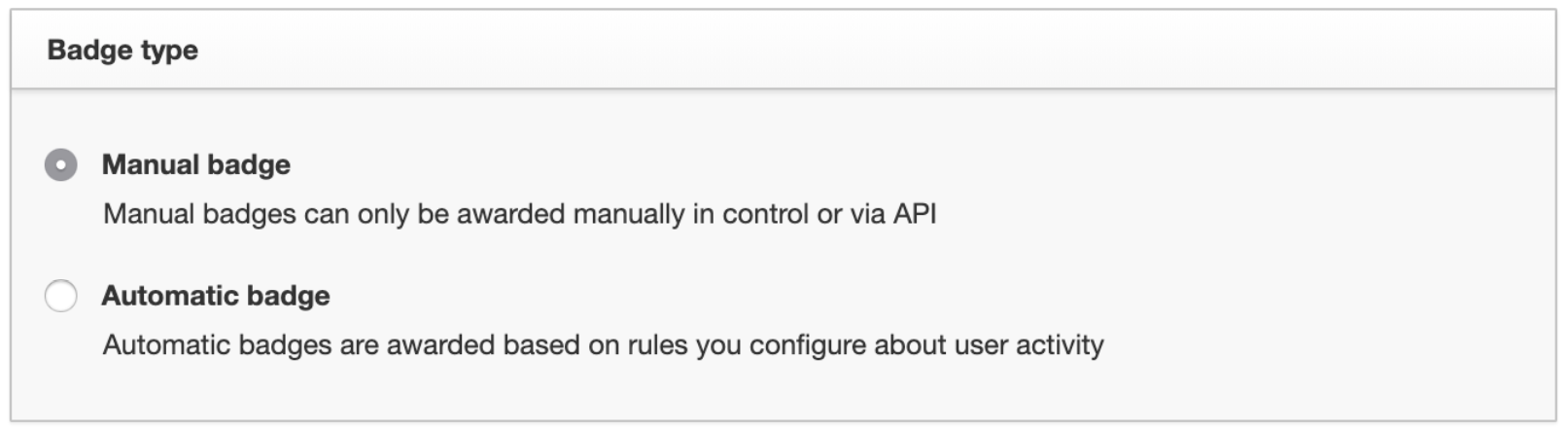
Note: If you set up an Automatic badge, you can still hand this badge out manually as well. And if you decide you want to switch an Automatic badge to a Manual badge, that’s also possible!
How to manually award a badge to a user
There are actually three different ways to award badges to users:
1. Assigning a Badge to an individual user
You have the option to assign a badge via the user profile page within the Control Environment:
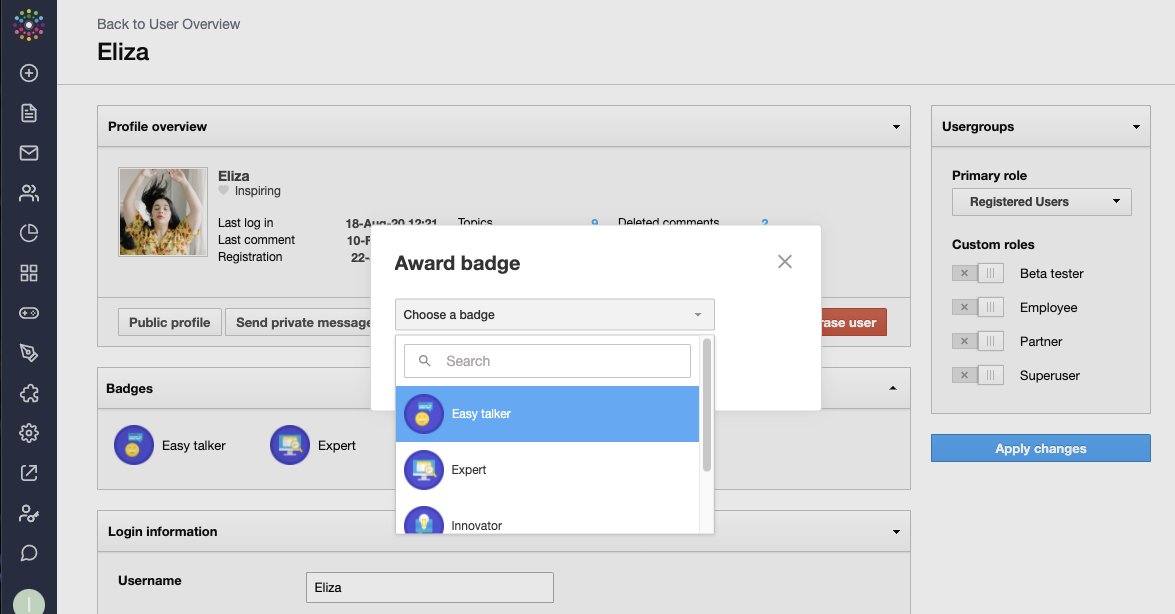
Simply select the badge from the drop-down list. You will receive a message that this was successful and the badge directly will be visible in the profile.
2. Assigning a badge to a group of users
If you want to award a badge to a group of users at the same time, then you can use the “Award Badge”-feature, located at the top-right of the badge overview page (you can use this method to award a badge up to 50 users at one time):

An interface will load where you can add usernames (comma-separated):
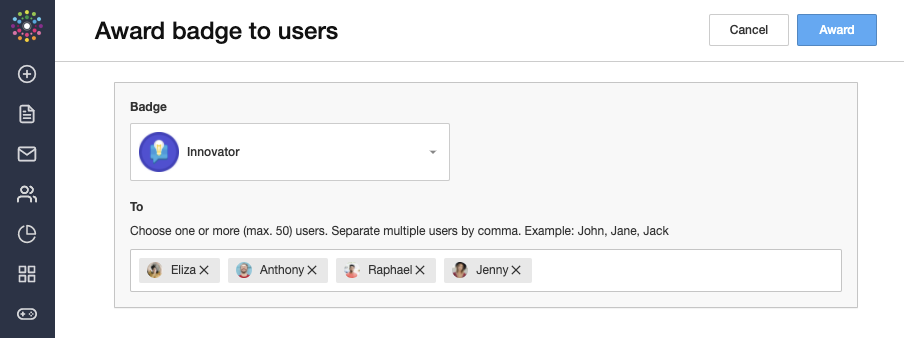
Note: If a username does not exist, you will see an error message. It’s also possible to copy/paste a comma-separated list into the ‘To’ field. You can use online tools to convert columns containing user names from a spreadsheet into a comma-separated list - just search for ‘Convert Column to Comma Separated List”.
3. Assigning a badge via API
You can also award a badge via our API, e.g. if a user completes a course in your learning environment, or completes a certain amount of actions in your product. For this kind of implementation, we recommend that you take a look at our API documentation.
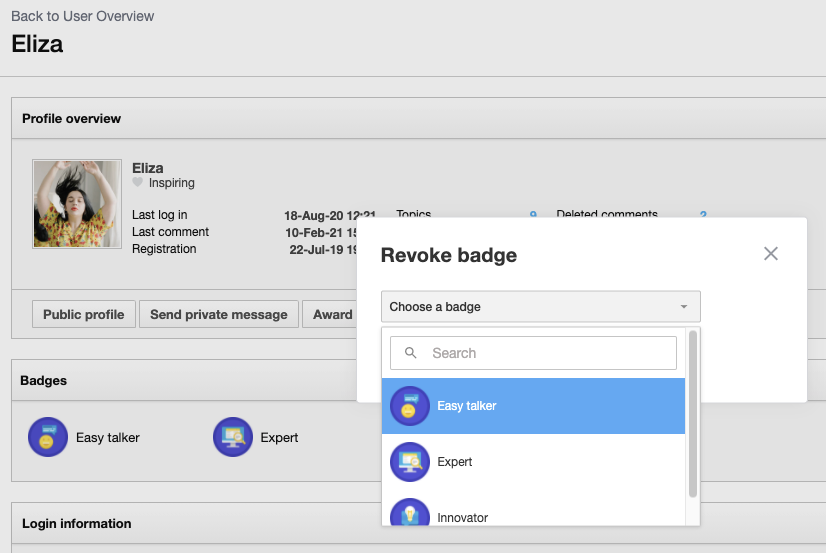
Can I also manually remove a Badge from a user?
To revoke a badge, simply click on “Revoke Badge” on a user’s profile page: