
SKILLJAR: AI chatbot widget for Skilljar courses
Hi all -
I spent a few hours this weekend creating a project that some of you might find useful. I’ve been looking for an in-course AI assistant that embeds directly into your Skilljar LMS courses. As it turns out, the only easy option for Rise courses was via an iframe which wasn’t what I was after.
What I built is a floating in-course AI chat widget that allows learners to ask questions about your course. You can upload your course content via the tool (transcripts, lesson text, etc.) and the LLM (Claude, GPT, Gemini) will respond with that context in mind.
Here’s the general idea behind how it works:
• Select your LLM and enter your API key (Claude, GPT, Gemini).
• Upload your course materials (lesson text, videos, transcripts, PDFs).
• Set up the widget (title, theme, placement, behavior, guardrails).
• Add a single JavaScript snippet to the header of your Skilljar theme.
• Scope it to the right e-learning courses - so the chatbot only appears on the courses you want.
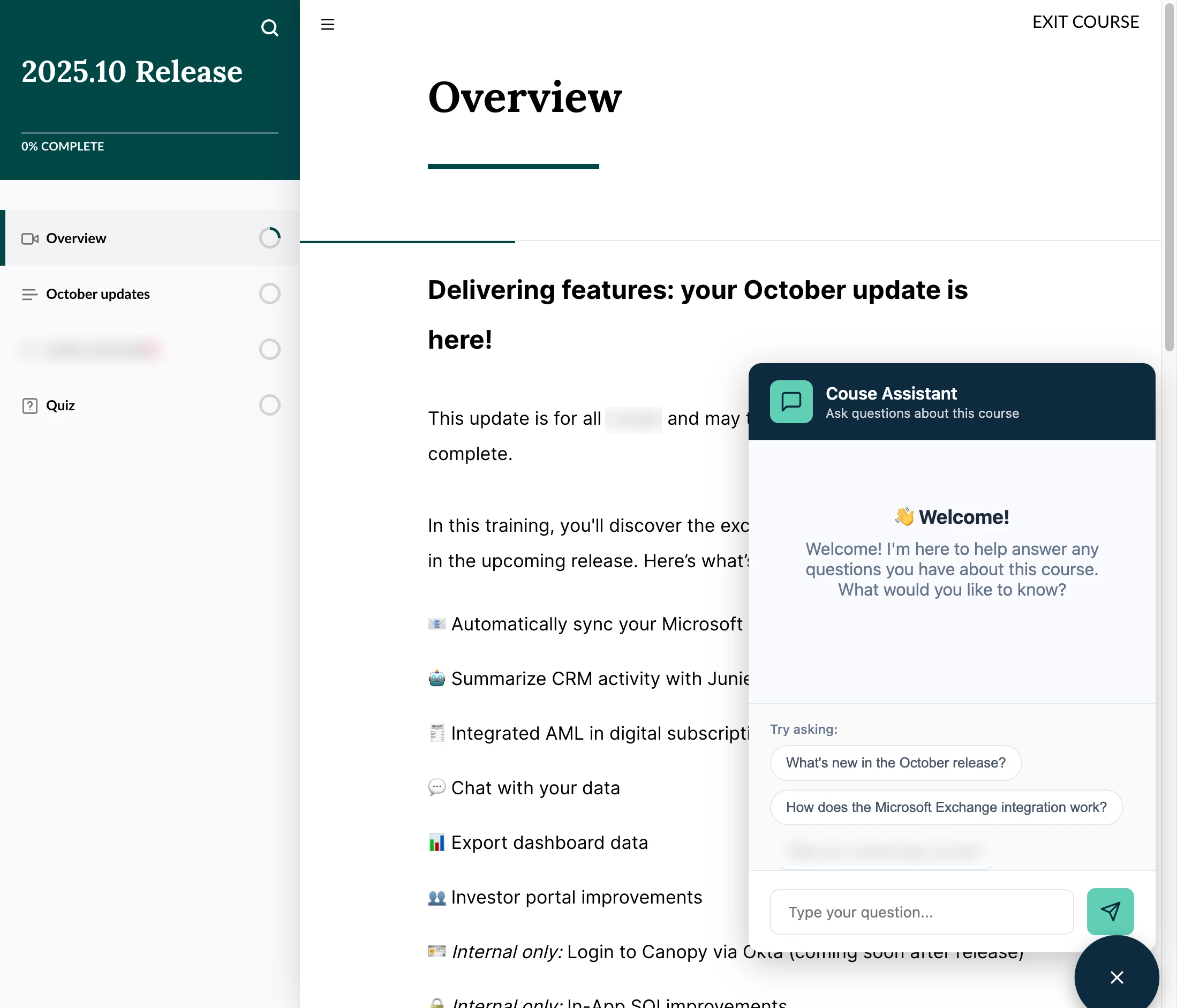
You can get the code here: https://github.com/kelly-vibe-coding/in-course-assistant
Hit me up with any questions.