

Kenneth R
Expert ⭐️⭐️
December 14, 2017

How to add a poll (survey) to your topic

  • February 19, 2025 at 1:54 PM
  • 26 replies
  • 1791 views
  • Translate All

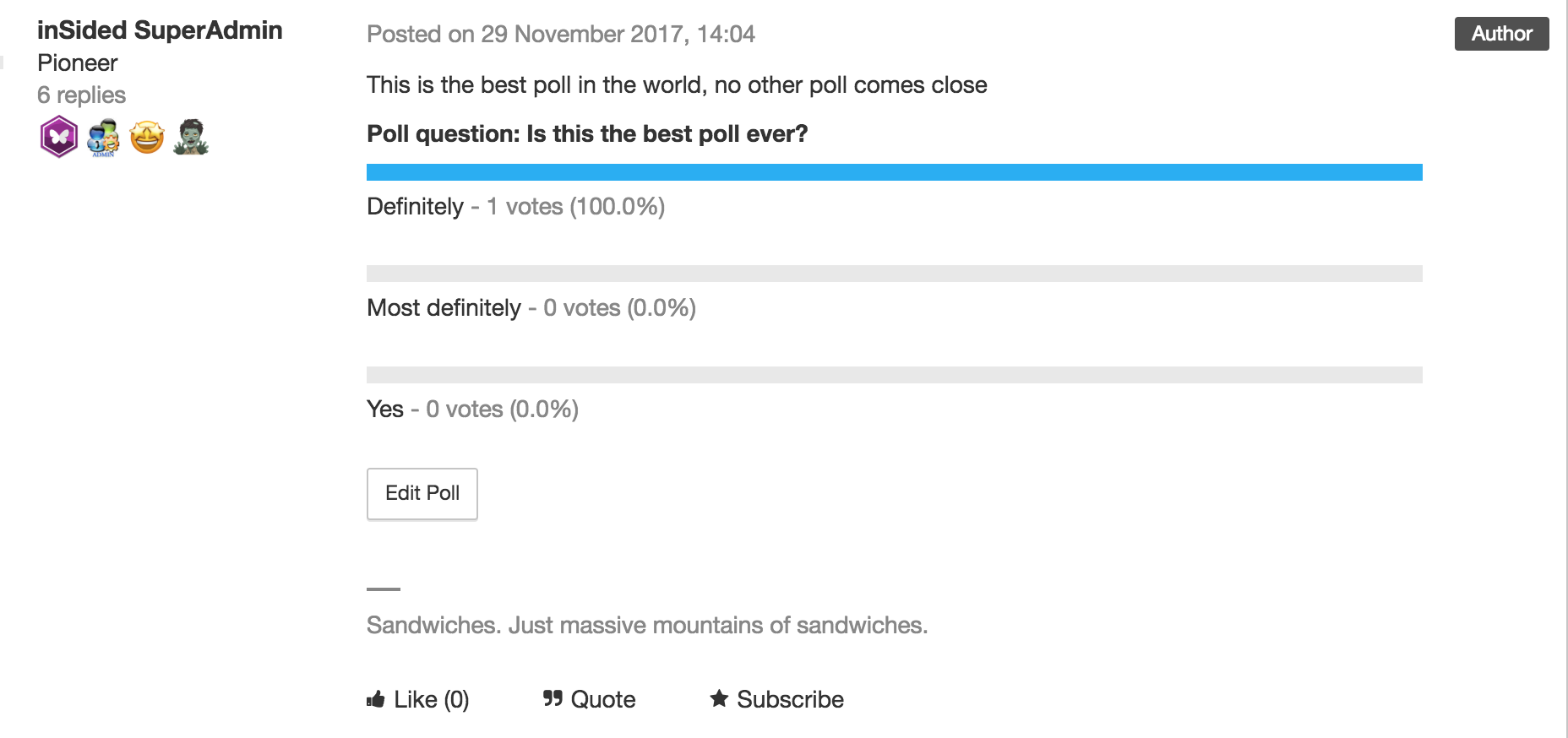
Curious to know whether your members like your new community design?  Polls let you offer a vote to your community members so they can make their voices heard.

This option isn’t limited to Moderators - any registered user can add a poll to a topic. But users can only vote in a poll once, so make sure you choose wisely!

How to create a topic with a poll

  1. When creating a new topic (in Community or Control) click the three dots ‘...’ → Poll. A Poll form field will be added below your topic description
  2. Add your question
  3. Add options (at least 2)
  4. Type up your topic and hit ‘Publish’ when you’re done.

How to View Poll Results

  1. Click on the topic in Control → the Poll results will show in the topic itself. 
 

:gear:  Tips, Tricks, & Technical Bits:

  • Polls can’t be added to existing topics.
  • Once you've created a poll, it's not possible to add new options to it.
  • If you close a topic containing a poll, members will still able to vote on it - the only way to disable voting is by trashing the topic.
  • To delete a poll from a topic, view the topic in Control, click 'Edit Poll', then (make sure you're certain, since this next step will immediately delete the poll) click 'Delete poll'.
  • Typo in your poll? No sweat! View the topic in Control, click 'Edit Poll', correct the poll option, then hit 'Save changes'. You can also remove poll options (as long as no votes have been cast for that poll).


26 replies

Contributor ⭐️
November 7, 2018
Hi Frank,

Are you able to track which users have voted within the poll?I.e. who voted for definitely in the poll above?

Thanks,
Ed
Translate
Shane1
Helper ⭐️⭐️⭐️
November 9, 2018
Hey Ed,

There's no easy way for you to see this information at the moment, as we just show the poll results and not which users voted.

If you would like this information to be accessible somewhere then be sure to post it as an ideation topic here 🙂
Translate
Contributor ⭐️
April 25, 2019
Is it correct that you can only see the results after you voted yourself?
Translate
Shane1
Helper ⭐️⭐️⭐️
April 25, 2019
Hi Patrick,

If you view the poll in the control environment you can see the result without voting 🤓

But if you would like to be able to see the poll result on the front-end without voting be sure to upvote this idea!
Translate
Contributor ⭐️⭐️⭐️
November 20, 2019

I’m trying to correct a spelling mistake in a poll and when I try to save it, I get the message that this is not possible since there are already some answers… How can I correct this error without deleting the poll?

Translate
Julian
Gainsight Employee ⭐️⭐️⭐️
November 21, 2019

Hi Vanessa,

sorry to hear about this, I think this has to do with limitations when we re-enabled polls: https://community.insided.com/news-platform-updates-16/our-new-text-editor-is-now-available-on-all-communities-1788/index5.html#post6507


I can have a discussion with my colleagues as to if there is a possibility for us to improve this or help you, but it seems currently you cannot change the text after people have voted.

Translate
I follow my nose, it always knows
m4rc
Helper ⭐️
June 18, 2020

Hi

What is the limit on the number of poll answers? 

Translate
Julian
Gainsight Employee ⭐️⭐️⭐️
June 19, 2020

I am not sure if there is a limit to this. You are speaking about the possible options, right? Just to avoid confusion...


I just tested a poll with 20+ options and it worked fine. Asked the other way around: Why would you want to limit the options here? So far I have not seen any cases of abuse, hence the chance of someone abusing this functionality is small.

Translate
I follow my nose, it always knows
m4rc
Helper ⭐️
June 19, 2020

Thanks @Julian Yep, number of possible options. I’m not looking to limit the number, I just want to know so that we can advise our members.

Unlimited sounds great! :grin:

Translate
Julian
Gainsight Employee ⭐️⭐️⭐️
June 19, 2020

Ok great, good to hear that! :)

Translate
I follow my nose, it always knows