Solved
サクセスプランの物理削除について
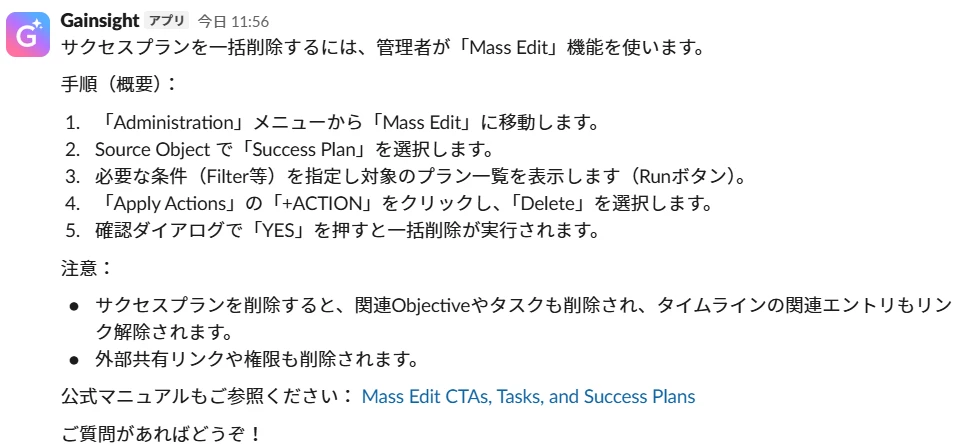
サクセスプランの運用方法変更に伴い、既存のサクセスプランを一括削除したいです。
Gainsightアプリに質問した方法ですと、Mass Edit機能を使うとありますが画面に見当たりません。
ルールエンジン、APIでも削除できない認識です。
どのように一括削除すればよいでしょうか?
サクセスプランの運用方法変更に伴い、既存のサクセスプランを一括削除したいです。
Gainsightアプリに質問した方法ですと、Mass Edit機能を使うとありますが画面に見当たりません。
ルールエンジン、APIでも削除できない認識です。
どのように一括削除すればよいでしょうか?
If you already have a profile on Gainsight Community, there's no need to create another one. If your email address has changed or you can't remember your login, email community@gainsight.com. Otherwise, continue with the registration below.
Enter your E-mail address. We'll send you an e-mail with instructions to reset your password.