

safiya
Contributor ⭐️⭐️⭐️
August 26, 2025
Solved

Hiding Navigation and Related Topics

  • August 26, 2025
  • 9 replies
  • 87 views

Hi everyone,

Our education team shares content in a dedicated section of the Hub and they are interested in changing certain aspects of the layout for their content. 

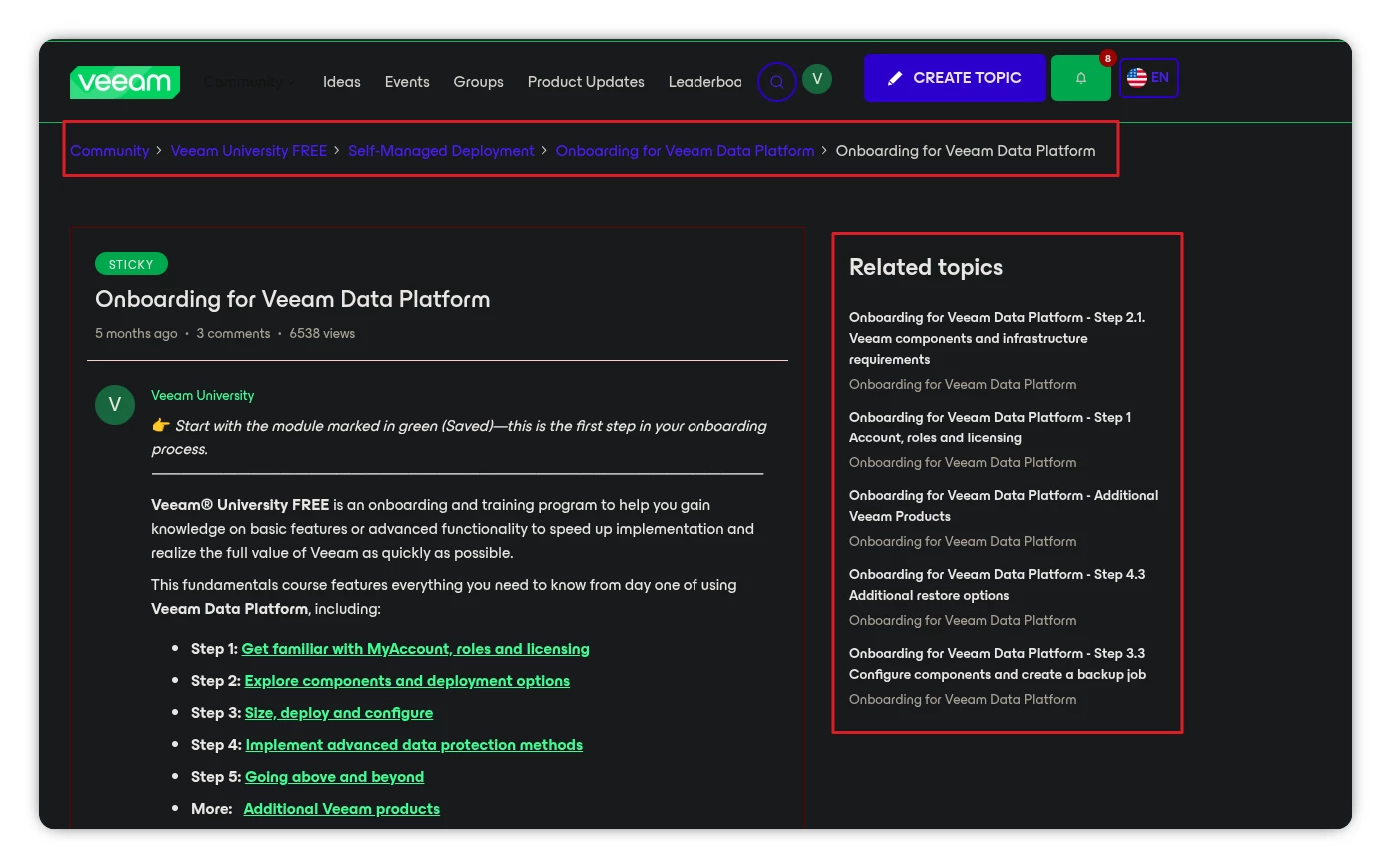
They asked if the following is possible (only in their section/categories not the entire community):

  1. Remove/hide related topics widget when you’re viewing a post
  2.  Remove/hide navigation when you’re viewing a post

If anyone has insight, I would love to know. Thanks in advance :)
 

    Best answer by jvdc

    Actually, if you don't want to play with scripts, I saw that you can actually achieve this with CSS:

    body.twig_page-topic.category-163 .widget--related-topics, body.twig_page-topic.category-163 .breadcrumb-container {
    display: none;
    }

    So you can remove the previous script and add the snippet above into your custom CSS. It's removing the breadcrumb and related topics on the article page view only. If you want that removed also in the category viewpage then you can remove ".twig_page-topic” twice

    9 replies

    jvdc
    Expert ⭐️
    August 26, 2025

    Yeah you probably could achieve it with a 3rd party script. Detect that you’re in that community category and then hide() the navigation and related topics.

    Something like this should work, where [CATEGORY PART OF URL] should be the part of the URL that is your category name + id

    <script>
    (function() {
    const pathname = window.location.pathname;

    if (pathname.includes('/[CATEGORY PART OF URL] ')) {
    const style = document.createElement('style');
    style.innerHTML = `
    .widget--related-topics,
    .breadcrumb-container {
    display: none !important;
    }
    `;
    document.head.appendChild(style);
    }
    })();
    </script>


    safiya
    safiyaAuthor
    Contributor ⭐️⭐️⭐️
    August 26, 2025

    Hi ​@jvdc thanks for the reply. running into this error when I try to add the script. any idea on what I can do?


    jvdc
    Expert ⭐️
    August 27, 2025

    Hey I've written a more simple version that includes your community category

    <script>
    $(function () {
    if (location.pathname.includes('/onboarding-for-veeam-data-platform-163')) {
    $('.widget--related-topics, .breadcrumb-container').hide();
    }
    });
    </script>


    safiya
    safiyaAuthor
    Contributor ⭐️⭐️⭐️
    August 27, 2025

    @jvdc still running into that same error message.. 😅 have you tried this in your community?

    jvdc
    Expert ⭐️
    August 28, 2025

    Hey ​@safiya , yes it works on my side ;-)

    But it looks like you're inserting this in your CSS. It should be in your 3rd party scripts. You can insert it before the </body> tag (3rd option)


    By the way it will also remove it the breadcrumb from the category overview. We can adjust it if you'd like to keep the breadcrumb in the category overview….

    safiya
    safiyaAuthor
    Contributor ⭐️⭐️⭐️
    August 28, 2025

    ahh my mistake! thanks for correcting.


    I added it to the body. it got rid of the navigation at the top (thank you!) but related topics still stuck. see images and page: https://community.veeam.com/onboarding-for-veeam-data-platform-163/onboarding-for-veeam-backup-for-microsoft-365-step-2-1-backup-architecture-10057 


    jvdc
    Expert ⭐️
    August 29, 2025

    Hey when i click on your link, the related topics are gone for me

    jvdc
    jvdcAnswer
    Expert ⭐️
    August 29, 2025

    Actually, if you don't want to play with scripts, I saw that you can actually achieve this with CSS:

    body.twig_page-topic.category-163 .widget--related-topics, body.twig_page-topic.category-163 .breadcrumb-container {
    display: none;
    }

    So you can remove the previous script and add the snippet above into your custom CSS. It's removing the breadcrumb and related topics on the article page view only. If you want that removed also in the category viewpage then you can remove ".twig_page-topic” twice

    safiya
    safiyaAuthor
    Contributor ⭐️⭐️⭐️
    September 2, 2025

    amazing!! thank you ​@jvdc this worked!
