Pieter
Contributor ⭐️⭐️⭐️
September 10, 2019
Solved

How can I use the three smaller quicklinks as used on the insided community homepage?

  • September 10, 2019
  • 18 replies
  • 630 views
Hi!

I noticed a new feature on the Insided community


How can I set this up? Anyone?

Cheers!
Best answer by Yoeri
Hey Pieter,

This is what we call Quick links, these links can be set up in the Control environment. Here's a guide to set them up: https://community.insided.com/highlighting-content-80/set-up-quick-links-on-your-homepage-1170#post3780

Apart from the steps above we applied some advanced configuration to make them look different, this is what we did:

1.We created 3 quick links without a visual
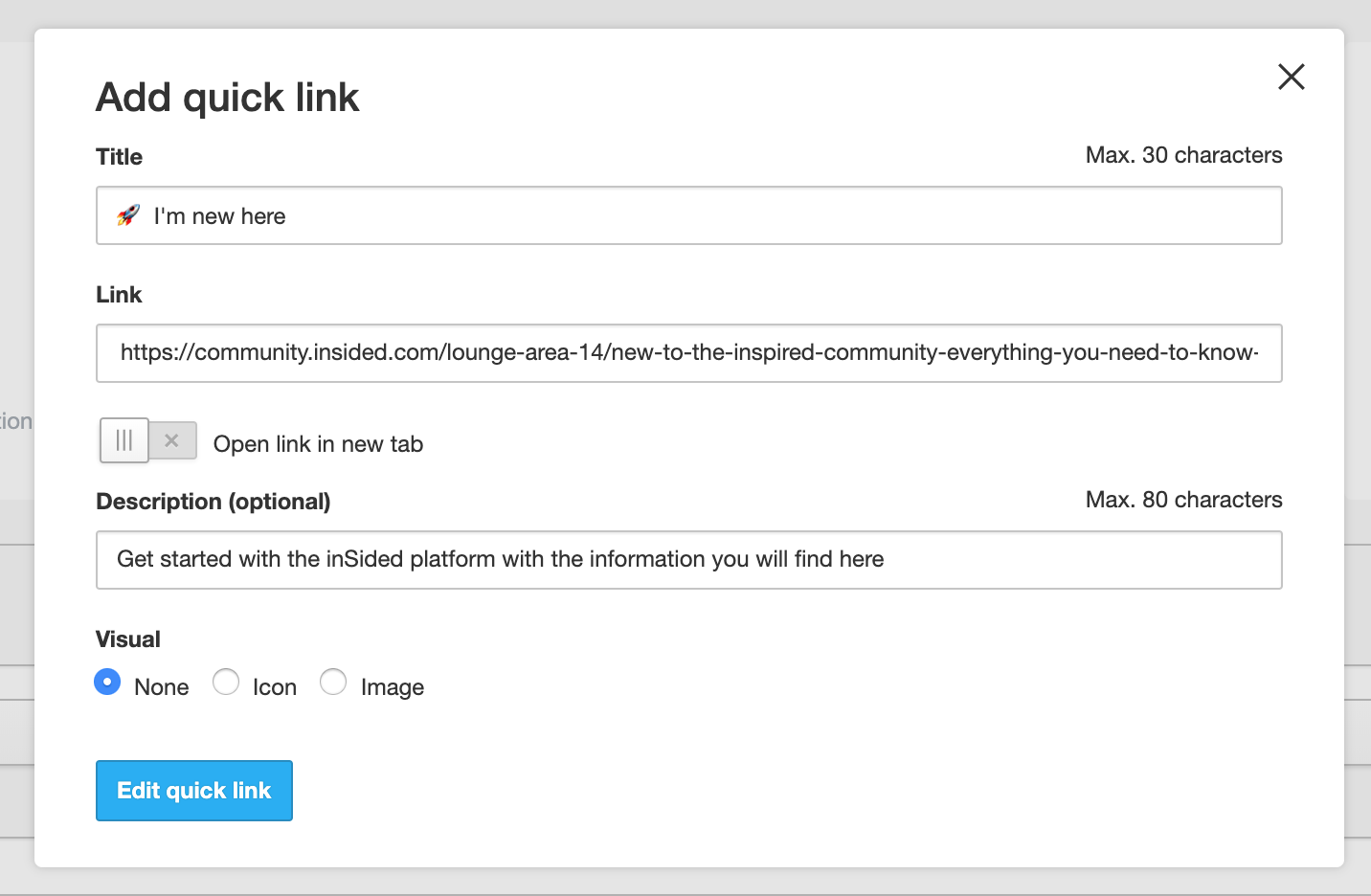

2.We used an emoji in the Title copied from https://emojicopy.com
3. In Control > Settings > Third-party Scripts we injected the following custom CSS in the Before < /body> panel
code:
< style>
.quicklink__box__novisual {
display: none;
}
.quicklink__title {
text-align: left;
padding: 24px 24px 16px 24px;
}


This Custom CSS makes the card more compact and makes the text left-aligned (by default there is more space in the card and the text is center aligned)

Hope this helps 🙂

18 replies

LPortalupi
Helper ⭐️
September 30, 2019
Thanks, @Julian. It's interesting that there was no issue until I applied the code shared here. But I'm not a coder so I don't fully understand how these things work. 🙂
timcavey
Helper ⭐️⭐️
November 18, 2019

Hi all,


I added this code to the Before < /body> panel, but didn’t notice any changes:


< style> .quicklink__box__novisual { display: none; } .quicklink__title { text-align: left; padding: 24px 24px 16px 24px; }


Any advice on what I might be doing wrong? Could we find and edit the CSS width and height % manually as a workaround? @Yoeri 

learning, sharing and repeat
Shane1
Helper ⭐️⭐️⭐️
November 18, 2019

@timcavey I know on inSpired we use emoji’s instead of icons to make use of the small Quick Links. And that script is only for when no visual is selected.

So either you need a different script for making the Quick Links small with icons, or else you will need to select ‘none’ for ‘visual’ and then add emoji’s instead like we do


@tom.shaddock do you have any thoughts on this?

tom.shaddock
Gainsight Employee ⭐️⭐️
November 19, 2019

Yep you’re suggestion @Shane1 is correct - @timcavey  those css rules will make sure the text is aligned left and that the box for the icon is correctly hidden if no image is selected.

For the quicklinks on the homepage we’re just using some normal off the shelf emojis for the images instead of an uploaded user icon.

@timcavey if you remove the images and apply those CSS rules, you’ll end up with something that looks like this (dont worry i’ve only made these changes to my local browser):


tom.shaddock
Gainsight Employee ⭐️⭐️
November 19, 2019

@timcavey  if you wanted to make a custom emoji with your icons - you could use this service: https://www.emojicopy.com/ and then copy and paste the emoji into the title bar. Hope this helps!

timcavey
Helper ⭐️⭐️
November 19, 2019

Thanks for the help @tom.shaddock and @Shane1 


Your advice has worked, but the emojis on their emojicopy site (when selected to copy) and on control (when copied over) and on the front end are black and white and basic versions. They don’t look great to be honest. 


Is this related to my version of windows? Any workaround or fix?

learning, sharing and repeat
tom.shaddock
Gainsight Employee ⭐️⭐️
November 20, 2019

Hi @timcavey yep this sounds like an issue with emoji support on your PC - unfortunately emoji support isnt as ubiquitous as it should be, im not able to think of a suitable workaround besides picking more common emojis (which you know will be supported on more operating systems).


Your quicklinks are looking pretty good how they are though, this is how they’re rendering for me at the moment:


timcavey
Helper ⭐️⭐️
November 20, 2019

Thanks both, yep looks like there’s nothing we can do to make these look universally great. 


The ‘unicode standard’ emojis just look different depending on the device / OS. In the case of me and other moderators on our version of Windows, they look a bit naff. 


For for phones, and more UTD OS, they look great - we’re sticking with them! 

learning, sharing and repeat

