LMAR
Contributor ⭐️⭐️
August 3, 2026
Solved

E-Mail Alerts for Surveys

  • August 3, 2026
  • 2 replies
  • 44 views

Hi!

I know you can trigger a CTA to be assigned when clients fill out a survey, but is there a way to send an email notification when it is filled out?

For instance, the management team wants to know when a client fills out a GS survey on our website so they can take a look at the responses prior to letting the CSM’s know. Was hoping there was a way to alert them via e-mail instead of creating a CTA.

Thanks!

Best answer by romihache

As far as I know, not directly. But I can think of the following alternatives:

  • Journey orchestrator:
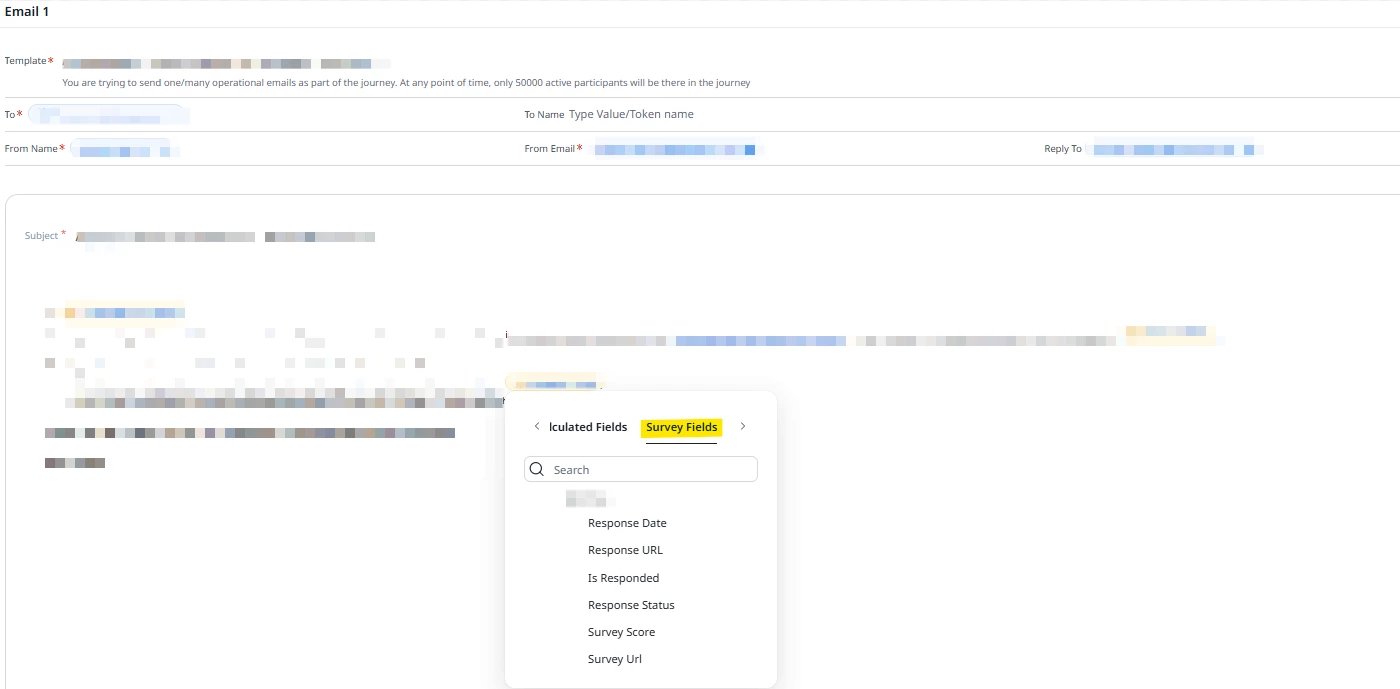
    A: create a template with the tokens you need, configure the step after the “responded” branch. You’ll need a calculated field to bring in the manager email to the mix to use in the “to” field.
    I’ve never attempted this but I just tested with a random template and looks like the capability to do this is in place:


    B: New journey attaching a report sourced from the Survey object (similar to the point below but with extra steps. Keep in mind that in JO inline reports are limited to 5 columns and 20 rows lines in reports are limited within JO, and Schedule a report has his own set of limitations (check this idea)
  • Share a report with a Schedule
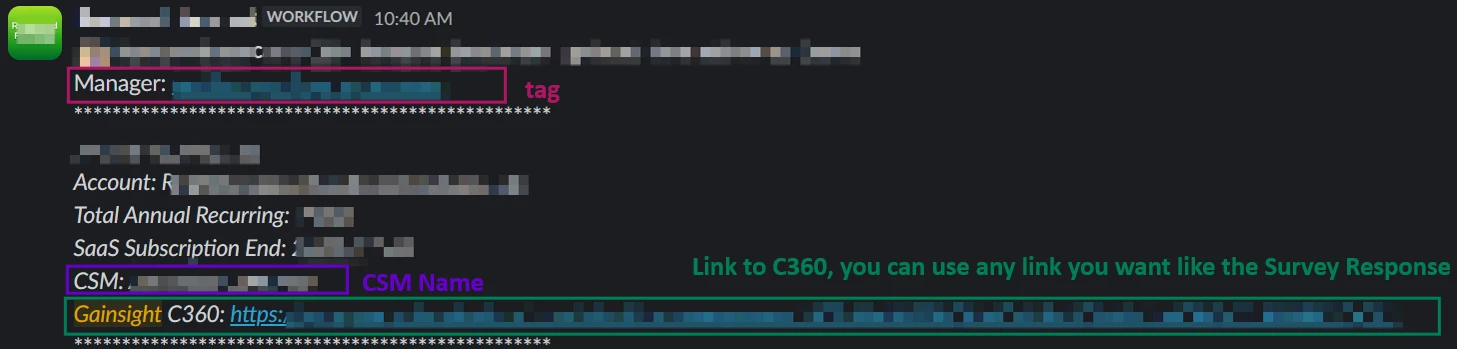
  • Send via Slack: You’ll need a rule (or branch within the journey using the API Element) just like as if you were creating a CTA but with an external action instead + a Slack Workflow to target a DM or channel. Here you have one we have for a different use case but that does the same: receives the data, triggers a notification with some data points tagging the manager:


Hope this helps!
 

2 replies

michelle.samra.cerbo
Contributor ⭐️⭐️
August 3, 2026

Hello! I do like this idea and would like it to be customizable. Not every survey should warrant a notification but maybe certain ones controlled by the admin.

Michelle Samra
romihache
romihacheAnswer
VIP ⭐️⭐️⭐️⭐️⭐️
August 5, 2026

As far as I know, not directly. But I can think of the following alternatives:

  • Journey orchestrator:
    A: create a template with the tokens you need, configure the step after the “responded” branch. You’ll need a calculated field to bring in the manager email to the mix to use in the “to” field.
    I’ve never attempted this but I just tested with a random template and looks like the capability to do this is in place:


    B: New journey attaching a report sourced from the Survey object (similar to the point below but with extra steps. Keep in mind that in JO inline reports are limited to 5 columns and 20 rows lines in reports are limited within JO, and Schedule a report has his own set of limitations (check this idea)
  • Share a report with a Schedule
  • Send via Slack: You’ll need a rule (or branch within the journey using the API Element) just like as if you were creating a CTA but with an external action instead + a Slack Workflow to target a DM or channel. Here you have one we have for a different use case but that does the same: receives the data, triggers a notification with some data points tagging the manager:


Hope this helps!
 

Continuous improvement is better than delayed perfection