

Question
Scorecard 2.0 UI Questions
I have two questions about the Scorecard 2.0 UI
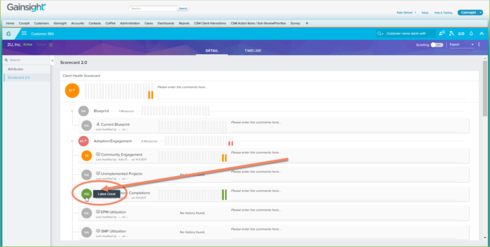
1. We noticed that when you hover over a score (either a Measure score or a rolled up score), the word "Label:" precedes the label. This to us seems unnecessary and doesn't look quite "finished" - can the word "Label" be removed in any way?
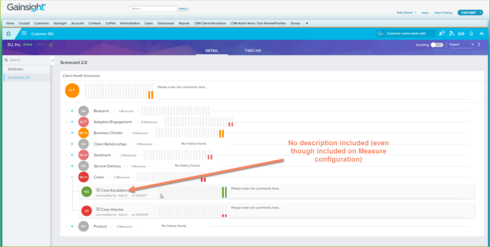
2. We have defined descriptions for each Measure but those descriptions don't appear anywhere in the UI (from the CSM point of view). Should these descriptions pop up when you hover over the measure within the Scorecard view?
Thanks!
1. We noticed that when you hover over a score (either a Measure score or a rolled up score), the word "Label:" precedes the label. This to us seems unnecessary and doesn't look quite "finished" - can the word "Label" be removed in any way?
2. We have defined descriptions for each Measure but those descriptions don't appear anywhere in the UI (from the CSM point of view). Should these descriptions pop up when you hover over the measure within the Scorecard view?
Thanks!