Solved
Success Plan Gantt chart display
By design the Gantt Charts will display for all tasks and objectives.
Then when you expand and condense the objective "Gantt Chart" will disappear for that objective tasks which we know.
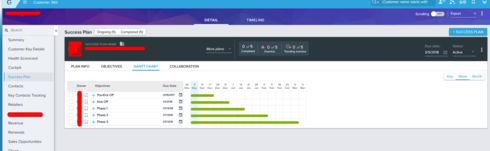
The customer that brought this to our attention would like for when you condense the objective that the "green line" also get condensed.
I do agree with the user as if you condense something, related content should respond also. Image attached is the condensed view
Then when you expand and condense the objective "Gantt Chart" will disappear for that objective tasks which we know.
The customer that brought this to our attention would like for when you condense the objective that the "green line" also get condensed.
I do agree with the user as if you condense something, related content should respond also. Image attached is the condensed view