New Idea

Export the dropdown list values?

Related products:None
  • October 29, 2021
  • 9 replies
  • 218 views

katepalli
Forum|alt.badge.img+1

Hi Team,

Currently, exporting the dropdown list values from the data management is not possible. Can we enable an option to export the dropdown list values.


9 replies

Cornelia
Forum|alt.badge.img+1
  • Contributor ⭐️⭐️⭐️⭐️⭐️
  • November 1, 2021

Hello @katepalli, thank you for posting on Community. Passing this along to our Product Manager to be looked into and circle back to you with an answer.


jenlpro
Forum|alt.badge.img+3
  • Contributor ⭐️⭐️⭐️⭐️⭐️
  • November 8, 2022

I’m struggling with this right now - we have a list of 146 different softwares that I need to compare against the integrations available in our Product… would really prefer to hit a button to export the comprehensive list vs. manually typing all 146 😅


Forum|alt.badge.img+1
  • Contributor ⭐️⭐️
  • November 8, 2022

This has also come up for me a few times and as recently as last week!


romihache
Forum|alt.badge.img+9
  • VIP ⭐️⭐️⭐️⭐️⭐️
  • June 12, 2023

Oh yes!!! We need this!
The list with the value and their GSID would be great. Doing it manually is not sustainable.


alizee
Forum|alt.badge.img+13
  • VIP ⭐️⭐️⭐️⭐️⭐️
  • June 12, 2023

ABSOLUTELY NEEDED, especially for a list that contains … a list of all countries in the world or time zones (my own personal hell in GS).


Forum|alt.badge.img+2
  • Expert ⭐️
  • June 13, 2023

Wrote up an article to help people on this topic.


john_apple
Forum|alt.badge.img+5
  • Expert ⭐️
  • June 13, 2023

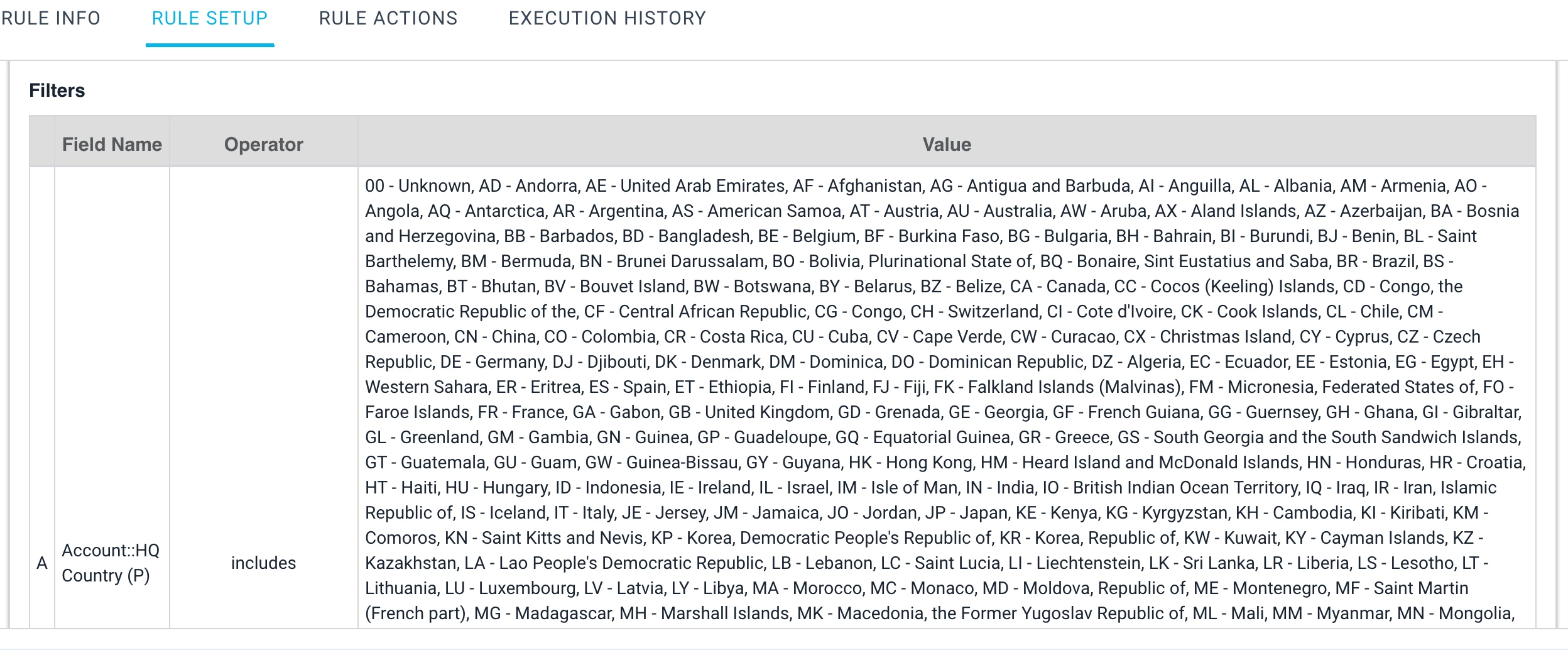
I used to get this by building a Bionic Rule, selecting the object that has the field, adding the field to the filter and selecting all options.

I would then preview the rule setup and expand the task to see the filter used and copy the entire contents of the filter because it was listed in a comma-separated list.

I would then paste in a spreadsheet editor and separate into columns and then transpose from columns to rows and then I’d have a list of values that could be easily reviewed or, in my case, used to generate a new dropdown by uploading a csv.


rakesh
Forum|alt.badge.img+2
  • Lets put your data to work!
  • June 15, 2023

Hi All,

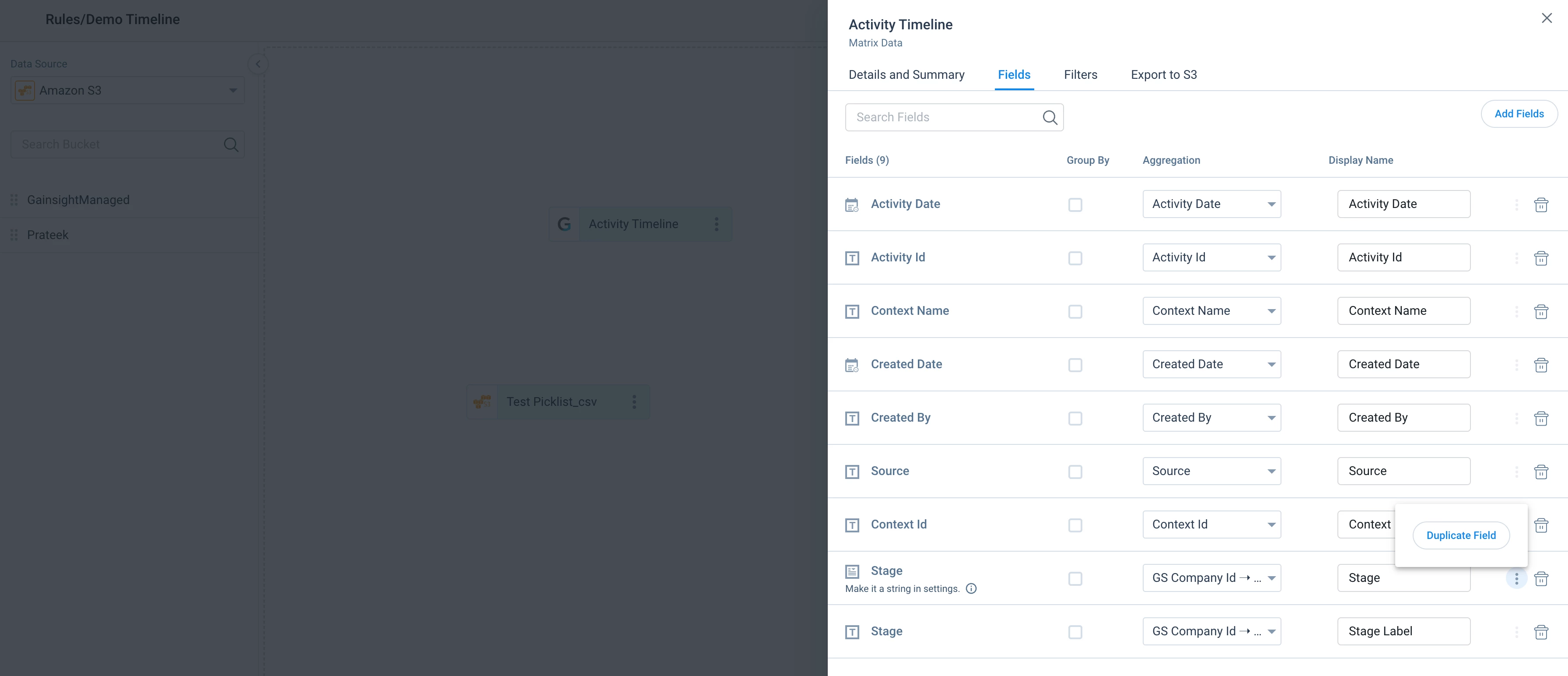
If you are interested in a job based workaround, you can easily achieve this by duplicating picklist. 


Then you can export it to S3 and you would get GSID and Label 


romihache
Forum|alt.badge.img+9
  • VIP ⭐️⭐️⭐️⭐️⭐️
  • June 15, 2023

Good one @rakesh !
I just want to call out that the limitation of that approach is that the value has to exist in any record besides the Dropdown list. So, if it’s not used, you are missing it ?

Btw, Wayne recently posted a great guide about this topic: