

mdfahd
Gainsight Employee ⭐️⭐️
June 7, 2024

Change Document for Enhanced Search Experience in Community

  • June 7, 2024
  • 19 replies
  • 735 views

Last Updated On: August 06, 2025

This article helps community users learn about the changes in the search functionality in Community.

Overview

Community is where customers collaborate, learn, and share product or service experiences. They heavily rely on search capabilities to navigate through all available information and access information that is most useful.

Overview of Key Changes

The following table lists an overview of changes that are brought to the search experience for the community users.

Area of Change Improvement Current Experience
Display of search results Search results are now shown in a single, combined list, instead of grouping results by source (such as community or external content). Search results from the community are displayed first above any external content
Simplified search results layout

The search result page reduces visual clutter to highlight content, introduces clear icons to quickly identify content types, and features an improved sidebar with smarter, easier-to-use filters.

Note: Only available when you have enabled the Enhanced Search Experience beta.

The search page displayed less useful data, such as avatars and statistics. Moreover, different content types were hard to distinguish.


Note: The new Search experience is available as the default search bar to all community members.

Functional Improvements

These improvements focus on how search behaves behind the scenes. The goal is to surface the most relevant content regardless of its source or type, ensuring users spend less time finding information quickly so they can focus on engagement.


What's New in Search

Recent updates to our search functionality provide better precision, control, and clarity:

  • New Filter Options: Narrow results by source, content type (article, discussion, solved question), product area, tags, and categories.
  • Improved Relevance Ranking: Updated algorithm prioritizes content based on recency and user engagement.

Enhanced Visual Cues: Content types are now more clearly marked in search results, helping you identify what you are viewing at a glance.

Unified Relevance-Based Search Results

Search results from the community and external sources are shown in a single, combined list. Instead of grouping results by source or category (such as community or external content), everything is ranked together based on relevance to your search. This makes it easier to find the most helpful information right away, without needing to switch between tabs or sections.
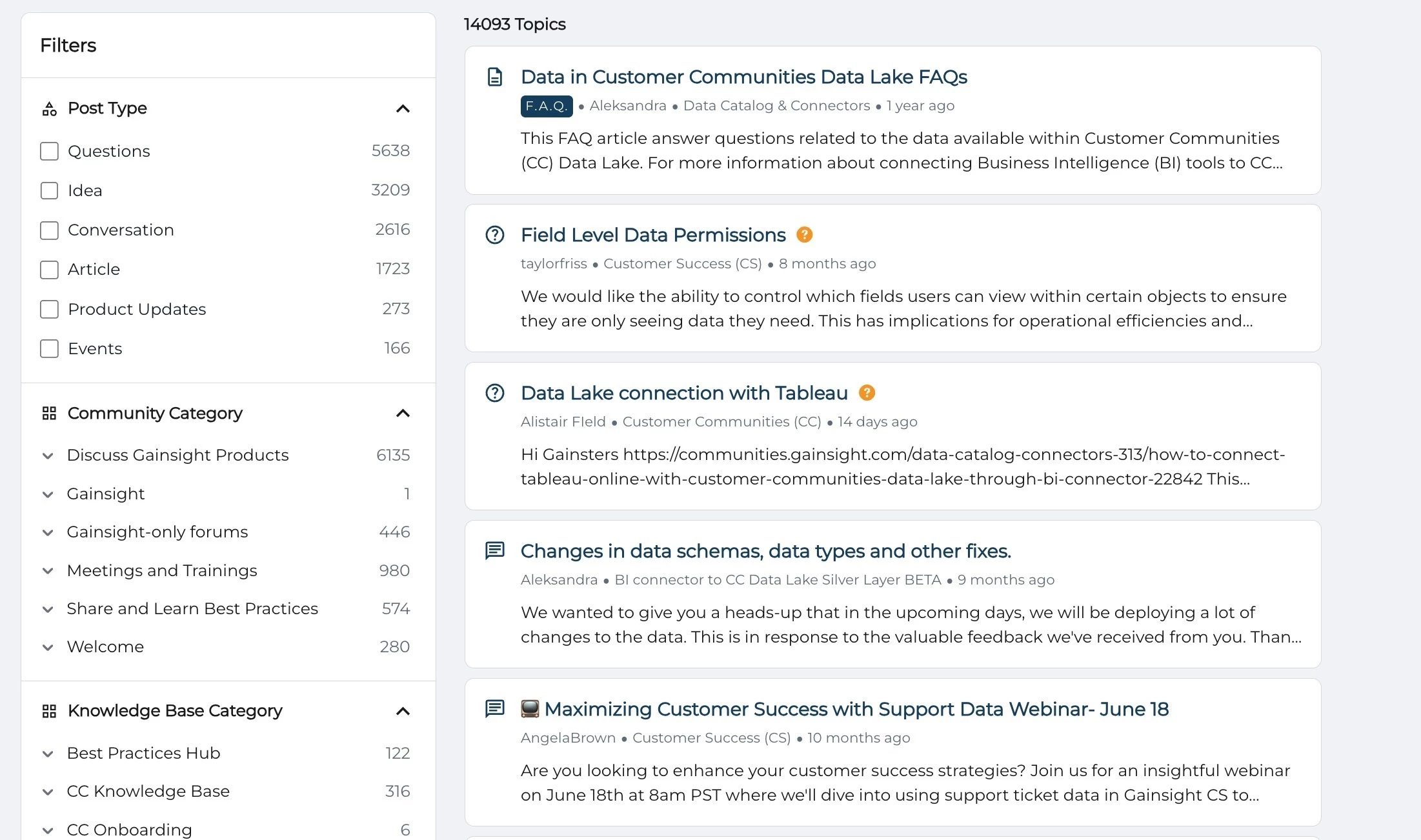
Community forum search results showing topics on data lake FAQs, Tableau connection, and data schema changes.

UI and UX Improvements

In addition to functionality upgrades, there is a significant improvement in the look and feel of the search results page. These updates help users process information faster and interact with content more intuitively.

Clear and Condensed Layout

The new design minimizes clutter and distraction. By removing less useful data such as avatars and social stats, the search page now focuses on what matters: the content itself.
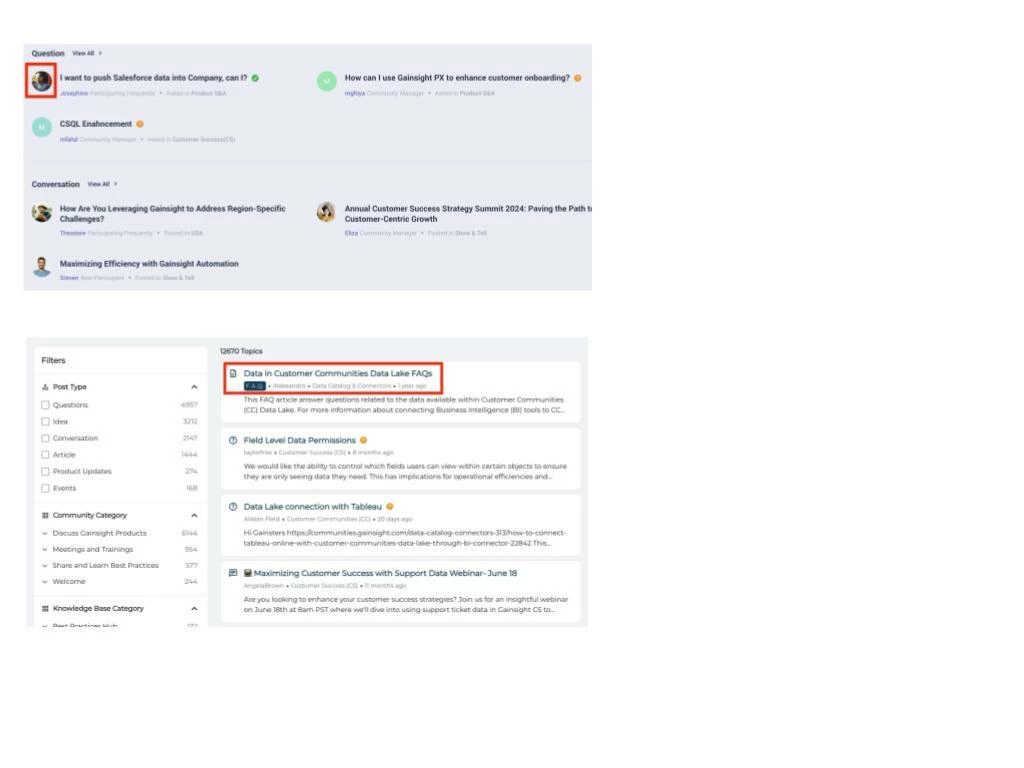
Search interface showing a highlighted FAQ topic about data in Customer Communities Data Lake with filters on the left.

Visual Clarity Through Content-Type Icons

Each search result includes an icon that shows what type of content it is, such as a question, article, discussion, product update, idea, or event. External content is marked with an icon to indicate that it opens outside the community.
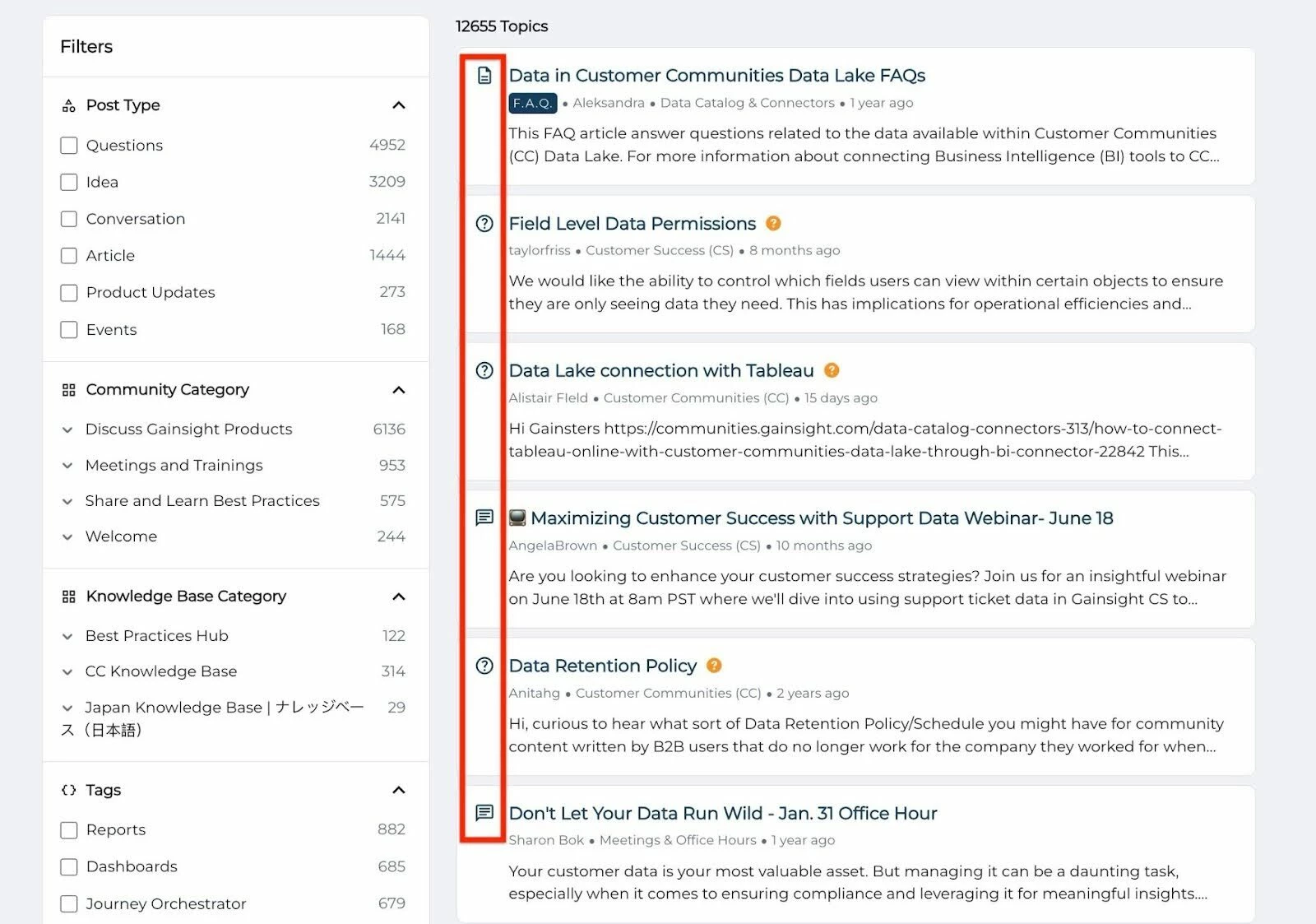
Filtered topic list on a community forum showing articles, questions, and webinars about data management and permissions

Sidebar Filter Improvements

Finding the right filter is easier than ever. The redesigned sidebar offers better contrast, categorizes options more clearly, and dynamically adapts based on your current search.
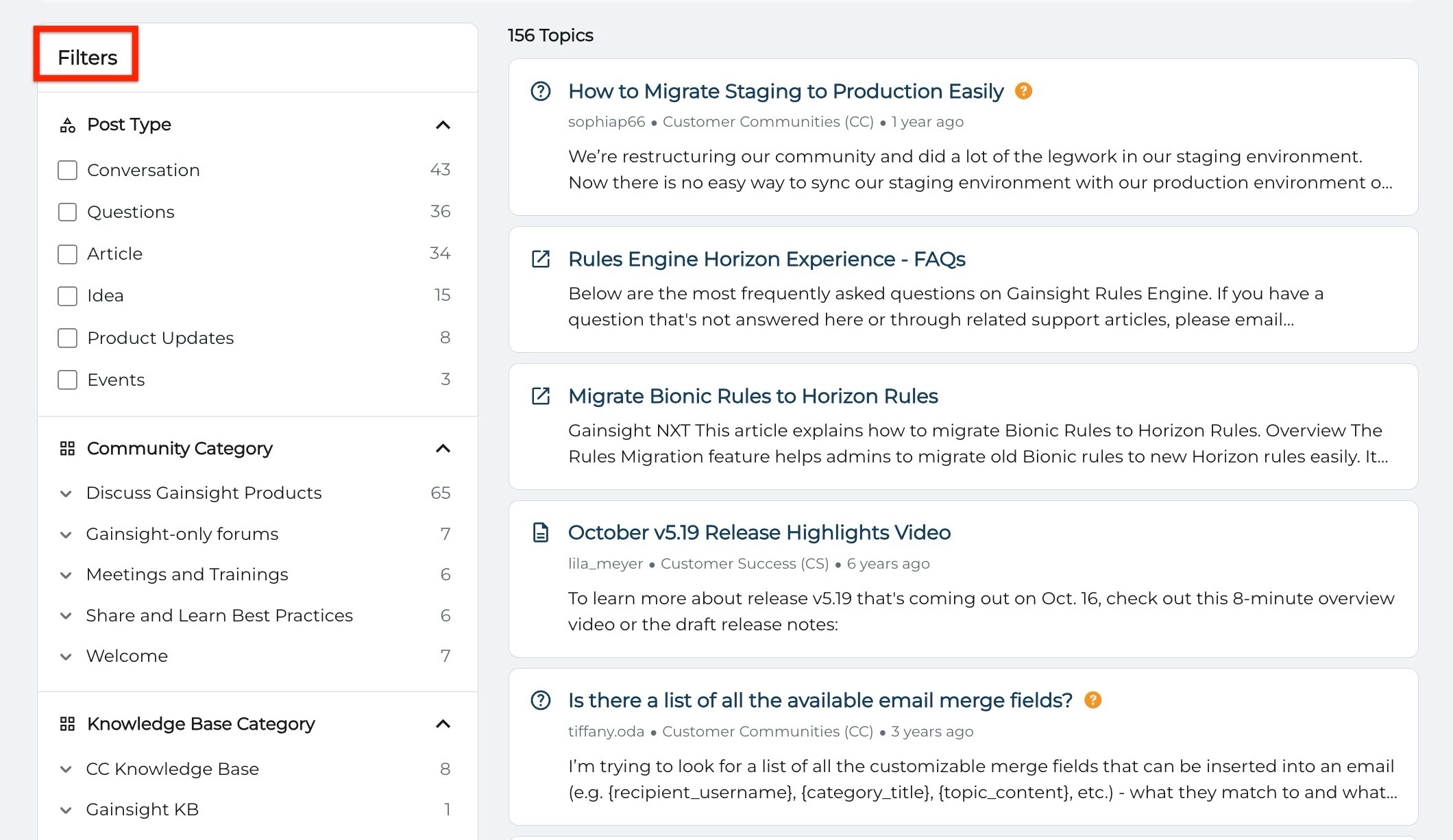
Community forum with filters for post type and category, showing topics on staging migration, Horizon Rules, and email merge fields.


If you have any queries or feedback, please feel free to drop an email to docs@gainsight.com or post a reply to this article.


19 replies

revote
VIP ⭐️⭐️⭐️⭐️⭐️
August 7, 2024

I borrow your picture to ask:
 

  1. How to change those phrases “Best answer” and “View complete answer” in Finnish?
  2. Why some of the search results displays the Best answer under the question, and some not? I have tested this in our community and even the question has best answer marked, it isnt always displayed under the question?


MayurGhiya
Helper ⭐️
August 7, 2024

Hey @revote Thanks for posting your queries:

  1. For information on how to customize phrases in a different language, please refer to the Language Settings article.
  2. With regards to the second query, looping in the POC @Dheepak G .
Mayur Ghiya || Senior Tech. Writer - Gainsight Technical Communication
revote
VIP ⭐️⭐️⭐️⭐️⭐️
August 7, 2024

Hey @revote Thanks for posting your queries:

  1. For information on how to customize phrases in a different language, please refer to the Language Settings article.

Yep, I cant find those from Control / Customization / Phrases. Everywhere in the community Best Answer is translated to Finnish but not in the new search view.

Also I cant change phrases using Phrases tool, there is no Edit button next to them.

MayurGhiya
Helper ⭐️
August 8, 2024

Hi @revote I have communicated your queries to the respective subject matter experts. I will reply as soon as the required information is available. Thank you.

Mayur Ghiya || Senior Tech. Writer - Gainsight Technical Communication
Charles Dane
Contributor ⭐️⭐️⭐️
September 30, 2024

Will it be possible to opt out of this feature when it goes live?

Kenneth R
Expert ⭐️⭐️
October 7, 2024

Hi @Charles Dane - is there a particular element of the new search experience that you wouldn’t want to adopt?  The idea is that, ultimately, the new search will replace the old one.

GabrielDocuSign
Contributor ⭐️⭐️⭐️
October 24, 2024

Hey @MayurGhiya!

I am curious if there is any AI being used in this feature as we would like to enable it but we aren’t yet using any AI in our community so we won’t be able to use it quite yet if it uses AI.

Thanks!

- Gabriel

MayurGhiya
Helper ⭐️
October 25, 2024

Hey @GabrielDocuSign ! Thanks for your query. There is an AI-powered search feature and it is currently under Limited Beta. Looping in @Dheepak G , who is managing this program.

Best,

Mayur

Mayur Ghiya || Senior Tech. Writer - Gainsight Technical Communication
Helper ⭐️⭐️⭐️
November 7, 2024

Hi! Will it be possible to customize or independently arrange the order of the search results type on the “All” tab? I’ve experimented with searches in this community and Gong’s, and I noticed that knowledge base articles and academy courses are near the bottom. In my own community which uses federated search with Zendesk’s KB and Skilljar’s LMS, I think we’d need those two elements higher in the list.


Contributor ⭐️⭐️⭐️⭐️
November 14, 2024

Hello,

With the enhanced search capability, when selecting the topic type, i.e., "question," the filters don’t show "group" categories. It seems that the dynamic filter doesn’t allow us to select the group, only the community categories.

In the example below, the best answer was given in a group category, but once the user tries to narrow down the location by using filters, only 44 results are visible out of 46.