
Sebastian
Helper ⭐️⭐️⭐️
Aug 20, 2021 10:16 AM UTC
Tutorial

Invite users to groups using invite links

What are group invite links:

Invite links are an easy way to invite users to groups.

Any end user who clicks on a group invite link will automatically become a member of the group without having to click "Join" (public groups) or "Request to join" (private groups). 

For private groups, the invite links allow the applicant to bypass community manager approval.  End users automatically become group members, once they click on the join link.


When to use group invite links:

Invite links are available for public and private groups. You should use invite links if you aim to get as many members as possible to join your groups. We do NOT recommend using invite links for groups containing sensitive information. Invite links should be used for groups that are interests, role or location based (for ex: Amsterdam group, Designers groups).


Where get to the invite link:

  1. Go on the Group detail page in Control
  2. Click "Invite members" on the top right
  3. Copy the invite link
  1. You can now share this link with anyone

Important: The link will does not expire. You can't revoke the link. 

This link is not specific to the user. Any user who has access to the link can join the group.  


How end users will use that link:

  • If the user is a registered user and is logged in

When clicking on the link they will be added directly to the group. A success message will inform them they are now a member.
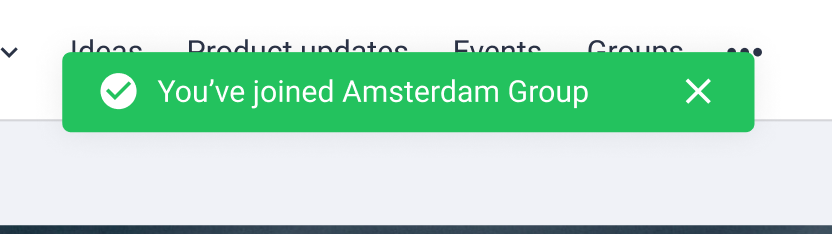
Example of Success message
  • If the user is a registered user and is NOT logged in

When clicking on the link they see the pop up indicating that they need to log in to join the group. 

Once logged in, they will be redirected to the group page.  A success message will inform them they are now a member.
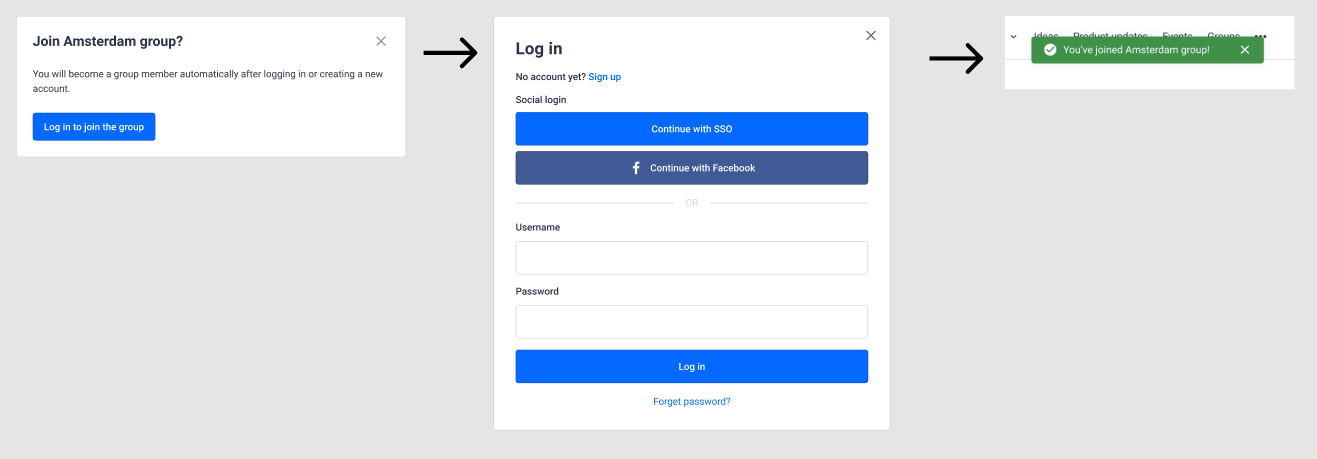
Steps when a registered user is not logged in
  • If the user is a not a registered user 

When clicking on the link they see the pop up indicating that they need to log in to join the group. If they are not registered yet, they can create an account.
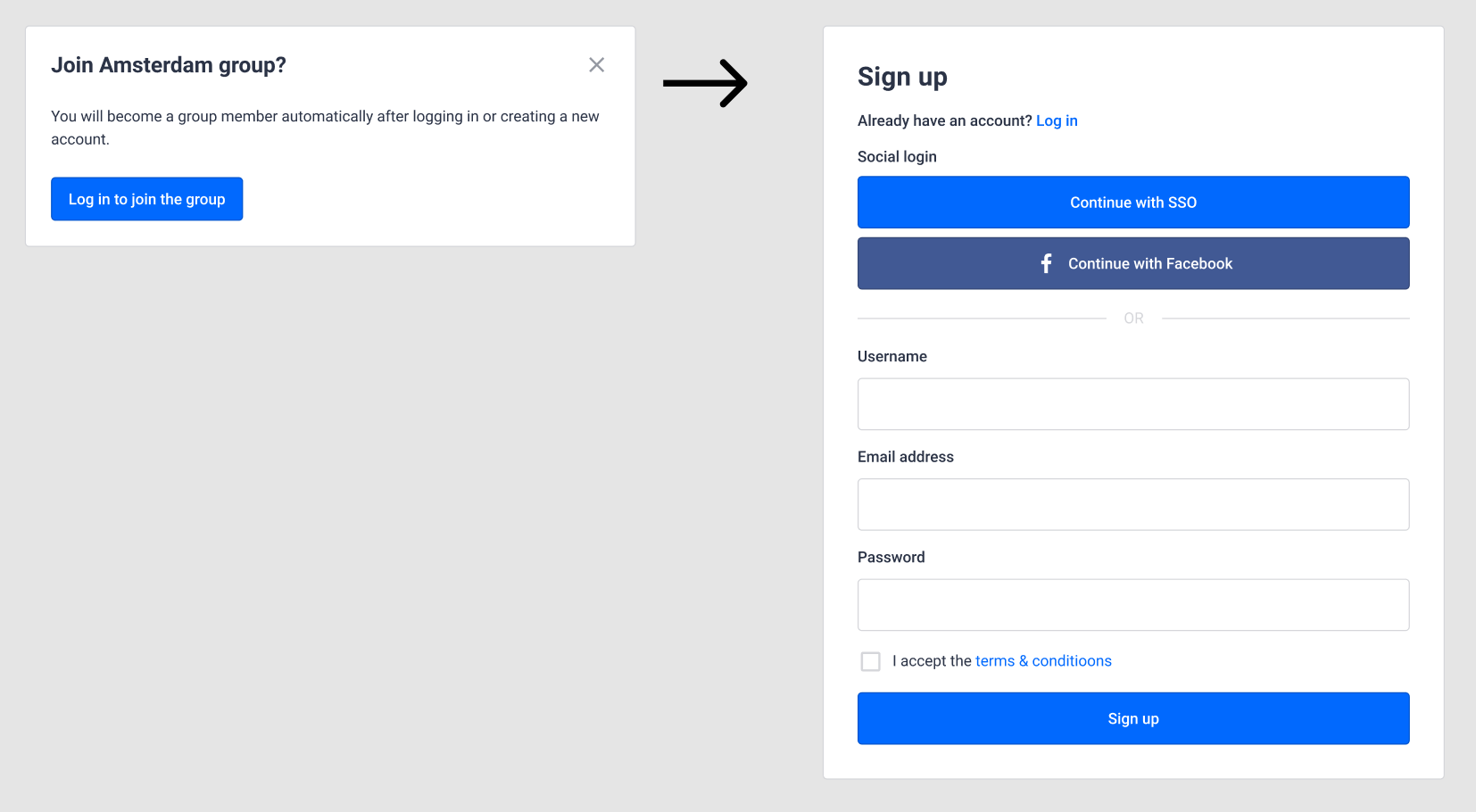
Steps when a non registered user needs create an account

Your regular registration process applies. The user will go through the regular registration flow. 

For example: If you require registration approval, that process will apply.

Once the registration flow is completed, the end user will be a member of the group. A success message will inform them they are now a member.
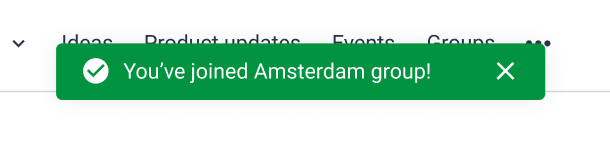
The success message will appear when the user returns to community, once their account and or email is approved


Side note for private communities:

Your regular registration process applies. The user will go through the regular registration flow. 

For example if you don't allow registration, users will not be able to create an account. Another example, if registration is possible with an unlock code, that code will be needed to create an account.

37 replies

DannyPancratz
VIP ⭐️⭐️⭐️⭐️⭐️
Aug 23, 2021 4:46 PM UTC

@marissa.piazza saw this and thought it might be useful to you. 

Translate
FYI: I am no longer active in this community
katie.fair
Contributor ⭐️⭐️⭐️
Aug 25, 2021 5:18 PM UTC

I don’t have this on my page yet, but look forward to getting it soon! This will be really helpful to drive people to the groups! Would also love the ability to invite through private messages in an automated way.

Translate
Contributor ⭐️⭐️
Sep 7, 2021 8:40 AM UTC

Hi Marion, 

How is the status on the rollout of this feature? We are eager to start using it for an ongoing project. It would be awesome to start having it even if only in beta. :)


Cintia

Translate
Helper ⭐️⭐️⭐️
Sep 10, 2021 12:35 PM UTC

Hello @katie.fair @csz Thanks a lot for you enthusiasm. Sorry for the late reply. I wanted to make sure the flow of an unregistered user is using an invite link was covered before opening this to you.

Now that is it, I just enabled the feature on your prod environment for you to test it out. 

As this feature is still in beta, any feedback you may have is welcome here :)

Translate
Helper ⭐️⭐️⭐️
Sep 10, 2021 12:44 PM UTC

@marissa.piazza do let know if it is a feature you would like to also test :)

Translate
tiffany.oda
Contributor ⭐️⭐️⭐️⭐️⭐️
Sep 14, 2021 4:12 PM UTC

@Marion Frecaut - this is TERRIFIC news. Would you be able to enable this feature for our account as well please? I’d love to try it out in the beta. 

Translate
Tiff
tiffany.oda
Contributor ⭐️⭐️⭐️⭐️⭐️
Sep 14, 2021 4:16 PM UTC

Invite links are an easy way to invite users to groups.

Any end user who clicks on a group invite link will automatically become a member of the group without having to click "Join" (public groups) or "Request to join" (private groups). 

In the case of private groups, community managers can skip the step to approve members. When using a private group invite link, end users directly become group members without having to be approved. 


@Marion Frecaut These two paragraphs kind of contradict each other. For private groups, do they still “request to join” or does it bypass the step to approve members? Or do you have a choice to choose which path the user goes through? 

Translate
Tiff
security_lion
Helper ⭐️⭐️
Sep 14, 2021 4:17 PM UTC

@Marion Frecaut So excited about this update! :raised_hands: This will make groups easier for community members to adopt.

Are there plans in the future to upgrade the links to be unique to a user and to expire after a certain amount of time? Is there any way in reporting or email analytics to see how successful the link was (the latter there are workarounds for but curious)?

Translate
Helper ⭐️⭐️⭐️
Sep 15, 2021 10:17 AM UTC

Hello @tiffany.oda thanks for the enthusiasm! I just enabled it for you to test.

To answer your question: For private groups, the invite links allow to bypass the approval by community managers. There is no choice here. All members using invite links automatically become members without approval.

I updated the article to make that clearer so thank you for the feedback :)

Translate
Helper ⭐️⭐️⭐️
Sep 15, 2021 10:20 AM UTC

@security_lion for the first iteration we decided to make link valid indefinitely or unique to a user. 

We are about to release in beta the email invites which will of course be valid for selected users and expire after 30 days. I will keep you inform once we open the beta, this week very likely.

Right now we don't provide analytics for those two invite methods.

Translate
