Frank
Product Guru
December 11, 2017

Feature Topics on your community

  • December 11, 2017
  • 21 replies
  • 2324 views

This way of featuring topics is no longer recommended for featuring topics on your homepage: we instead recommend that you read our guide on featuring topics with our new homepage customization tool.


By adding a moderator tag to a topic you can feature a topic. There are four designated places in your community where you can feature topics:

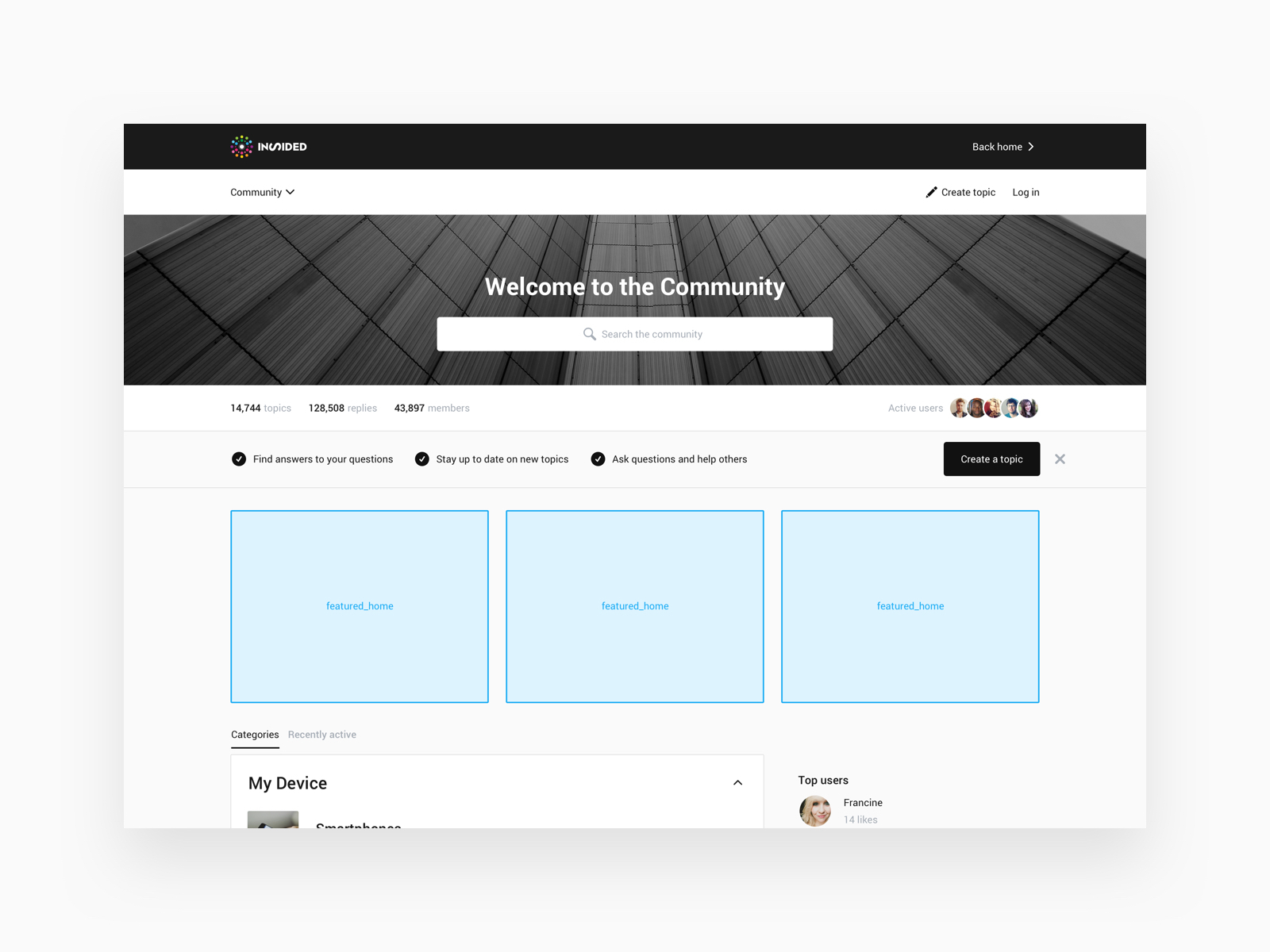
  • On the community homepage below the hero image (featured_home)
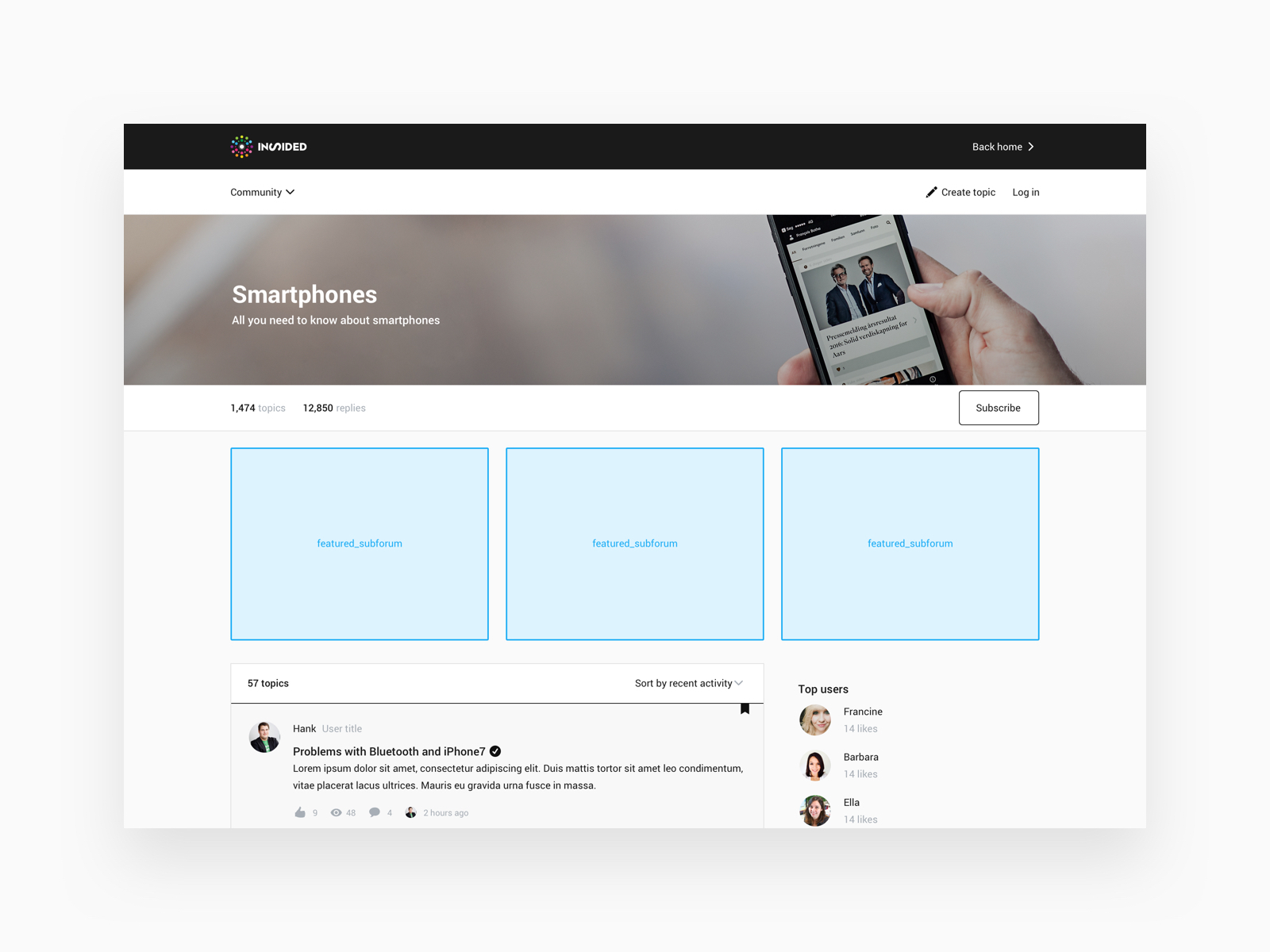
  • On the subforum page, below the hero image (featured_subforum)
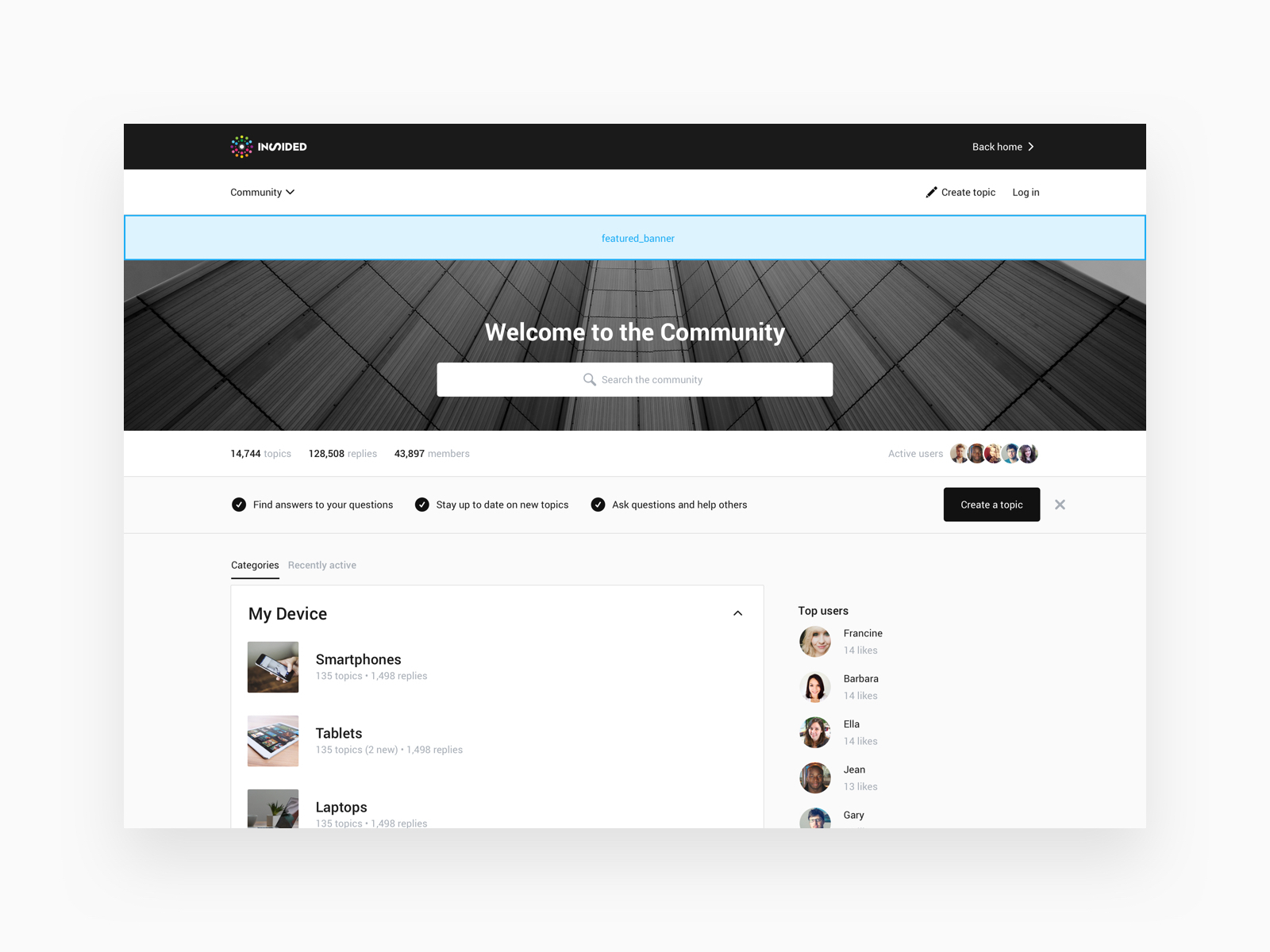
  • As a banner below the community navigation (featured_banner)
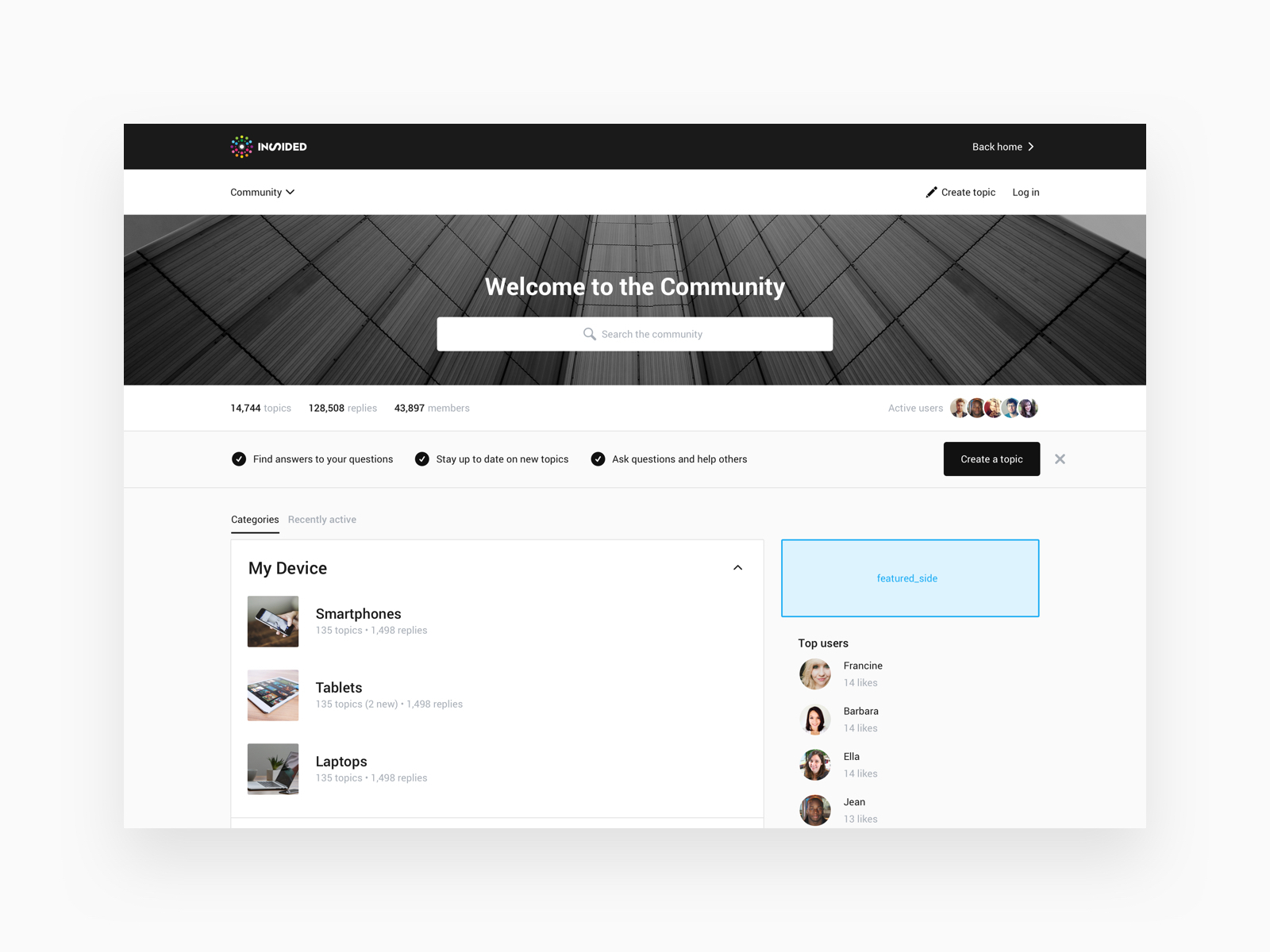
  • As a block on top of the sidebar (featured_side)

How to feature topics

  1. Go to Control > Forum > Overview.
  2. Find and click the topic you’d like to feature.
  3. Add a moderator tag to the topic based on where you want to feature it (see below for the list of tags together with images that show where the topic will be featured on your community).


Click below to see how each moderator tag will feature your topic on your community:

⛰️Community homepage (Moderator tag: featured_home )
6e95d87c-569b-4437-b54f-a4fbe63213f7.jpg


⛰️ Subforum page (Moderator tag: featured_subforum )
1a3f9b56-b9aa-4948-834a-9123d2767466.jpg


⛰️Banner (Moderator tag: featured_banner )
d91664c4-b388-4429-aec8-41f10419d332.jpg


⛰️ Above the sidebar (Moderator tag: featured_side )
701561db-f2ae-475c-9453-df37de0e3634.jpg


⚠ You can only feature one topic as a banner and one topic in the sidebar. A topic featured in the sidebar or as a banner is visible on all pages in the community.

🎯 Don’t feature the same topic as a banner and in the sidebar. A featured topic as a banner is a serious attention grabber, so try to use it sparingly.

💎 You can feature up to three topics on the community homepage and on the subforum page. On the homepage you can feature any topic from the community. On the subforum page you can only feature topics that were posted in that subforum.

💎 The background colour of featured topics in the banner and sidebar are based on the primary colour of your community


21 replies

Jurgen
Helper ⭐️
February 22, 2018
How do you add a picture to featured topics (when possible)?
Julian
Gainsight Employee ⭐️⭐️⭐️
February 22, 2018
Hi Jurgen,

you simply add them to the attachment of your post - the platform will grab it and display it automatically then.

Or is there something else unclear / missing in this regard?

Cheers,

Julian
I follow my nose, it always knows
Jurgen
Helper ⭐️
February 22, 2018
Not a big fan of attachments, but that works fine 🙂 What’s the recommended size for these banners?
Julian
Gainsight Employee ⭐️⭐️⭐️
February 22, 2018
Agree, I am not a big fan of attachments as well. However it makes sense I guess: Let's say you post a longer how-to topic that has several images embedded. If the platform would simply grab the first image in your post, it might not pick the right image. Hence putting it in the attachment gives you control of which image should be used as the feature image.

I am not sure about the recommended size - I only noticed that the featured image is a slightly cropped version of the original. I will try to find out more and get back to you!
I follow my nose, it always knows
Julian
Gainsight Employee ⭐️⭐️⭐️
March 12, 2018
Not a big fan of attachments, but that works fine 🙂 What’s the recommended size for these banners?

Better late than never: Link 😉
I follow my nose, it always knows
bjoern_schulze
Helper ⭐️⭐️⭐️
August 9, 2018
There's a tiny mistake in the tutorial. It says: "You can feature up to three topics on the community homepage and in the category page. On the homepage you can feature any topic from the community. On the category page you can only feature topics that were posted in that category."

Correct is: "You can feature up to three topics on the community homepage and in the subforum page. On the homepage you can feature any topic from the community. On the subforum page you can only feature topics that were posted in that subforum."
Contributor ⭐️⭐️
December 6, 2018
Hi all,

I noticed that you could add the "Notification" widget (for the featured_side topic) more than once, though because the tag is the same it would display the same tagged topic in each widget.

Do you think that for next improvements it could be possible to look at a way to feature more than one selected topic at a time on the sidebar? Like the "Solved topics" widget that allows us to display 5 topics?
Yoeri
Gainsight Employee ⭐️⭐️⭐️
December 10, 2018
We won't allow multiple featured topics in the sidebar when you add featured_side tags to multiple tickets. The purpose of the featured topic in the sidebar with the background is to grab the user's attention to this specific, important topic. When we allow multiple featured topics of this kind it will lose its value.

We are currently working on an 'Open text' sidebar widget with HTML/CSS support. This allows you to create your own widgets from scratch. Within this widget you can create lists, links, banners and more (basically everything that is covered with HTML/CSS). You could use this widget to create a list of topics that you want to feature. We expect to have some updates on this by the end of this year.
Group Product Manager, Customer Communities
Contributor ⭐️⭐️
December 10, 2018
Hi @Yoeri, thanks for your reply, I completely understand your point about the multiple topics based on the fact that they have a specific design that grabs the eyes.

If there is another feature in the talks that could allow us to choose the specific topics we wish to promote in the sidebar for easier access and visibility then that's awesome, it will certainly solve quite a lot of our current issues.
Yoeri
Gainsight Employee ⭐️⭐️⭐️
December 13, 2018
You're welcome 🙂 We are currently investigating how we can promote topics in your community in a better way, this might be interesting for you. On the homepage we want to show a basic list of topics that you want to promote. In the category pages we want to make changes to the sticky topics so that they are better visible and we want to allow you to drag & drop them in the right order on they should display.

Attached you'll find an example on how promoted topics on the homepage could look like
Group Product Manager, Customer Communities