

TIL “User Groups” and “Sharing Groups” are different things and have very different experiences for admins.
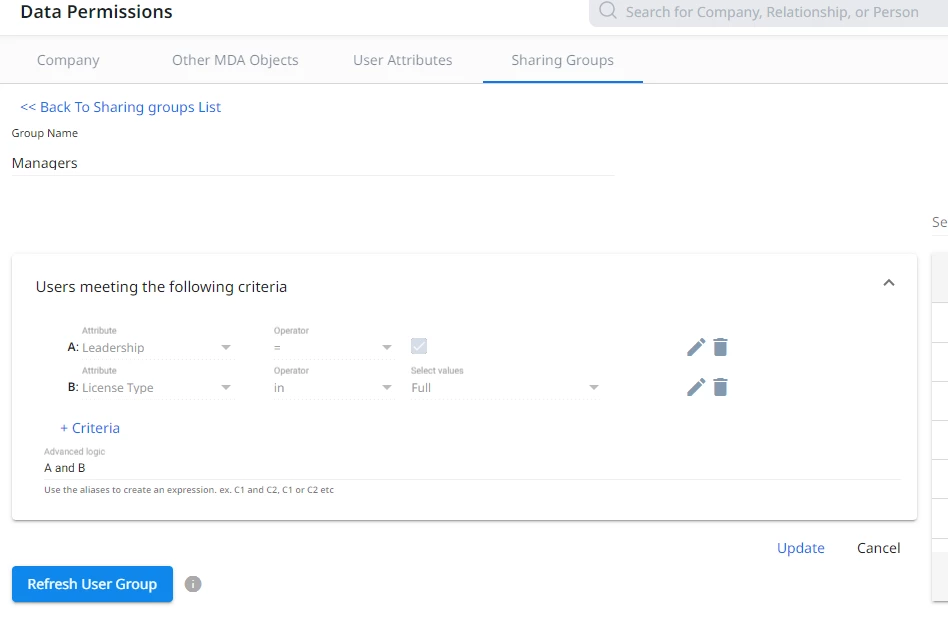
In order to set up a user group to manage asset permissions to a dynamic group of users, for example quickly adding a Manager user group to a GS Home view, a dashboard, or reports, you have to go to Administration → Data Permissions → Sharing Groups.
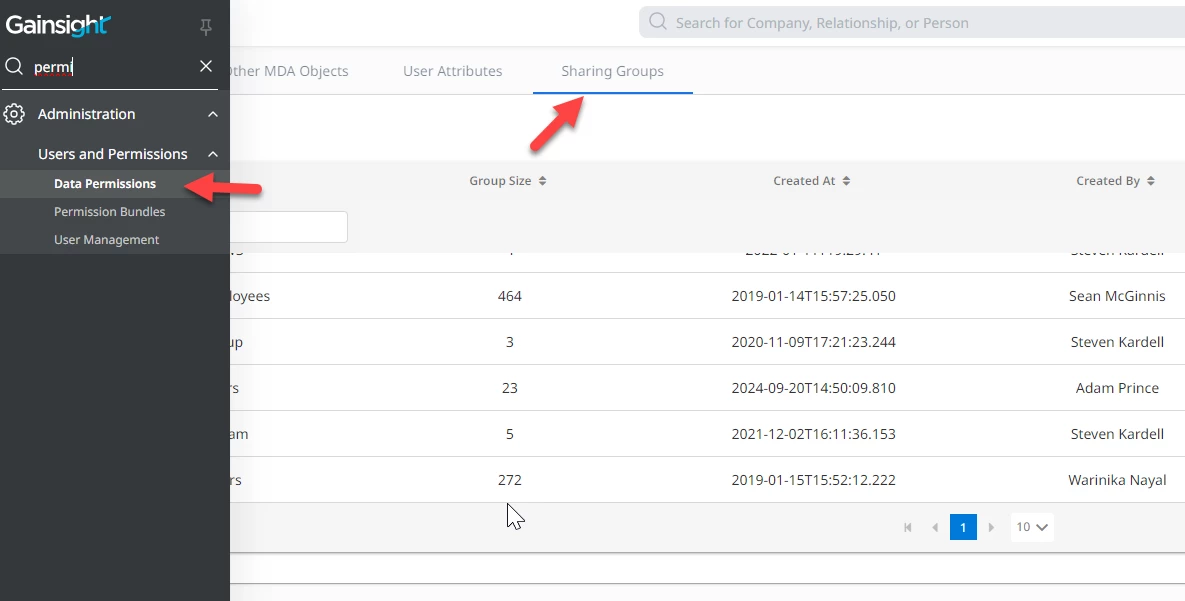
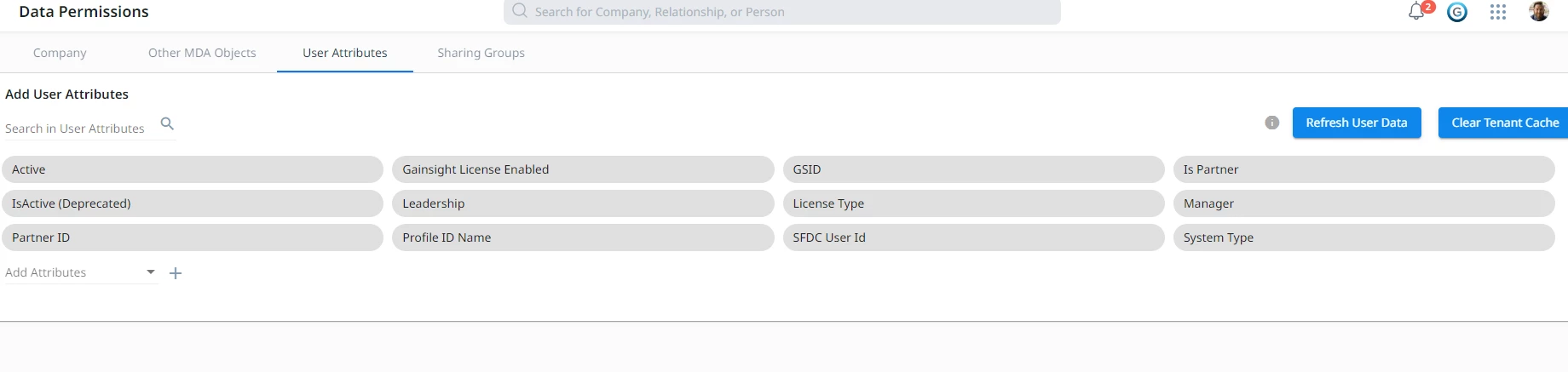
The experience in this page is very dated and...odd. First you need to add Company, User, and other MDA objects into a cached attribute section. Then you can have access to the fields to use in the filter criteria.
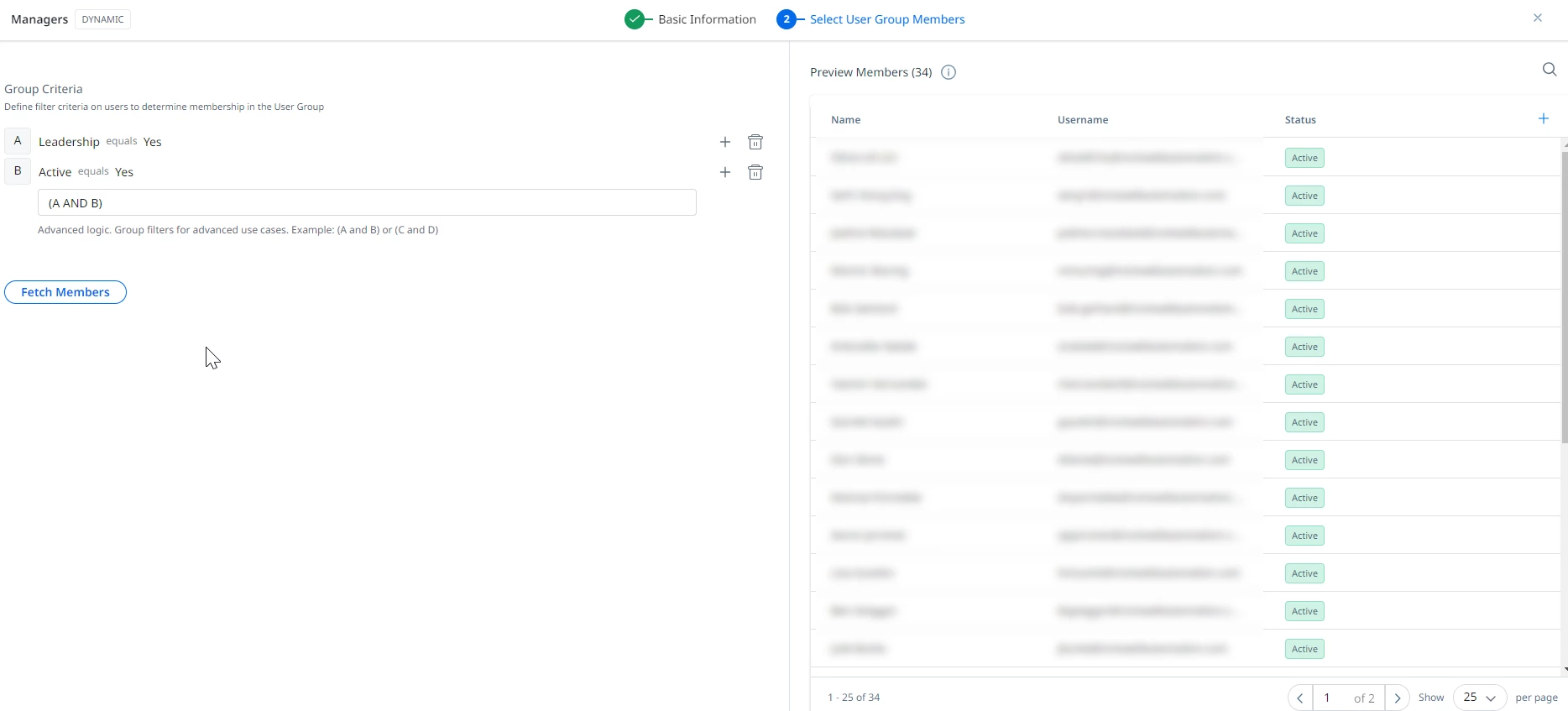
Meanwhile, there’s another more intuitive and easily accessible feature that seems similar called “User Groups”, that’s already hosted right inside the User Management page. You may think that this would be to set up groups of users for easy assignment of permissions or access. But apparently you would be wrong!
This experience is already a much better user experience for admins, and it works exactly as you’d think. Why can’t I just use these User Groups to assign permissions or access to GS Home, Dashboards, data?
Please help make this experience better for us admins!