

New Idea

Stop including null values when sorting in reports

Related products:None
  • May 17, 2022
  • 5 replies
  • 68 views

spencer_engel
Forum|alt.badge.img+5

Something that’s been recently driving me nuts is that when you sort on a number field, the report builder shows null values first. This behavior makes no sense. 


For example, in this report, I’m trying to sort on “total accounts.” When I sort by fewest, I get the following, which is expected: 
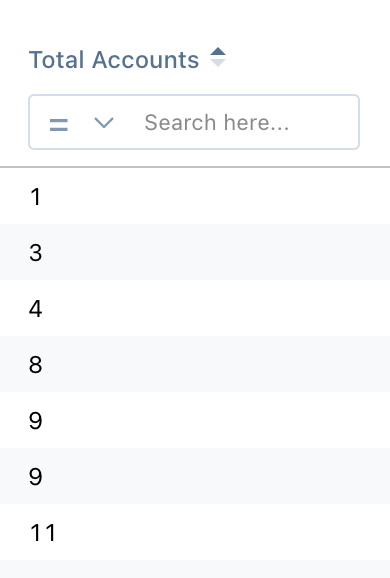
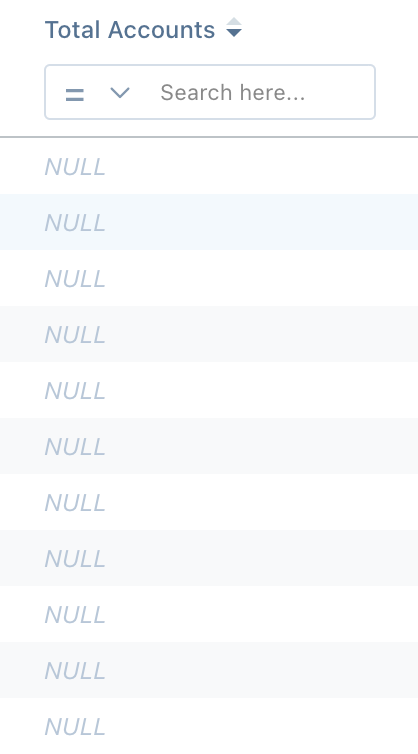
However, when I reverse that sorting and therefore expect to see the highest number on down, I instead get all the null values first. This makes no sense!
 

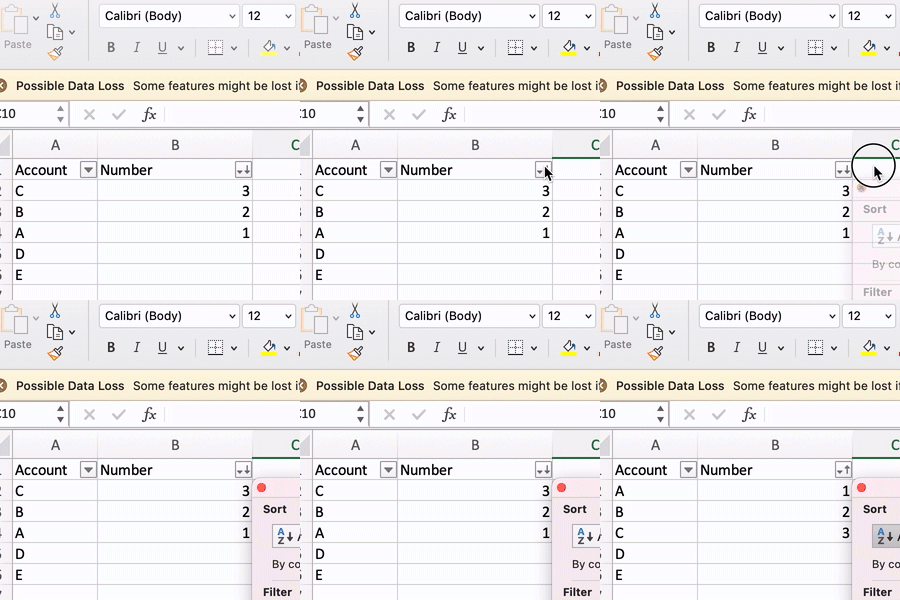
I checked Excel just to make sure I wasn’t crazy. Here’s how Excel functions with null values - notice how null values aren’t considered. This is how Gainsight’s report builder should function too. 
 

5 replies

anirbandutta
Forum|alt.badge.img+2
  • Expert ⭐️
  • May 18, 2022

@Azad, to put this on your radar.


spencer_engel
Forum|alt.badge.img+5
  • Author
  • Expert ⭐️
  • January 6, 2023

Can we get an update on this? I feel like this would be relatively easy to fix.


anirbandutta
Forum|alt.badge.img+2
  • Expert ⭐️
  • January 9, 2023

@rakesh your thoughts on this?


rakesh
Forum|alt.badge.img+2
  • Lets put your data to work!
  • January 9, 2023
Updated idea statusNo StatusAcknowledged

rakesh
Forum|alt.badge.img+2
  • Lets put your data to work!
  • January 9, 2023
Updated idea statusNo StatusAcknowledged