
New Idea

Ability to Adjust the column names when sent via JO Programs

Related products:None
  • April 27, 2021
  • 5 replies
  • 33 views

Forum|alt.badge.img

Hi Team,


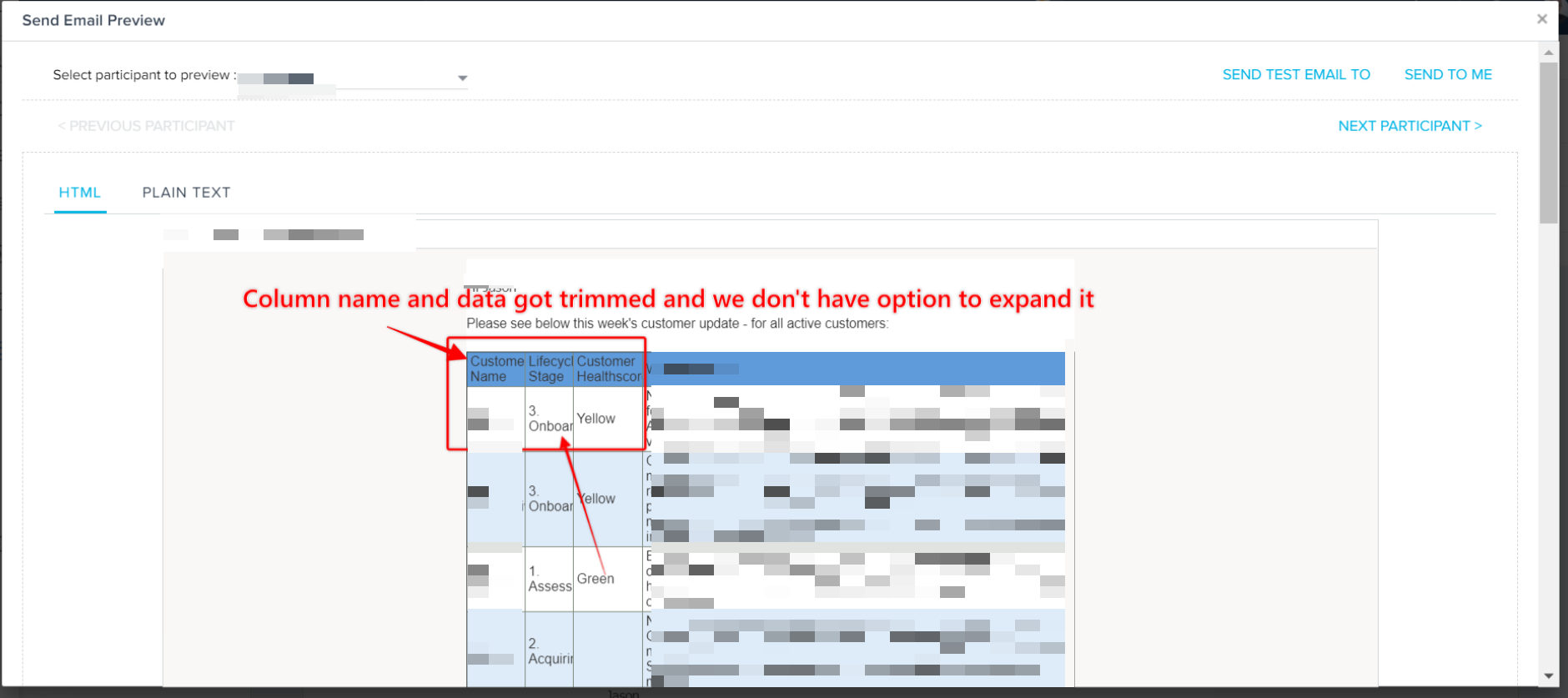
Currently when we use the inline reports in JO and try to send a email , The columns are trimmed and we don't have an option to show complete column name or data in that column . While we add report to the program the column name is showing up fine but while sending, it is adjusting according to the template and trimming the column names and data in it.  Currently we don’t have a way to adjust column size. If this can be taken up as future request it will be very helpful for the customer . Sample Screenshot.



5 replies

sai_ram
Forum|alt.badge.img+1
  • Expert ⭐️⭐️
  • April 27, 2021

@sandeepchidiri sorry for the inconvenience. Its a valid ask, redirecting this to the product team to check the feasibility. 


  • Helper ⭐️⭐️⭐️
  • June 8, 2021

Hello @sandeepchidiri 
This ia a html code, so resizing od column width should be possible. Let me check and update you.


  • Helper ⭐️⭐️⭐️
  • June 24, 2021

Hello @sandeepchidiri 

I checked this not able to do this. Have asked my team if there can be any workaorund for this.


Forum|alt.badge.img
  • Author
  • Helper ⭐️
  • June 24, 2021

Thank you for the update @chethana 


jrich
Forum|alt.badge.img+4
  • Contributor ⭐️⭐️⭐️⭐️
  • February 9, 2024

+1 for the ability to resize columns in the JO email template inline reports. 

We are trying to distribute survey comments to users, and the JO program email template with inline report appears to just evenly distribute the column width, with no way to adjust it.  This makes the comments column very hard to read while the other columns have plenty of white space.