

I know this is a very niche ask, but would be a great way to leverage Milestones for example, but I can think of other use cases.
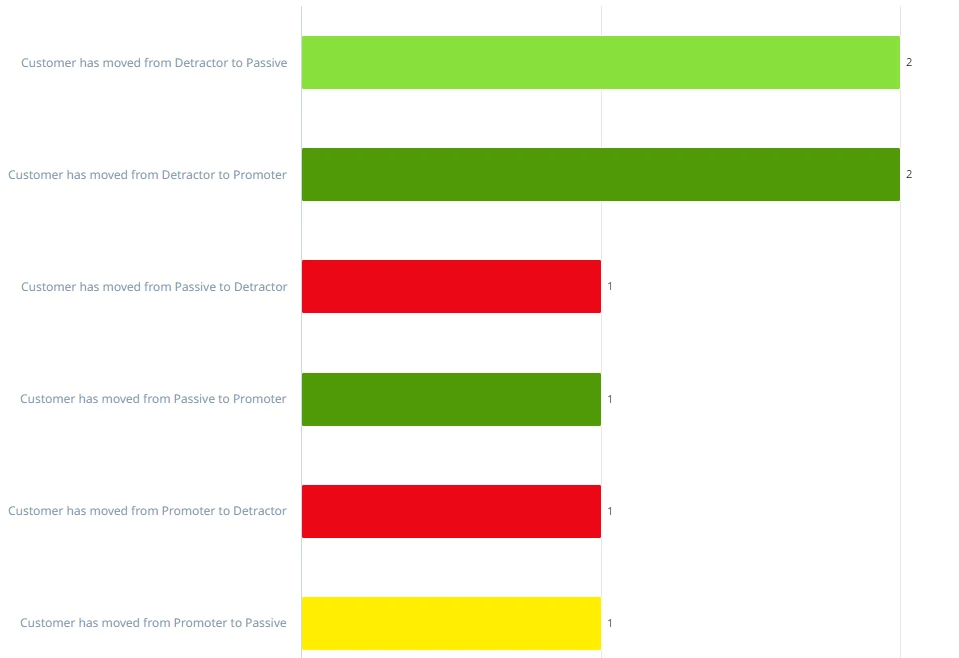
I was trying to pull a report to show bucketed changes in NPS like
Detractor to Passive
Detractor to Promoter
Passive to Detractor
Passive to Promoter
Promoter to Detractor
Promoter to Passive
And color-code them like Detractor to Promoter as green, Promoter to Passive as yellow… you get the gist.
We can user report builder, grouping by Subject and adding a customized palette like this:
The last thing I had to to was to rename the aliases as they are too long, and met this blocker:
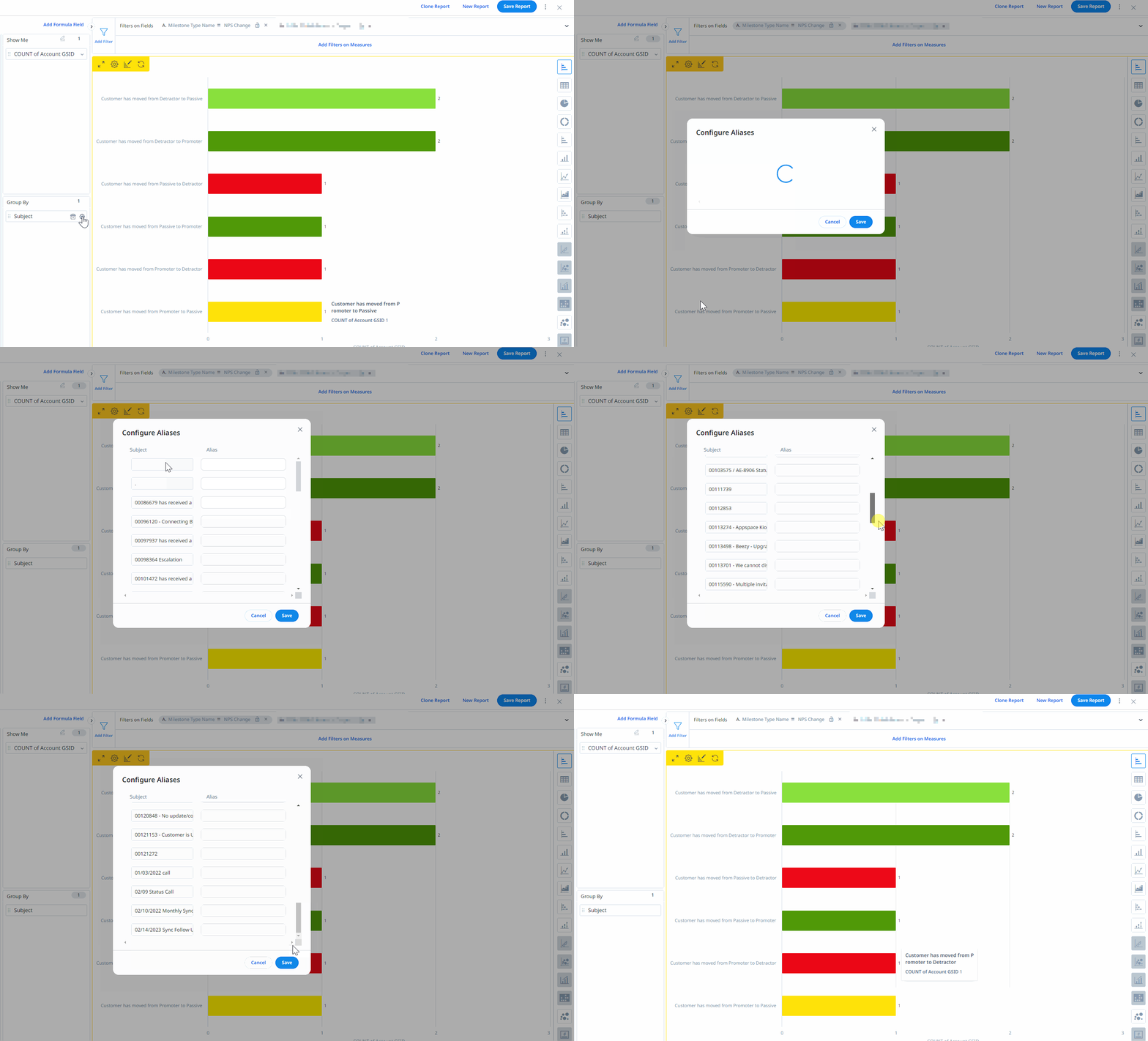
Seems that is taking the top 20 A-Z activity timelines of all time so I can’t even try search for the ones I need… I can truncate the field with a formula field, but that takes out of the table the custom palette.
If the Configure Alias honored the filters or even allowed to search for the items we need when using a string field to group by would be great!
Thank you