

alizee
VIP ⭐️⭐️⭐️⭐️⭐️
Jan 17, 2023 4:26 PM UTC
Open

Combine 'sharing groups' and 'user groups' into one feature

Related products:CS Other Features

Sharing Groups are used to add data permissions to a group, including sharing i.e., analyze and distribute permissions to Gainsight users. 

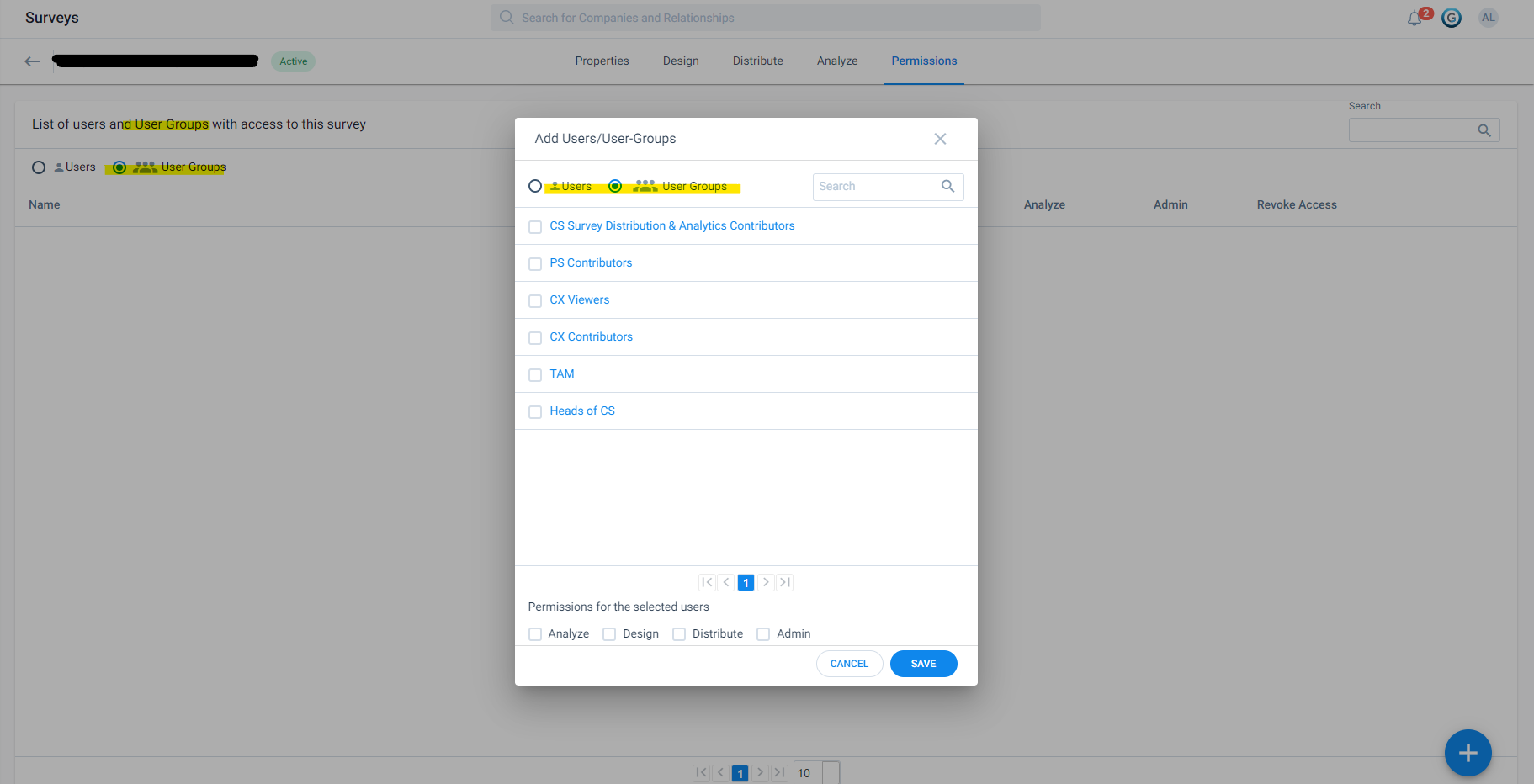
But in Surveys, all references to these Sharing Groups mention “User Groups” which:

  1. Causes confusion
  2. Duplicates efforts maintaining groups (including if/when we apply criteria to dynamically manage groups)

Can we either:

  1. Call a cat a cat - so reference sharing groups in Surveys and wherever we use sharing groups instead of calling them “User Groups” (because they are not)
  2. Better yet: merge sharing groups and user groups so we can manage data permissions and Gainsight permissions in one area of the platform
 

14 replies

Neha Gupta
Contributor ⭐️⭐️⭐️⭐️⭐️
Jan 24, 2023 6:07 AM UTC

@alizee sorry for the inconvenience. To merge Sharing Groups and User Groups into one is part of our roadmap. We will keep you posted about the same.

Translate
anirbandutta
Expert ⭐️
Jan 24, 2023 8:06 AM UTC
No Status→Acknowledged
Translate
It's an opportunity for engagement
benwanlessmenlo
Contributor ⭐️⭐️⭐️⭐️⭐️
Dec 2, 2023 4:13 AM UTC

@Neha Gupta 

Any update on this? 


I would love to have the naming for Survey Permissions more clear.
Best,

Ben W.


Translate
anirbandutta
Expert ⭐️
Dec 4, 2023 9:20 AM UTC

Checked with the Product team - This item still awaits it’s turn to be on the roadmap 

Translate
It's an opportunity for engagement
spencer_engel
Expert ⭐️
Aug 26, 2024 7:43 PM UTC

Agreed 100% with this. It’s so confusing and unnecessary to have two methods of combining users like this.

Translate
darkknight
Expert ⭐️
Aug 26, 2024 7:50 PM UTC

This is just confusing and frustrating.

Sharing Gainsight Home says to share with “User and User Groups” but it’s NOT User Groups, it’s Sharing Groups under Data Permissions.


Dashboards used to say “User Groups” but now it just says “Groups” - well which is it?

It’s Sharing Groups, not User Groups.

Please pick ONE method and stick with it!

Translate
Jeff Kirkpatrick
stevepost
Contributor ⭐️⭐️
Aug 26, 2024 8:46 PM UTC

Adding my support for this improvement, too.

It would save me time as an administrator if I were to create one group of users - especially when this is based upon their department, job title or some other dynamic criteria - and then use that one group to provide them with permissions to data, access to dashboards, or a particular Home layout.

Today, I have to manage multiple user grouping concepts and keep them in sync to achieve a consistent team of users who have the permissions and configurations they need for their roles.

Translate
-- Steve Post
ajprince
Contributor ⭐️⭐️⭐️⭐️
Nov 8, 2024 5:42 PM UTC

This confusion was a “gotcha” for me too until I learned the differences and understood when it’s referring to one and not the other. 

It’s disappointing because User Groups had more modern functionality, but it’s Sharing Groups that I end up having to use more often to share permissions for dashboards, etc. as well as GS Home.

Merge both into one feature, term, and consistent functionality for both!

Translate
spencer_engel
Expert ⭐️
May 5, 2025 5:47 PM UTC

This is just confusing and frustrating.

Sharing Gainsight Home says to share with “User and User Groups” but it’s NOT User Groups, it’s Sharing Groups under Data Permissions.


Dashboards used to say “User Groups” but now it just says “Groups” - well which is it?

It’s Sharing Groups, not User Groups.

Please pick ONE method and stick with it!

Big +1 to this. I just spent time configuring a User Group for our Exec Sponsors that I need to assign a Gainsight Home layout to, assuming “User Groups” - literally right there in the name - was the right place to configure it. (The documentation wasn’t clear FYI.) But no! It’s actually Sharing Groups in Data Permissions I need to configure instead. Why? Also Sharing Groups is a much worse UI than User Groups and has more limitations too, which makes this doubly frustrating.

Translate
romihache
VIP ⭐️⭐️⭐️⭐️⭐️
May 6, 2025 7:49 AM UTC

Ooof… The naming conventions are out the window, and the documentation doesn’t help.
How many times have I had trouble assigning to the correct “group” (in the sake of parity and common sense, it's normal that they share a name, eg, CSMs) without realizing the feature was using one and not the other?
I understand that backfilling is a worry, but the enhancement proposed by Alizée will make access management much easier.

Translate
Continuous improvement is better than delayed perfection