

Data Designer - Consistency in Displaying Filters and Values
This is primarily for Data Designer, but likely shows up in Horizon Rules as well, I just haven’t tested it.
The basic issue is mostly a semantic one, but I’ve noticed that a filter will show up differently depending on where you look and it can be a bit confusing, and the filter itself may not even match the data you’re filtering which is really weird.
Example 1:
This is viewed from the ‘Details and Summary section:
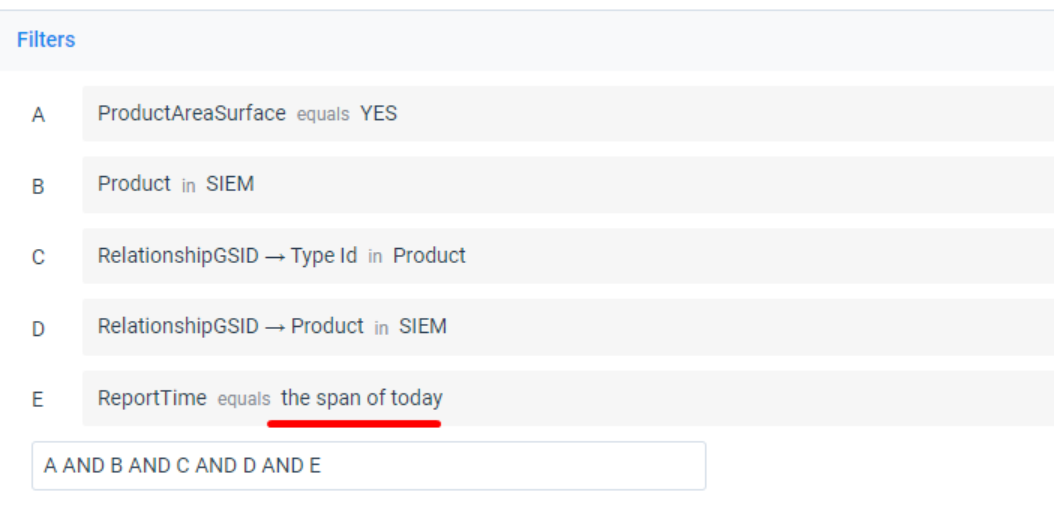
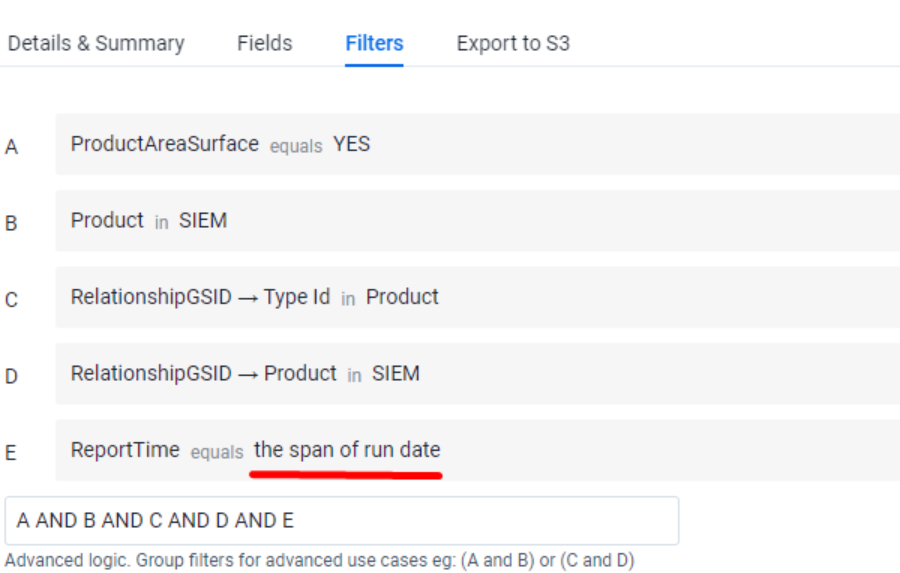
Same filter set, but viewed from the “filters” section of the task:
Example 2:
Viewed from the Details and Summary section:
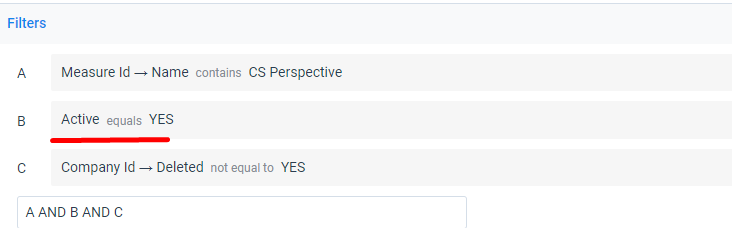
Here is the actual data shown in the preview:
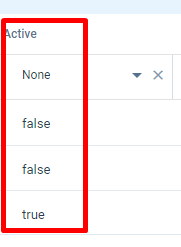
There is no “Yes” value, it’s a boolean that has values displayed as “true” or “false”.
I understand these are equivalent things in context, but I had to do a double take to make sure I had my filters set up the way I wanted. I would also imagine this would be extra confusing for a new admin, especially date related filters not matching.
A small but helpful admin quality of life improvement and overall consistency with the product.