

Group Send Should Leverage Full Template Builder
I’m trying out the Group Send feature, and one thing I don’t understand, is the template builder and why it is so incredibly basic.
This is relevant if you want your users to create their own email templates and give them the permission.
This is what the email template builder looks like in Group Send:
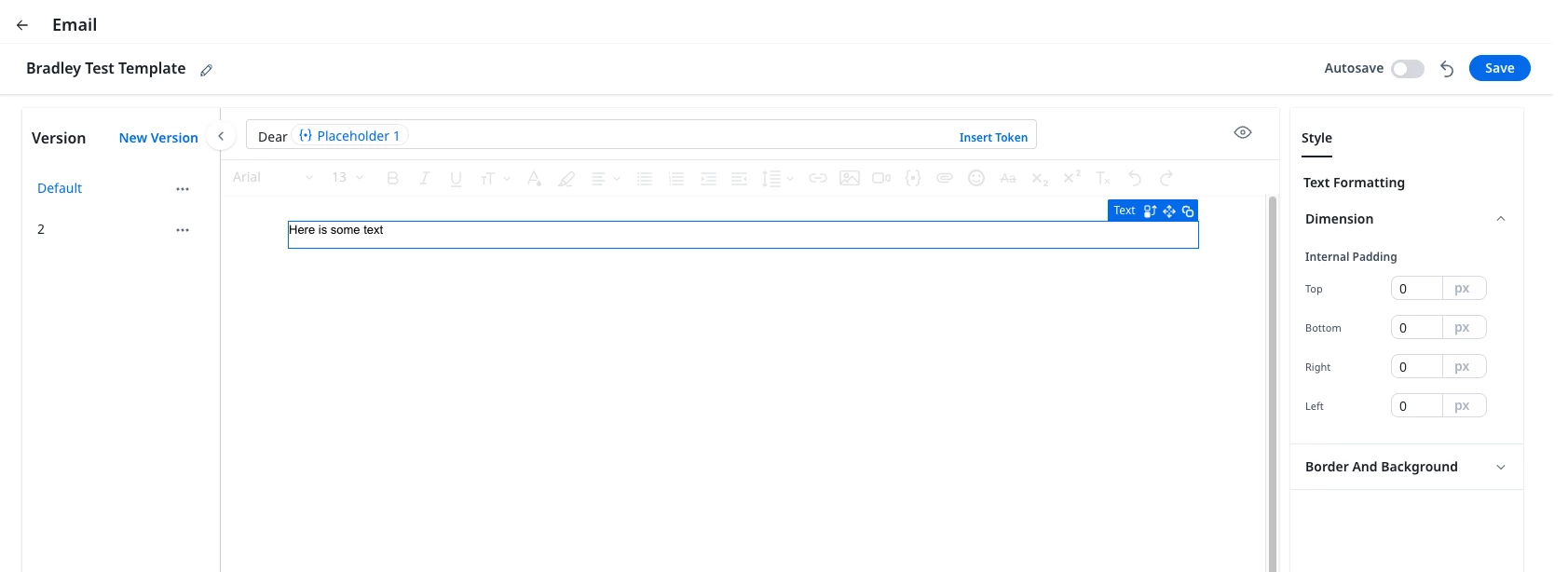
Notice how on the right you only have one main header, Style. That has two formatting sub-headers: Dimension and Border and Background.
This is what the email template builder looks like in the email template builder:
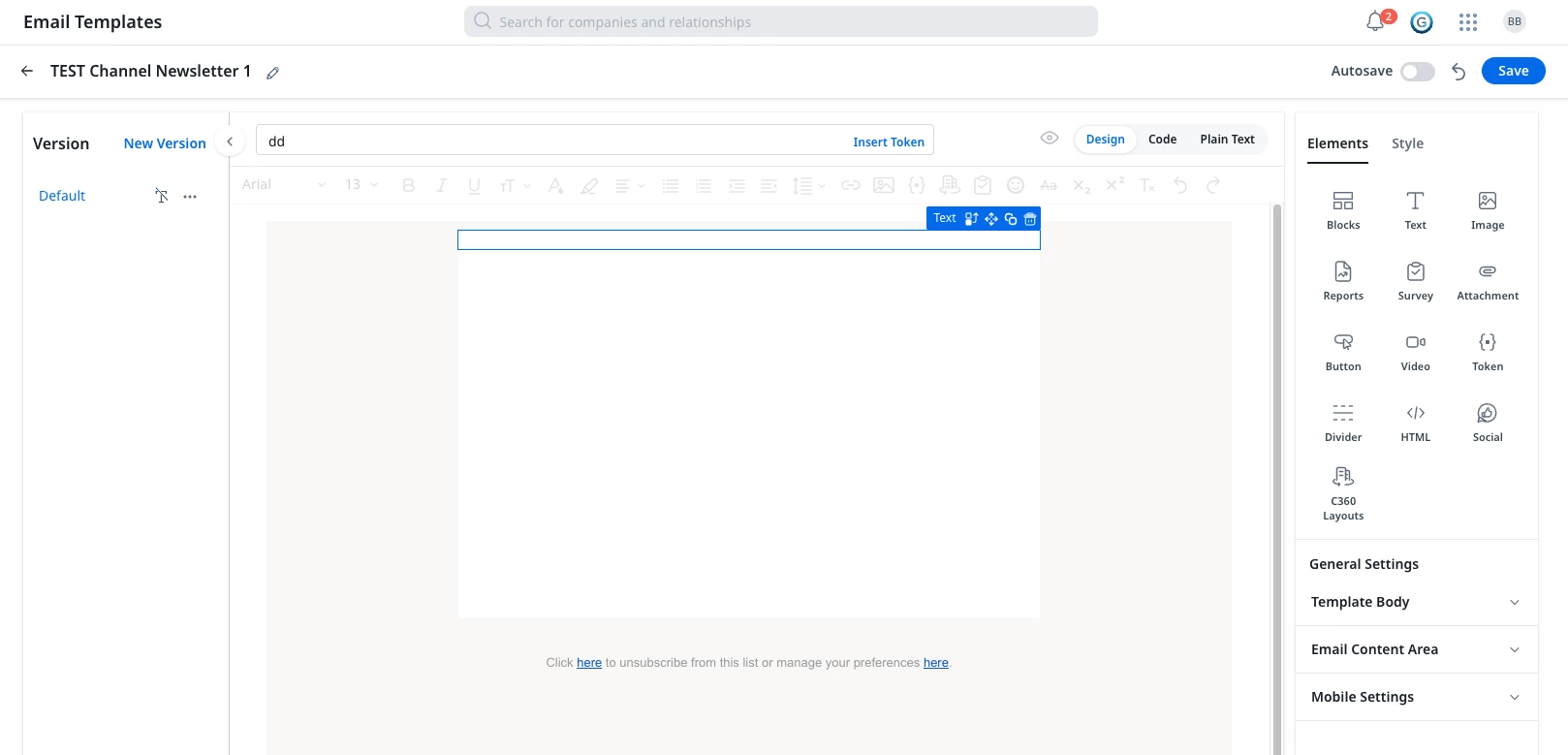
Notice there is an additional “elements” header, and you have multiple ways to view the email itself. You can make much better looking emails in this version.
Why are these experiences so vastly different? I don’t want to have to give CSMs permission to build and manage templates of every element of the platform for them to have the improved Email Template editor. Is there some setting I’m missing to enable this? I’m viewing this as a super admin so if it’s permissions based I should have it.
Even if they did have access to the full builder, it would be a very disjointed experience to have to navigate from home, to email template builder, then back to home. This is yet another questionable UX experience.
If my org is interested in having CSMs or other roles leverage this feature and wants them to be able to create their own templates for the biggest impact, the users should be able to easily use the advanced editing tools (that are in the main email template editor) to make decent looking emails and have some kind of hope of adhering to brand standards and guidelines.