New Idea
rule results different from preview data
After talking with a customer via a support case we discovered that when you preview the results of a rule they will not show the same as the results show.
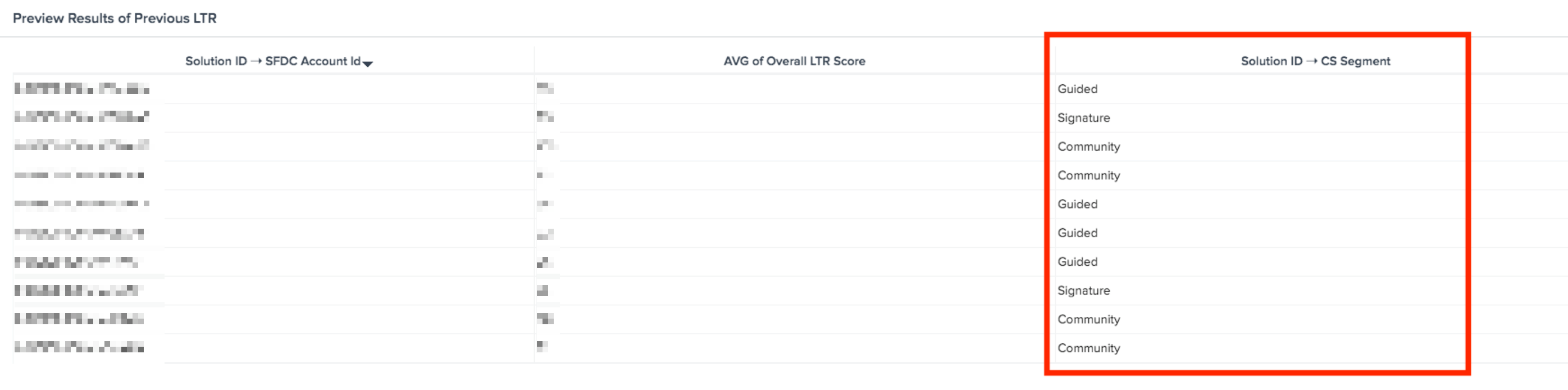
For instance, in the first image below you see a preview data set to a rule, this shows the name of the data in the field. "Guided" is an example.
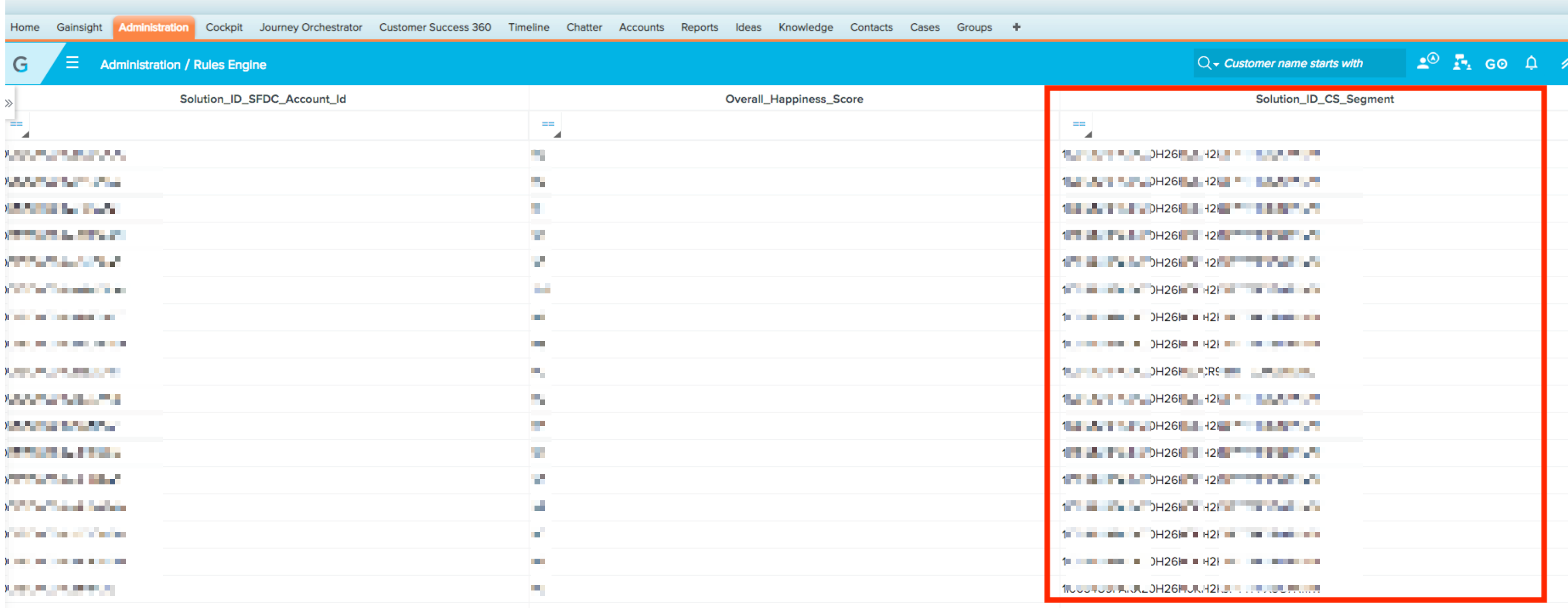
But in the second image this is a rule run result and it shows an ID (blanked out for privacy purposes).
This is as design but in the future myself and others would find it useful for these to be matching. Troubleshooting a rule or data validation is very hard when these do not match up.
The reason it is like:
The execution itself uses the actual data so we have GSID's for Picklist values in the logs.
But in rule setup preview we are converting these GSID's to Picklist names to avoid confusion while setting up the rule.
The way we would like it to work:
Show the datasets as the same so that we can validate and confirm data easily.
For instance, in the first image below you see a preview data set to a rule, this shows the name of the data in the field. "Guided" is an example.
But in the second image this is a rule run result and it shows an ID (blanked out for privacy purposes).
This is as design but in the future myself and others would find it useful for these to be matching. Troubleshooting a rule or data validation is very hard when these do not match up.
The reason it is like:
The execution itself uses the actual data so we have GSID's for Picklist values in the logs.
But in rule setup preview we are converting these GSID's to Picklist names to avoid confusion while setting up the rule.
The way we would like it to work:
Show the datasets as the same so that we can validate and confirm data easily.