mdfahd
Gainsight Employee ⭐️⭐️
Jun 10, 2020 7:39 AM UTC

How to Add Public Tags

  • Dec 11, 2025 9:31 AM UTC
  • 27 replies
  • 1167 views
  • Translate All

This article helps moderators on how to add, edit, remove, or merge Public tags in the community.

Last Updated On: December 11, 2025

Overview
 

Public Tags enable you to group topics in order to organise content in a way that is transparent to all members of your community. They differ from Moderator Tags as any member can see them in your community.
 

Access Public Tags

Moderators can add, delete, edit, or merge tags from the settings page in control.

To access public tags:

  1. Log in to Control.
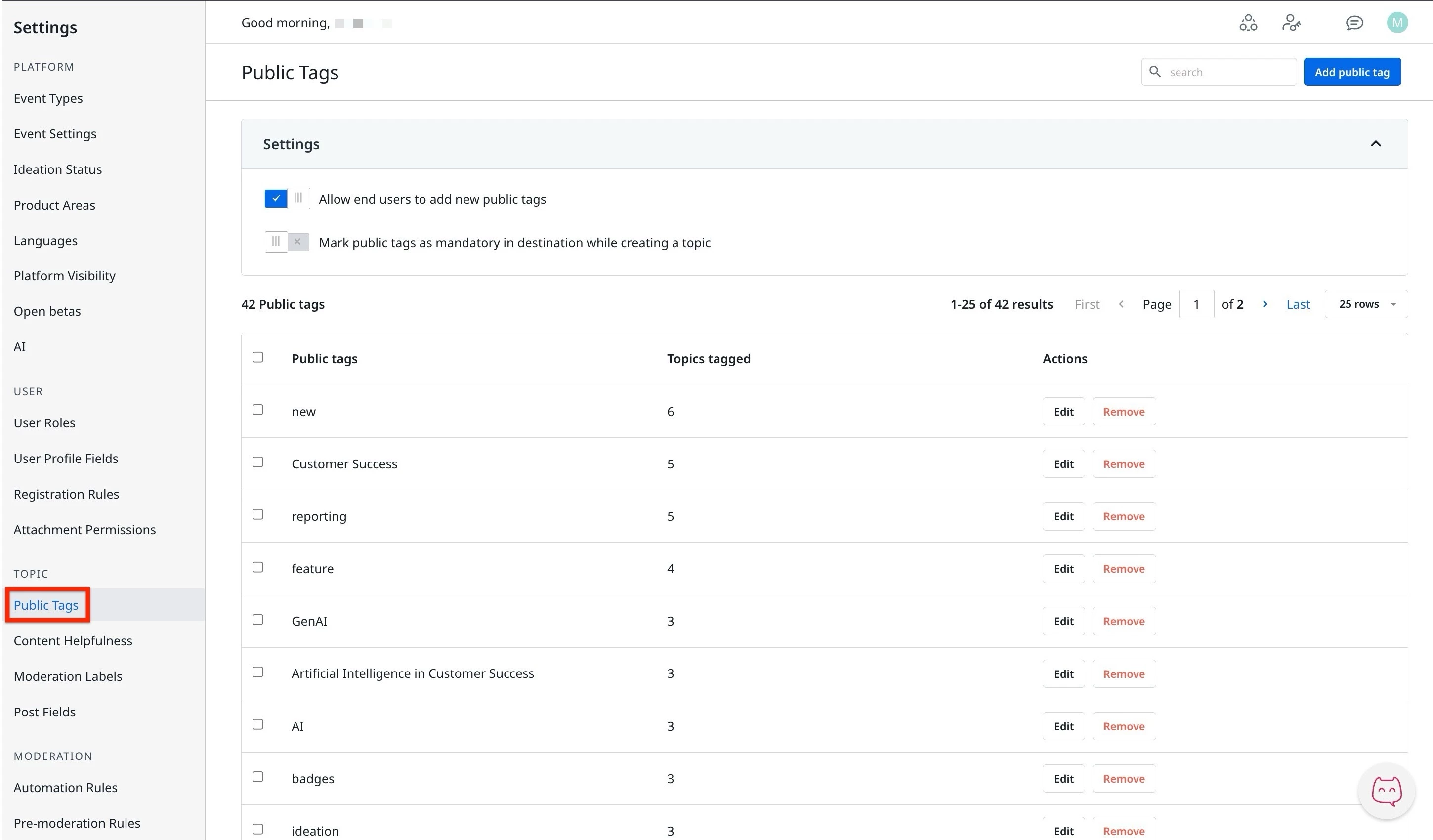
  2. Navigate to Settings > Public Tags. The Public Tags page appears.
 

Public Tags


The public tags page displays a settings section and a list of all tags that are added. Here, the moderators can manage the public tags using the following actions:

  • Settings:
    • ​Allow end users to add new public tags
    • Mark public tags as mandatory.
  • Add, Edit, Remove, or Merge Tags.

Settings in Public Tag


Using the Settings section, moderators can manage who can create the public tags or ensure that the public tags are mandatory when creating a topic, question, or idea in the Destination.
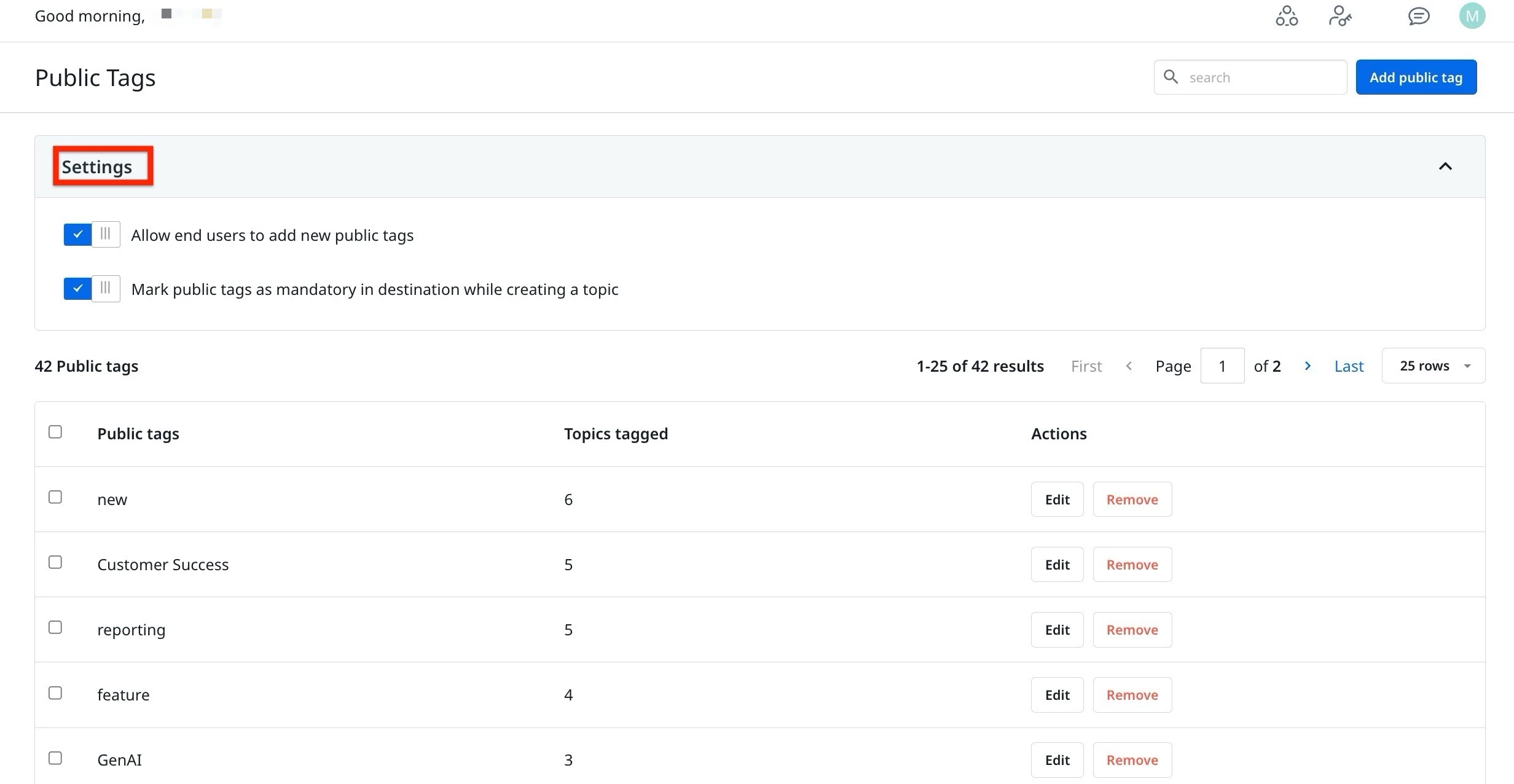
 

Toggle Allow end users to add new public tags, to enable end users to add or create new public tags from the destination.

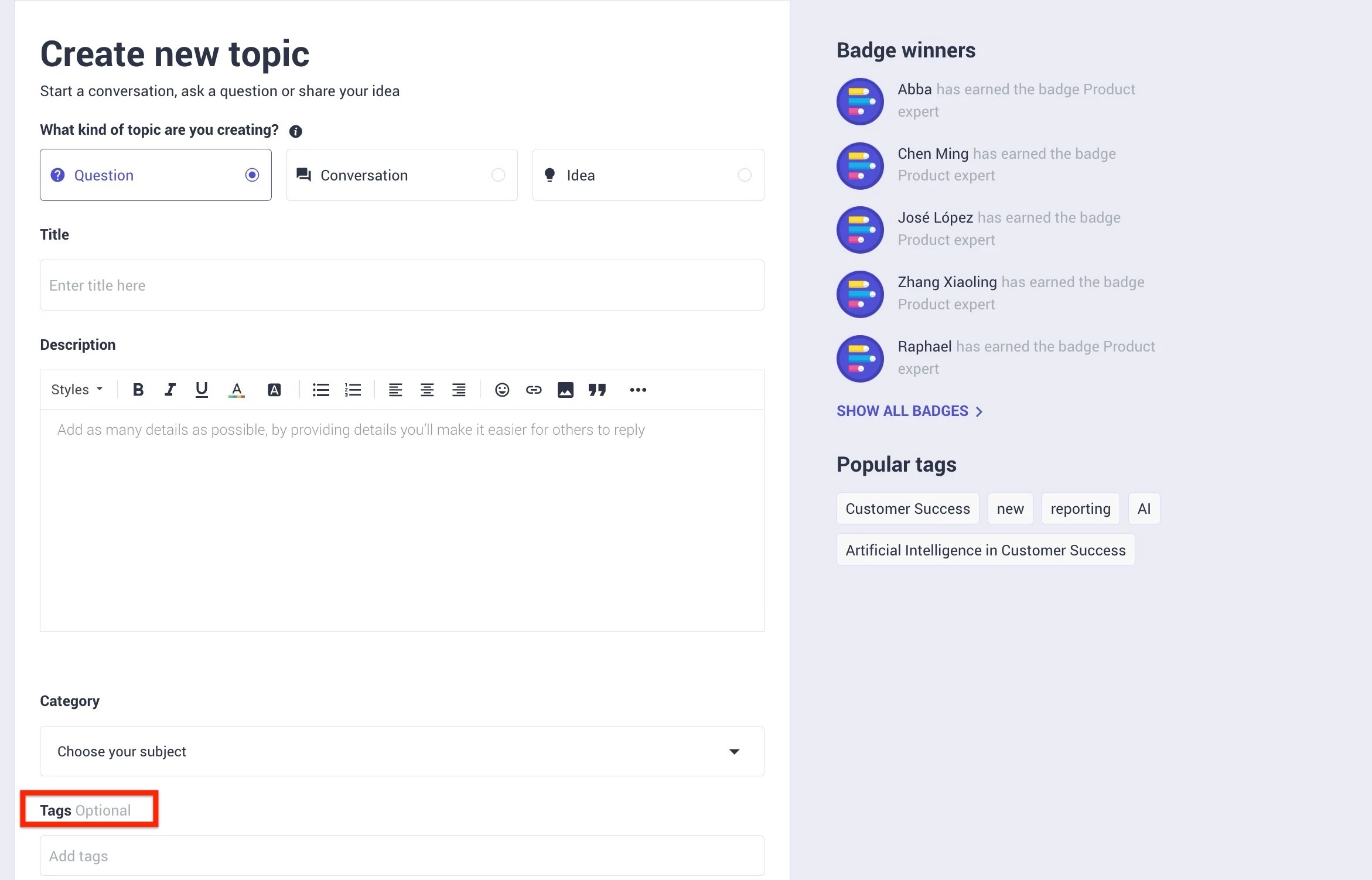
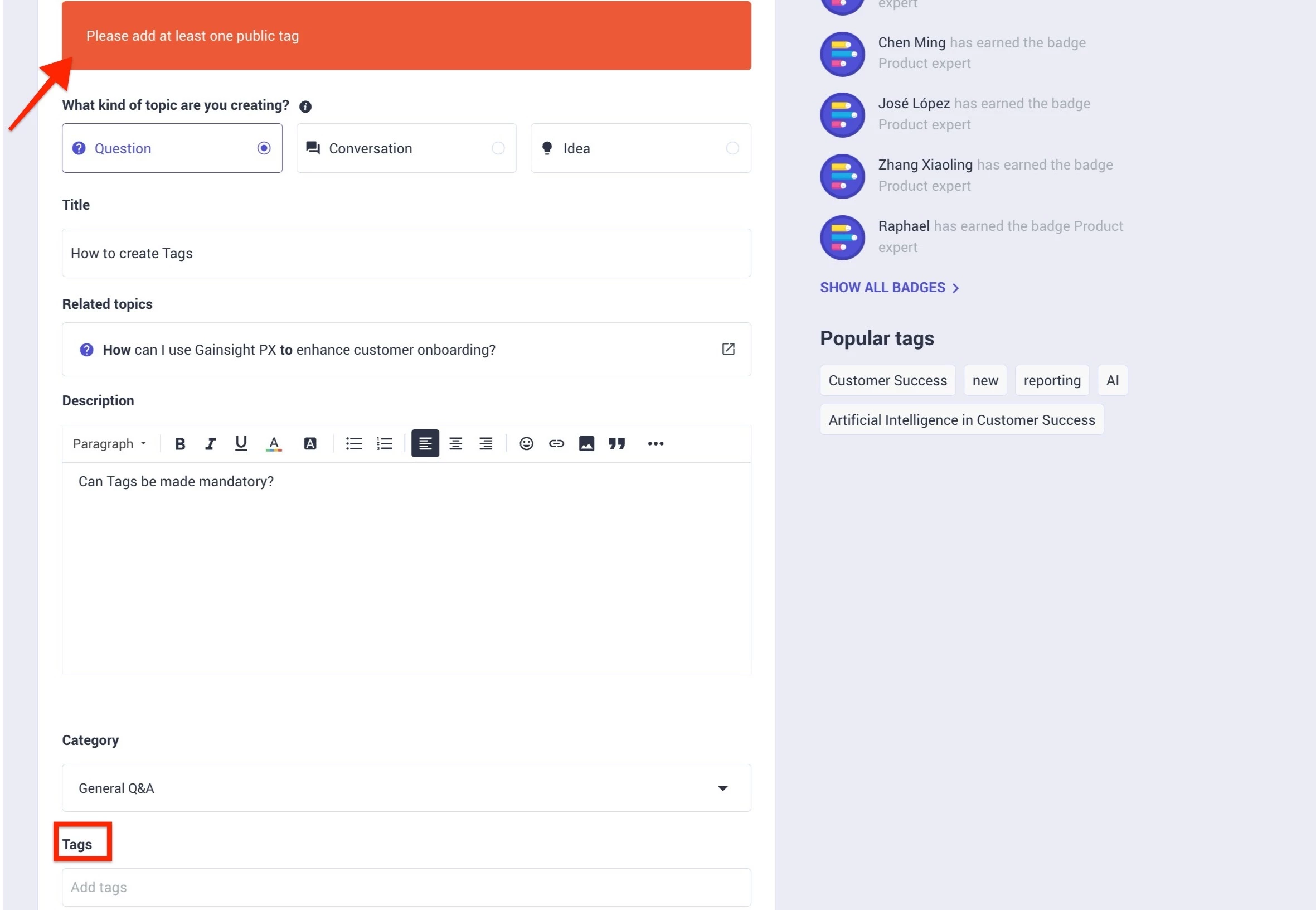
Toggle Mark public tags as mandatory in destination while creating a topic, to ensure tags are compulsory to be added when creating a new topic.


Add Public Tags


Public tags can be created from the settings page. To do this:

  1. Log in to Control.
  2. Navigate to Settings > Public Tags. The Public Tags page appears.
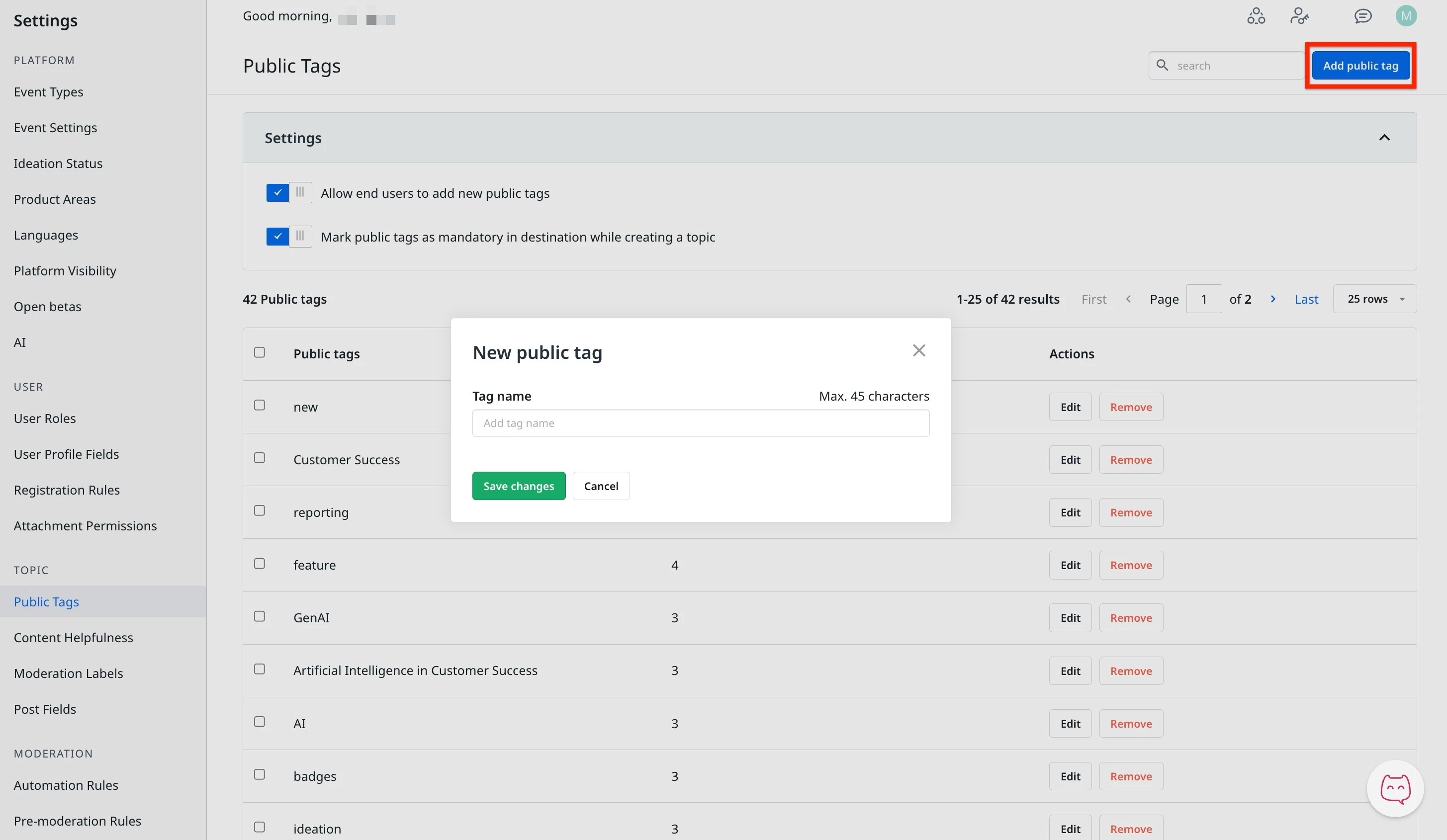
  3. Click Add Public Tag. The New Public Tag dialog appears.
  4. In the Tag Name text field, enter the name of the tag.
  5. Click Save Changes.


Rename a Public Tag


Moderators can rename an existing tag by using the edit option. To do this.

  1. Log in to Control.
  2. Navigate to Settings > Public Tags. The Public Tags page appears.
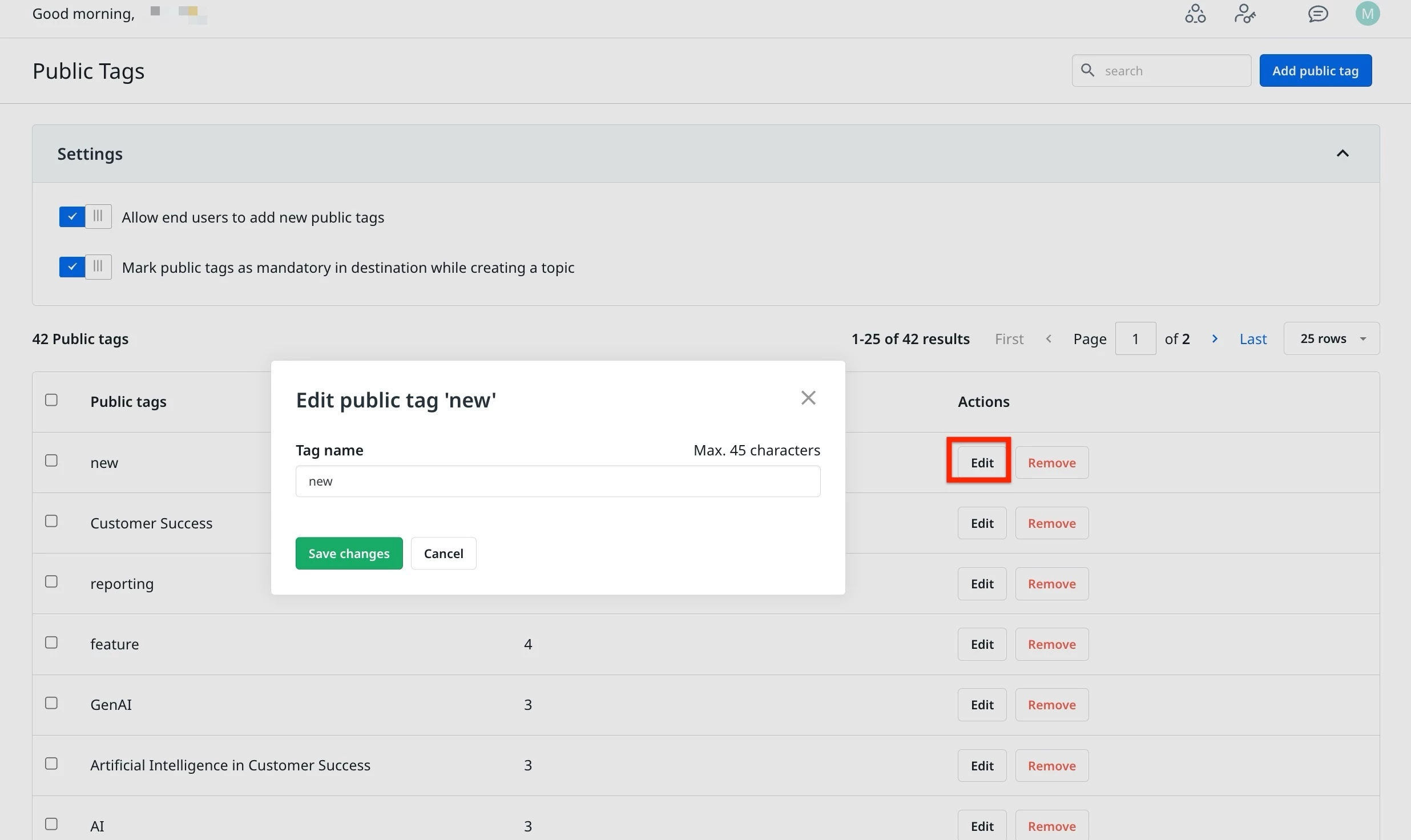
  3. Click Edit next to the tag. The Edit Public Tag dialog appears.
  4. In the Tag Name text field, change the name of the tag.
  5. Click Save Changes.


Delete a Public Tag


Moderators can delete an existing tag by using the edit option. To do this.

  1. Log in to Control.
  2. Navigate to Settings > Public Tags. The Public Tags page appears.
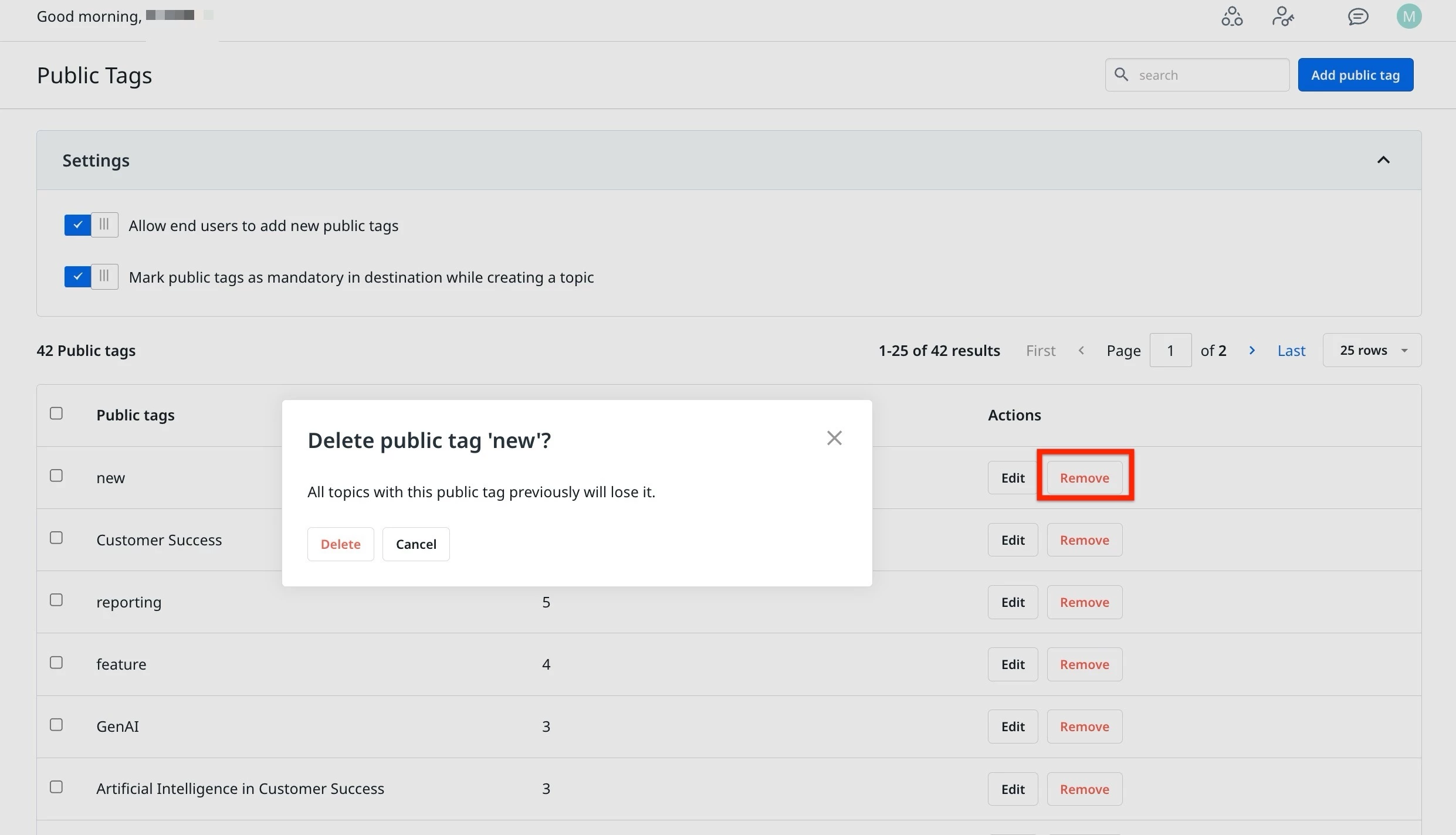
  3. Click Remove next to the tag. The Delete Public Tag dialog appears.
  4. Click Delete. The public is now deleted.
 

Merge Public Tags


In case of duplicate tags, moderators can merge public tags to have a clean setup of tags. To do this:

  1. Log in to Control.
  2. Navigate to Settings > Public Tags. The Public Tags page appears.
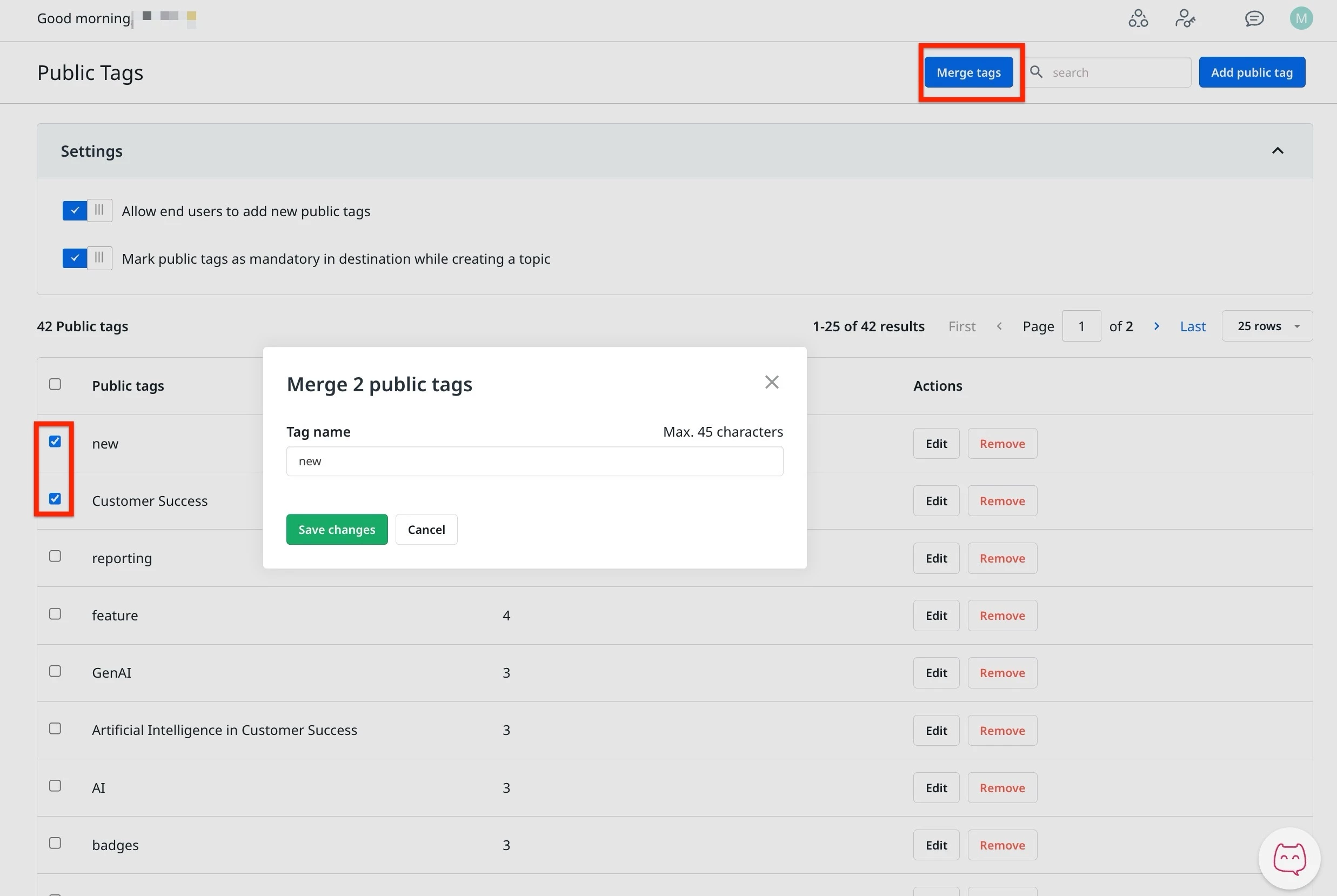
  3. Select two or more tags to merge.
  4. Click  Merge tags. The Merge Public Tag dialog appears.
  5. In the Tag name, enter the new name for the merged tags.
  6. Click Save Changes.


    27 replies

    aluciani
    Helper ⭐️
    Jun 24, 2020 3:28 PM UTC

    Is there an option to do a bulk delete in control vs deleting individual tags in control? I have 173 pages of tags and most of them I want to delete, but it will take a while individually.

    Translate
    daniel.boon
    Helper ⭐️⭐️⭐️
    Jun 24, 2020 3:30 PM UTC

    Not at the moment @aluciani but that’s something that was indeed on our radar but didn’t make it into this release. Are you planning to delete based on usage?

    Translate
    inSided product alumnus
    aluciani
    Helper ⭐️
    Jun 24, 2020 3:32 PM UTC

    Yes, based on usage, I have a ton of tags with 0 topics tagged.

    Translate
    bjoern_schulze
    Helper ⭐️⭐️⭐️
    Jun 29, 2020 2:00 PM UTC

    Yes, based on usage, I have a ton of tags with 0 topics tagged.


    We are planning to doing exactly the same.

    Translate
    Hiewwaiy
    Contributor ⭐️⭐️⭐️⭐️
    Jul 14, 2020 11:27 AM UTC

    Hi @daniel.boon , do you have any idea when it will be possible to delete a bulk of tags"?
    We also have a lot of tags with 0 topics or tags that are misspelled that we want to bulk delete. 

    We think it is very nice that we have options to group and optimize the use of tags; deleting all non relevant tags would be the first step for us. However, it is nearly impossible to delete them manually … :/ 

    Thanks 

    Translate
    Gr Hiewwaiy
    daniel.boon
    Helper ⭐️⭐️⭐️
    Jul 14, 2020 12:43 PM UTC

    Hey @Hiewwaiy - thanks for the feedback. I don’t have any concrete timelines on this yet, although it is something we’ll consider for the next iteration!

    Translate
    inSided product alumnus
    LPortalupi
    Helper ⭐️
    Oct 9, 2020 10:50 PM UTC

    If those similar topics have public tags, then these tags are automatically suggested to the end user below the tag input.

    Hi @daniel.boon! I’ve noticed that many suggested tags are not appropriate for the post. For example, “help,” “Coursera community event,” and “certificate” are a few of the tags being surfaced to people but then we have to manually remove them because they don’t match the content of the post.

    I’d love it if we could turn off the ‘automatically suggest’ tags function!

    Translate
    daniel.boon
    Helper ⭐️⭐️⭐️
    Oct 12, 2020 8:30 AM UTC

    If those similar topics have public tags, then these tags are automatically suggested to the end user below the tag input.

    Hi @daniel.boon! I’ve noticed that many suggested tags are not appropriate for the post. For example, “help,” “Coursera community event,” and “certificate” are a few of the tags being surfaced to people but then we have to manually remove them because they don’t match the content of the post.

    I’d love it if we could turn off the ‘automatically suggest’ tags function!

    Hey @LPortalupi - thanks for adding your feedback here! Just to make sure I understand - would you prefer to ‘hide’ these tags from the automatic suggestions, or do you want to remove automatic suggestions altogether?

    Translate
    inSided product alumnus
    LPortalupi
    Helper ⭐️
    Oct 12, 2020 5:44 PM UTC

    @daniel.boon I’d prefer to remove automatic suggestions altogether. These are just 3 examples; there are many, many more tags that are suggested but aren’t relevant. 

    Translate
    bjoern_schulze
    Helper ⭐️⭐️⭐️
    Oct 30, 2020 1:17 PM UTC

    When I merge multiple public tags into one, the capitalisation I write is ignored (e.g. I write “iPhone” but “iphone” will be saved). Only when I edit a single public tag, the capitalisation will be saved correctly.

    Translate