

Gainsight CC: Protect Direct Conversations with AI Message Moderation, Plus Faster Page Building and Exact Timestamps
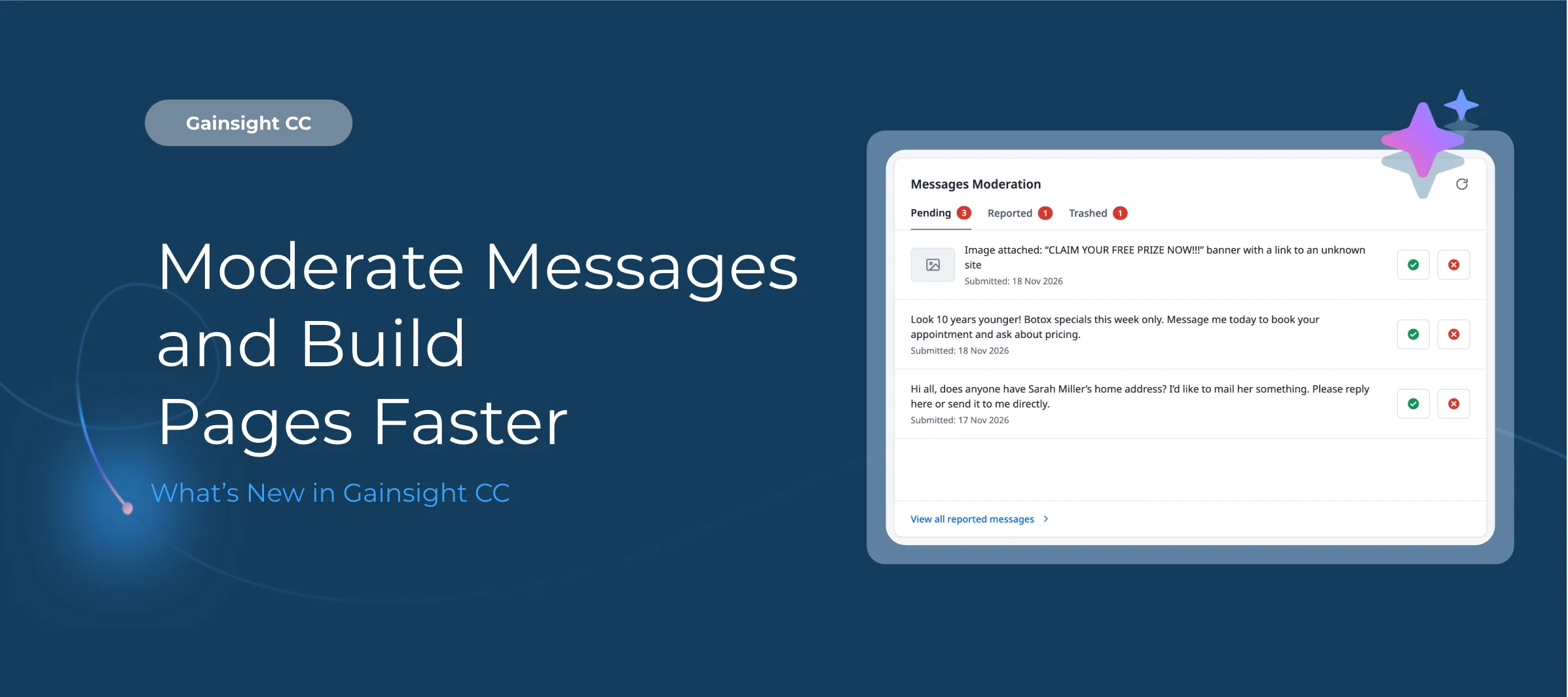
Members can now report messages, and an optional Moderation AI Agent flags inappropriate messages before delivery. You can now duplicate widgets in the theme builder and copy/paste them from one page to another. This release also adds the possibility to switch from relative to absolute timestamps for any content shared in your community.
Here’s What’s New
Report and Moderate Messages in Your Community (GA)
Private Messages are now called Messages, and members can report a message directly from a conversation. An optional Moderation AI Agent setting flags inappropriate messages before delivery, helping your team respond to inappropriate messages in direct conversations.
-
Members submit a reason, and the reported message stays visible until a moderator acts
-
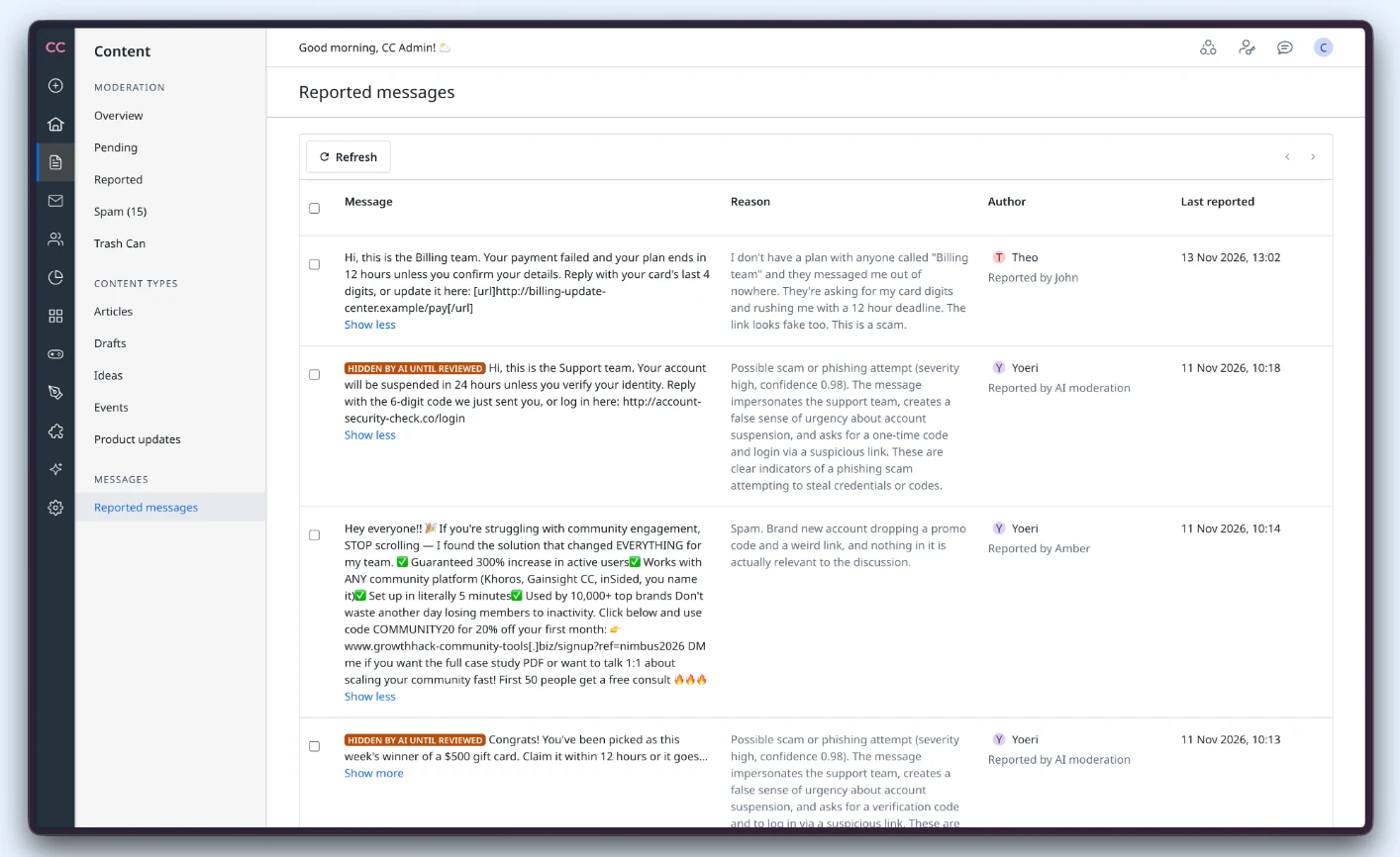
Moderators review reports on a new Reported Messages page in Control and select Resolve to keep a message or Delete to remove it permanently
-
With AI moderation on, flagged messages show a reason and confidence score and stay hidden until a moderator approves or deletes them
Duplicate and Copy Widgets to Build Pages Faster (GA)
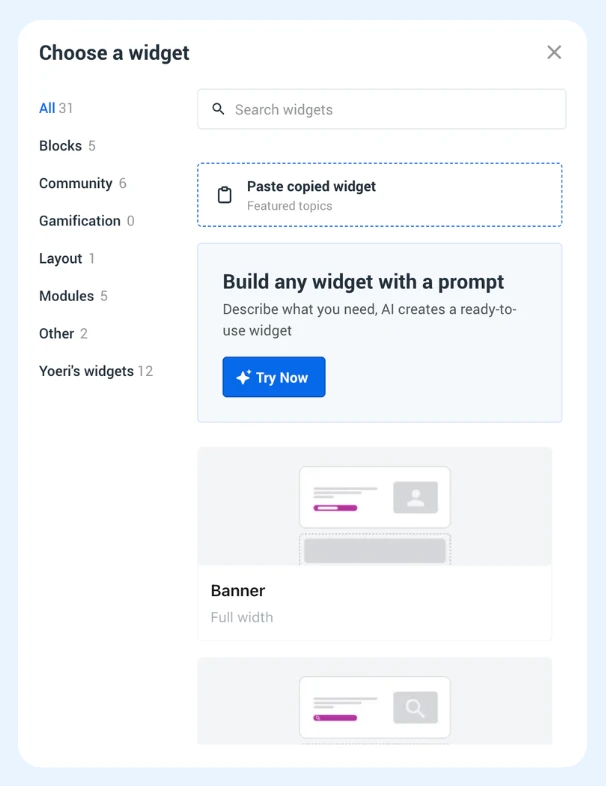
Duplicate a widget on the same page, or copy it to another page, so you no longer have to rebuild from scratch. Set a widget up once and change only what you need, which makes personalizing pages much quicker.
-
Duplicate creates a copy on the same page, and Copy lets you paste a widget onto a different page
-
Previously, the only option was to add a new widget and start over
-
All of the settings, content selections, and personalization will carry over for every widget type
Display Exact Timestamps in Your Community (GA)
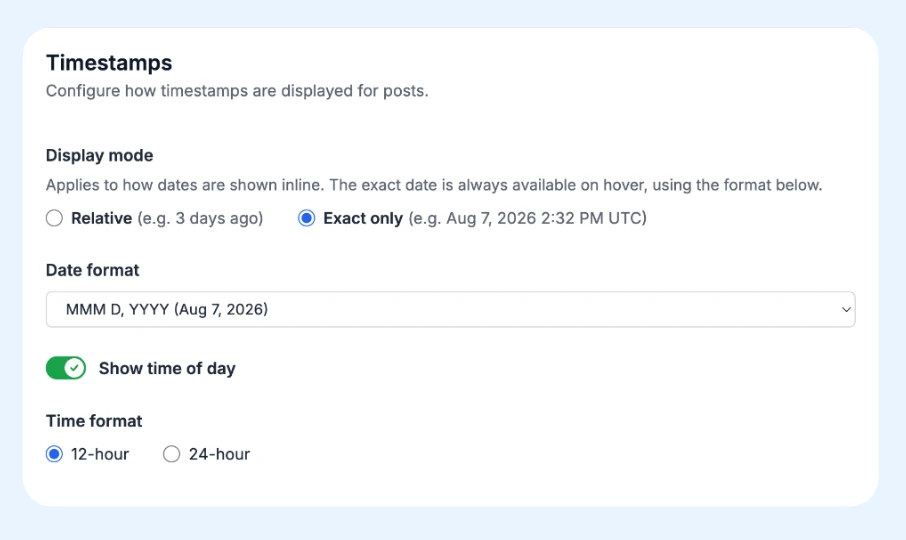
Switch community dates from relative labels like “3 days ago” to exact dates, with an optional time of day. Relative timestamps remain the default.
-
Choose a date format and show time in 12-hour or 24-hour format
-
The format applies across content cards, topics, and the feed
-
Month names appear in each member’s selected language
-
Exact timestamps always display in UTC. Time zone conversion is not available.
Getting Started
-
Message Moderation: Off by default. Enable the Moderation AI Agent, then separately turn on the Message Moderation toggle.
-
Duplicate and Copy: Available on widgets in the layout editor.
-
Exact Timestamps: Configure in your community settings.
👉 Check out the Release Notes and Knowledge Base Articles for more details.
💬 Have a question for