daniel.boon
Helper ⭐️⭐️⭐️
June 2, 2020
Beta Release

Improved Moderation Overview: public beta feedback thread

Related products:CC Moderation
  • June 2, 2020
  • 73 replies
  • 1772 views

Did you arrive at this topic via the moderation overview, but don’t yet have an inSpired account?

Make sure to sign up for an inSpired account and leave a reply on this topic with your feedback ⭐️

We’ve released a brand-new moderation overview in public beta for all community managers and admins. Moderators can also access the beta if your community manager has opted you in.

The moderation overview is getting an overhaul, both in terms of design and capabilities.

New filtering options, editable custom views, refresh without reloading the page, and an improved design

Read on to find out what’s available right now and for whom, learn about the next steps and planned items, and find out how you can contribute to improving the new moderation overview.


What’s already available in the new moderation overview?

The following capabilities are available in the new moderation overview:

:white_check_mark: Save, edit, and share custom views.

:white_check_mark: Improved page load times and a quick refresh button to reload the topic stream without reloading the whole page.

:white_check_mark: Improved filtering UX and an improved title/content keyword search.

:white_check_mark: New filters, including: relative time filters for last active/publish date, filter by ideation status, and a multiselect filter for moderator tags.

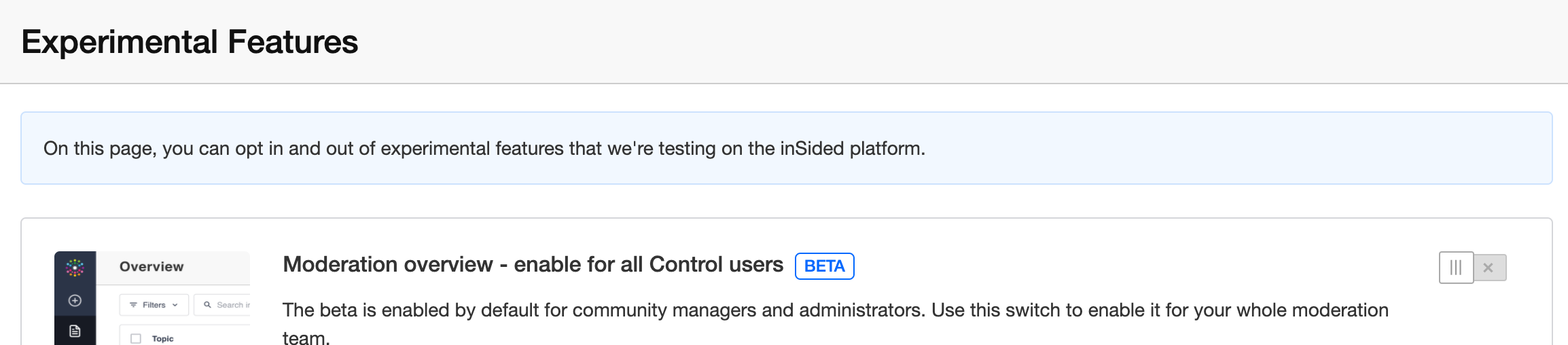
🆕 As an administrator/community manager, you can opt-in to allow your entire moderation team to participate in the moderation overview beta. Just click the ‘enable for team option’ and flick the switch on our new experimental features page.

We’ve done this based on early feedback that we’re still lacking key features in the new overview, and that it would add complexity for larger moderation teams to have the beta suddenly available for the entire moderation team.


Of course, we couldn’t build these improvements without all the fantastic input from our community - so here’s a couple of shout outs to those who inspired us with their ideas.

Thanks to @Jurgen for submitting this idea about editing advanced topic filters (13 votes) and (partially delivered) dynamic date filters (4 votes) , @lila_meyer for this idea to share saved views / advanced filters with other users (3 votes), EricF for this idea (partially delivered) New topics should populate automatically on the backend (no refresh required) (8 votes), and @josh-sp for this idea Add "Ideation Status" to Advanced Filters under Content Overview (2 votes).

(💡^ that’s 30 inSpired votes!)


What’s next / planned for the new moderation overview?

Latest update: https://community.insided.com/news-platform-updates-16/improved-moderation-overview-public-beta-feedback-thread-2182?postid=8622#post8622

We have no short-term plans or a set date on which we’ll get rid of the old moderation overview.

Our ambition is to provide a better set of capabilities and a better design on the new moderation overview, and eventually phase out the old moderation overview, based on your feedback and usage.


How can you contribute and help us build a great moderator experience?

We’ll use this topic as a megathread to collect feedback from you and to provide updates on new features/changes as we iterate over the new moderation overview further.

We’ve included a feedback button on the beta overview page in Control, which takes you directly to this topic.

We’re excited to hear your first impressions!

73 replies

aluciani
Helper ⭐️
June 2, 2020

Am I missing something, I don't see any of the filters in my [Beta] Overview section - not much I can do with it at the moment. See screenshot


daniel.boon
Helper ⭐️⭐️⭐️
June 2, 2020

Am I missing something, I don't see any of the filters in my [Beta] Overview section - not much I can do with it at the moment. See screenshot

Thanks for letting us know @aluciani - that’s unexpected behaviour. We’re looking into it now - I’ll send you a private message when we’ve got a fix.

inSided product alumnus
bjoern_schulze
Helper ⭐️⭐️⭐️
June 2, 2020

Hi, thank you for making the beta version available! We’ve tested a bit so far and this is our feedback and questions.

Save Custom Views

Some minor issues and questions

  • When the overlay is active: Is there a difference between "X" and "Cancel"?


  • Entering a custom view name doesn’t automatically move the radio button from “Save changes to the current view” to “Create new custom view”

    • this makes it possible to overwrite a view you didn’t want to overwrite

    • Suggestion: As soon as the input field has content in it, automatically activate radio button “Create new custom view"

  • Works like expected: When I choose a name that already exists, I get an error message

    • Doesn’t work like expected: If I then remove the name I just put in and instead choose "Save changes to the current view", I can’t save it (“Something went wrong”)
    • After closing the overlay and reopening it, the same error message reappears


  • Are special characters allowed be used to name a view? Like emojis? (Asking for a friend)

  • It’s possible to have two overlays (Filters / Save view) open at the same time


Edit Custom Views

  • the Filter “Published in” only supports a single selection
    • Will it be possible to multi-select?
  • the Filter “Published in” doesn’t support parent categories
    • Will this be made possible?
  • Some issues with the “Filter menu”
    • huge margin between the categories, which results in only showing a few categories at a time
      • Suggestion: Reduce margin to have more list elements in the view port

Share view

  • no visible feedback to the click, it’s not clear what happens when you click on it
    • Suggestion: Message that says “The URL was successfully copied. You can now paste it …”

Other observations

  • long titles (250 characters) mess up the table

    • the width of the title column will be increased and other columns have less space (e.g. in the Last Activity columns content breaks into three lines) 
      • Suggestion: Have a max-width for the title column (like 50% or so) / or min-width for any other column
  • Small layout thing: User profile images aren’t aligned to each other

    • Suggestion: Have a fixed width for the timestamp (there’s not much length variations possible)

  • in some cases users are shown as “Anonymous”, while checking the topic page shows the correct user name and user profile image


Contributor ⭐️
June 2, 2020

Thanks @daniel.boon!  FYI here are my must-have use cases:


"As triage leader, show me all open ideas that have no moderator assigned"


Ideally we can rotate through this role of assigning moderators to ideas so they can pin replies to make our customers feel heard. Then:


"As a product manager, show me all ideas assigned to me for moderation that don't yet have a pinned reply"


The expectation is a product manager will pin a reply within two weeks of any new idea going live.  Finally:


"As VP product, show me all ideas that have a moderator assigned but do not yet have a pinned reply sorted by create date"


I need a way to know whether my team is actually living up to the SLA expectation of two weeks as stated above. 


Happy to chat about these requirements off-line.


Suvi Lehtovaara
Helper ⭐️⭐️
June 3, 2020

Am I missing something, I don't see any of the filters in my [Beta] Overview section - not much I can do with it at the moment. See screenshot


@daniel.boon our community has the same thing!

https://yhteiso.elisa.fi/
daniel.boon
Helper ⭐️⭐️⭐️
June 3, 2020

Am I missing something, I don't see any of the filters in my [Beta] Overview section - not much I can do with it at the moment. See screenshot


@daniel.boon our community has the same thing!

Thanks for letting me know. We’re looking into it - I’ll send you a PM when we’ve fixed your instance @Suvi Lehtovaara

inSided product alumnus
bjoern_schulze
Helper ⭐️⭐️⭐️
June 3, 2020

One addition to our feedback: We’d like to see overlays automatically closing (like in “dismiss” or “cancel”), when you click outside the element.

Koen Sterken
Helper ⭐️⭐️
June 3, 2020

One addition to our feedback: We’d like to see overlays automatically closing (like in “dismiss” or “cancel”), when you click outside the element.

I won't do this; can lead to data loss. I have the unfortunate pleasure of having a laptop with touch screen, and you have no idea how many colleagues touch my screen to point at something. Bam, data gone (when having this behavior). To be clear: there is not much data to lose here, but still..

I'd only recommend this when you are in ‘read’-mode. 

bjoern_schulze
Helper ⭐️⭐️⭐️
June 3, 2020

Good point, @Koen Sterken!

daniel.boon
Helper ⭐️⭐️⭐️
June 3, 2020

Thanks for the feedback everyone! I’ll tackle each reply one at a time.

@bjoern_schulze - first some inline answers to your questions 🙂.

Hi, thank you for making the beta version available! We’ve tested a bit so far and this is our feedback and questions.

  • When the overlay is active: Is there a difference between "X" and "Cancel"?
    No - there’s no difference.

  • Are special characters allowed be used to name a view? Like emojis? (Asking for a friend)
    I’ve been testing myself with using emoji and yes they are allowed :)​​​​​

Share view

  • no visible feedback to the click, it’s not clear what happens when you click on it
    • Suggestion: Message that says “The URL was successfully copied. You can now paste it …”
      That’s unexpected behaviour and I can’t reproduce this - when you press share it should be showing a success message “Link copied to clipboard!”
      ​​​​​

Secondly, thanks a lot for the other UX suggestions and the bugs you spotted! Once we’ve gathered up enough feedback for our next iteration, I’ll update this topic to make it clear which suggestions/bugs we’ve taken action on.

inSided product alumnus