

Jessica.Quazza
Contributor ⭐️⭐️⭐️
March 11, 2024
Release

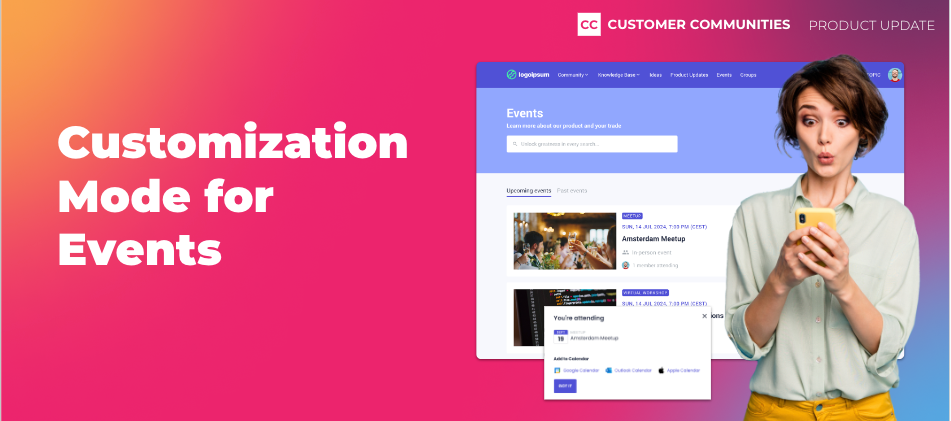
New! Customization Mode for Events
Related products:CC CustomizationCC Events
  • March 11, 2024
  • 22 replies
  • 702 views
New! Customization Mode for Events

One of our core beliefs is that anyone, regardless of their technical background, should be able to customize their community the way they want. To double down on that, we’ve made some big enhancements to the Events experience in Destination to make it easier for you to promote your events on your community, and for your customers to find and join those events.


Customization Mode

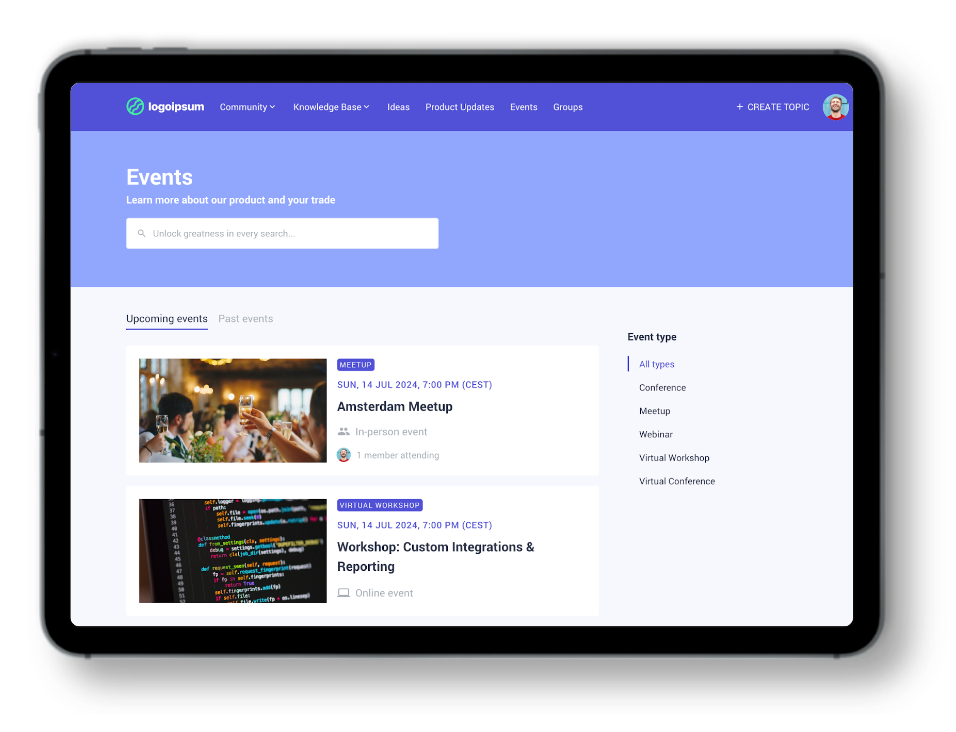
We’re excited to announce that the Events page now supports customization! This means that you can add widgets to your events page using our widget library. For example, use the customizable search banner widget to search through Events, or insert a banner widget above the events list to promote a large upcoming event or do a call for speakers.


New Tabs and Event Types Filter

Moreover, we’ve added a couple of new navigation elements to this page. First, we added dedicated tabs for Upcoming and Past events to make it easier for customers to search through all your events without having to scroll. Your community members can also use the new Event type filter to narrow their search down based on the type of event.
More Add to Calendar Options

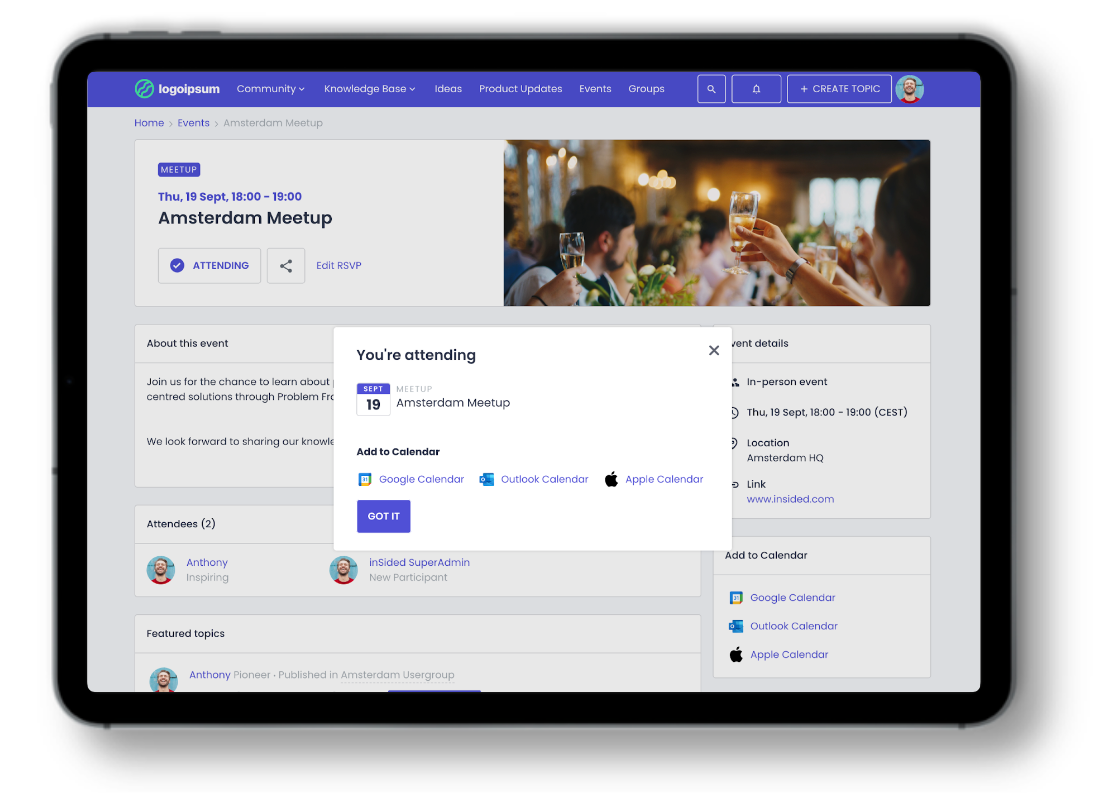
Up until now, users could only add an event to their Google Calendar. Starting today, your users can also add events to their Outlook and Apple calendars.
 

Delete Event Types

Yes, really. You can now delete Event types! Enjoy greater control and organization by removing redundant event types from your repertoire.


Improved Event Cards

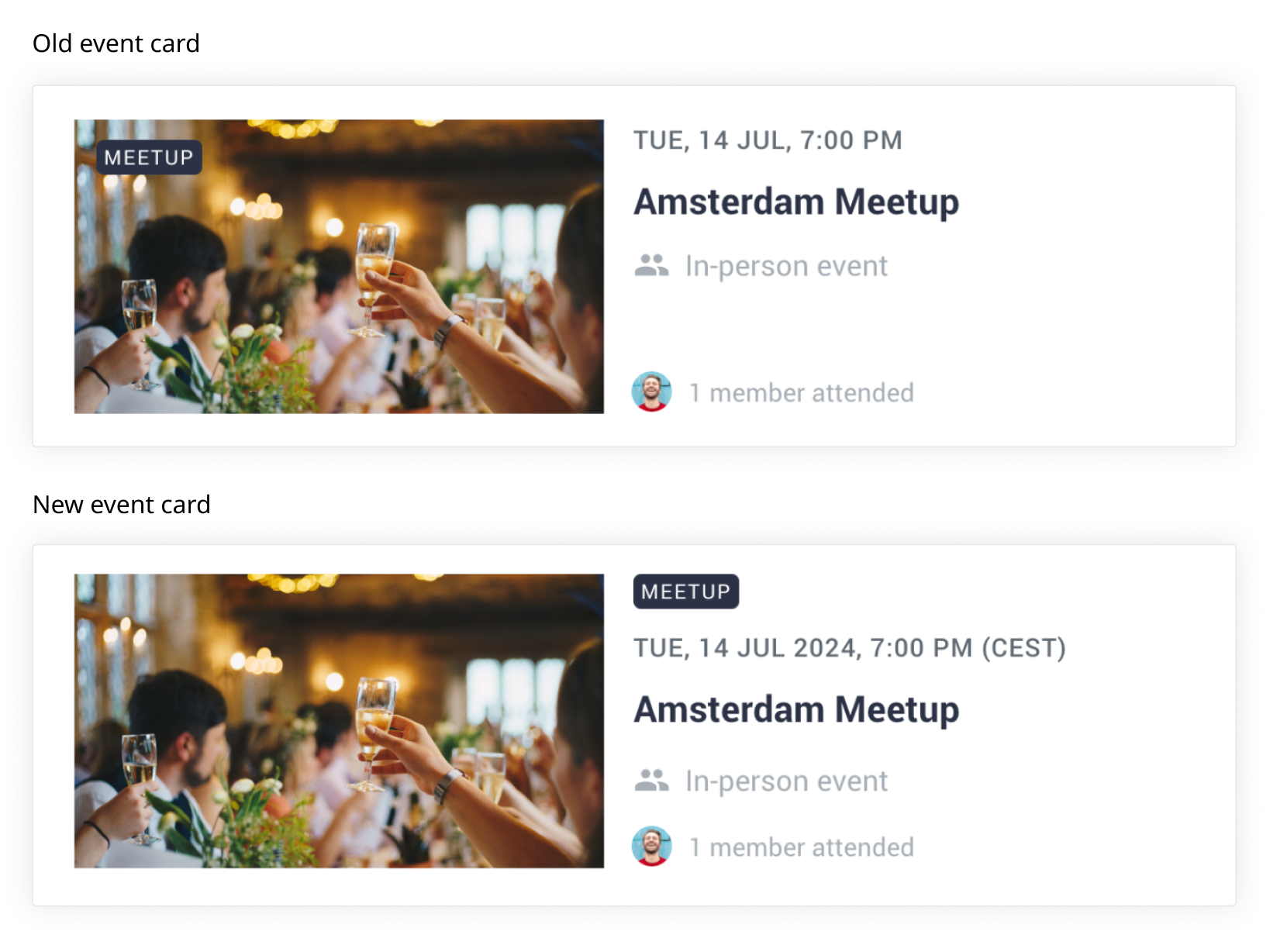
To improve the way that we show events on the Events page, we have made a couple of smaller quality-of-life improvements:

  • Dates now include the year of the event, making it easier for your users to know how long ago an event took place
  • We also show the user’s current timezone after the time of the event, to better clarify what time this event takes place
  • The Event type tag is no longer overlaying the featured image but is placed next to the featured image
 

Customize Your Events Page Today!

To start customizing your Events page, head over to the Events page in Destination, click on the “Customize” button, and make any changes you want. Once you publish your customized Events page, this customized page will now be the default page for your users. Note that after publishing your customized Events page, there is no way to revert to the old experience.


Important

You can enable and customize the Events page yourself until June 1, 2024, so you can control when it will go live for your users, and with which styling. After June 1, 2024, we will enable the new customizable Events page for all customers by default, with default branding (so no hero image, default page title, etc.). Don’t stress! We’ll send you a reminder if we see you haven’t enabled this yourself before the deadline.


Thanks for Your Help!

Many of these improvements were sourced from your great ideas! Here are a few of the ideas we closed with this release.


Have ideas for other features or enhancements? Add them here!


What’s Next?

Up next, we’ll focus on improving the Control side of Event management, by introducing a new and improved Event creation flow, allowing you to save events as drafts and duplicate events with ease.

Let us know what you think in the comments below

    22 replies

    mcooksey
    Contributor ⭐️⭐️⭐️
    March 12, 2024

    Thanks for the tag @jnakano! When I go to the customize option, some of the event types have strange characters after them. Any idea what might be causing this? Question for anyone who can answer 😀


    https://community.qualtrics.com/
    jnakano
    Helper ⭐️
    March 12, 2024

    Thanks for flagging @mcooksey! Looping in @Sebastian to take a further look 

    Eva
    Helper ⭐️
    March 13, 2024

    Hello again,

    is the ability to also add events to Outlook and Apple calendars supposed to work even if the option Early access to Events improvements is deactivated in Control? 

    I deactivated the Early access… and now I can only add events to Google calendar (I’m currently checking in the staging environment before publishing the customized Events page in the productive environment.)


    After all, it’s released and not in beta anymore, isn’t it? 

    Sebastian
    Helper ⭐️⭐️⭐️
    March 14, 2024

    Thanks for the tag @jnakano! When I go to the customize option, some of the event types have strange characters after them. Any idea what might be causing this? Question for anyone who can answer 😀

    @mcooksey Thanks for spotting, this has now been resolved!

    Sebastian
    Helper ⭐️⭐️⭐️
    March 14, 2024

    Hello again,

    is the ability to also add events to Outlook and Apple calendars supposed to work even if the option Early access to Events improvements is deactivated in Control? 

    I deactivated the Early access… and now I can only add events to Google calendar (I’m currently checking in the staging environment before publishing the customized Events page in the productive environment.)

    After all, it’s released and not in beta anymore, isn’t it? 

    @Eva You’re right, it was behind the open beta toggle for Events improvements. It’s now available in general availability. Thanks for raising this!

    Eva
    Helper ⭐️
    March 20, 2024

    Hello again 🙂

    I have more ….questions about adding calendars
     

    For Outlook calendar, the URL is https://outlook.live.com/calendar….. :

    • But there’s always a redirection to this MS page. According to a tech-savvy colleague, it’s because my company uses MS 365. And we suppose, most of our users, too.
    • I cannot login to my business Outlook account on this MS page. Even if I am already logged in to my Outlook account (in another tab), in Edge, Chrome, Firefox, this MS page keeps opening.
    • I can login to a non-business Outlook account, though.

    (Google Calendar: works. Apple Calendar: downloads an event.ics file.)
     

    • Is there a possibility to change the URL behind “Outlook Calendar”, make it adjustable in Control, add a script for this?
    • Is there something the IT team on the end user side needs to do (because of the redirection)?
    • Is there a possibility to change the string in the calendar event that says in English “Click here to join the event” (for my German speaking community):


    I remember, I have tried out calendars some time ago in my staging community when it was still in beta, but I forgot how/if it worked then.


    I’m asking because I’m creating an article for my community to exactly explain what’s new about Calendars and what users can expect 🙂 So as I draft, I’m checking in staging before activating the improvements in the productive community.

    Thanks!

    Sebastian
    Helper ⭐️⭐️⭐️
    April 5, 2024

    @Eva Thanks for your feedback, we have now added support for both Outlook Personal and Office 365 calendars!

    As for the localization of what goes into the actual calendar event, that’s currently not possible but we’ll look into it in the future as we’re making our communities more multi-language friendly.

    Eva
    Helper ⭐️
    April 5, 2024

    Thanks @Sebastian! 🤩


    Contributor ⭐️⭐️
    April 11, 2024

    Hi, 

    It appears we have lost the ability on the Control side/Platform/Events to apply filters by Event Type.  When did this change?


    Eva
    Helper ⭐️
    April 12, 2024

    Hello!

    I have additional feedback on the Events enhancements:

    In the Featured Topics widget (used in my community in Home as the first info users see after login), now the event type pills do not match the position of the Article labels.
    Also the event time format is now in English:


    It makes the events containers look inconsistent and also a bit crowded, especially with this long timezone info (which is not used much in Germany at least).

    Are there any possibilities or plans to adapt or change this? 

    Thanks!