

New! Customization Mode for Events
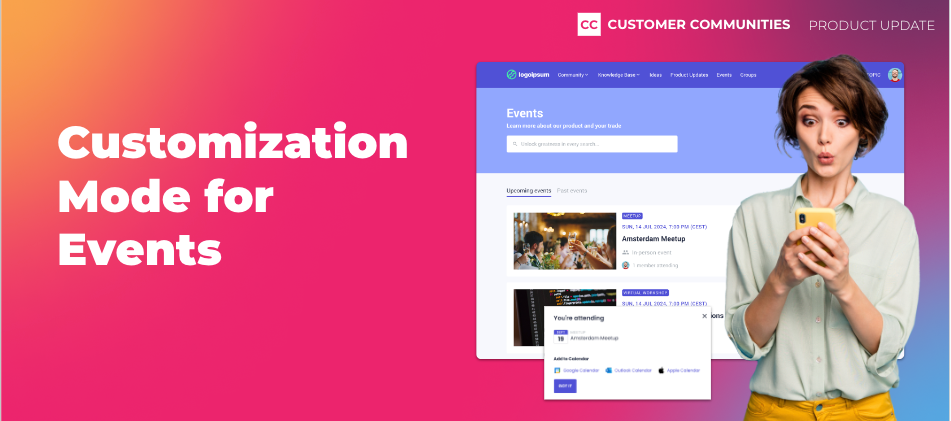
One of our core beliefs is that anyone, regardless of their technical background, should be able to customize their community the way they want. To double down on that, we’ve made some big enhancements to the Events experience in Destination to make it easier for you to promote your events on your community, and for your customers to find and join those events.
Customization Mode
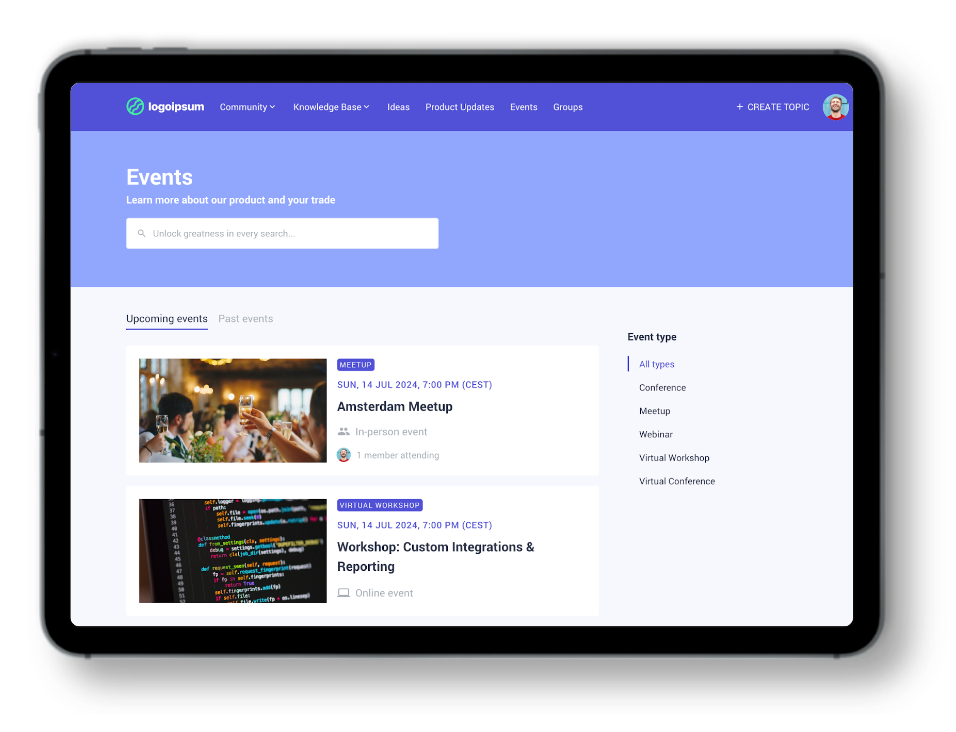
We’re excited to announce that the Events page now supports customization! This means that you can add widgets to your events page using our widget library. For example, use the customizable search banner widget to search through Events, or insert a banner widget above the events list to promote a large upcoming event or do a call for speakers.
New Tabs and Event Types Filter
Moreover, we’ve added a couple of new navigation elements to this page. First, we added dedicated tabs for Upcoming and Past events to make it easier for customers to search through all your events without having to scroll. Your community members can also use the new Event type filter to narrow their search down based on the type of event.
More Add to Calendar Options
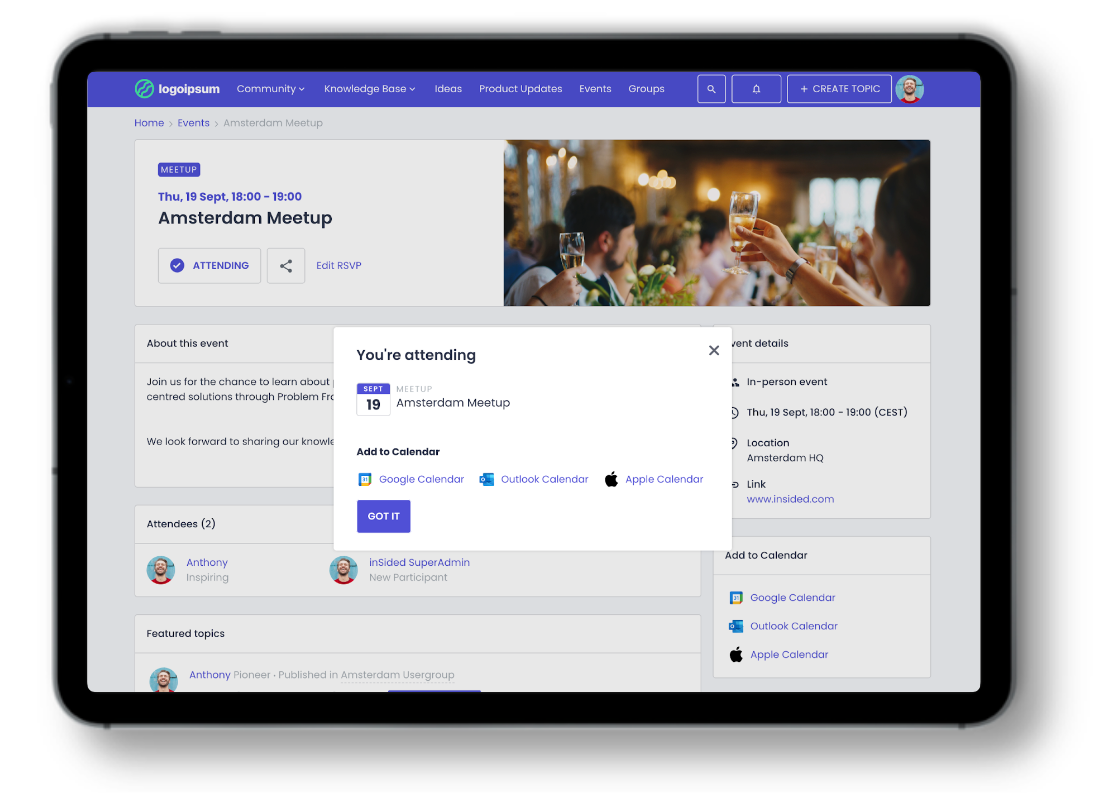
Up until now, users could only add an event to their Google Calendar. Starting today, your users can also add events to their Outlook and Apple calendars.
Delete Event Types
Yes, really. You can now delete Event types! Enjoy greater control and organization by removing redundant event types from your repertoire.
Improved Event Cards
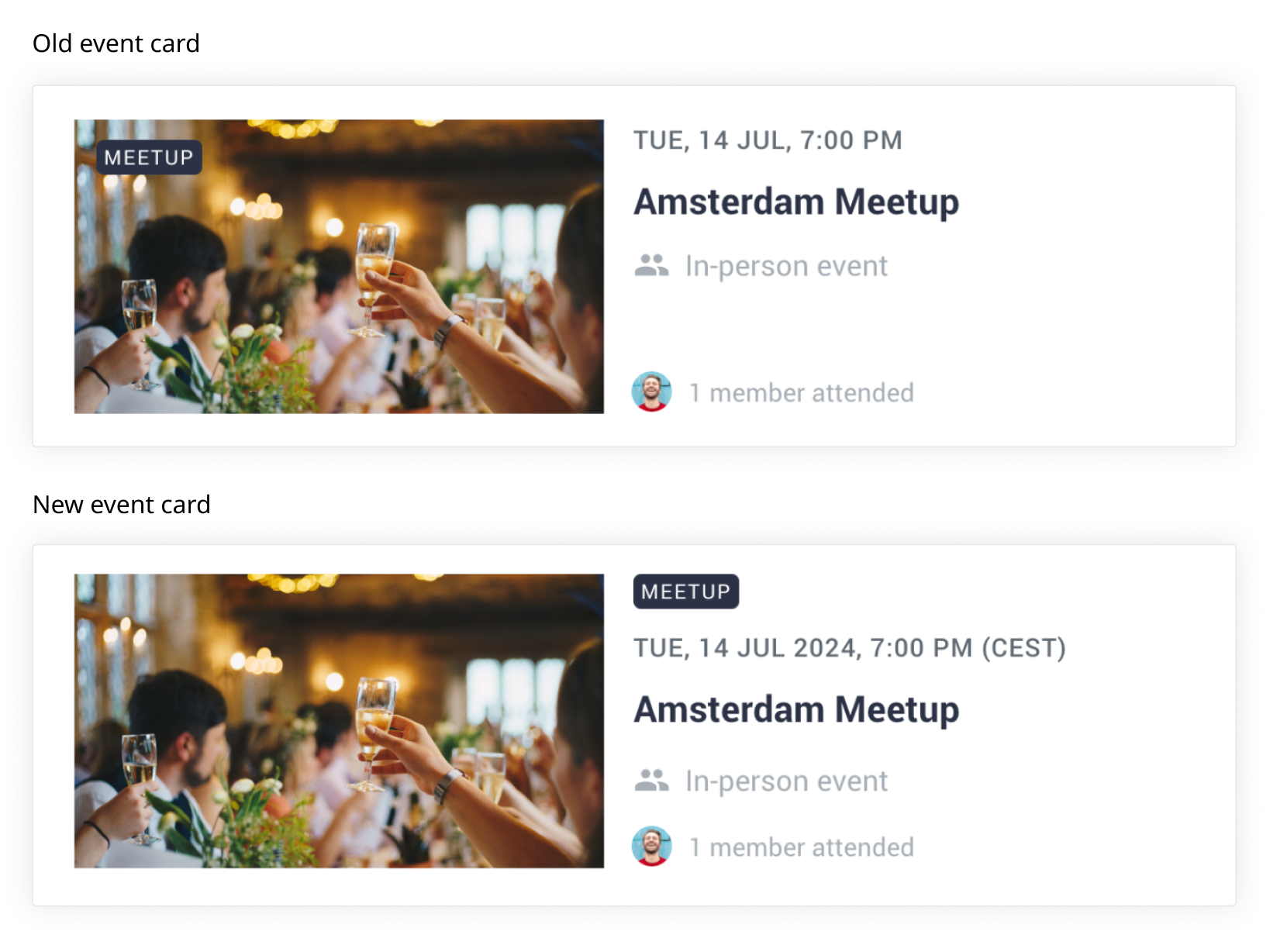
To improve the way that we show events on the Events page, we have made a couple of smaller quality-of-life improvements:
- Dates now include the year of the event, making it easier for your users to know how long ago an event took place
- We also show the user’s current timezone after the time of the event, to better clarify what time this event takes place
- The Event type tag is no longer overlaying the featured image but is placed next to the featured image
Customize Your Events Page Today!
To start customizing your Events page, head over to the Events page in Destination, click on the “Customize” button, and make any changes you want. Once you publish your customized Events page, this customized page will now be the default page for your users. Note that after publishing your customized Events page, there is no way to revert to the old experience.
Important
You can enable and customize the Events page yourself until June 1, 2024, so you can control when it will go live for your users, and with which styling. After June 1, 2024, we will enable the new customizable Events page for all customers by default, with default branding (so no hero image, default page title, etc.). Don’t stress! We’ll send you a reminder if we see you haven’t enabled this yourself before the deadline.
Thanks for Your Help!
Many of these improvements were sourced from your great ideas! Here are a few of the ideas we closed with this release.
Have ideas for other features or enhancements? Add them here!
What’s Next?
Up next, we’ll focus on improving the Control side of Event management, by introducing a new and improved Event creation flow, allowing you to save events as drafts and duplicate events with ease.
Let us know what you think in the comments below