

Parent categories – Launching April 2, 2019
In the past months we have released a number of improvements which help you guide your users to the most relevant content. We believe that our next improvement will also be a major step forward in making access to the most relevant content much easier and more efficient.
By introducing parent categories as a clickable page, you will soon be able to offer users a new area which includes all content from all categories in one overview. Difficult to explain, so maybe it’s better to define what we mean with (parent) categories and give some examples to avoid any confusion.
But this does not just provide value for large or established communities, it’s valuable for all shapes and sizes.. You as a community Manager are now able to structure content better, lowering the barrier between different categories in a knowledge base, improving the overall browsing experience.
Last but not least: integrations. Why share a link to the entire community on a product page, when a link now can also present all FAQs, discussions and ideas in a single page? We would recommend you to start reviewing your integration plan to maximize the added value for your users.
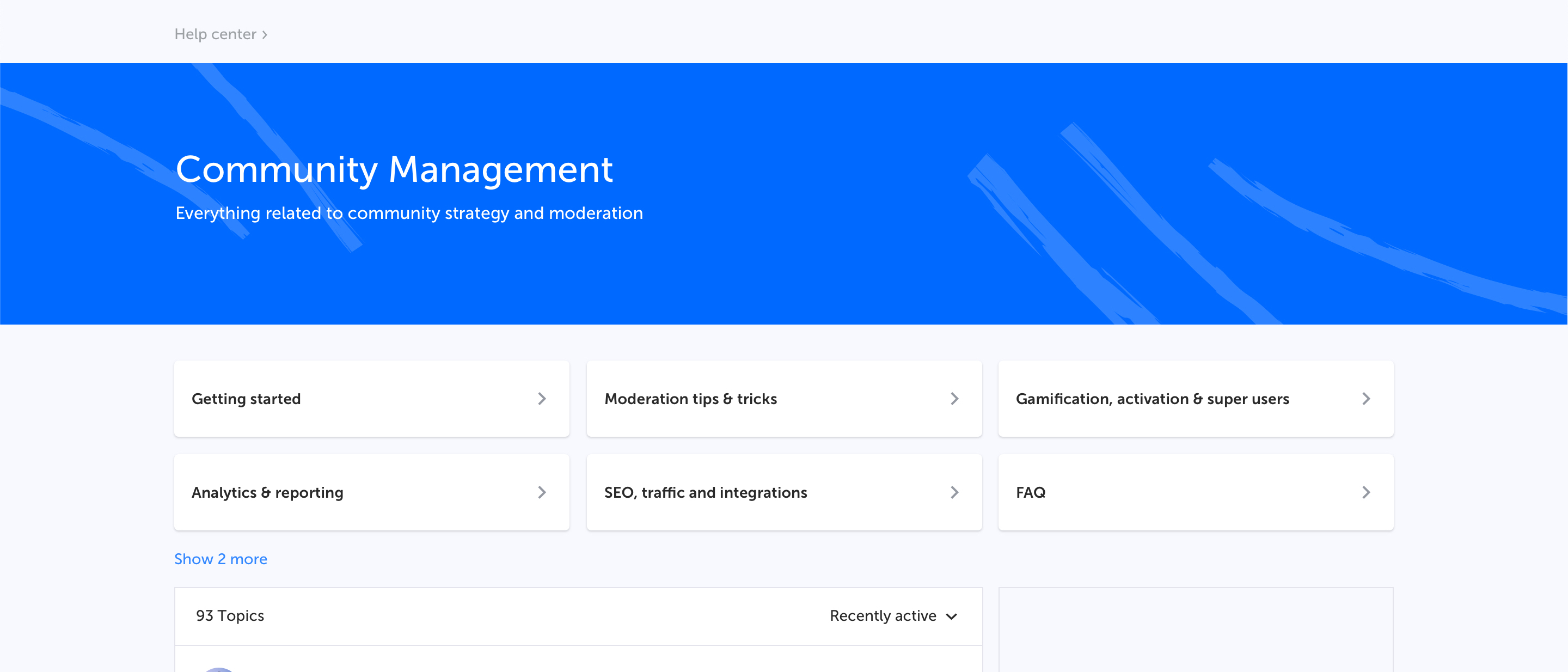
Q: What will this new parent category page look like?
A: Example of a parent category page "Community Management" with multiple categories “Getting started, Moderation tips & tricks etc.”
Q: Which elements are shown?
A: Hero banner with title and description
Categories as navigation cards
Topic list displaying topics from all categories sorted by recent activity
General sidebar
Q: Do I need to enable this new page for my users?
A: No, the moment we enable this parent category page it’s always accessible for your users through the homepage, menu, breadcrumbs or direct URL.
Q: Do I need to prepare anything?
If you want to display a banner/image on top of the parent category page you have to provide one in the Control environment.
April 2, 2019
We're looking forward to see the new categories in your platform. If you have any feedback or spot something unusual please let us know.
By introducing parent categories as a clickable page, you will soon be able to offer users a new area which includes all content from all categories in one overview. Difficult to explain, so maybe it’s better to define what we mean with (parent) categories and give some examples to avoid any confusion.
Category, Forum, Board
When a user creates a topic he needs to select a place where it will be posted. You might have different names for this place (category, forum, subforum, board, section, etc), but for clarity we are calling it a category. To make sure we’re all speaking the same language we have created a visual that explains what we at inSided refer to as parent categories and normal categories.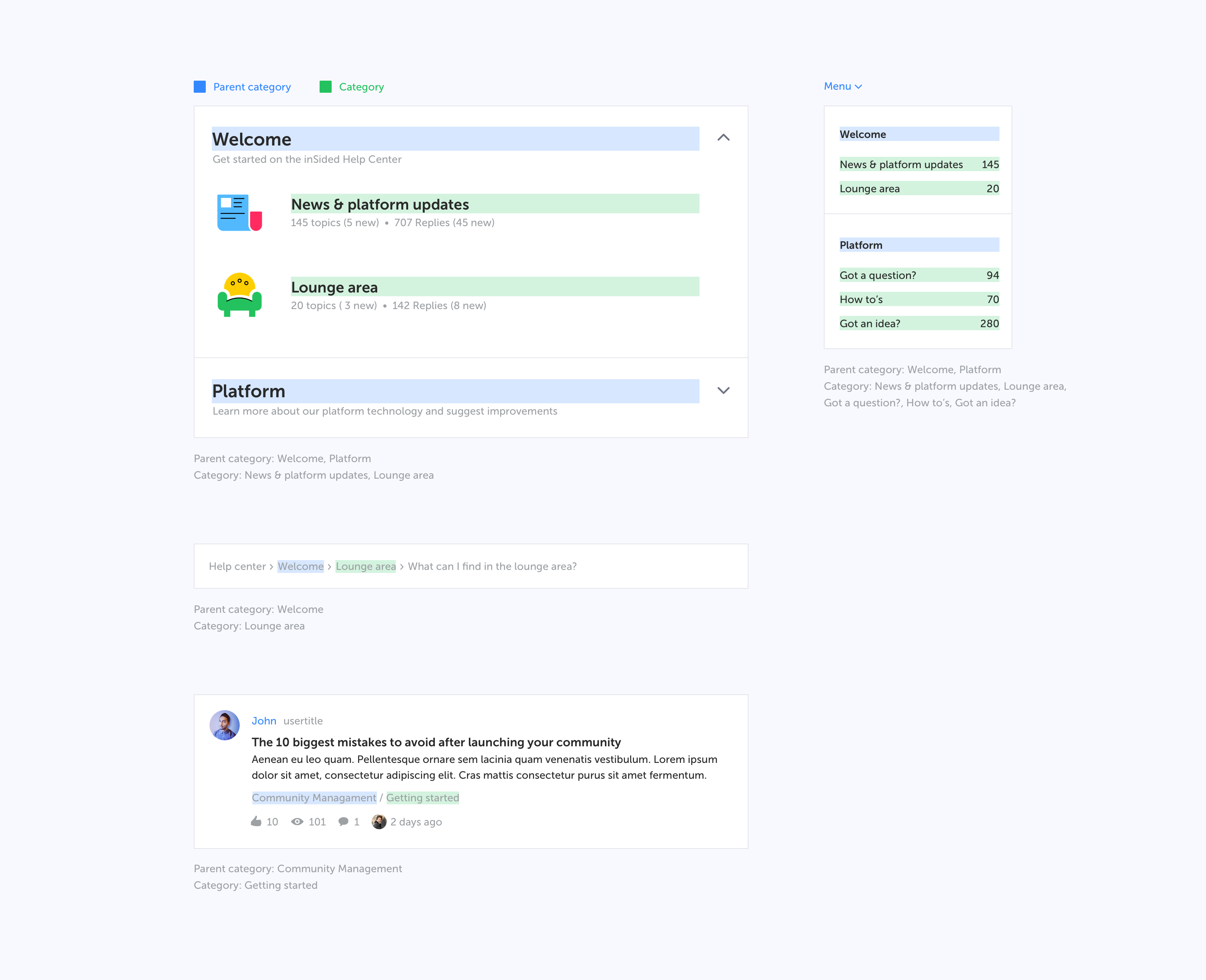
Why are we doing this?
We see that specifically larger, mature communities with many categories would like to offer their (super)users a better experience while navigating the community. A parent category usually includes many related categories which all cover a product or a specific field of interest. Instead of having them change categories just to be up-to-date with the hottest discussions and latest questions, a separate parent category page with all content combined makes more sense.But this does not just provide value for large or established communities, it’s valuable for all shapes and sizes.. You as a community Manager are now able to structure content better, lowering the barrier between different categories in a knowledge base, improving the overall browsing experience.
Last but not least: integrations. Why share a link to the entire community on a product page, when a link now can also present all FAQs, discussions and ideas in a single page? We would recommend you to start reviewing your integration plan to maximize the added value for your users.
What will change?
Throughout the platform changes will be made to facilitate and show this new parent category:- Parent categories become a destination page that users can visit
- Parent categories will become clickable in the navigation (menu dropdown and homepage category stream)
- Parent categories will be listed in the topic streams
- Parent categories will be listed in the breadcrumbs
- Naming in Control
FAQ
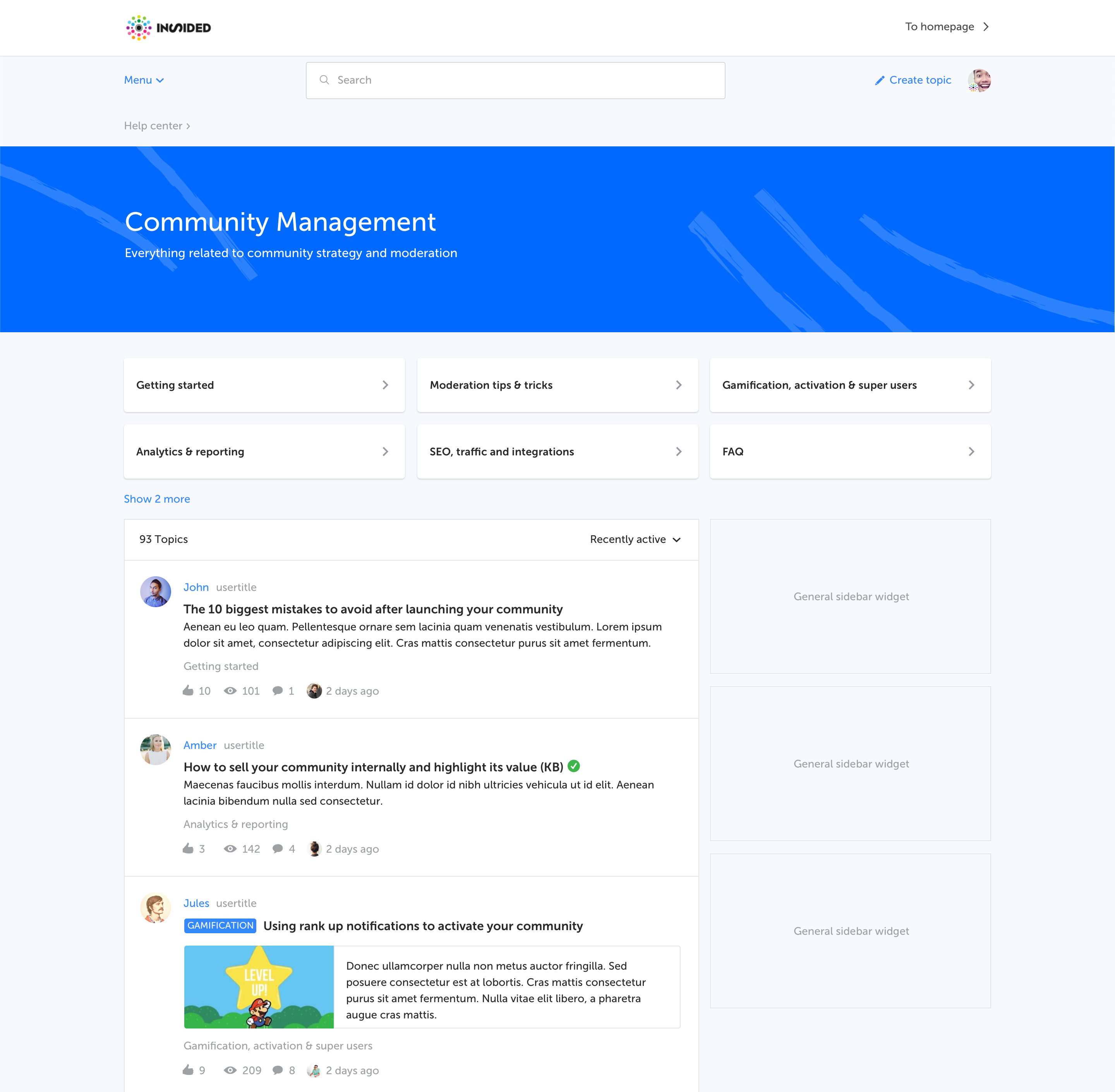
Q: What will this new parent category page look like?
A: Example of a parent category page "Community Management" with multiple categories “Getting started, Moderation tips & tricks etc.”
Q: Which elements are shown?
A: Hero banner with title and description
Categories as navigation cards
Topic list displaying topics from all categories sorted by recent activity
General sidebar
Q: Do I need to enable this new page for my users?
A: No, the moment we enable this parent category page it’s always accessible for your users through the homepage, menu, breadcrumbs or direct URL.
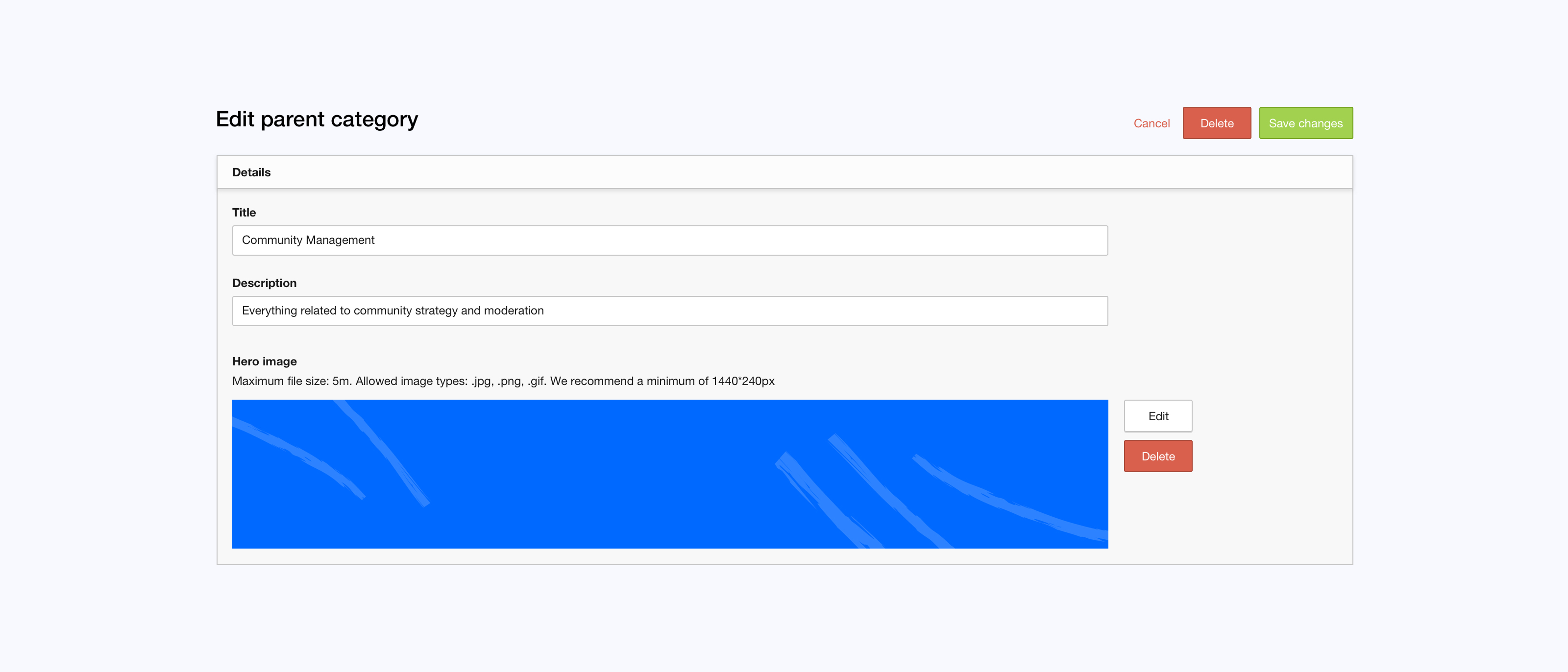
Q: Do I need to prepare anything?
If you want to display a banner/image on top of the parent category page you have to provide one in the Control environment.
April 2, 2019
Test on staging
Although we're still working on this functionality we enabled the parent category page on your staging environment already. There you can see and test all the changes mentioned above yourself, right now.We're looking forward to see the new categories in your platform. If you have any feedback or spot something unusual please let us know.