


Skilljar by Gainsight: Configure Multi-SSO (mSSO) Connections Directly from the Dashboard
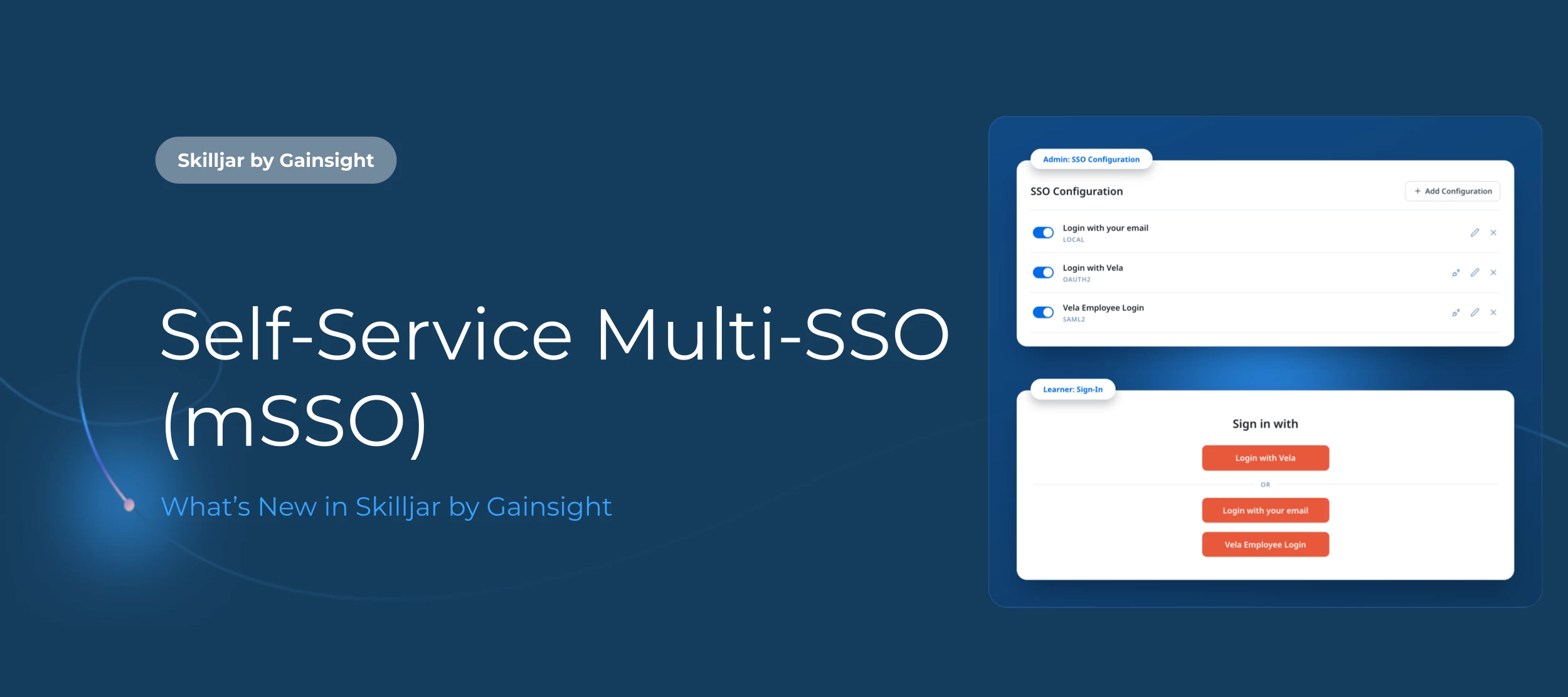
Earlier this year, we made it possible to configure a single SSO connection directly from the dashboard. Now we’re tackling multi-SSO (mSSO) configurations.
Whether you work with contractors who need their own login method, or simply want learners to have a password option alongside SSO, getting multiple identity providers set up in Skilljar used to mean engaging with our Professional Services team. Now you can do it yourself, directly from the dashboard. Combine SAML, OAuth, and OIDC on a single domain, and add Native Login (email/password) alongside them so learners always have a password option available.
This is included at no additional cost and on every Skilljar tier.
Note: If you've previously worked with our Professional Services team on a custom login experience, this setting won't appear in your dashboard, and your existing setup will continue to run unchanged.
How does it work?
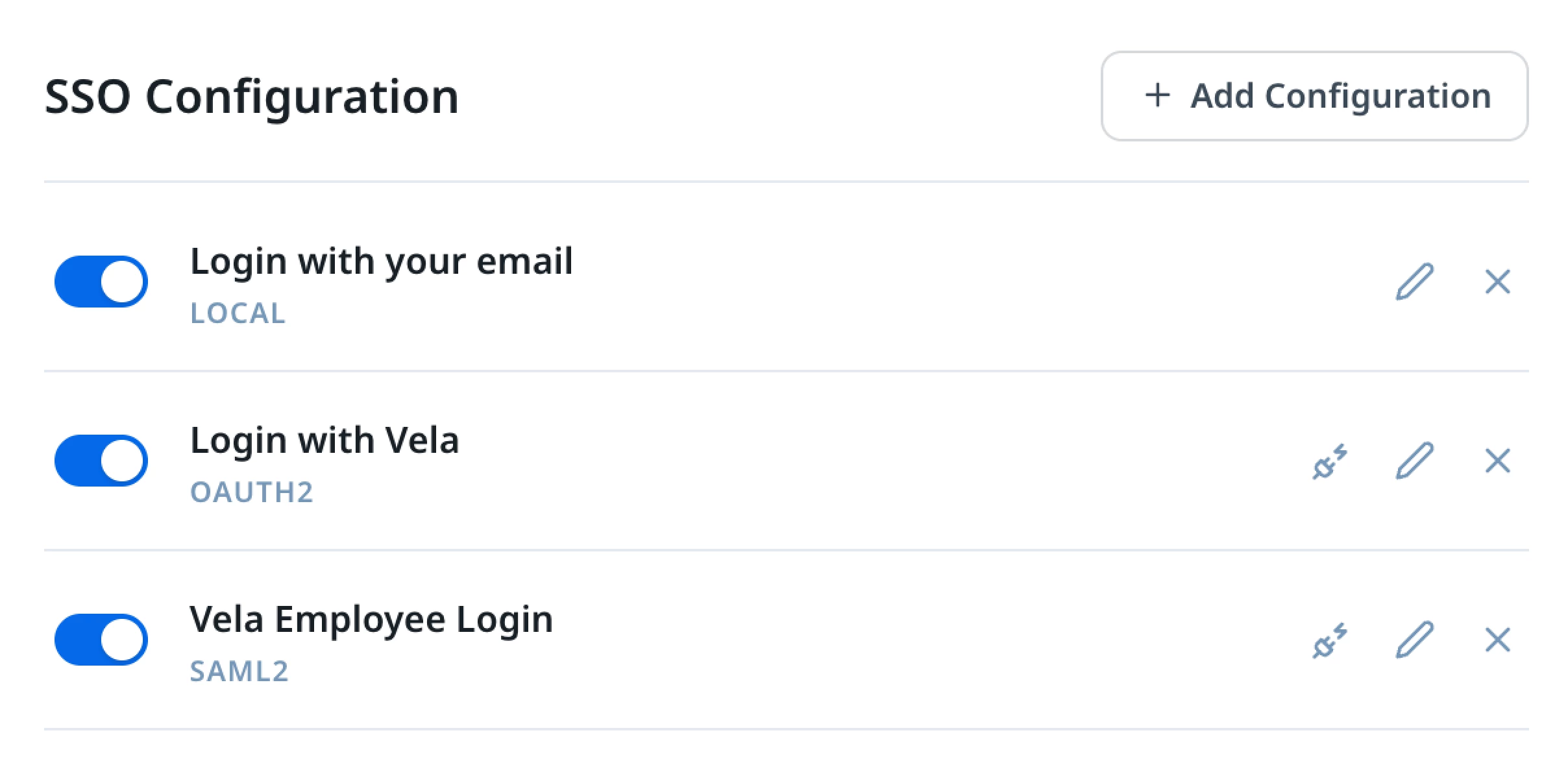
In the admin dashboard, you can add your SSO providers, set the order they appear, and toggle them on or off. When more than one is active, learners automatically see a login selection page with clearly labeled buttons for each option.
Note: Because the Skilljar Starter plan runs on a separate authentication system, the setup steps in Domain Settings and learner experience differ slightly from other plans. See the below help article for the exact steps.
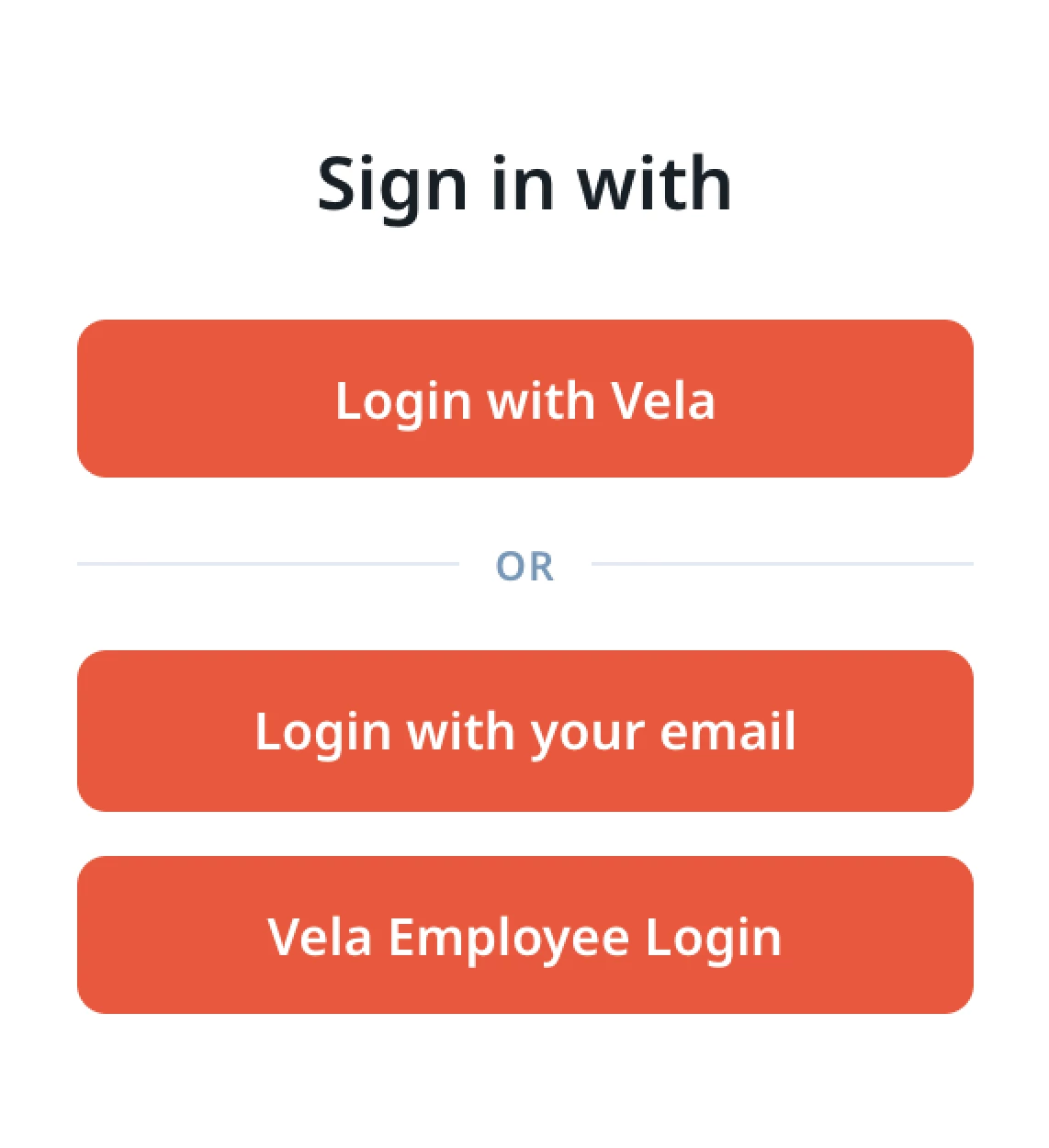
Under Theming → Languages, you can customize button labels and help text for each login method through your language pack, so learners understand exactly what each option is and when to use it.
Get Started
Head to Domains & Publishing → Domain Settings → SSO Configuration to add your first connection.
- Help Article: Self-Service mSSO For Essentials, Professional, & Enterprise Plans
- Help Article: Self-Service mSSO For Skilljar Starter
Professional Services
The default login page covers most teams’ mSSO needs. But if your organization requires a login flow beyond the self-service functionality, our Professional Services team offers full discovery-through-go-live support to build exactly that. Talk to your Gainsight CSM to learn more.