


Skilljar by Gainsight: Automated SCIM Provisioning, Self-Service SSO, and Localization Enhancements
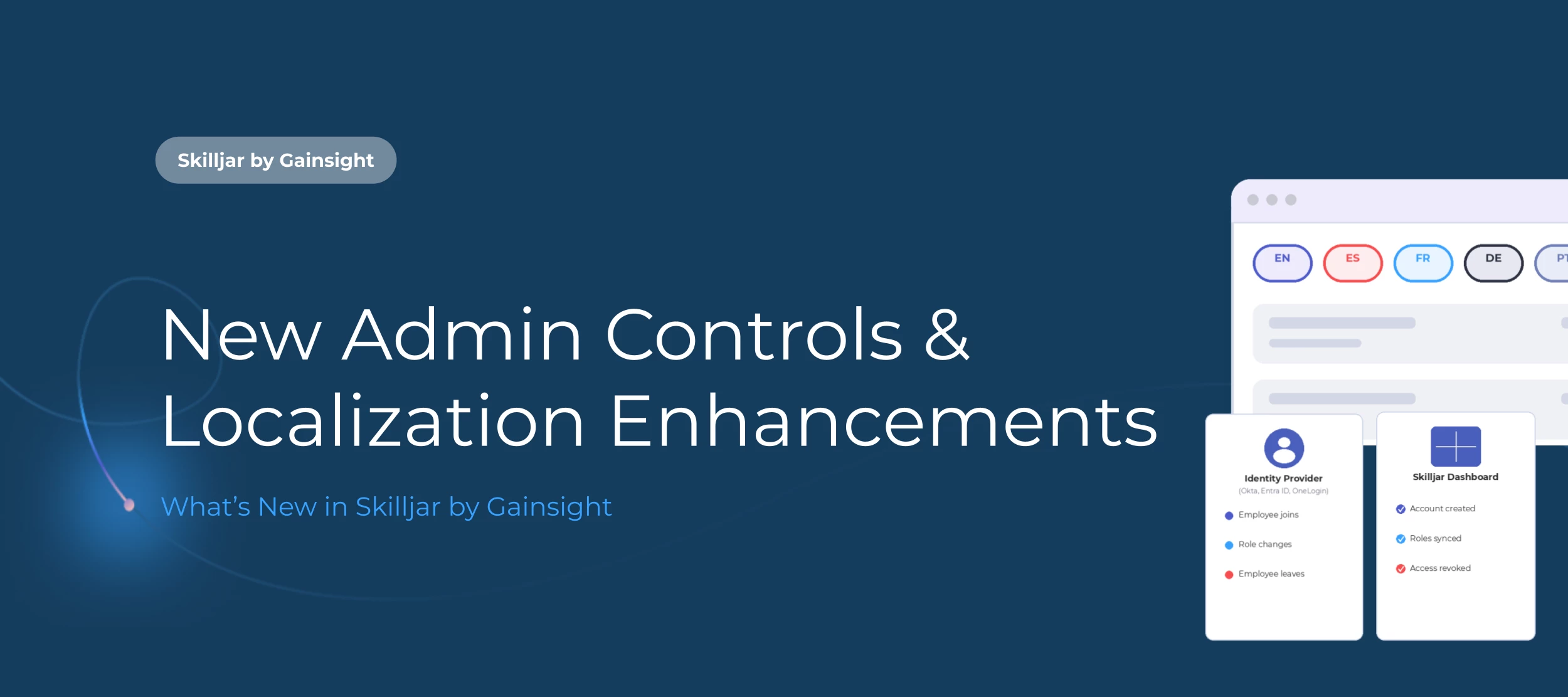
This release makes life easier on both sides of Skilljar: less manual work for admins, and a more seamless experience for learners across languages and devices. Here's what's new.
👥 Automated SCIM Provisioning for Admins
Automated SCIM provisioning allows you to manage Dashboard user accounts directly from your identity provider, whether that's Okta, Microsoft Entra ID, OneLogin, or any other SCIM 2.0 compliant providers. This means your IT team can manage Skilljar admin accounts the same way they manage every other tool in your stack.
With SCIM enabled, your identity provider becomes the single source of truth for Dashboard access. This means:
- User accounts are automatically managed. A user account is created when someone is added to a Skilljar-mapped group, deactivated when they're removed, and reactivated (not duplicated) if they return. So when your IT team adds a new CE manager to a Skilljar-Admins group as part of standard onboarding, their Dashboard account is ready before day one. And when a contractor wraps up, their access is revoked the moment they're deprovisioned in your identity provider.
- Role assignments stay in sync. Skilljar reads your identity provider's group memberships and maps them to the corresponding Dashboard roles, so permissions update automatically as team members change groups. If a content author is promoted to domain admin in your IdP, the updated group membership flows straight through to Skilljar.
This eliminates manual account management, reduces the risk of duplicate accounts, and keeps your Dashboard access aligned with your broader identity policies.
Getting started: To connect your identity provider to Skilljar, Global Administrators can generate a SCIM token from Settings > SCIM Provisioning. The rest of the connection is configured in your identity provider. Check out the Help Article for more details.
Note:
- This is only available to Professional and Enterprise customers who have SSO for admins.
- SCIM manages Dashboard users only. Learner provisioning continues to work through SSO, API, or self-registration.
🔒 Self-Service SSO
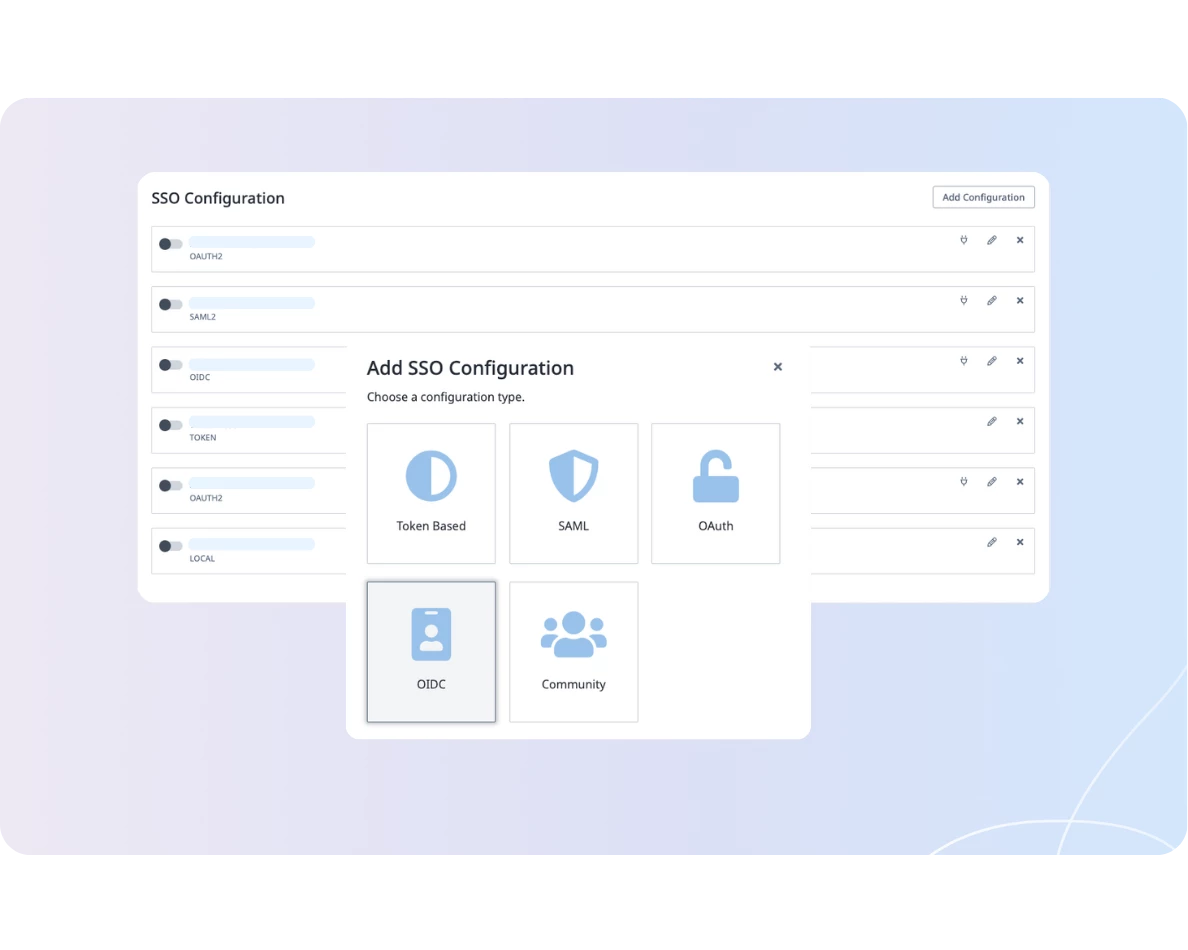
No more support tickets to set up SSO. Admins can now create, manage, and test SSO configurations directly from the Skilljar Dashboard.
The new SSO Configuration page supports Token Based, SAML, OAuth, OIDC, and Community configuration types. You can create multiple configurations and manage them all in one place, with the ability to activate whichever one is current.
The best part? A built-in test function lets you validate any configuration before going live, so you can launch a new sign-in method with confidence.
Getting Started: Org Admins can access SSO Configuration from Domains & Publishing > Domain Settings. The Help Article has more details on configuration.
Note:
- Multi-domain SSO (mSSO) still requires ProServices engagement to enable.
- Multiple configurations can be created, but only one can be active at a time.
🌍 Saved Localization Preferences
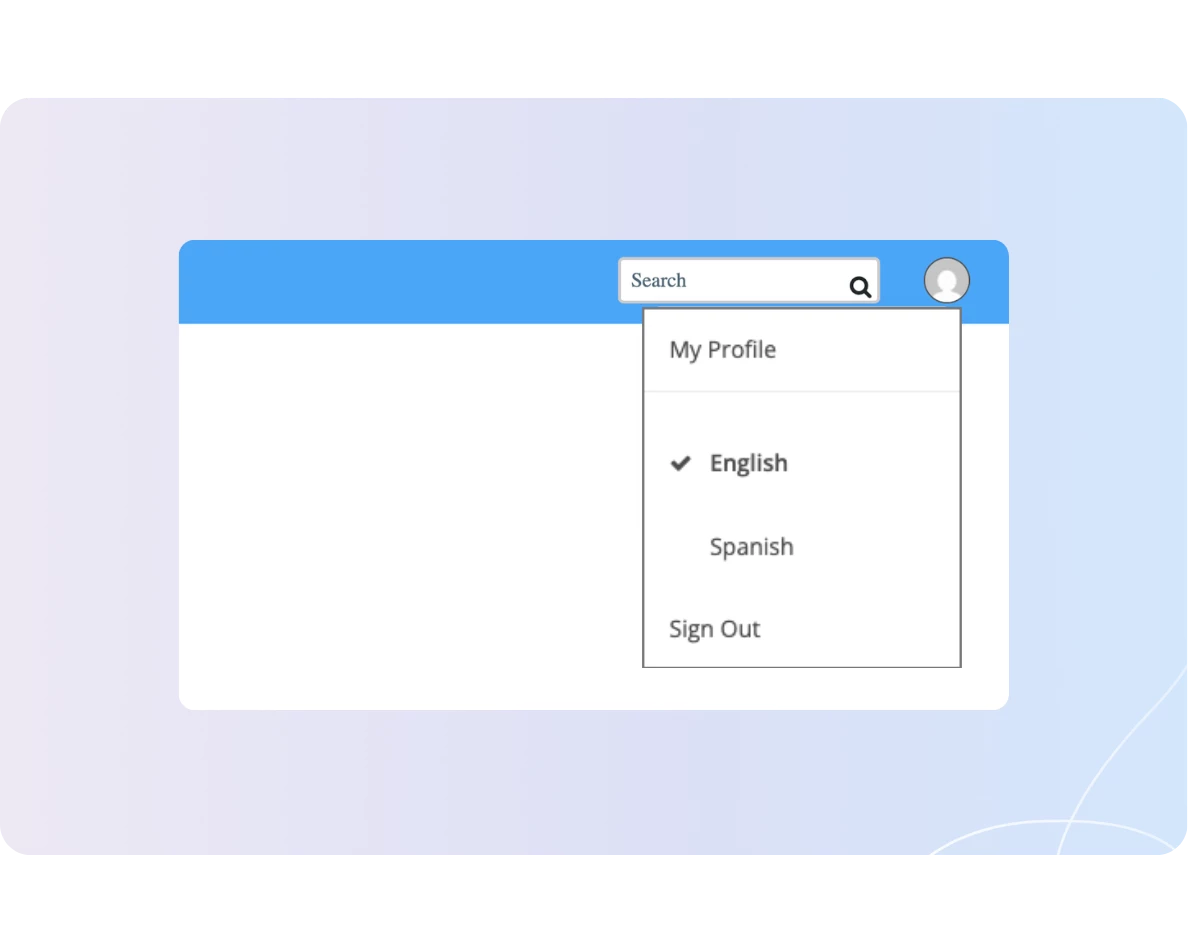
Learners no longer have to reselect their language every time they clear cookies, switch devices, or log in from somewhere new. Skilljar now saves language preferences directly to the learner's profile, so their selection persists automatically across every future visit.
- New language selector location. Learners can still choose their language from the footer selector, and can now also switch languages from the profile dropdown, shown below.
- Persistent across devices and browsers. The preference is stored in the database, not in cookies, so it follows the learner whether they're on their laptop at work, or their phone at home.
- Consistent across domains. For organizations with multiple training sites, one stored preference carries the learner's language everywhere without re-detection.
Note:
- This is enabled automatically for every organization with language packs configured.
- Applies to authenticated learners only. Anonymous learners continue to use browser-cookie persistence as before.
- Admins cannot currently view or edit a learner's stored preference from the Dashboard. Admin visibility and editing are planned as follow-on enhancements.
➕ Other Dashboard Enhancement:
- Course Ratings Available as Modular Lessons: Previously, Course Ratings only applied at the course level as a standalone lesson, but they can now be applied to individual lessons modularly. This allows learners to provide more granular feedback on your content. Release Notes.