
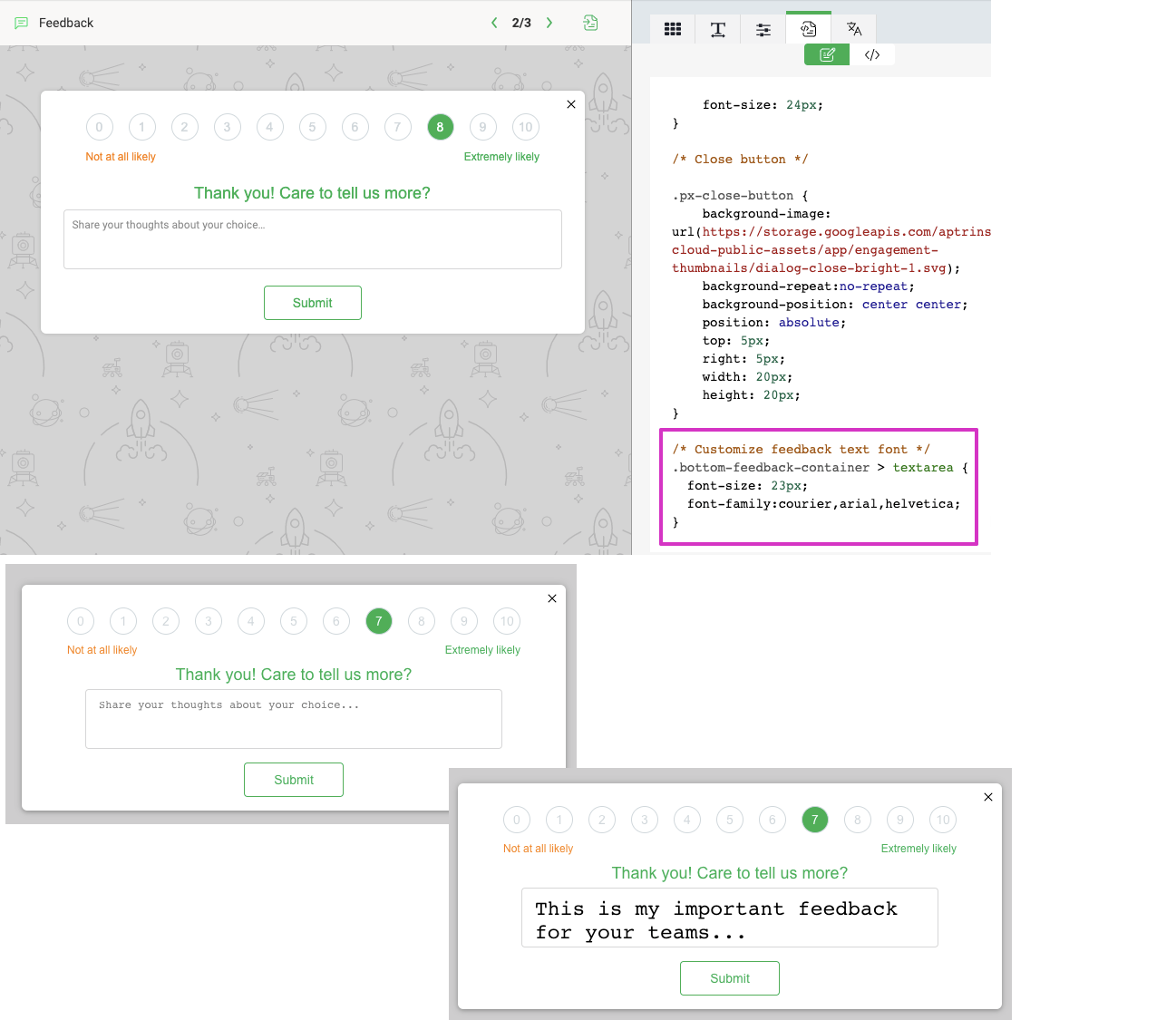
Please create the ability to customize the font in NPS engagement templates, particularly for the comments section, which uses a very ugly, old font by default. Thanks!
Solved
Customize font in NPS templates
Best answer by link_black
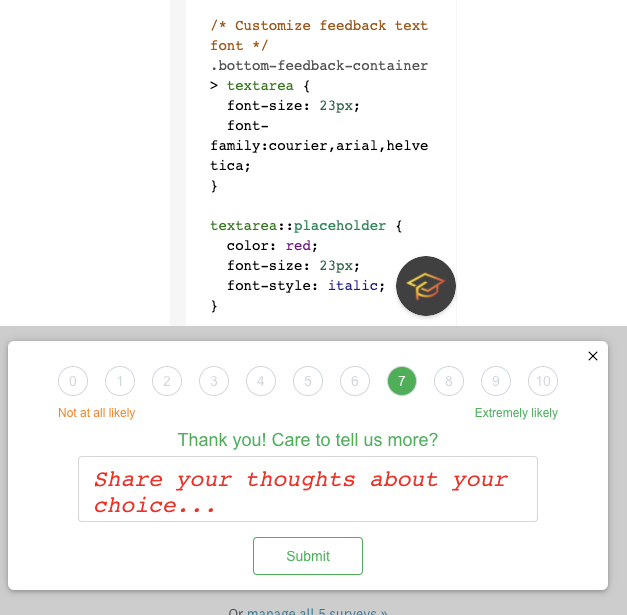
textarea::placeholder {
color: red;
font-size: 23px;
font-style: italic;
}



Sign up
If you ever had a profile with us, there's no need to create another one.
Don't worry if your email address has since changed, or you can't remember your login, just let us know at community@gainsight.com and we'll help you get started from where you left.
Else, please continue with the registration below.
Welcome to the Gainsight Community
Enter your E-mail address. We'll send you an e-mail with instructions to reset your password.