
Solved

Anchor tags in articles that will return user to the table of content

  • December 28, 2021
  • 1 reply
  • 90 views

Forum|alt.badge.img

A lot of our articles can be very long and we have a link below each section within the article, that will take the user back to the table of content. This makes it easy on the user instead of having to scroll all the way back to the top of the page.

Currently in Zendesk we can add an anchor within the article to allow the user to return to the table of content. 


Above the table of content:

<a name="Return">


Table of content: 

<ol>
  <li>
    <a href="#GoogleDeviceIntro">Integration Management Introduction</a>
    <ol>
      <li>


End of each section to return user to table of content: 

<a name="Overview"></a><a href="#Return">[Return to Index]</a>


when i try to do this with insided articles with HTML code it does not work. Is there a work around that i can try?

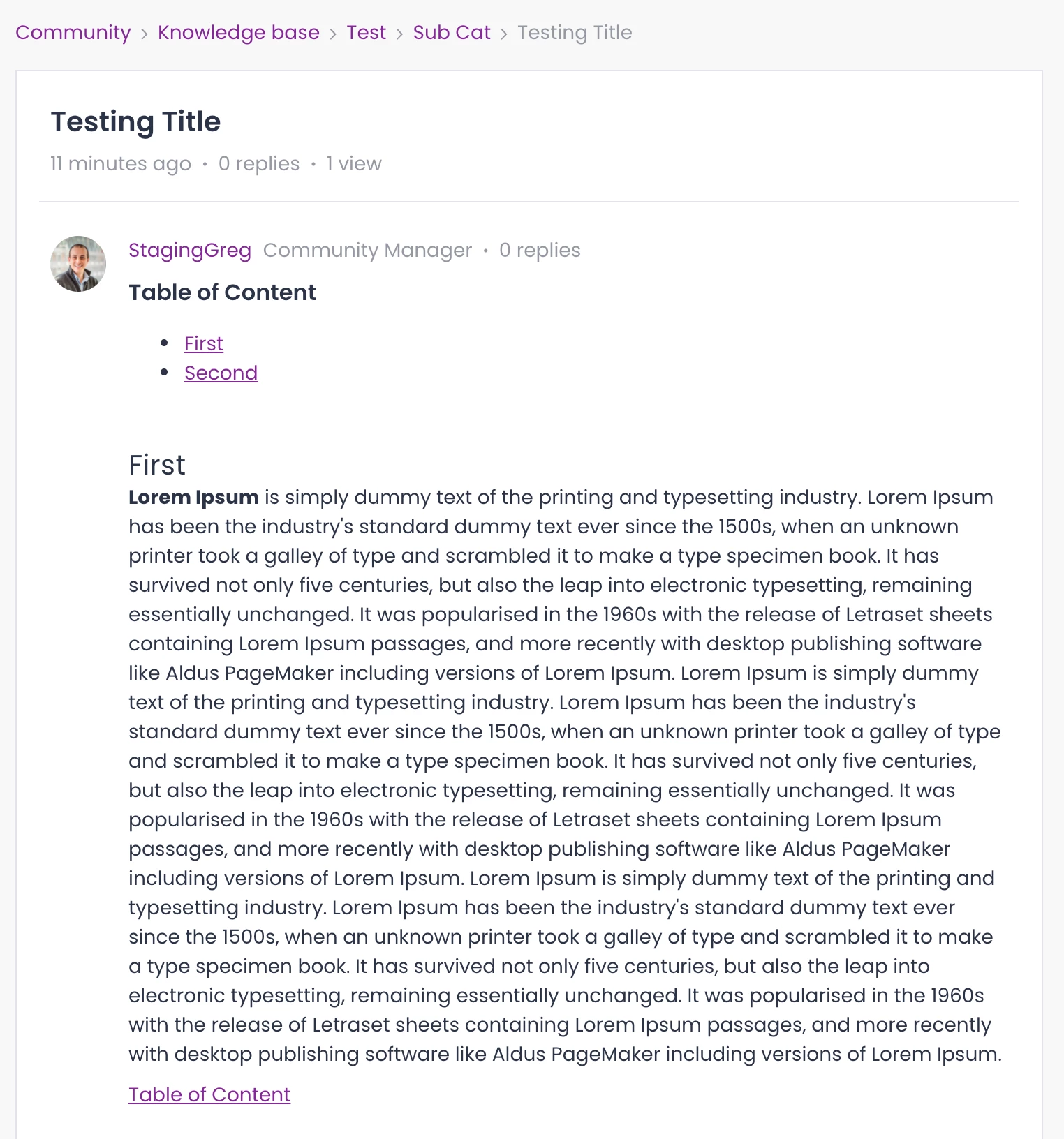
Best answer by SmartlyGreg

@Hannah Bailey seems that one simple workaround would be to use an anchor tag, as these seem fully supported, so it should not cause any issues.

When editing an article simply use the code symbol to toggle to the relevant view

You’ll then be able to add the “id” that you want to the Table of Contents, it should look like this:

<h3 id="Table">Table of Content</h3>

Then you will be able to add the link to this title with the href “#Table”, which will look like this:

<a href="#Table">Table of Content</a>

Place this as often as needed, it should work fine, it did for me!

Hope this helps!

1 reply

SmartlyGreg
Forum|alt.badge.img
  • Helper ⭐️⭐️⭐️
  • Answer
  • December 28, 2021

@Hannah Bailey seems that one simple workaround would be to use an anchor tag, as these seem fully supported, so it should not cause any issues.

When editing an article simply use the code symbol to toggle to the relevant view

You’ll then be able to add the “id” that you want to the Table of Contents, it should look like this:

<h3 id="Table">Table of Content</h3>

Then you will be able to add the link to this title with the href “#Table”, which will look like this:

<a href="#Table">Table of Content</a>

Place this as often as needed, it should work fine, it did for me!

Hope this helps!