

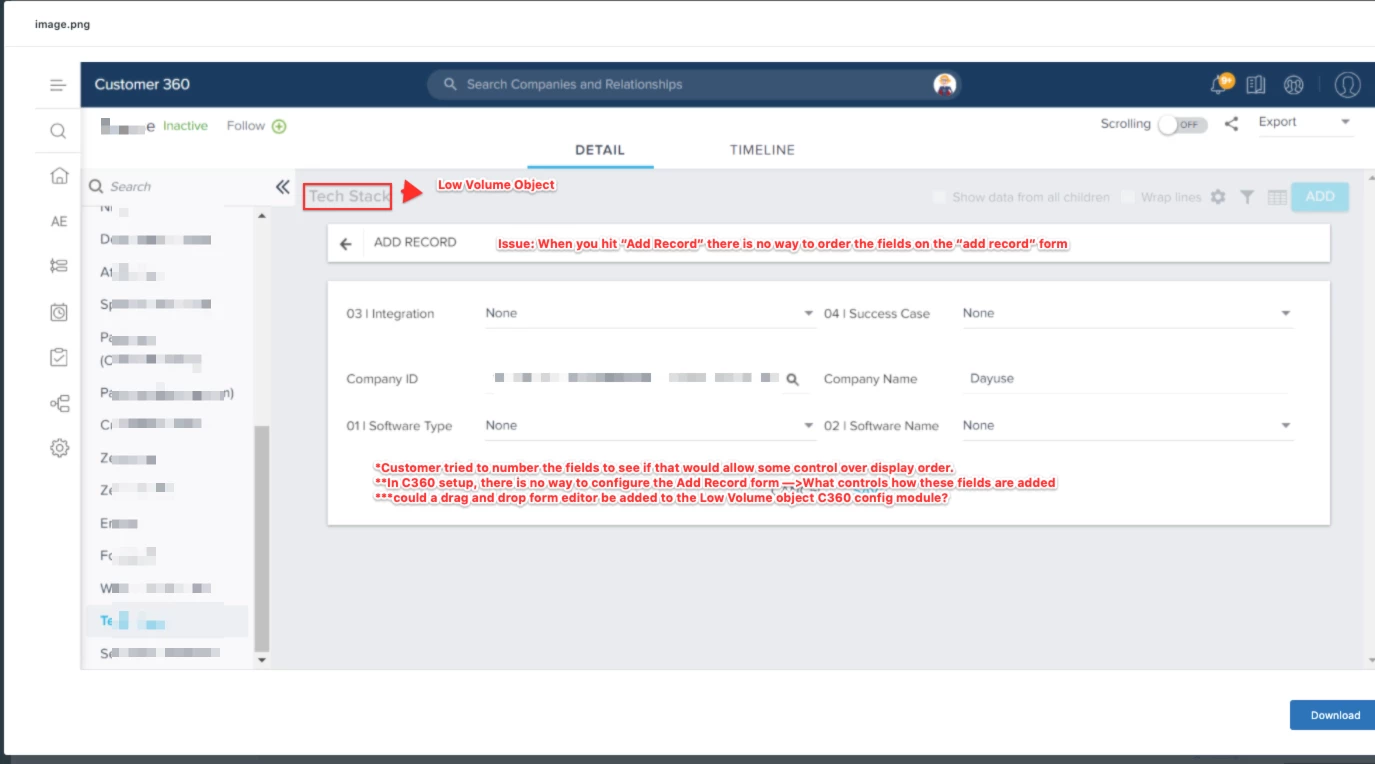
I have been working with. a Gainsight customer: InsightSquared, and they pointed out a very interesting enhancement possibility for the C360 section in NXT. They have added a C360 section that uses the Low Volume object interface. One of the attributes of this interface is the ability to add records, and apparently there is no way to order how the “add record” fields are ordered. In C360 setup, the only configuration displayed when you try and configure a low volume section is a dropdown menu to select your Low Volume object.
I’ll let this picture tell the story:
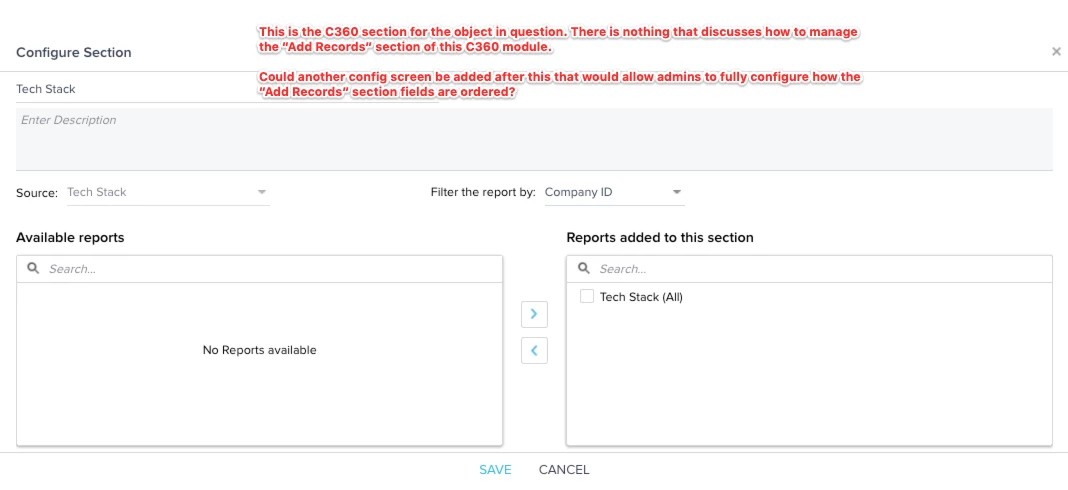
So here’s the ask: In C360 setup for the Low Volume module, could an additional config section be added to the config where a drag n drop sub-menu be added
I did run this by my L2 support team and they confirmed that this isn’t a bug, so that would mean that mean that this would better be classified as an enhancement request