Solved

Implementing the website PX tag

  • November 6, 2019
  • 6 replies
  • 141 views

Currently in the process of getting PX implemented on our marketing website. I’m slightly confused about how to effectively visualise it on the PX UI.

1. If I wanted to filter leads or users who viewed specific pages how would I do that?
2. If I wanted to track leads or users from a particular source based on custom events I’m sending how would I do that.

Would love to hear from anyone who’s done it before or any other help would be much appreciated 🙌🏽

Best answer by neil_james_reviewpro

Hello Sai.  The best approach is that you can pass through the elements that you want from your website to PX, and then map them in the Attributes area (under settings).  Once this is done in Audience Explorer you can then apply filters to look at people that did specific things.


In addition, under analytics and adoption, you can also look for accounts/users that have been to specific pages.  To go to the level of granularity that you  want though, most probably Audience Explorer is the best.

6 replies

neil_james_reviewpro
Forum|alt.badge.img+2

Hello Sai.  The best approach is that you can pass through the elements that you want from your website to PX, and then map them in the Attributes area (under settings).  Once this is done in Audience Explorer you can then apply filters to look at people that did specific things.


In addition, under analytics and adoption, you can also look for accounts/users that have been to specific pages.  To go to the level of granularity that you  want though, most probably Audience Explorer is the best.


lila_meyer
Forum|alt.badge.img+5
  • Gainsight Employee ⭐️⭐️⭐️
  • November 18, 2019

Thanks for helping your peers, Neil! :dart:


link_black
Forum|alt.badge.img+2
  • Gainsight Employee ⭐️⭐️
  • November 19, 2019

Thanks for helping @neil_james_reviewpro !


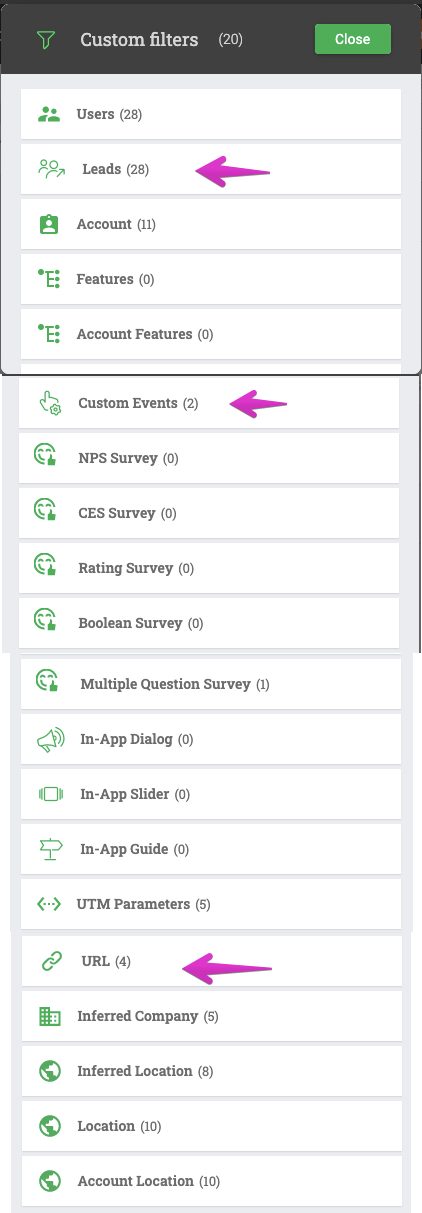
To add to this, using simple Audience/Account Explorer queries and exports can be very effective.  Filters are available for User and Account attributes, plus features, engagements, surveys, usage and much more. 

Audience Explorer Filters


  • Author
  • Contributor ⭐️⭐️
  • November 19, 2019

Thanks everyone for your help. But I just heard back from PX support that it is currently not possible to send Custom events from the website and visualize it in the UI which is slightly disappointing 😶.

@neil_james_reviewpro’s suggestion would have solved my issue, but it isn’t possible apparently.


neil_james_reviewpro
Forum|alt.badge.img+2

harshibanka
Forum|alt.badge.img+2
  • Gainsight Employee ⭐️⭐️
  • November 20, 2019

@sai_girish just to clarify what @neil_james_reviewpro is alluding to is “Custom Attributes” associated to a User or an Account which is different from “Custom Events” which are used to track specific workflows on the UI while Custom attributes are associated to users, where you can pass values for additional filtering and data capture on user behavior.