Hi Ben,
You can paste and edit HTML code directly in CoPilot.
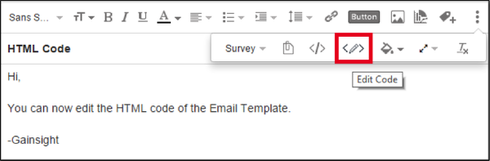
This support page has some added details about the features available in CoPilot templates:
https://support.gainsight.com/hc/en-us/articles/206358958-Create-CoPilot-Email-Templates
And here are some CoPilot coding guidelines that you will find useful:
https://support.gainsight.com/hc/en-us/articles/207090407-CoPilot-Email-Coding-Guidelines
Not all features of HTML are supported, but most of the ones central to email messaging are. See below:
What kinds of HTML code are accepted in Email Templates?You can bring in any HTML code that you’ve used to build templates in Salesforce or Marketo. It is currently not possible to edit the HTML once you’ve brought it into CoPilot, however, you can use the WYSIWYG editor to update the template formatting. Basic HTML is supported, but it’s not guaranteed that all the formatting will be retained; however, you can edit the template after that. We recommend sending yourself a sample email to test how the email looks in your email client.
Good luck!
-Dan