

CC Newsletter August 2026
Customer Communities August 2026
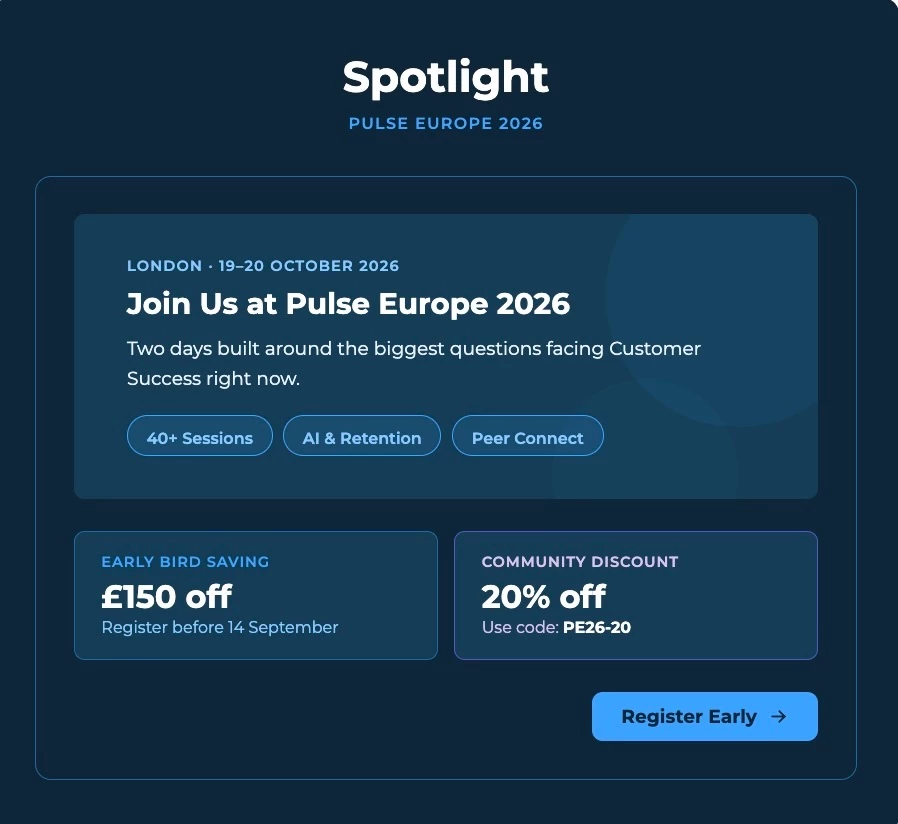
This month we're giving community managers a dedicated space to track all moderation activity, and upgrading your reporting dashboards with trend charts, new widgets, and expanded drill-downs. Plus, get hands-on with AI through three new free courses from Gainsight University, and if you're heading to Pulse Europe, Early Bird pricing is still available through September 13th.
Let's get into it! 😀

Review All Moderation Activity in One Dedicated Dashboard
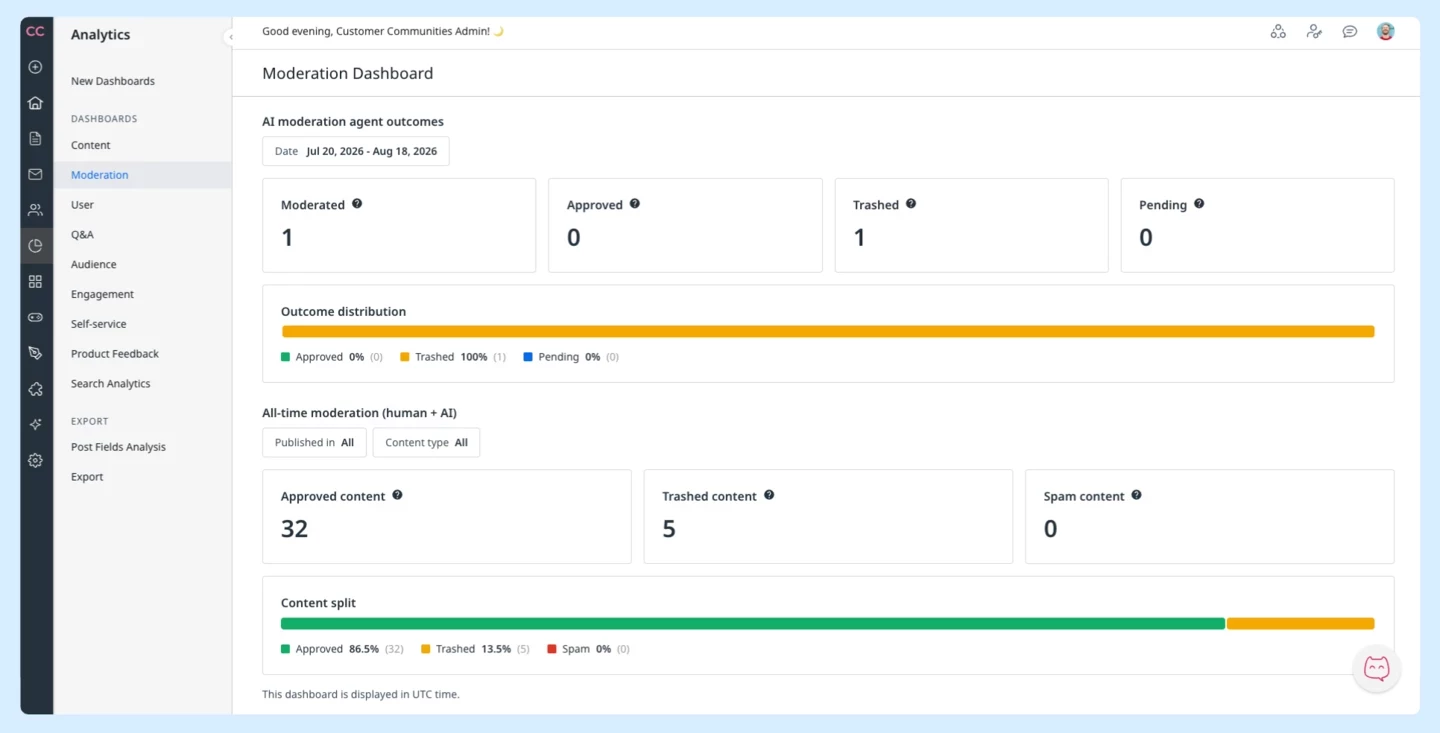
The new Moderation Dashboard gives community managers a single place to track moderation across both human moderators and the AI Moderation Agent. You can see AI agent outcomes filtered by date range, including content moderated, approved, trashed, and pending, alongside all-time cumulative totals since your community launched.
Learn More
Five Dashboards Updated with Trend Charts, New Widgets, and Drill-Downs
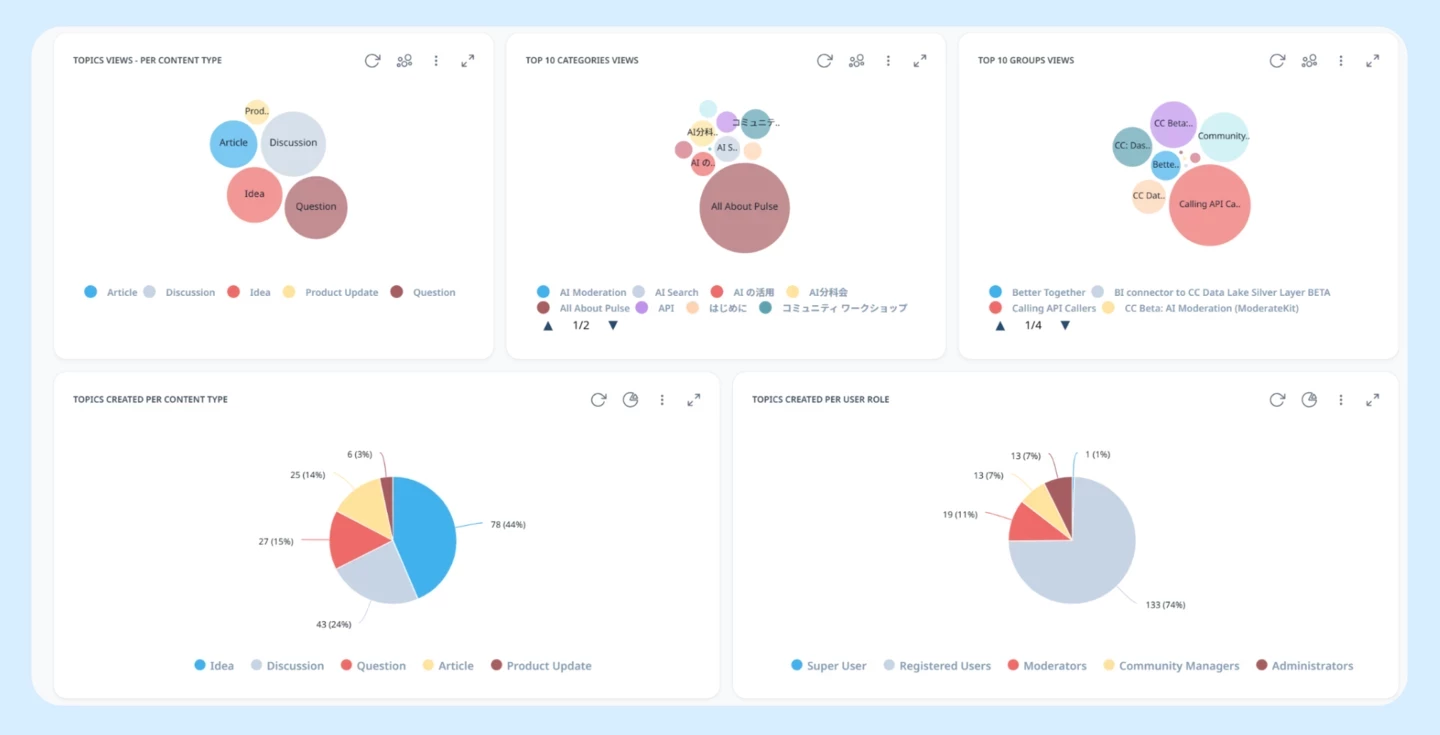
Your reporting dashboards just got significantly more detailed. Across Q&A, User, Content, and Subscription dashboards, you can now drill into individual records, track activity over time with new trend charts, and view breakdowns that weren't available before. A few highlights: the User Dashboard now captures active users who posted or reacted in a given period, the Q&A Dashboard shows the split between peer and employee contributions, and the Content Dashboard adds view breakdowns by category, content type, and group.
Learn More

How to Connect Your Community to Claude with the Gainsight Community MCP
If you read the Claude Connector highlight above and want to get started here's the setup in three steps.
The Gainsight Community MCP connects external AI tools like Claude directly to your community's indexed content via the Model Context Protocol. Once connected, Claude can query posts, topics, discussions, analytics trends, and moderation queues and use its own capabilities to surface insights, draft responses, and build dashboards.
To enable it:
- Log in to Control and navigate to AI > AI Settings
- Under Features, turn on the Community MCP toggle
- In Claude, go to Connectors > Gainsight Community and click Connect
Once connected, what you ask shapes what you get. A few prompts worth trying:
- "What conversations have been most active in the last 30 days?"
- "How many new users joined in the last 30 days?"
- "What topics in our moderation queue need attention?"
Search, Analytics, and Admin tools are all available and the tools Claude can access depend on the community role assigned to it, so reviewing role permissions before connecting is worth the few minutes it takes.
Read full setup guide

The Gainsight MCP Prompt Library Is Live And We Want Your Prompts
But the best prompts come from people actually using these tools day to day. If you’ve found a prompt that saves you time, surfaces something useful, or fits neatly into your workflow — share it in the thread. Drop it with a quick description of the use case, the prompt itself, and which product it’s for (CS, PX, CC, Skilljar, or Staircase). Standout community prompts will be featured in the library over time.
Already seeing results? Community member mobrien14 shared how their team is using Claude live artifacts with the Gainsight MCP to generate revised CS Sentiment, assess open business objectives, and surface program metrics to stakeholders who don’t log into Gainsight directly.
Not using MCP yet? The AI Learning Hub is a great place to start.
Explore the Prompt Library
Join the discussion
AI Learning Hub
Real Talk: How One Community Manager Is Using the Claude Connector for CC
Genell didn't set out to write a best practices post. She just kept telling colleagues “oh, Claude does that for me now” and figured she'd write it all down in one place.
If you have the Claude Connector turned on, here's what's been working in her day-to-day:
- A living Community Engagement Dashboard — no more manually pulling the same numbers every week. KPIs stay current without rebuilding reports.
- Monthly leadership updates that basically write themselves — pulls last month's community stats, formats them slide-deck-ready with month-over-month growth, and sends them to her manager. What used to take a whole afternoon is now done in minutes.
- Title compliance checking — member posts and employee updates checked against their Community Style Guide before going live. Small thing, adds up fast at scale.
- An Ideation PM Leaderboard — a fun artifact tracking which Product Manager has shipped the most ideation items in a given period. Friendly competition that keeps the team accountable — and customers win as more enhancements ship.
- Sentiment tracking alongside release feedback — so she can see how a launch is actually landing with the community, not just eyeballing comment counts.
Her practical tip: dashboards are worth setting up for anything you'll check more than once. For one-off questions, just ask directly and move on.
What are you using the Claude Connector for? Jump in and share.
Read the full thread

Get the AI and CS Playbook Gainsight's Team Is Actually Using
[Un]Churned is where the Gainsight team shares what they're building, learning, and experimenting with as AI reshapes customer success. Each issue brings you practitioner perspectives on topics like agent evaluation, value realization, and what it actually means to keep CSMs in the loop. It's the thinking behind the product, written for the people doing the work.
Subscribe
Build Your AI Skills with Three New Free Courses from Gainsight University

AI is changing how community teams work, and these three free courses give you practical skills you can use right away. Whether you want to sharpen your day-to-day workflows, understand the technology powering today's AI assistants, or get hands-on with the Gainsight Community MCP, there's a course for where you are right now.
- AI Essentials for Community Managers: Learn how to use AI for moderation, surface insights from your community for CS and product teams, spot at-risk members early, and build the leadership summaries that prove your community's value.
- Introduction to MCP for Everyday AI Use: Understand how the Model Context Protocol connects your AI assistant to your live business data, and how to use it safely and confidently.
- Put AI to Work Using the CC MCP: A step-by-step walkthrough for Gainsight Community managers on connecting and using the CC MCP to surface insights, analyze engagement, and automate daily tasks from your AI assistant.
Get Started
Join Us: CC Office Hours l Every Wednesday at 11:00 AM ET
We are now offering weekly office hours with the CC team. Bring your questions, swap ideas with other Skilljar users, and get quick, actionable guidance. If you have a named CSM, continue to use them as your primary contact.
Register Here